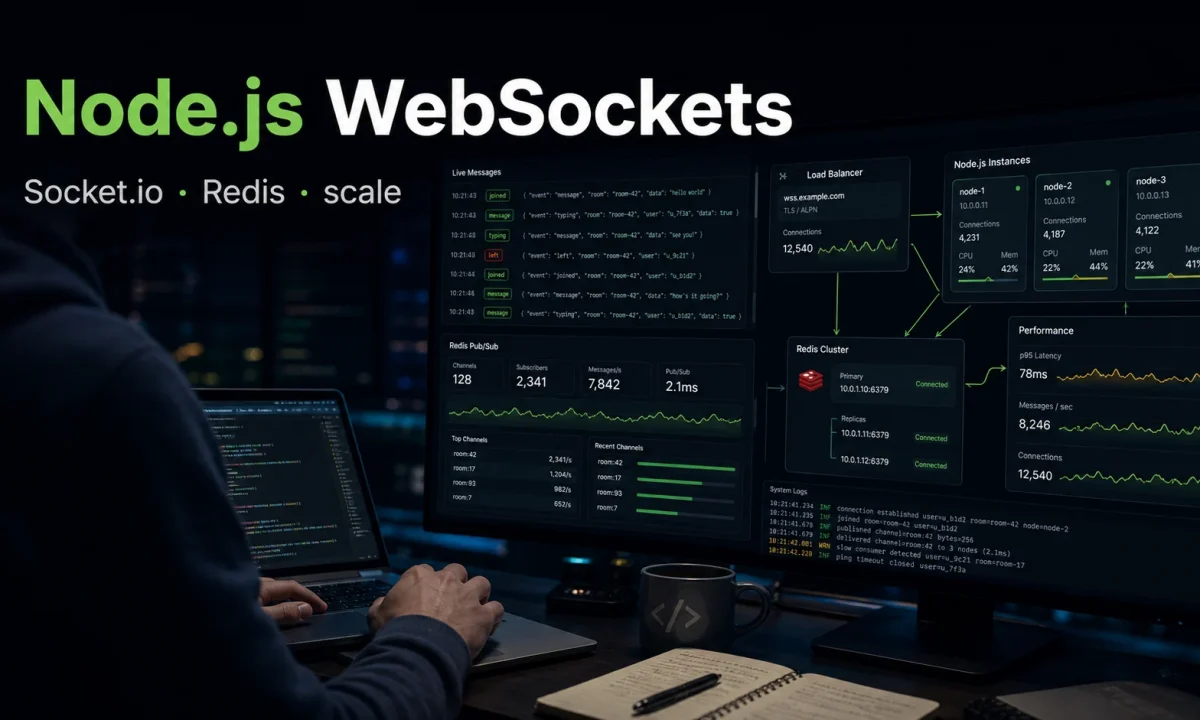
I built a Node.js real-time chat for a customer-support tool that worked great in dev with one server, then started dropping messages the moment we added a second instance behind the load balancer. The fix was not subtle — Socket.IO clients connect to one specific server, and a message sent on instance A never reaches a client connected to instance B. The Redis adapter exists for exactly this reason, and I learned about it the same day customers started escalating tickets. WebSockets in Node.js with Socket.IO are easy to start with and easy to get wrong at scale. This is the version I now ship — multi-instance, authenticated, observable, with the failure modes flagged.
The numbers I will refer to throughout this article come from a Node 24.14 LTS box with Socket.IO 4.7.5, Redis 7.4, and 10,000 long-lived clients pushing 100 messages per second each. Concrete benchmarks beat hand-waving every time.
Step 1: ws vs Socket.IO — which one
Two serious WebSocket options for Node.js:
- ws — bare WebSocket protocol, no extras. Lighter, faster on raw throughput, you write your own protocol on top.
- Socket.IO — built on top of WebSocket (with HTTP long-poll fallback for restrictive networks and the newer WebTransport for HTTP/3 setups). Adds rooms, namespaces, automatic reconnection, acknowledgement messages, multi-instance broadcasting via adapters, and connection state recovery.
Numbers on the same droplet, 10,000 concurrent connections, 100 messages/sec each, Node 24.14 LTS:
| Metric | ws 8.x | Socket.IO 4.7.x |
|---|---|---|
| Memory per 1k connections | ~75 MB | ~120 MB |
| Throughput (msg/s, single instance) | ~140k | ~85k |
| p99 round-trip latency | ~3 ms | ~6 ms |
| Reconnection logic | You write it | Built in, exponential backoff |
| Multi-instance broadcasts | You build it | Redis / NATS / Kafka adapters |
| Browser fallback | None | HTTP long-poll, WebTransport |
| State recovery on drop | None | Built in (4.6+) |
| Acknowledgements | You build it | Per-event callbacks |
For most Node.js real-time features, Socket.IO is the right call — the extra cost in memory and throughput is far less than the cost of building rooms, reconnection, and multi-instance broadcasting yourself. Pick ws when you genuinely need raw WebSocket throughput and you are in control of the client, or when you want to expose a public WebSocket protocol that non-Socket.IO clients can connect to.
Step 2: the minimal Socket.IO setup
npm i socket.io express
npm i -D typescript @types/node @types/express tsx// server.ts
import express from "express";
import http from "node:http";
import { Server } from "socket.io";
const app = express();
const httpServer = http.createServer(app);
const io = new Server(httpServer, {
cors: {
origin: process.env.FRONTEND_URL ?? "http://localhost:5173",
credentials: true,
},
// Pin transports in production. Long-poll fallback is convenient in dev,
// but it doubles your HTTP request volume and breaks if you ever lose
// sticky sessions.
transports: ["websocket"],
pingInterval: 25_000,
pingTimeout: 20_000,
// Reject suspicious payloads at the protocol level
maxHttpBufferSize: 1_000_000,
});
io.on("connection", (socket) => {
console.log("client connected", socket.id);
socket.on("message", (data: { text: string }) => {
io.emit("message", { id: socket.id, text: data.text, at: Date.now() });
});
socket.on("disconnect", (reason) => {
console.log("client disconnected", socket.id, reason);
});
});
httpServer.listen(3000, () => console.log("ready on :3000"));Two settings worth understanding even on day one. pingInterval is how often the server probes for liveness; pingTimeout is how long it waits for the response before declaring the socket dead. The default 25 s / 20 s pair works for almost everything; reduce both if you want faster dead-peer detection at the cost of a little more bandwidth. maxHttpBufferSize caps inbound messages; without it, an attacker can send a 100 MB payload and exhaust your event loop.
This works for dev. It works for one server. The moment you scale, it falls over.
Step 3: the Redis adapter (the bug from the opener)
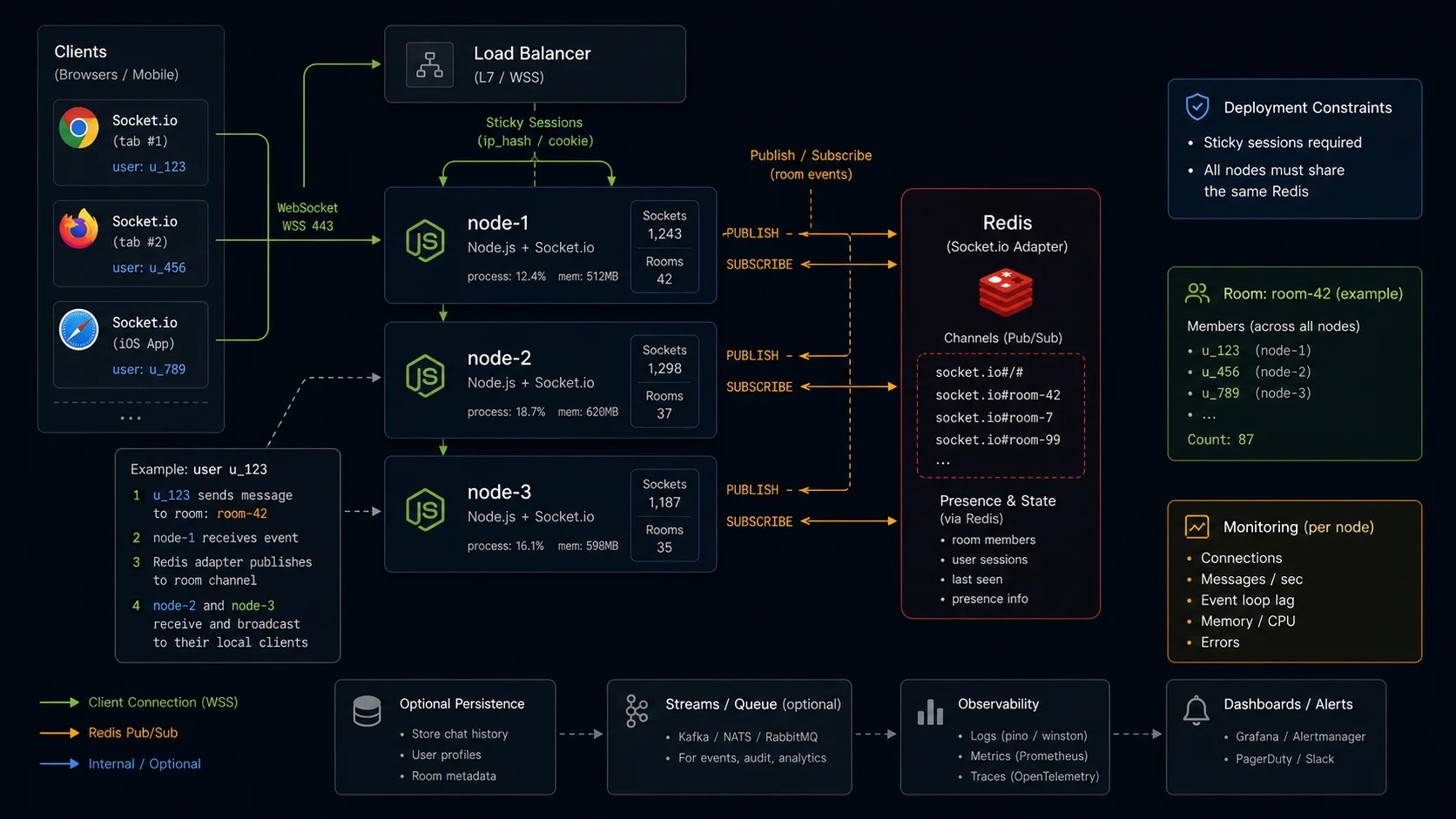
By default, io.emit() only reaches clients connected to this server instance. Two instances behind a load balancer, two clients connected to different instances — they cannot talk to each other.
The Redis adapter solves it: every emit publishes to a Redis Pub/Sub channel, every instance subscribes, every instance forwards the message to its local clients.
npm i @socket.io/redis-adapter ioredisimport { createAdapter } from "@socket.io/redis-adapter";
import { Redis } from "ioredis";
const pubClient = new Redis(process.env.REDIS_URL!);
const subClient = pubClient.duplicate();
io.adapter(createAdapter(pubClient, subClient));Three lines. Now every emit reaches every connected client across every server instance. The same applies to io.to(room).emit(...) — rooms are global once the adapter is wired. The Redis client itself (retry strategy, error handling, sentinel options) is covered in the Node.js Redis caching guide.
If you are on Redis 7+, switch to the sharded adapter. It uses sharded Pub/Sub, so rooms with low subscriber counts only notify the servers that actually have subscribers. The footprint difference is meaningful when you cross a few hundred rooms:
import { createShardedAdapter } from "@socket.io/redis-adapter";

io.adapter(createShardedAdapter(pubClient, subClient));
Caveat: the Redis Pub/Sub channel is “fire and forget.” If a client disconnects mid-message, the message is gone unless connection state recovery (Step 6 below) is enabled. For at-least-once delivery beyond the recovery window, you need a separate persistence layer (a queue plus the recipient’s last-seen timestamp). The queue side is in the BullMQ background jobs guide. If your scale outgrows Redis Pub/Sub, the cluster adapter on top of NATS JetStream is the next step up, with persistent streams and built-in replay.
Step 4: rooms, namespaces, and acknowledgements
Socket.IO has two ways to segment connections:
- Rooms — dynamic groups within a namespace.
socket.join("chat:42"). Use for things that change at runtime (chat rooms, document editors, per-user notification streams). - Namespaces — separate logical channels with their own connection events.
io.of("/admin"). Use for static, well-defined product surfaces (a separate admin channel, a system-events channel).
io.on("connection", (socket) => {
  socket.on("chat:join", (chatId: string, ack) => {
    if (typeof chatId !== "string" || chatId.length > 64) {
      return ack?.({ ok: false, error: "invalid chat id" });
    }
    socket.join(`chat:${chatId}`);
    ack?.({ ok: true });
  });

  socket.on("chat:message", (data: { chatId: string; text: string }, ack) => {
    io.to(`chat:${data.chatId}`).emit("chat:message", {
      chatId: data.chatId,
      text: data.text,
      from: socket.data.userId,
      at: Date.now(),
    });
    ack?.({ ok: true, at: Date.now() });
  });

  socket.on("disconnecting", () => {
    for (const room of socket.rooms) {
      socket.to(room).emit("user:left", { userId: socket.data.userId });
    }
  });
});
The third argument on each handler is the acknowledgement callback. The client invokes it as a promise:
// client
const result = await socket.emitWithAck("chat:message", {
  chatId: "42",
  text: "hi",
});
if (!result.ok) console.error("send failed", result.error);
That gives you request-response semantics over a Socket.IO event without writing your own correlation IDs. The default ack timeout is infinity; set socket.timeout(5000).emitWithAck(...) if you want it to reject after five seconds.
The disconnecting event fires before the socket leaves its rooms — you still have access to socket.rooms. disconnect fires after, and the rooms are already empty. Use disconnecting for cleanup notifications, not disconnect.
Step 5: authenticate the handshake (or anonymous users get into paid features)
The default Socket.IO connection accepts any client. For anything beyond a public chat demo, validate auth at the handshake — not in event handlers, where one untyped socket.on away from a leak is normal.
import jwt from "jsonwebtoken";

io.use((socket, next) => {
  const auth = socket.handshake.auth?.token as string | undefined;
  const header = socket.handshake.headers.authorization;
  const token = auth ?? header?.replace(/^Bearer /, "");
  if (!token) return next(new Error("unauthorized"));

  try {
    const payload = jwt.verify(token, process.env.JWT_SECRET!, {
      algorithms: ["HS256"],            // pin algorithm — never trust the header
    }) as { sub: string; tier: string };

    socket.data.userId = payload.sub;
    socket.data.tier = payload.tier;
    next();
  } catch {
    next(new Error("unauthorized"));
  }
});
Client side, pass the token in the auth option:
import { io } from "socket.io-client";

const socket = io("https://api.example.com", {
  auth: { token: localStorage.getItem("accessToken") ?? "" },
  transports: ["websocket"],
  reconnection: true,
  reconnectionAttempts: 10,
  reconnectionDelay: 1000,
  reconnectionDelayMax: 5000,
  randomizationFactor: 0.5,
});

socket.on("connect_error", async (err) => {
  if (err.message === "unauthorized") {
    const fresh = await refreshAccessToken();
    socket.auth = { token: fresh };
    socket.connect();
  }
});
JWT-based auth means each connection is independent — no session lookup per message. The full JWT pattern (rotation, refresh tokens, revocation) is in the JWT authentication guide. The handshake is the right place to enforce authentication; do not try to authenticate inside individual event handlers, because then any handler you forget to wrap is an open door.
Step 6: connection state recovery (the new escape hatch for flaky networks)
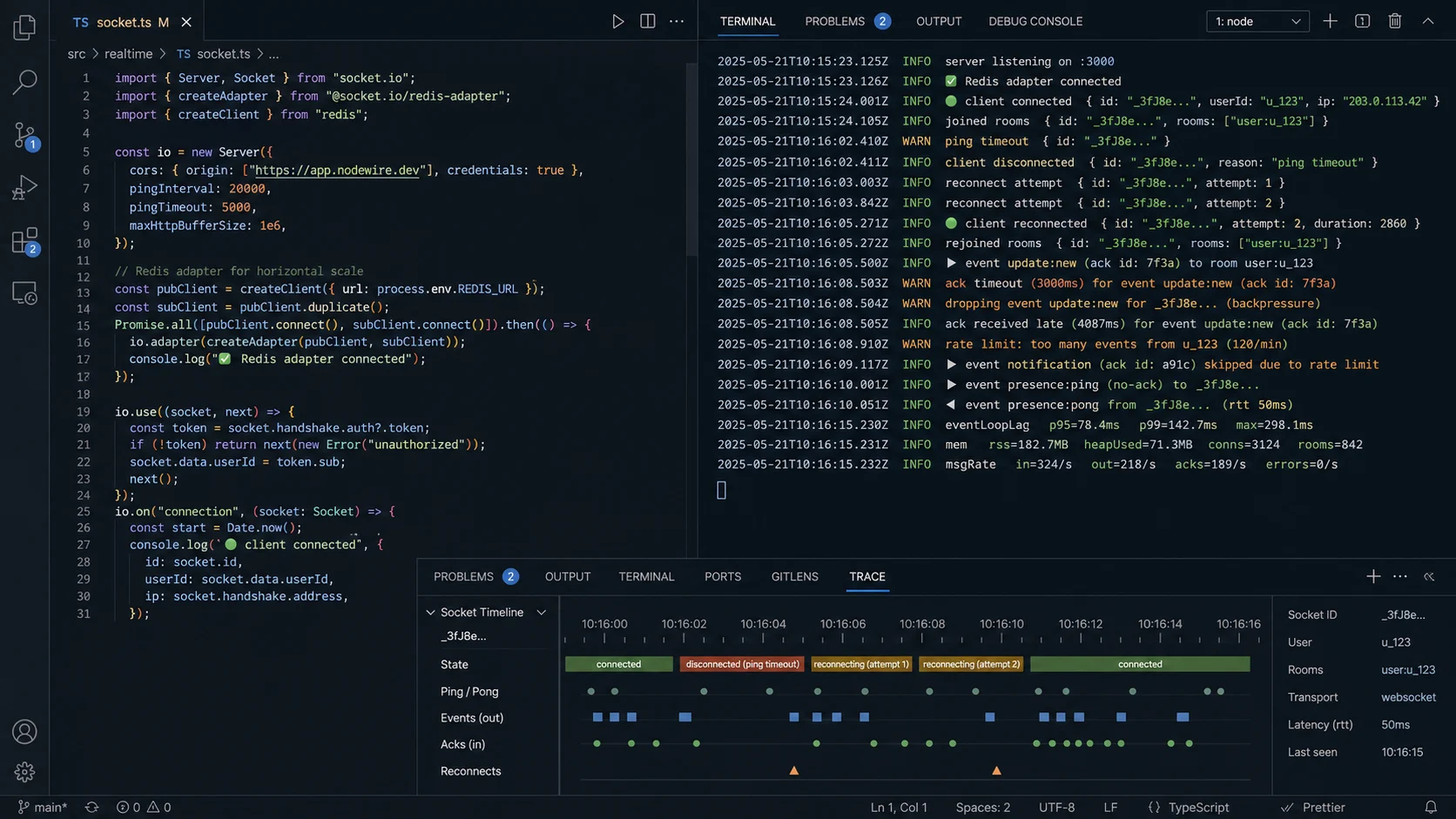
Socket.IO 4.6 added connection state recovery. When a client briefly drops and reconnects, the server restores its rooms, its socket.data, and replays any events that fired during the gap. Mobile users on subway WiFi get a much better experience.
const io = new Server(httpServer, {
  connectionStateRecovery: {
    maxDisconnectionDuration: 2 * 60 * 1000,  // 2-minute recovery window
    skipMiddlewares: true,                    // do not re-run io.use() on recovery
  },
});

io.on("connection", (socket) => {
  if (socket.recovered) {
    // socket.id, socket.rooms, and socket.data were restored
    // Any events emitted during the disconnection are now being delivered
  } else {
    // Fresh session — set up rooms, presence, etc.
  }
});
One sharp edge: the default Redis adapter does not support state recovery. If you need both horizontal scaling and recovery, use the Redis Streams adapter or the MongoDB adapter. Setting skipMiddlewares: true is intentional — your io.use() chain already authenticated the original session, and re-running it on every reconnect with a possibly-expired token causes more failed reconnections than it prevents.
Step 7: presence (who is online right now)
Presence is a deceptively hard problem in distributed systems. The naive version — keep an in-memory set of online users — breaks across instances. Multi-tab is also a trap: closing one tab does not mean the user is offline. The correct version uses Redis as the source of truth and counts open connections per user.
import { redis } from "./redis";

io.on("connection", async (socket) => {
  const userId = socket.data.userId as string;
  const presenceKey = `presence:${userId}`;

  // Track each socket as a hash field so multiple tabs/devices count correctly
  await redis.hset(presenceKey, socket.id, Date.now());
  await redis.expire(presenceKey, 90);

  // First connection for this user — broadcast presence
  if ((await redis.hlen(presenceKey)) === 1) {
    io.emit("presence", { userId, status: "online" });
  }

  const heartbeat = setInterval(async () => {
    await redis.hset(presenceKey, socket.id, Date.now());
    await redis.expire(presenceKey, 90);
  }, 30_000);

  socket.on("disconnect", async () => {
    clearInterval(heartbeat);
    await redis.hdel(presenceKey, socket.id);
    if ((await redis.hlen(presenceKey)) === 0) {
      await redis.del(presenceKey);
      io.emit("presence", { userId, status: "offline" });
    }
  });
});
The TTL on the presence key handles process crashes — the key auto-expires within 90 seconds, presence stays accurate even when a process dies without running cleanup.
Step 8: scaling with sticky sessions
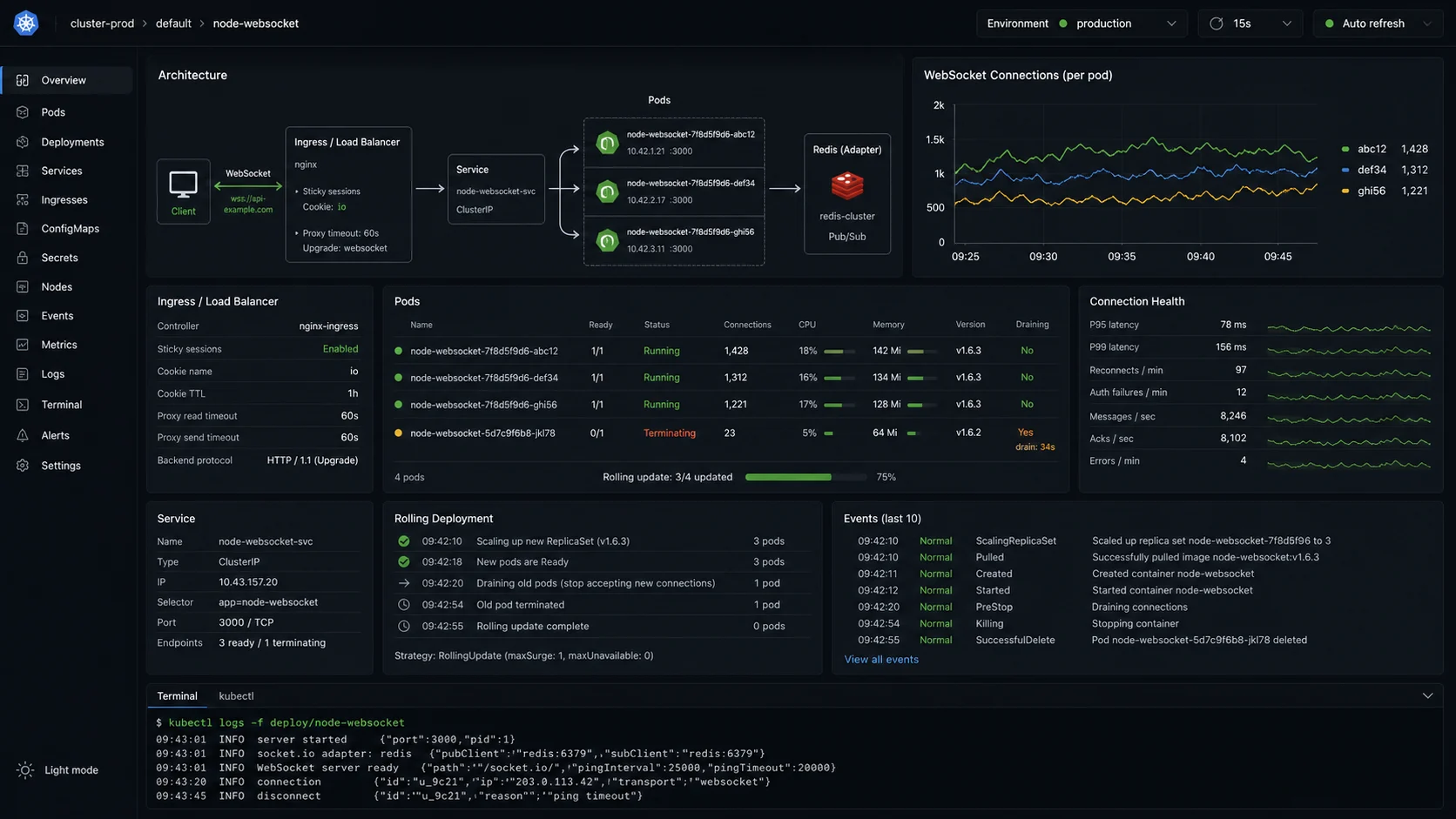
If your transport ever falls back to HTTP long-polling, the load balancer needs to send subsequent requests from the same client to the same instance. Without sticky sessions, the long-poll handshake breaks immediately — the docs are blunt about this and so am I. Even with transports: ["websocket"], the WebSocket handshake itself is a single HTTP request, so the cost is small, but I always run sticky sessions in front of Socket.IO anyway.
nginx config:
upstream socketio_backend {
    ip_hash;
    server app1:3000 max_fails=3 fail_timeout=30s;
    server app2:3000 max_fails=3 fail_timeout=30s;
    server app3:3000 max_fails=3 fail_timeout=30s;
}

server {
    listen 443 ssl http2;

    location /socket.io/ {
        proxy_pass http://socketio_backend;
        proxy_http_version 1.1;
        proxy_set_header Upgrade $http_upgrade;
        proxy_set_header Connection "upgrade";
        proxy_set_header Host $host;
        proxy_set_header X-Real-IP $remote_addr;
        proxy_set_header X-Forwarded-For $proxy_add_x_forwarded_for;
        proxy_set_header X-Forwarded-Proto $scheme;
        proxy_read_timeout 86400s;     # match your pingInterval headroom
        proxy_send_timeout 86400s;
    }
}
ip_hash gives sticky sessions based on client IP — fine for most apps. Cookie-based stickiness (sticky cookie in nginx Plus, or upstream_hash with a custom header) is more accurate but requires a paid nginx tier or hand-rolled config. The DigitalOcean deploy guide covers nginx setup end to end. To use every CPU core on a single box (one Node process per core, all sharing the same Redis adapter), use PM2 cluster mode — see the cluster vs worker threads guide. If you are choosing the framework that runs the HTTP side, the Express vs Fastify benchmark matters less than you think for Socket.IO — the WebSocket layer dominates.
Step 9: rate limiting at the socket level
HTTP rate limiting (Express middleware, nginx limit_req) catches the long-poll path but not the WebSocket frames. A connected client can fire 10,000 messages per second over an open WebSocket without ever passing through your HTTP rate limiter. The fix is a per-socket limiter using socket.use():
// 60 events per 60 seconds per connection
class TokenBucket {
  constructor(private capacity: number, private refillPerSec: number) {}
  private state = new Map<string, { tokens: number; lastRefill: number }>();

  consume(key: string): boolean {
    const now = Date.now();
    const s = this.state.get(key) ?? { tokens: this.capacity, lastRefill: now };
    const elapsed = (now - s.lastRefill) / 1000;
    s.tokens = Math.min(this.capacity, s.tokens + elapsed * this.refillPerSec);
    s.lastRefill = now;
    if (s.tokens < 1) {
      this.state.set(key, s);
      return false;
    }
    s.tokens -= 1;
    this.state.set(key, s);
    return true;
  }
}

const limiter = new TokenBucket(60, 1);

io.on("connection", (socket) => {
  socket.use((_packet, next) => {
    if (!limiter.consume(socket.id)) {
      return next(new Error("rate-limit"));
    }
    next();
  });

  socket.on("error", (err) => {
    if (err.message === "rate-limit") {
      socket.emit("rate:limited", { retryAfter: 1000 });
    }
  });
});
For multi-instance deployments, swap the in-memory state for a Redis sorted-set or use the Redis-backed pattern from the Express rate-limiting guide.
Step 10: graceful shutdown (your deploys lose connections without it)
When Kubernetes sends SIGTERM, you have a small window to drain in-flight connections, broadcast a “server going down” notice so clients reconnect to a healthy instance, and close the Redis adapter cleanly:
async function shutdown() {
  console.log("shutting down");

  // Tell connected clients to reconnect to another instance
  io.emit("server:shutdown", { reconnectInMs: 500 });

  // Stop accepting new connections
  io.engine.close();

  // Disconnect all sockets after a brief delay so the message above lands
  await new Promise((r) => setTimeout(r, 300));
  const sockets = await io.fetchSockets();
  for (const s of sockets) s.disconnect(true);

  await pubClient.quit();
  await subClient.quit();
  httpServer.close(() => process.exit(0));
}

process.on("SIGTERM", shutdown);
process.on("SIGINT", shutdown);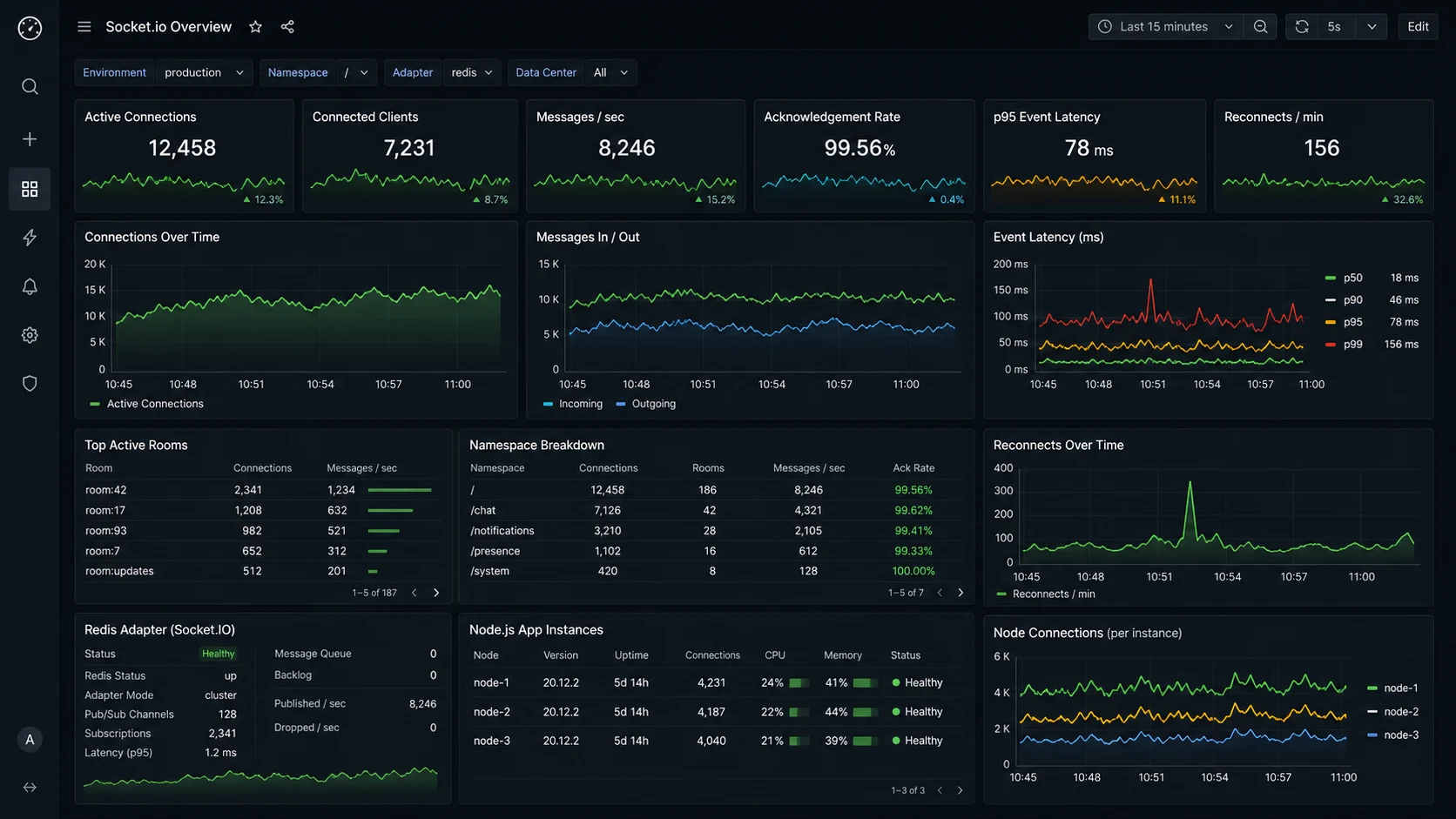
Step 11: monitoring (silent failures kill real-time products)
Three metrics to track from day one:
- Active connection count. Sudden drops mean the LB or proxy is rejecting new connections, or an upstream service is throwing during your handshake middleware.
- Message round-trip time. Client emits a ping, server responds, measure the gap. Above 200 ms means real-time is not. Cache the histogram in prom-client and alert on p99.
- Reconnection rate. High reconnection rate means flaky connections — usually a proxy or load-balancer timeout shorter than your
pingInterval.
import { Counter, Gauge, Histogram } from "prom-client";

const connections = new Gauge({ name: "socketio_connections", help: "active" });
const messagesIn = new Counter({ name: "socketio_messages_in_total", help: "" });
const rtt = new Histogram({
  name: "socketio_rtt_ms",
  help: "ack round-trip",
  buckets: [10, 25, 50, 100, 200, 500, 1000],
});

io.on("connection", (socket) => {
  connections.inc();
  socket.onAny(() => messagesIn.inc());

  socket.on("ping:rtt", (clientSentAt: number, ack) => {
    ack?.(Date.now());
    rtt.observe(Date.now() - clientSentAt);
  });

  socket.on("disconnect", () => connections.dec());
});

io.engine.on("connection_error", (err) => {
  console.error({ code: err.code, message: err.message }, "engine error");
});
Socket.IO exposes engine-level events (connect, disconnect, connect_error) that you can pipe to your metrics backend. The connection_error event is the one that catches handshake failures — the ones that never become connection events.
When NOT to use Socket.IO
- Server-sent events would do. If your real-time feature is server-to-client only (notifications, live counters, log streaming),
EventSourceplus an HTTP endpoint is simpler than a full WebSocket stack and works through every proxy. You also keep request/response semantics for the rest of your API. - You are on edge runtimes. Cloudflare Workers, Vercel Edge — Socket.IO’s stateful server model does not fit. Use Cloudflare Durable Objects, Pusher, Ably, or PartyKit as a managed service.
- Pure raw throughput requirement. If you need to push 200k+ messages/sec from one server, drop to
wsand a custom protocol. Socket.IO’s overhead matters at that scale; below it, the operational savings are worth more than the throughput. - You need a public, polyglot WebSocket protocol. A non-Socket.IO client cannot connect to a Socket.IO server without a polyfill. If you are building, say, an IoT device firmware or a Go client, plain
wsis the right call.
Decision matrix
| Use case | Library | Adapter | Notes |
|---|---|---|---|
| Single-server chat / notifications | Socket.IO | None (in-memory) | PM2 cluster + sticky sessions when one core saturates |
| Multi-instance chat (5–50 instances) | Socket.IO | Redis sharded adapter | State recovery via Redis Streams adapter or MongoDB adapter |
| Cross-region, >100k connections | Socket.IO | NATS JetStream cluster adapter | Replay + persistence; better than Redis at very large fan-out |
| Public WebSocket protocol (mobile, IoT) | ws (or uWebSockets.js) | n/a | Roll your own message envelope and reconnection |
| Server-push only (live ticker, log feed) | EventSource (no Socket.IO) | n/a | One unidirectional HTTP stream; works through every proxy |
| Edge / serverless runtime | Managed (Pusher, Ably, Durable Objects) | n/a | Stateful long-lived sockets do not fit Workers / Edge functions |
FAQ
How do I use WebSockets in Node.js?
Two main options. Use the ws package for the raw WebSocket protocol with maximum throughput and the option to expose it to non-Node clients. Use Socket.IO for rooms, automatic reconnection, multi-instance scaling, acknowledgements, browser fallback, and connection state recovery. For most real-time apps in 2026, Socket.IO 4.7+’s overhead is worth what it gives you.
WebSockets vs Socket.IO — what is the difference?
WebSockets are the underlying browser protocol (RFC 6455). Socket.IO is a library built on top that adds rooms, namespaces, acknowledgements, automatic reconnection, connection state recovery, and adapters for multi-instance broadcasting. Socket.IO clients can talk to Socket.IO servers over WebSocket, HTTP long-polling, or WebTransport; raw WebSocket clients cannot connect to Socket.IO without a polyfill because Socket.IO has its own framing on top of WebSocket frames.
How do I scale Socket.IO across multiple instances?
Use the Redis adapter. Every emit publishes to Redis Pub/Sub; every instance subscribes and forwards to its local clients. Three lines of config and multi-instance broadcasting works. On Redis 7+, switch to the sharded adapter — the unsharded one fans every event to every Socket.IO server, which gets expensive past 50 instances. For state recovery plus scaling, use the Redis Streams adapter or the MongoDB adapter.
How do I authenticate Socket.IO connections?
Add a middleware on io.use((socket, next) => ...) that validates a JWT from socket.handshake.auth.token. Pin algorithms: ['HS256'] on jwt.verify to prevent the alg: none downgrade. Reject the connection if the token is missing or invalid. The JWT authentication guide covers issuing the token; the API security checklist covers the broader posture.
Why does Socket.IO need sticky sessions?
When the transport falls back to HTTP long-polling, multiple HTTP requests need to land on the same server to maintain the session. Without sticky sessions, the handshake breaks immediately — the second request lands on a different server that has no record of the session ID and returns HTTP 400. Even when you pin the transport to WebSocket, the upgrade is still a single HTTP request that flows through your proxy, so I keep ip_hash on regardless. The cost is essentially zero.
Can Socket.IO guarantee message delivery?
No — it is at-most-once by default. Connection state recovery (4.6+) bridges short disconnections by replaying buffered events for up to maxDisconnectionDuration. The Redis Pub/Sub adapter does not add persistence beyond that. For at-least-once delivery, layer a queue (BullMQ on Redis, or RabbitMQ for cross-system delivery) on top, send a queued copy of every business event, and replay missed messages from the queue on reconnect using a per-recipient last-seen offset.
How do I build a real-time chat with Node.js?
Express HTTP server, Socket.IO 4.7+, Redis adapter for multi-instance, JWT handshake auth, rooms named chat:{id} for each conversation, the acknowledgement pattern for delivery confirmation, and connection state recovery so a screen lock does not lose messages. Persist messages to PostgreSQL on chat:message via Prisma (the schema lives in the PostgreSQL Prisma setup). Stream typing indicators and read receipts as ephemeral events that you do not persist.
How do I prevent a single client from flooding the server?
A token-bucket rate limiter installed via socket.use() on the connection. Sixty events per minute per socket is a reasonable default for chat. For multi-instance enforcement, swap the in-memory bucket for a Redis sorted-set; the Express rate-limiting guide shows the Redis pattern. Apply a smaller bucket on auth-related events (token refresh, password change) so a compromised session cannot brute-force from inside an open socket.
Should I use long-polling or WebSocket transport?
WebSocket in production. Pin transports: ['websocket'] in production config to skip the polling fallback unless you genuinely have users on networks that block WebSocket (some corporate proxies, ancient mobile carriers). Polling doubles your HTTP request volume, requires sticky sessions to actually function, and adds latency on every event.