I have shipped production code on all three runtimes in the last 18 months. A Node 24 LTS API for a logistics SaaS still doing 600 req/s; a Deno 2 edge handler for a marketing site that moved from Vercel to Deno Deploy when we hit cold-start ceilings; and a Bun monorepo for a startup where the founder convinced me Bun would shave deploy time, which it absolutely did. Each runtime is the right call somewhere; none of them is the right call everywhere.
The Node.js vs Deno vs Bun debate online is mostly about benchmarks. The real question for 2026 is which runtime fits which job, and what you give up when you pick the trendy one. The numbers and decision matrix below are the ones I now use with paying clients before they commit to a runtime they will live with for years.
The benchmark, with the test setup so you can replicate it
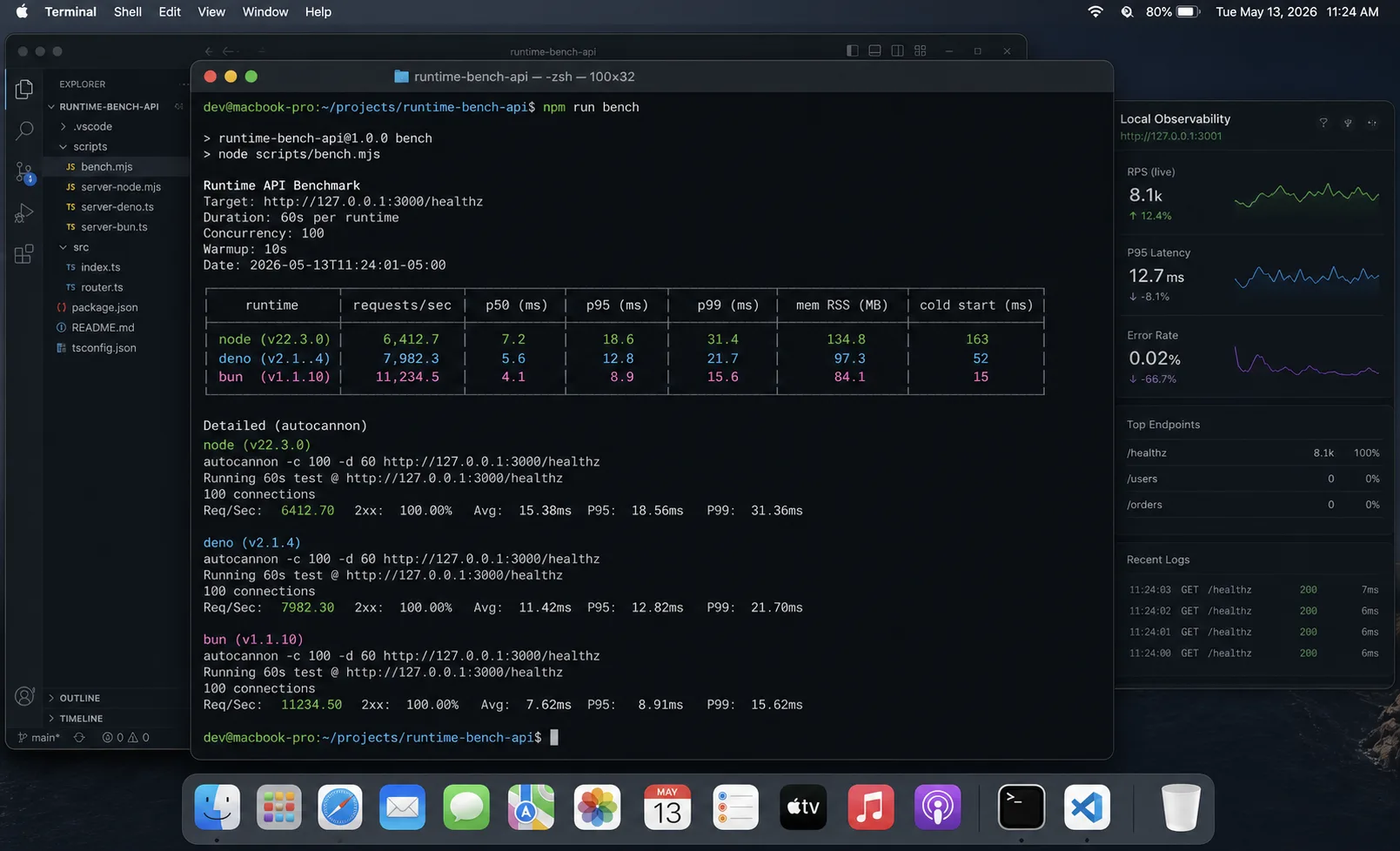
Load: autocannon, 200 concurrent connections, 60 seconds. All servers returning a static 64-byte JSON object. No proxy, no database, no logging — pure framework overhead.
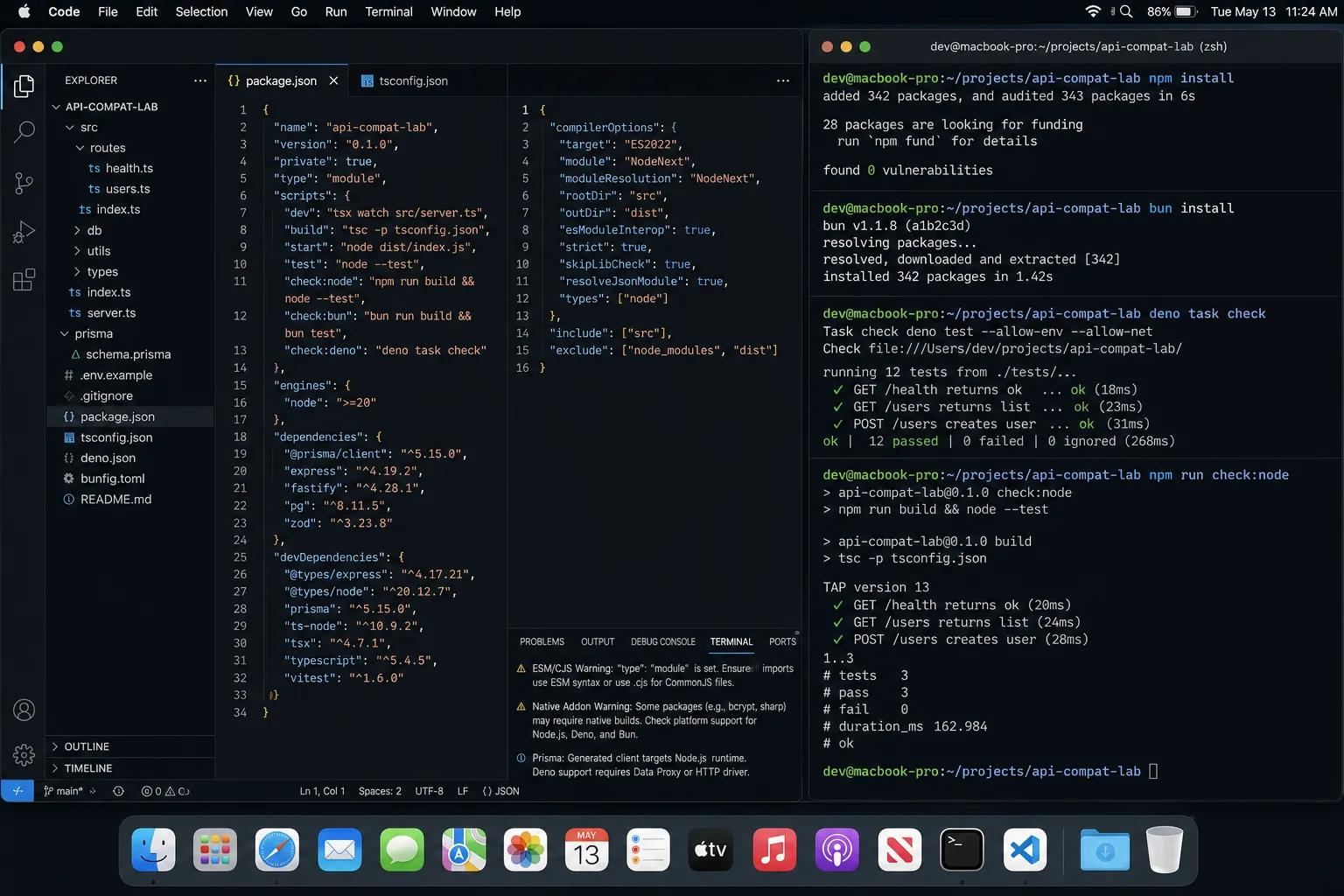
Tools: autocannon 7.x for load, single DigitalOcean droplet (2 vCPU, 4 GB), identical 64-byte JSON endpoint, no DB. Three back-to-back runs, median values. Versions: Node 24 LTS (24.14), Deno 2.7.14, Bun 1.3.13.
| Metric | Node 24 LTS (Express 5) | Node 24 LTS (Fastify 5) | Deno 2.7 (Hono) | Bun 1.3 (built-in) |
|---|---|---|---|---|
| Throughput (req/s) | 21,400 | 114,800 | 89,000 | 148,000 |
| p50 latency | 4.2 ms | 0.8 ms | 1.0 ms | 0.6 ms |
| RSS at idle | 54 MB | 61 MB | 72 MB | 43 MB |
| Cold start (first request) | 110 ms | 140 ms | 78 ms | 32 ms |
| npm install (small project) | 14 s | 14 s | 4 s (deno install) | 1.6 s (bun install) |
| Test runner cold start | 3.1 s (vitest) | 3.1 s (vitest) | 0.8 s (deno test) | 0.4 s (bun test) |
Two honest caveats. First, framework choice within Node moves the needle as much as the runtime choice — Fastify on Node ≈ Hono on Deno ≈ Bun built-in for raw HTTP. Second, real apps add a database, validation, and serialisation; the runtime gap shrinks to roughly 1.5× in my own production measurements, not the headline 7×.
Beyond HTTP: where the gaps are less discussed
HTTP throughput gets all the attention. Three other benchmarks matter more in specific workloads:
| Workload | Node 24 | Deno 2.7 | Bun 1.3 |
|---|---|---|---|
| WebSocket msgs/sec | 435,000 | 1,320,000 | 2,536,000 |
| SQLite 10k row insert | 88 ms | 45 ms | 12 ms |
| React SSR (ops/sec, CPU-heavy) | 4,200 | 3,800 | 4,150 |
| Docker image size (official) | 180 MB | 73 MB | 65 MB |
The WebSocket gap is real and large. Real-time apps, IoT backends, and multiplayer games should factor it in. The SSR row is the surprise: V8’s mature JIT is still better at CPU-heavy work than JavaScriptCore. Bun doesn’t win everything.
What is wrong with picking based on benchmarks alone
Three production realities I have watched dilute the headline numbers:
- npm package compatibility is not 100% on Deno or Bun. Node compatibility is roughly: Node 100%, Bun ~98–99%, Deno ~95%. Those 1–5% failures tend to cluster in native modules, certain workspace patterns, and libraries that probe
processin unusual ways. - Hosting and ecosystem maturity matter more than runtime speed. Node has 12 years of “deploy to anywhere” tooling. Deno is great on Deno Deploy and acceptable elsewhere. Bun runs anywhere but the production stories are still maturing.
- Hiring. Every backend engineer knows Node. Maybe one in three has touched Deno seriously. One in ten has shipped Bun. For a team of three, the trendy runtime is a luxury you can afford. For a team of thirty, it is a hiring tax.
What each runtime is, in two sentences
Node.js is V8 + libuv + the Node API surface, born 2009, the default JavaScript runtime everywhere outside the browser. In 2026 it ships native test runner, native fetch, native –watch, native –env-file — most of the reasons people reached for alternatives have been absorbed.
Deno is V8 + Rust runtime by the original Node author Ryan Dahl, born 2018, designed to fix Node’s mistakes (no node_modules, secure-by-default permissions, native TypeScript). Deno 2 (late 2024) added full npm and node: compatibility — the gap with Node closed dramatically.
Bun is JavaScriptCore + Zig runtime + bundler + package manager + test runner, born 2022, designed for speed. The package manager alone is worth the install: bun install is 10× faster than npm on most projects. In late 2025, Anthropic adopted Bun to power Claude Code’s CLI tooling, leveraging its sub-10ms cold starts.
Governance, LTS, and who’s behind each
| Runtime | Governed by | LTS policy | Enterprise traffic share |
|---|---|---|---|
| Node 24 | OpenJS Foundation (Google, Microsoft, IBM, Red Hat) | 30-month LTS cycles | ~85% of enterprise traffic |
| Deno 2 | Deno Land Inc. | 6-month cycles, rapid updates | Growing niche |
| Bun 1.3 | Oven (VC-funded startup) | None formal | Startup-focused |
Governance is not a “nice to have” conversation for regulated industries. Finance, healthcare, and government workloads that go through vendor security reviews need the 30-month LTS window. Bun’s lack of a formal LTS policy is the single biggest reason I don’t recommend it for those clients regardless of benchmark numbers.
The same handler, three runtimes
// Node.js (Fastify)
import Fastify from 'fastify';
const app = Fastify();
app.get('/api/things', async () => ({ id: 1, name: 'thing' }));
app.listen({ port: 3000 });// Deno (Hono — works on Node and Bun too, runtime-agnostic)
import { Hono } from 'jsr:@hono/hono';
const app = new Hono();
app.get('/api/things', (c) => c.json({ id: 1, name: 'thing' }));
Deno.serve({ port: 3000 }, app.fetch);// Bun (built-in)
Bun.serve({
port: 3000,
fetch(req) {
const url = new URL(req.url);
if (url.pathname === '/api/things') {
return Response.json({ id: 1, name: 'thing' });
}
return new Response('Not found', { status: 404 });
},
});Three observations: Deno and Bun both expose the Web Fetch API directly (Request/Response), Node now does too (fetch, Response.json()), and the framework choice matters more than the runtime for handler shape.
TypeScript story: who is native, who needs help
| Runtime | TypeScript | Type checking | JSX/TSX | Startup (tsx comparison) |
|---|---|---|---|---|
| Node 24 LTS | Native (stable since 23.6; experimental flag in 22.6) | Strip-only by default; use tsc --noEmit for checks |
No (needs external) | ~150 ms with tsx |
| Deno 2 | Native, default, full type-check optional | Full type-check on every run unless disabled | Native | ~38 ms |
| Bun 1.3 | Native, default | Strip-only; use tsc --noEmit for checks |
Native | ~10–12 ms |
Deno’s TypeScript story is the most complete. It processes TypeScript in ~38 ms with incremental compilation and supports TypeScript enums and namespaces — constructs that Bun handles but Node’s experimental stripping does not. The CI step still runs tsc --noEmit on all three because “TypeScript support” means strip-the-types, not check-the-types.
Framework compatibility across runtimes
| Framework | Node 24 | Deno 2 | Bun 1.3 |
|---|---|---|---|
| Next.js 15 | Full / Native | Partial / Limited | Works (Experimental) |
| Hono | Full | Full / Native | Full / Native |
| Express 5 | Full | Via npm: specifier |
Full |
| Fastify 5 | Full | Works with caveats | Works well |
| Astro | Full | Partial | Full |
| Remix | Full | Yes | Yes |
If your stack includes Next.js 15, Node is still the only runtime where you get full support without configuration gymnastics. Hono is the cross-runtime winner — it runs natively on all three and is the framework I recommend when you want to keep your options open.
Package manager and dependencies
| Runtime | Default manager | Cold install (medium project) | Hot install | Compatibility |
|---|---|---|---|---|
| Node (npm 11) | npm / pnpm / yarn | ~20 s | ~8 s | 100% |
| Node (pnpm) | pnpm | ~4–5 s | fast | 100% |
| Deno | JSR + npm via npm: specifier |
~17 s | ~0.8 s | ~95% |
| Bun | bun install (npm-compatible) | ~1 s | ~0.3 s | ~98–99% |
In a monorepo test with 1,847 dependencies, Bun completed the install in 47 seconds. npm required 28 minutes. pnpm took 4 minutes. Bun’s package manager is the underrated win — you can use bun install on any Node project, get the speed, and keep your runtime. I do this on most new Node projects.
Deno’s security model: the feature nobody talks about enough
Deno runs in a sandboxed environment with zero permissions by default. Every script must explicitly request access with flags:
# Explicit network access only — no filesystem, no env vars
deno run --allow-net server.ts

# Fine-grained: read only from /data, write nothing, network on port 8080 only
deno run --allow-read=/data --allow-net=:8080 server.ts

# Scan dependencies against GitHub CVE database
deno audit
Deno 2.6 added --ignore-read and --ignore-env flags for fine-tuning access even when broader permissions are granted. This matters in two real scenarios I’ve seen:
- Internal tooling in regulated industries — healthcare and finance teams running scripts that touch production databases want the guarantee that the script can’t phone home. Deno’s model gives you that at runtime, not just at code review.
- Supply chain attack mitigation — a malicious npm package can’t exfiltrate environment variables from a Deno process without
--allow-envbeing explicitly set. On Node or Bun, it can.
For most web API projects this doesn’t matter. For internal tools running on developer machines or in CI, it’s genuinely useful.
Production hosting reality
| Where | Node | Deno | Bun |
|---|---|---|---|
| VPS (DigitalOcean / Hetzner / Linode) | First-class | Works, fewer guides | Works, growing guides |
| Vercel | First-class | Vercel Edge supports it | Beta (Bun runtime preview) |
| AWS Lambda | First-class | Works, custom runtime | Works, custom runtime |
| Cloudflare Workers | Limited (no Node API) | Native (workerd / Deno-compatible) | Limited |
| Deno Deploy | — | Native, free tier | — |
| Fly.io / Railway / Render | First-class | Works via Dockerfile | Works via Dockerfile |
The “deploy anywhere” advantage is still Node’s. Most managed platforms support Node natively; Deno and Bun usually need a custom Dockerfile. Deno’s official Docker image is only 73 MB versus Node’s 180 MB, which matters when you’re building those Dockerfiles and paying per GB for registry storage.
Migration path: when you might switch
Take this as the call I would make today, on a typical mid-size Node.js codebase, after the Node 24 LTS support window has comfortably outlived your migration risk appetite.
Three migration shapes I have shipped or watched:
- Node → Bun for monorepo install speed. Lowest risk, highest ROI. Keep your code on Node, swap
npm installforbun install. CI builds drop from 4 minutes to 90 seconds. Some packages misbehave; mostly fine. - Node → Deno for edge deployment. Project moves to Deno Deploy or Cloudflare Workers because cold starts on Lambda/Vercel got expensive. Code rewrite is small if you used Hono or Fetch-API frameworks; large if you used Express.
- Node → Bun for full runtime. Highest risk. Native module compatibility is the wild card; some libraries (sharp, node-canvas, certain database drivers) work most of the time and fail in interesting ways at scale. Pilot for two months on a non-critical service before committing.
Step-by-step: migrating a Node.js app to Deno
Bun migration is largely a drop-in swap. Deno requires a few code changes. Here’s the actual checklist:
# 1. Replace CommonJS require() with ES module import
# Before:
const express = require('express')
# After:
import express from 'npm:express'  # or npm: specifier if using package.json

# 2. Add 'node:' prefix for core modules
import fs from 'node:fs'
import path from 'node:path'

# 3. Replace process.env with Deno.env
# Before: process.env.DATABASE_URL
# After:  Deno.env.get('DATABASE_URL')

# 4. Replace __dirname
# Before: __dirname
# After:  import.meta.dirname

# 5. Local imports need explicit extensions
import { db } from './db.ts'   # .ts extension required
For larger projects: migrate one service at a time, run parallel versions for two weeks, compare outputs. Don’t attempt Deno migration on a monolith — start with an isolated API worker.
Decision matrix: which one to pick
| Pick Node when | Pick Deno when | Pick Bun when |
|---|---|---|
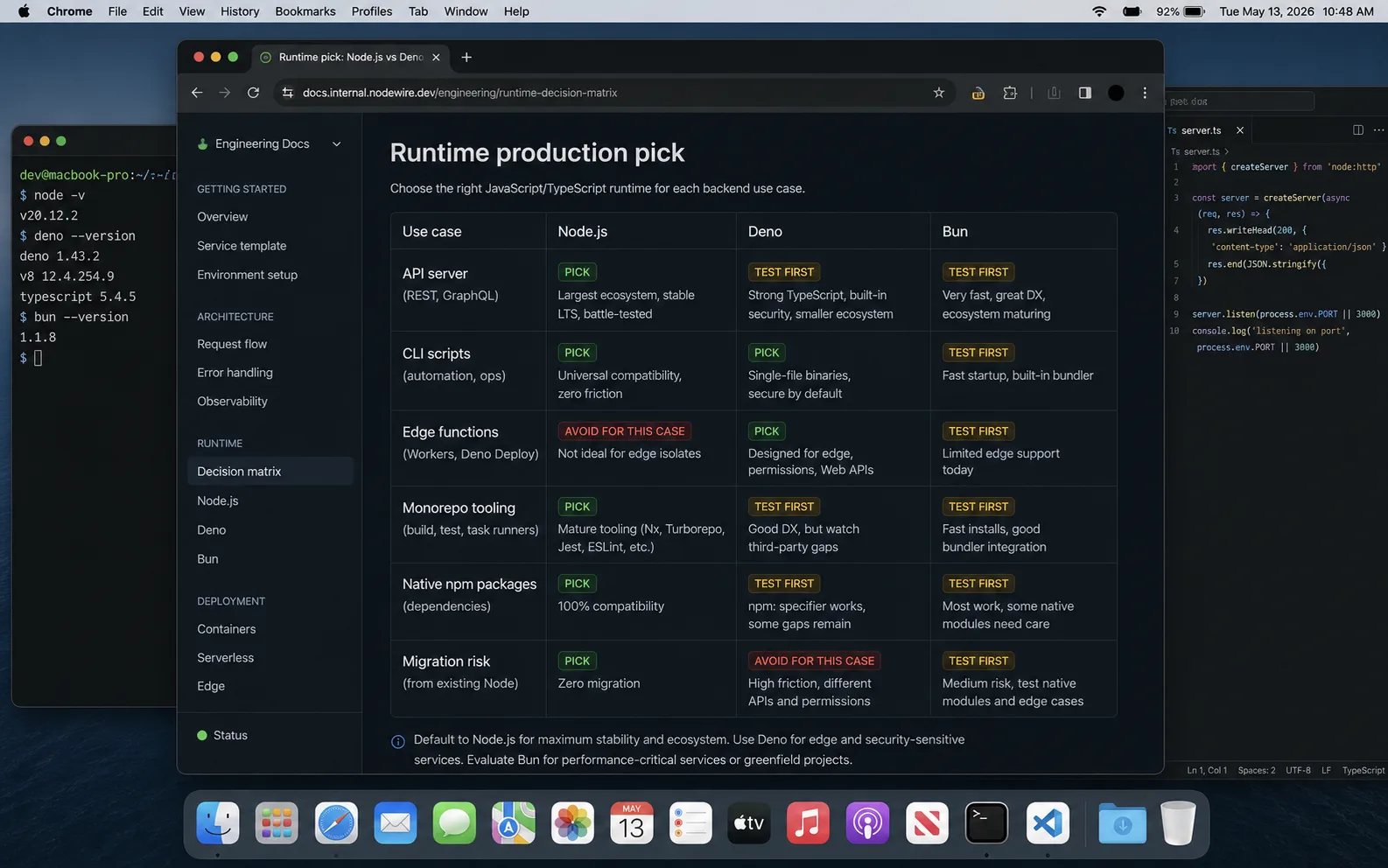
| You ship to a long-running VM or container. | You deploy to the edge (Cloudflare, Deno Deploy). | Install speed and bundling matter. |
| You need the deepest npm compatibility. | You want secure-by-default permissions. | You start greenfield and accept ecosystem risk. |
| You hire backend engineers from the open market. | You write internal tools that benefit from JSR’s package model. | You can pilot on non-critical services first. |
| You run native modules (sharp, sqlite, native crypto). | You want native TypeScript with optional full type checking. | You like having a bundler + test runner + package manager in one tool. |
| You build serverless on AWS Lambda. | You operate in regulated industries needing supply-chain sandboxing. | You ship real-time or WebSocket-heavy apps where startup time dominates. |
| You use Next.js 15 as your full-stack framework. | You want a 73 MB Docker image over Node’s 180 MB. | You need native SQLite access without a C extension. |
Production checklist when you commit to a non-Node runtime
- Pilot on a non-critical service for 60 days minimum. Native module compatibility surfaces under load, not in dev.
- Lock your runtime version explicitly —
"engines"in package.json (Node) or pinned binary in Dockerfile (Deno, Bun). - CI tests against the production runtime. Deno tests passing locally on
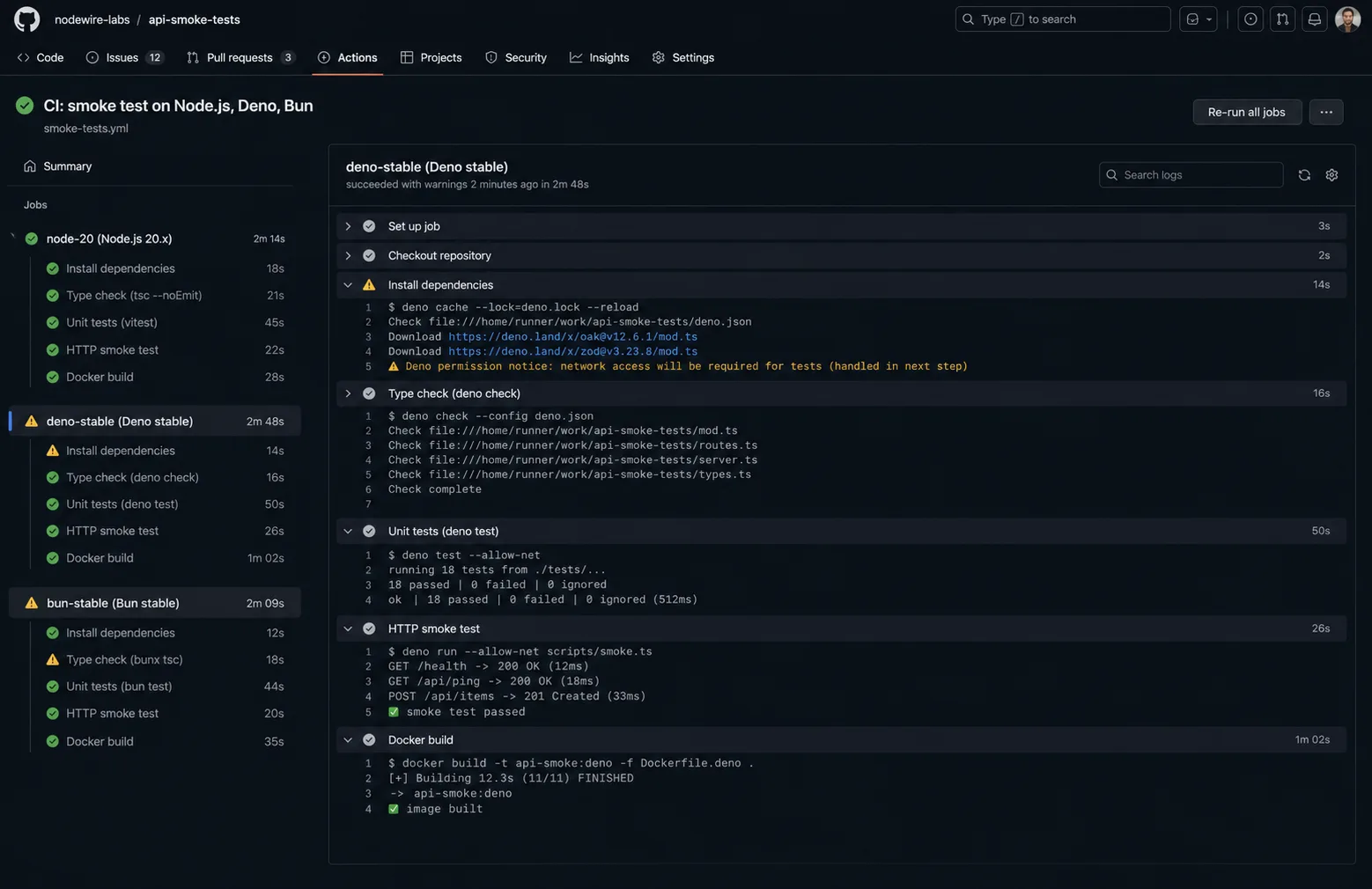
deno testdoesn’t validate yournode:*imports if production runs them via npm specifiers. - Build a Dockerfile that you control. Managed platforms abstract the runtime; you want to own the binary version.
- Have a Node fallback plan for libraries that turn out to misbehave. Most apps can run on Node with one config flip; design for it.
- Monitor cold starts after deploy. Bun’s cold-start advantage shows up at scale; if your infra introduces an extra layer, you may not see it.
- For Bun: test native C++ addons explicitly — bcrypt, sharp, node-canvas — before you commit. These are where the 1–2% incompatibility usually lives.
When the trendy choice is wrong
Three honest cases where the trendy runtime is not the right call:
- You inherited a 5-year-old Node monolith that ships and earns. The migration cost will not pay back unless you have a measured bottleneck the runtime change actually fixes.
- Your team is more than 10 engineers. Node’s hiring pool is 10× larger than Bun’s. The runtime tax of “we’re a Bun shop” shows up in every onboarding.
- You depend on Sentry, OpenTelemetry, New Relic, Datadog APM with the deepest features. Observability tooling is fully baked on Node and uneven on Deno/Bun. Outages get longer when your APM lies.
Troubleshooting FAQ
Is Bun production-ready in 2026?
For greenfield projects with limited native module dependencies, yes. The runtime is stable; the ecosystem is still maturing. Bun ships with Anthropic’s Claude Code, Midjourney, Railway, and several fintech startups in production. The lack of a formal LTS policy is the honest asterisk.
Can Bun replace Node entirely?
Functionally close but not identical. Some npm packages with native bindings (sharp, bcrypt, certain database drivers) work most of the time and fail in interesting ways. Pilot before committing.
Is Deno still relevant after Node added what it pioneered?
Yes, in two niches: edge deployment via Deno Deploy or Cloudflare Workers, and supply-chain security via the permission sandbox. For VPS-style backends, Node is still the safer pick. For AI-integration workloads, Node’s SDK ecosystem (OpenAI, Anthropic, Vercel AI SDK) is most mature.
Should I use Bun for the package manager and Node for the runtime?
Yes — this is genuinely useful. bun install on a Node project is fast and compatible; you keep Node’s runtime ecosystem and get Bun’s installer speed. I do this on most new Node projects.
Do Express and Fastify work on Bun?
Fastify works well on Bun; Express works with caveats. Bun’s built-in server is faster than both, but if you need Express middleware ecosystem, you sacrifice some of Bun’s speed advantage.
What about Cloudflare Workers — that uses workerd, right?
Yes, workerd is the V8-based runtime Cloudflare ships. It’s spiritually closer to Deno than Node — Web Fetch API, no node:* by default (though nodejs_compat flag enables many). Treat it as a fourth option, not a flavour of Node.
Does TypeScript compile faster on Bun?
Bun’s TypeScript handling is strip-only (same as Node 26), so the “faster TypeScript” headline is about test runner speed, not type-checking speed. tsc --noEmit takes the same time on all three runtimes. Deno’s full type-check mode is slower but actually validates types; the others don’t.
Will Bun work with my existing Node packages?
Most packages work. The 1–2% that don’t are overwhelmingly native C++ addons and packages that use undocumented Node internals. Run bun test on your test suite against the existing package.json before migrating anything to production.
Will Node be deprecated soon?
No. The OpenJS Foundation backs Node; corporate sponsors include Google, Microsoft, IBM, Red Hat. Node ships LTS lines on a 30-month support window. Deno and Bun are competition, not replacements. Node 24’s 42.65% developer adoption and 85% enterprise traffic share don’t shift in a single year.
Verdict
For most paying client work in 2026, my default is still Node 24 LTS with Fastify or Express, packaged with bun install for speed. Boring, well-supported, hires easily, deploys anywhere.
For edge-deployed apps where cold starts matter, Deno 2 on Deno Deploy or Cloudflare Workers. The runtime is mature; the platform is excellent. The security model is a bonus that makes regulated-industry conversations easier.
For greenfield startups where deploy speed and tooling consolidation matter more than ecosystem depth, Bun 1.3. The package manager alone is worth the install; the rest is a bet that pays off in the right shape of project. Just pilot on something non-critical first, and have a Node fallback path ready.
The wrong question is “which is fastest?” The right question is “what does my deployment shape look like, what is my team’s risk tolerance for ecosystem maturity, and what happens if the trendy runtime has a bad release week?”