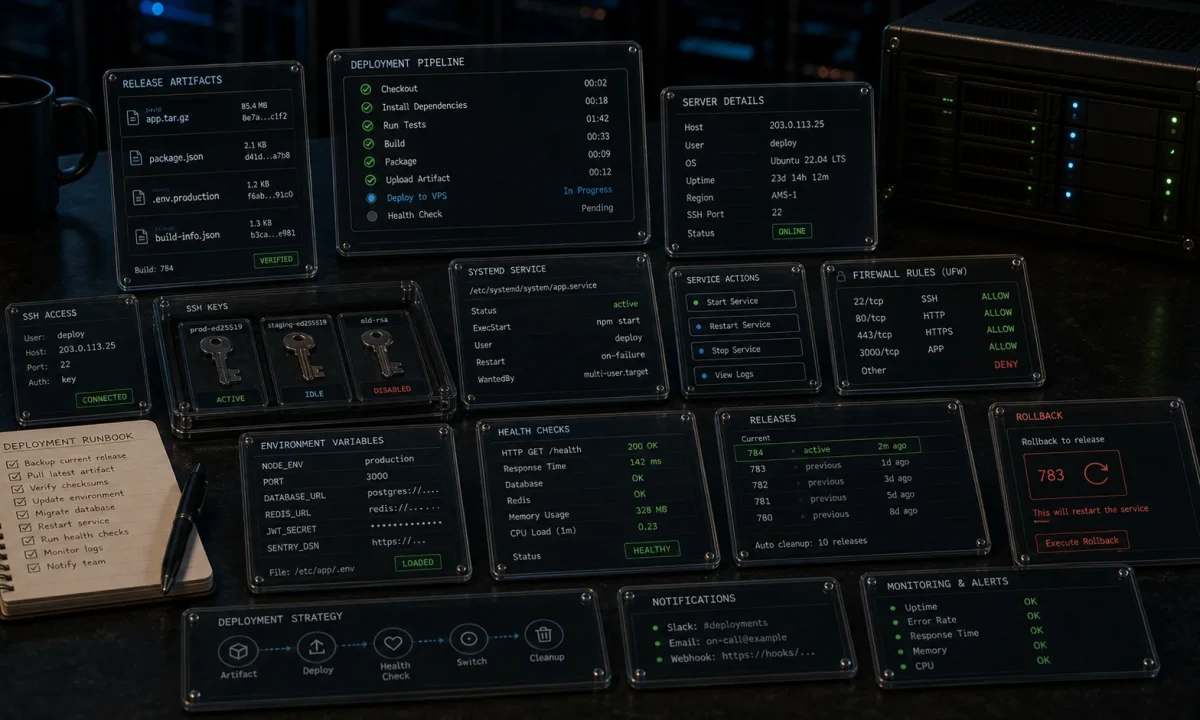
Two years ago I migrated a paying client off Heroku because the bill jumped to $487 a month for a Node.js API doing 40 req/s. We moved the entire stack — app, Postgres, Redis, monitoring — onto a single DigitalOcean droplet at $24 a month. Same uptime, faster latency, and we put the savings into a second droplet for hot standby. Two years on the new setup has had eight minutes of unscheduled downtime, all of which traced back to an nginx config I changed at 11 p.m. without testing.
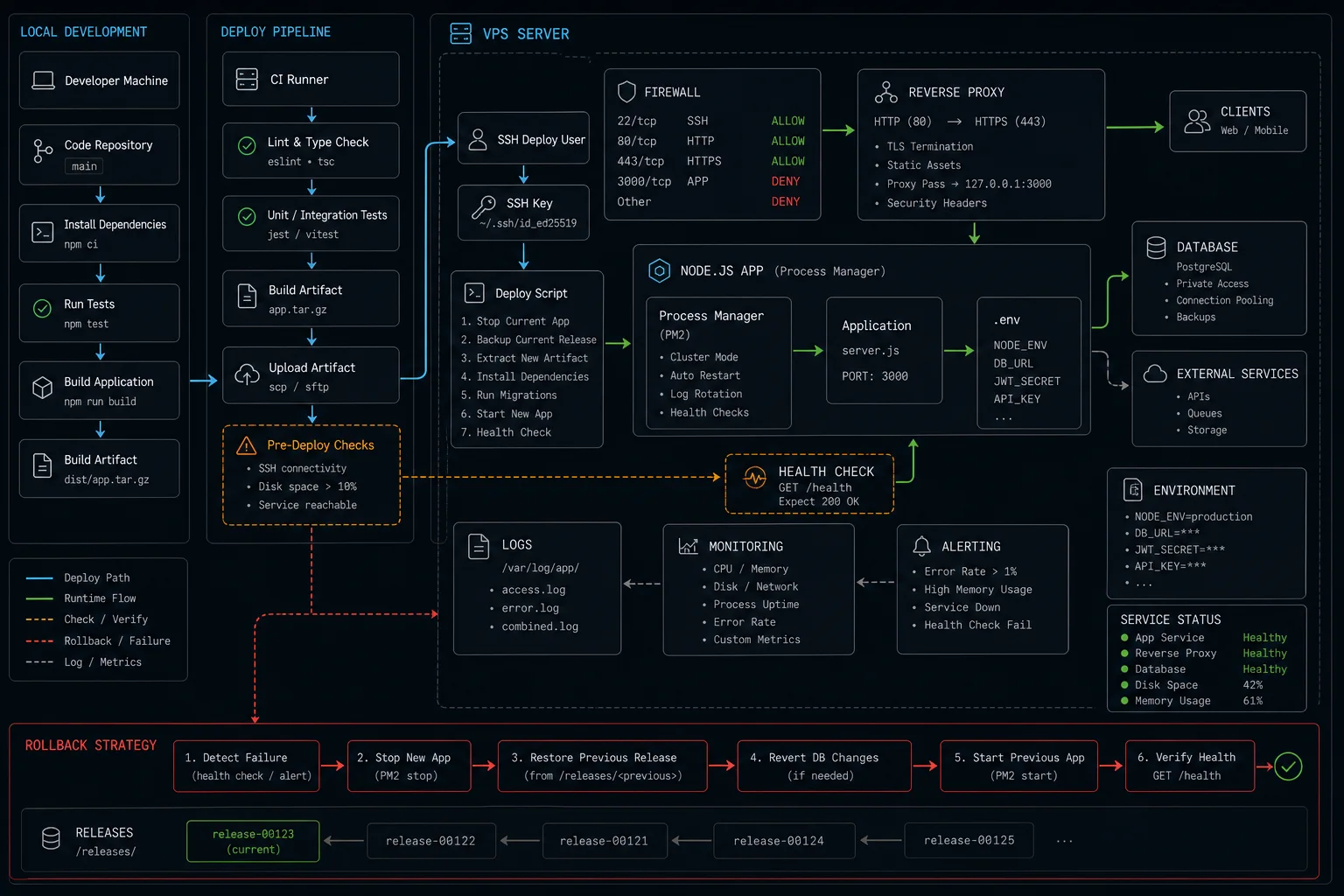
That migration is the template for this article. Deploy a Node.js app to a DigitalOcean VPS the way I do it for clients in 2026: Ubuntu 24.04 LTS droplet, Node 24 LTS via NodeSource, PM2 for process management, nginx as reverse proxy, Let’s Encrypt for SSL, ufw for the firewall, and the deploy mechanism that lets me ship in 30 seconds without dropping a single in-flight request.
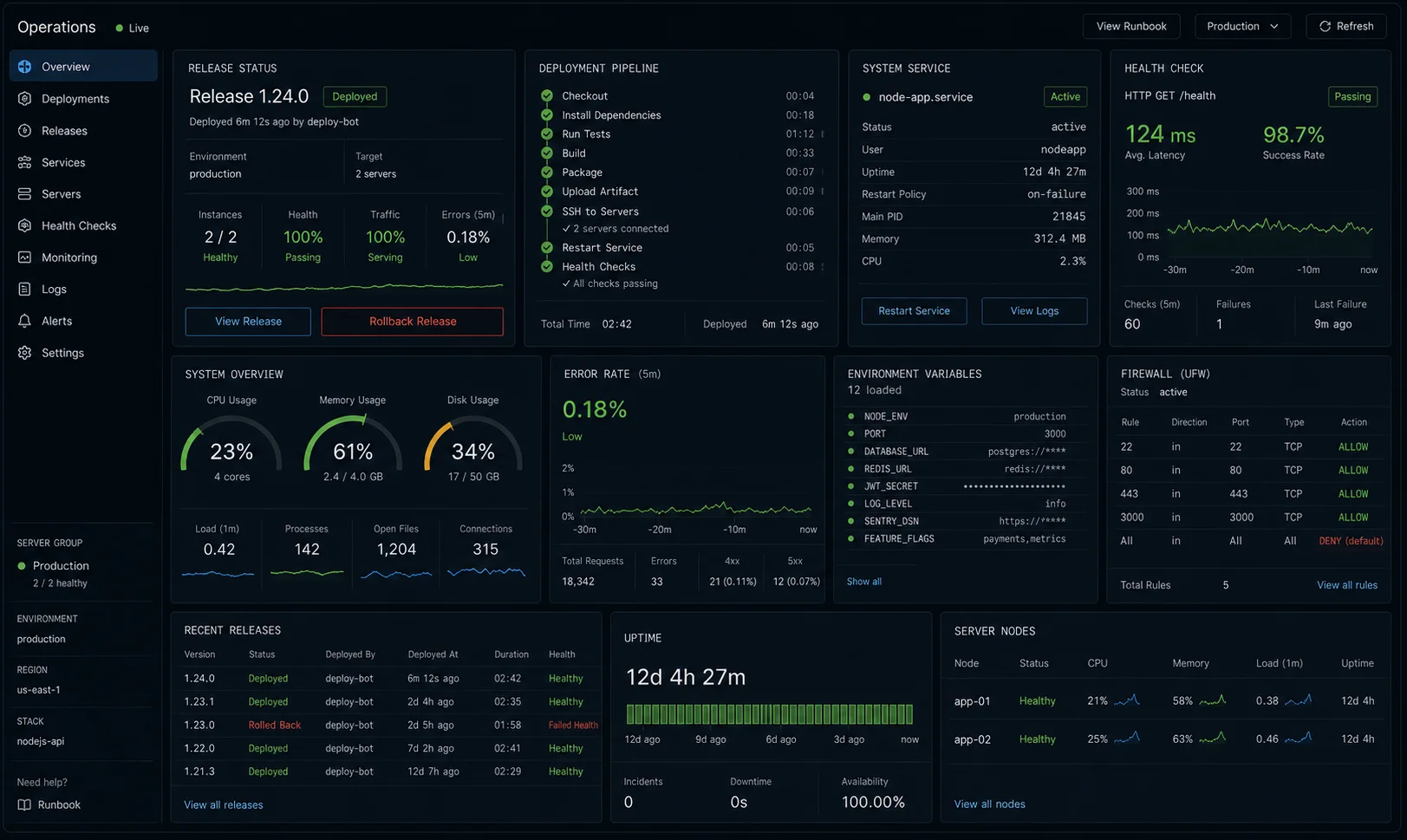
Quick start: 12 commands to a live HTTPS API
Skip ahead to the production sections after this works. Assumes you have a domain pointed at the droplet’s IPv4 and an Ubuntu 24.04 droplet provisioned (any size — the $6/month basic is fine for the first 100 req/s).
ssh root@your-droplet-ip
adduser deploy && usermod -aG sudo deploy
curl -fsSL https://deb.nodesource.com/setup_24.x | sudo -E bash -
apt-get install -y nodejs nginx git build-essential
npm install -g pm2

su - deploy
git clone https://github.com/you/your-app.git
cd your-app && npm ci --omit=dev && npm run build
pm2 start dist/server.js --name api && pm2 save && pm2 startup

# back as root
nano /etc/nginx/sites-available/api          # see config below
ln -s /etc/nginx/sites-available/api /etc/nginx/sites-enabled/
nginx -t && systemctl reload nginx
ufw allow OpenSSH && ufw allow 'Nginx Full' && ufw enable
apt-get install -y certbot python3-certbot-nginx
certbot --nginx -d api.yourdomain.com --redirect
Twelve commands, twenty minutes, $6 a month. Now read the rest so it survives traffic.
What is wrong with the typical “deploy Node to a VPS” tutorial
Most VPS tutorials get you to “it responds on port 80” and stop. Six production failures I have personally inherited cleaning up other people’s setups:
- Running the Node process as root. One npm dependency with a postinstall script and someone owns your droplet.
- No process supervisor at all. Server crashes, never comes back up. PM2 (or systemd) restart on failure is not optional.
- nginx default config with no rate limiting. Your
/auth/loginendpoint takes credential-stuffing traffic from a botnet your first week live. - SSH on port 22 with password auth enabled. Two days after going live the auth log fills with brute-force attempts. Turn off password SSH; use keys.
- No firewall. Postgres on 5432 listening on the public interface because you forgot to bind to localhost.
- Manual zero-downtime deploys via “kill the process, hope nginx queues.” One in twenty deploys drops requests. PM2 reload solves this and almost no one uses it.
Droplet sizing: what to actually pick
| Workload | Plan | Specs | Cost |
|---|---|---|---|
| Hobby project, 0–100 req/s | Basic | 1 vCPU · 1 GB · 25 GB SSD | $6/mo |
| Small API, 100–500 req/s | Basic | 2 vCPU · 4 GB · 80 GB SSD | $24/mo |
| Real product, 500–2000 req/s | General Purpose | 4 vCPU · 16 GB · 100 GB SSD | $84/mo |
| Co-host Postgres on same droplet | + size up RAM | add 4–8 GB for shared_buffers | — |
Honest opinion: start at $24. The $6 droplet runs out of RAM the first time you run npm ci on a Next.js app. Buying small to “save money” costs more than the $18/month you save when you have to rebuild the droplet at 1 a.m. because builds OOM.
Vertical scaling is one click from the DigitalOcean dashboard — no re-provisioning, no data migration. It is the easiest scale operation in cloud infrastructure. Start conservative, resize when your monitoring tells you to.
Initial droplet hardening (do this before anything else)
The first ten minutes after the droplet boots, before you install anything else:
ssh root@your-droplet-ip

# Create a non-root user with sudo
adduser deploy
usermod -aG sudo deploy

# Lock down SSH
mkdir -p /home/deploy/.ssh
cp ~/.ssh/authorized_keys /home/deploy/.ssh/
chown -R deploy:deploy /home/deploy/.ssh
chmod 700 /home/deploy/.ssh
chmod 600 /home/deploy/.ssh/authorized_keys

# /etc/ssh/sshd_config — set these
sed -i 's/^#*PermitRootLogin.*/PermitRootLogin no/' /etc/ssh/sshd_config
sed -i 's/^#*PasswordAuthentication.*/PasswordAuthentication no/' /etc/ssh/sshd_config
systemctl restart sshd

# Firewall
ufw default deny incoming
ufw default allow outgoing
ufw allow OpenSSH
ufw enable

# Automatic security updates
apt-get install -y unattended-upgrades
dpkg-reconfigure --priority=low unattended-upgrades
Test SSH as deploy in a second terminal before closing the root session. Lock yourself out once and you will remember.
Installing Node.js the right way
Three options, with honest tradeoffs:
| Method | Verdict |
|---|---|
Ubuntu’s apt install nodejs |
No. Ships ancient versions, one major behind. |
| nvm | Good for development. Per-user install works fine under PM2 if you run PM2 from the same user. Awkward under systemd. Needs source ~/.bashrc in deploy scripts. |
| NodeSource apt repo | Best for production. System-wide install, current LTS, plays nicely with PM2, systemd, and CI deploy scripts that run in non-interactive shells. |
curl -fsSL https://deb.nodesource.com/setup_24.x | sudo -E bash -
sudo apt-get install -y nodejs build-essential
node --version    # v24.x.x
npm --version
The build-essential package matters: any native addon (bcrypt, sharp, node-sass, bufferutil) requires a C compiler to build. Skipping it causes cryptic node-pre-gyp failures after you deploy.
If you use nvm with PM2, you need the --interpreter flag pointing at the nvm-managed Node binary, or PM2 will use whatever Node is in its PATH when it starts at boot — which may be a different version than your app was tested against.
App directory and environment variables
Where you put the app code matters less than the pattern you use for secrets. The convention I follow:
sudo mkdir -p /var/www/your-app
sudo chown deploy:deploy /var/www/your-app

su - deploy
git clone https://github.com/you/your-app.git /var/www/your-app
cd /var/www/your-app
npm ci --omit=dev
npm run build
For environment variables, create a .env file on the server — not committed to git, not passed as PM2 flags (they appear in ps aux):
cp .env.example .env
nano .env        # fill in DATABASE_URL, JWT_SECRET, OPENAI_API_KEY, etc.
Use dotenv in your app, or pass the env file to PM2 via the ecosystem config:
// ecosystem.config.js
module.exports = {
  apps: [{
    name:         'api',
    script:       'dist/server.js',
    instances:    'max',
    exec_mode:    'cluster',
    env_file:     '.env',
    max_memory_restart: '600M',
    time:         true,
  }],
};
Process management: PM2 vs systemd
I have shipped both. The honest take: PM2 if you want zero-downtime reload and a built-in cluster mode. systemd if you have one Node process and want minimal dependencies.
npm install -g pm2

# Start using the ecosystem config
cd /var/www/your-app
pm2 start ecosystem.config.js

# Or inline for simple apps
pm2 start dist/server.js
  --name api
  -i max                                 # cluster mode, one worker per CPU
  --max-memory-restart 600M              # restart any worker that goes over
  --time                                  # timestamps in logs

# Generate a systemd service so PM2 starts on boot
pm2 startup systemd -u deploy --hp /home/deploy
pm2 save
PM2 cluster mode is the underrated win. With -i max, PM2 forks one Node process per CPU core and load-balances incoming connections at the OS level. A 4-vCPU droplet doing 600 req/s with one worker becomes 2,400 req/s with four — for free.
To check the status of your workers and watch live CPU/memory:
pm2 status                      # overview of all processes
pm2 logs api --lines 50         # last 50 lines of logs
pm2 monit                       # live CPU/memory dashboard in terminal
nginx as reverse proxy
Why nginx and not “expose Node directly on port 80”: TLS termination, request buffering, gzip / brotli, static file serving, and rate limiting. Node could do all of this. nginx does it faster and you don’t have to write the code.
The config that ships:
# /etc/nginx/sites-available/api
upstream api_backend {
  server 127.0.0.1:3000 fail_timeout=0;
  keepalive 64;
}

# Per-IP rate limit zone — 10 req/s with burst of 20
limit_req_zone $binary_remote_addr zone=api_limit:10m rate=10r/s;

server {
  listen 80;
  listen [::]:80;
  server_name api.yourdomain.com;

  client_max_body_size 5M;
  gzip on;
  gzip_types application/json text/plain;

  location / {
    limit_req zone=api_limit burst=20 nodelay;

    proxy_pass http://api_backend;
    proxy_http_version 1.1;

    # WebSocket support — these headers must be set for WS upgrades to work
    proxy_set_header Upgrade $http_upgrade;
    proxy_set_header Connection "upgrade";

    proxy_set_header Host $host;
    proxy_set_header X-Real-IP $remote_addr;
    proxy_set_header X-Forwarded-For $proxy_add_x_forwarded_for;
    proxy_set_header X-Forwarded-Proto $scheme;

    # Don't buffer SSE / streaming responses (e.g. OpenAI streams)
    proxy_buffering off;

    proxy_read_timeout 60s;
    proxy_send_timeout 60s;
  }

  # Tighter limit on auth endpoints — credential stuffing protection
  location /auth/ {
    limit_req zone=api_limit burst=5 nodelay;
    proxy_pass http://api_backend;
    proxy_set_header Host $host;
    proxy_set_header X-Real-IP $remote_addr;
    proxy_set_header X-Forwarded-For $proxy_add_x_forwarded_for;
  }
}sudo ln -s /etc/nginx/sites-available/api /etc/nginx/sites-enabled/
sudo rm /etc/nginx/sites-enabled/default
sudo nginx -t && sudo systemctl reload nginx
sudo ufw allow 'Nginx Full'Two lines most tutorials miss. proxy_buffering off: with buffering on, nginx waits for the entire upstream response before forwarding to the client — kills streaming responses from OpenAI and any SSE endpoint. proxy_set_header Upgrade / Connection "upgrade": without these, WebSocket connections fail silently — the HTTP upgrade handshake never completes and the client gets a 400 or hangs.
SSL with Let’s Encrypt and Certbot
sudo apt-get install -y certbot python3-certbot-nginx
sudo certbot --nginx -d api.yourdomain.com --redirect
sudo systemctl status certbot.timer    # auto-renewal is on by default

# Test that auto-renewal works before you go live — not 60 days later
sudo certbot renew --dry-run
Certbot edits your nginx config in place and adds the HTTP → HTTPS redirect. Renewal runs twice a day via the systemd timer. Let’s Encrypt certificates last 90 days; auto-renewal triggers at 60 days. Run the --dry-run immediately after setup — the most common SSL outage I see is renewal failing silently on a server where port 80 was blocked by a firewall rule that was added after Certbot.
Zero-downtime deploys
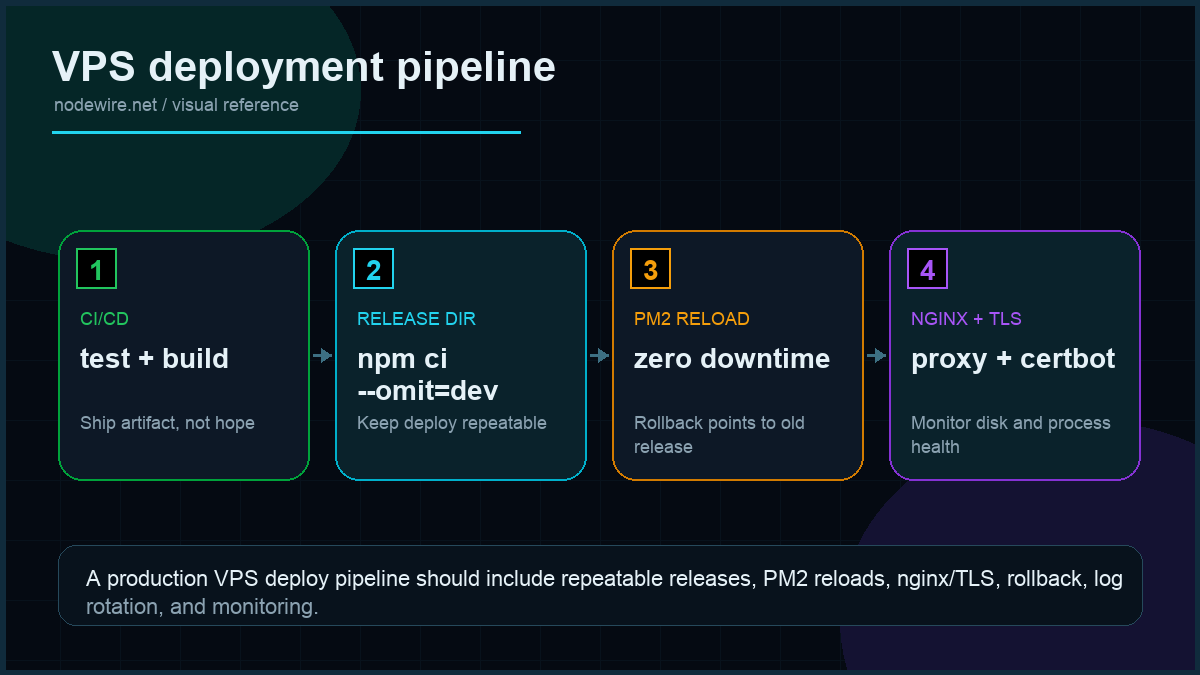
The deploy script I run from a CI pipeline (GitHub Actions, GitLab CI, manually — same commands):
#!/bin/bash
# deploy.sh — run on the droplet
set -euo pipefail

cd /var/www/your-app
git pull --ff-only
npm ci --omit=dev
npm run build
npx prisma migrate deploy   # if you use Prisma
pm2 reload api --update-env # zero-downtime; PM2 brings new workers up before killing old
The magic is pm2 reload, not restart. Reload starts new workers, lets them pass the readiness check, then kills the old workers — the listening socket never closes from nginx’s perspective. PM2’s cluster mode is what makes this work.
Note: npm install --production is deprecated in npm 7+. Use npm ci --omit=dev instead — it’s faster (no lockfile resolution), deterministic, and the modern equivalent.
From your laptop:
ssh deploy@api.yourdomain.com 'bash /var/www/your-app/deploy.sh'Roll back: git reset --hard HEAD~1 && pm2 reload api. Keep the previous build artefact around for 24 hours; deleting it three minutes after deploy means a slow incident response.
Deploying from CI/CD (GitHub Actions)
Automating the deploy so you never SSH manually takes twenty minutes to set up and saves hours of context-switching:
# .github/workflows/deploy.yml
name: Deploy
on:
  push:
    branches: [main]

jobs:
  deploy:
    runs-on: ubuntu-latest
    steps:
      - uses: appleboy/ssh-action@v1
        with:
          host:     ${{ secrets.DROPLET_IP }}
          username: deploy
          key:      ${{ secrets.DEPLOY_SSH_KEY }}
          script:   bash /var/www/your-app/deploy.sh
Generate the deploy key with ssh-keygen -t ed25519 -C "github-actions-deploy". Add the public key to /home/deploy/.ssh/authorized_keys on the droplet. Add the private key as a GitHub secret named DEPLOY_SSH_KEY. The key should have access only to the deploy user — never use root. Add DROPLET_IP as a second secret. Every push to main now deploys automatically, zero-downtime.
Log rotation and disk management
PM2’s default logs grow forever. A busy app fills a 25 GB SSD in weeks. Install pm2-logrotate immediately:
pm2 install pm2-logrotate
pm2 set pm2-logrotate:max_size 50M
pm2 set pm2-logrotate:retain 7
pm2 set pm2-logrotate:compress true
Three common disk-fill culprits on fresh droplets:
- PM2 logs — fixed by pm2-logrotate above
- nginx access logs — already covered by Ubuntu’s logrotate config in
/etc/logrotate.d/nginx, but verify it’s enabled - Docker layer cache if you use Docker — run
docker system prune -a --volumeson a schedule
Monitoring: what to actually watch
Minimum viable monitoring for a production droplet:
- UptimeRobot (free) — HTTP check on your public URL every 5 minutes. Alerts by email or Slack when the endpoint stops responding.
- DigitalOcean Droplet Metrics — built-in CPU, memory, disk I/O, and bandwidth graphs in the dashboard. Enable Managed Monitoring for alert policies on CPU spikes or disk > 80%.
pm2 monit— live per-process CPU and memory. Run this during load tests to see which worker is misbehaving.- DigitalOcean Monitoring alerts — configure from the droplet dashboard. CPU > 80% for 5 minutes is a reasonable page threshold for a low-traffic app.
Once you have two or more droplets, add Prometheus + Grafana or subscribe to DigitalOcean’s Managed Monitoring. One droplet with UptimeRobot + DO’s built-in alerts is fine and costs nothing.
What breaks in staging that won’t in prod (and vice versa)
| Behaviour | Staging | Production |
|---|---|---|
| Node memory ceiling | Usually fine on 1 GB droplet | OOM at peak load — need V8 --max-old-space-size |
| nginx rate limit | Never triggered by you alone | Triggers under real traffic — tune zone size and burst |
| PostgreSQL connection pool | 5 connections plenty | Pool exhaustion at 30 concurrent users (see Prisma setup) |
| Certbot renewal | Works first time | Fails 60 days in if port 80 is blocked or DNS moved |
| PM2 max-memory-restart | Never fires | Fires on memory leak — symptom of deeper bug that needs fixing |
| WebSocket connections | Work fine directly to Node | Break silently if nginx Upgrade headers are missing |
| npm ci –omit=dev | Fast, deterministic | Fails if NODE_ENV=production and a runtime dep is in devDependencies |
Production checklist
- Non-root deploy user with SSH key auth only. Root SSH disabled.
- ufw enabled with only OpenSSH and Nginx Full open.
- build-essential installed so native addons compile without error.
- PM2 cluster mode with one worker per CPU and
--max-memory-restartset. - ecosystem.config.js for PM2 instead of inline flags — easier to audit and version-control.
- nginx with rate limiting on at least
/auth/endpoints. - WebSocket support headers in nginx (
UpgradeandConnection "upgrade") if your app uses WS. proxy_buffering offif you serve SSE or streaming responses.- Let’s Encrypt with HTTPS redirect, auto-renewal verified with
certbot renew --dry-runimmediately after setup. - PM2 startup script registered so the app comes back after droplet reboot. If your Node app crashes with EADDRINUSE on restart, the graceful shutdown handler in that article is what fixes it.
- pm2-logrotate installed with a max-size and retain count. Unrotated logs fill disks.
- Off-droplet backups for any database living on the droplet — DigitalOcean Spaces or S3, nightly cron.
- Monitoring: UptimeRobot on the public URL + DigitalOcean droplet alerts for CPU/memory/disk.
npm ci --omit=devin deploy scripts, not--production(deprecated) or barenpm install.
When not to use a DigitalOcean droplet
Three cases where a managed platform pays for itself:
- You ship a SPA + API and want to deploy in < 60 seconds with one command. Vercel, Render, or DigitalOcean App Platform are objectively better at “git push and forget.”
- Your traffic is spiky and serverless-shaped. A droplet you pay for 24/7 is bad economics for a webhook that runs 200 times a day. Use AWS Lambda or Cloudflare Workers.
- Compliance requires SOC 2 / HIPAA without you operating the controls. Managed platforms inherit their compliance posture; a droplet is your problem.
Troubleshooting FAQ
Why is my Node.js app slow when nginx says it forwarded the request immediately?
Almost always your database. Run EXPLAIN ANALYZE against the slow endpoint’s query, or look at pg_stat_statements. nginx → PM2 → Node has microseconds of overhead; the ten seconds are downstream.
How do I share a droplet between an app and Postgres?
Bind Postgres to localhost only (listen_addresses = 'localhost' in postgresql.conf), allocate shared_buffers = 25% of RAM, set max_connections to twice your PM2 worker count plus headroom. Cleanest way: separate small Postgres droplet at $6/month, even at low traffic — easier to scale, easier to back up.
Should I use Docker on a DigitalOcean droplet?
If you have one app, no — Docker adds 200 MB of image overhead and a layer of indirection for no benefit. If you run multiple apps on the same droplet, yes — Docker Compose is cleaner than juggling PM2 namespaces.
How do I deploy from a CI pipeline?
Generate an SSH deploy key, store the private key as a CI secret, run the deploy script over SSH on the droplet. appleboy/ssh-action for GitHub Actions is the simplest. Cap the deploy key to the deploy user, never use root.
What if I need to host the database on the same droplet?
Fine for small apps. Two rules: bind to localhost, and tune shared_buffers + max_connections for the available RAM. My Postgres + Prisma setup article covers the Node side.
How do I do blue-green deployment on one droplet?
Run two PM2 processes on different ports (3000, 3001), switch the nginx upstream between them, reload nginx. More effort than pm2 reload for marginal gain on a single droplet — worth it once you have two droplets behind a load balancer.
Why did my droplet run out of disk after a month?
Three usual suspects: PM2 logs (install pm2-logrotate), nginx access logs (logrotate config), and Docker layer cache if you use Docker (docker system prune -a nightly).
My WebSocket connections drop after 60 seconds through nginx. What’s wrong?
nginx’s default proxy_read_timeout is 60 seconds. WebSocket connections that are idle for more than that get killed. Set proxy_read_timeout 86400s; in your WebSocket location block (24 hours), or configure keepalive pings from your WebSocket server.
NVM or NodeSource for production?
NodeSource for servers where you need system-wide Node (PM2 startup service, CI agents, cron jobs). NVM for development machines or containerised environments where per-user install is fine. If you use NVM with PM2 on a server, make sure PM2 startup uses the full path to the nvm-managed node binary, not /usr/bin/node.
Render or Fly.io instead?
If you value developer experience over per-month cost, yes. Render’s free tier is fine for hobby projects; Fly.io’s edge deployment is genuinely useful for low-latency global apps. The droplet path wins on transparency, control, and cost at any meaningful traffic level.
What ships next
This article gets you to a hardened single-droplet deployment. The natural next steps: a load balancer in front of two droplets for high availability, a separate managed Postgres for backups and read replicas, and a CI/CD pipeline that runs migrations and pushes new builds without manual SSH. Both pieces are queued. If you are building auth on top of this, the JWT pattern in that article assumes exactly the deploy shape above.