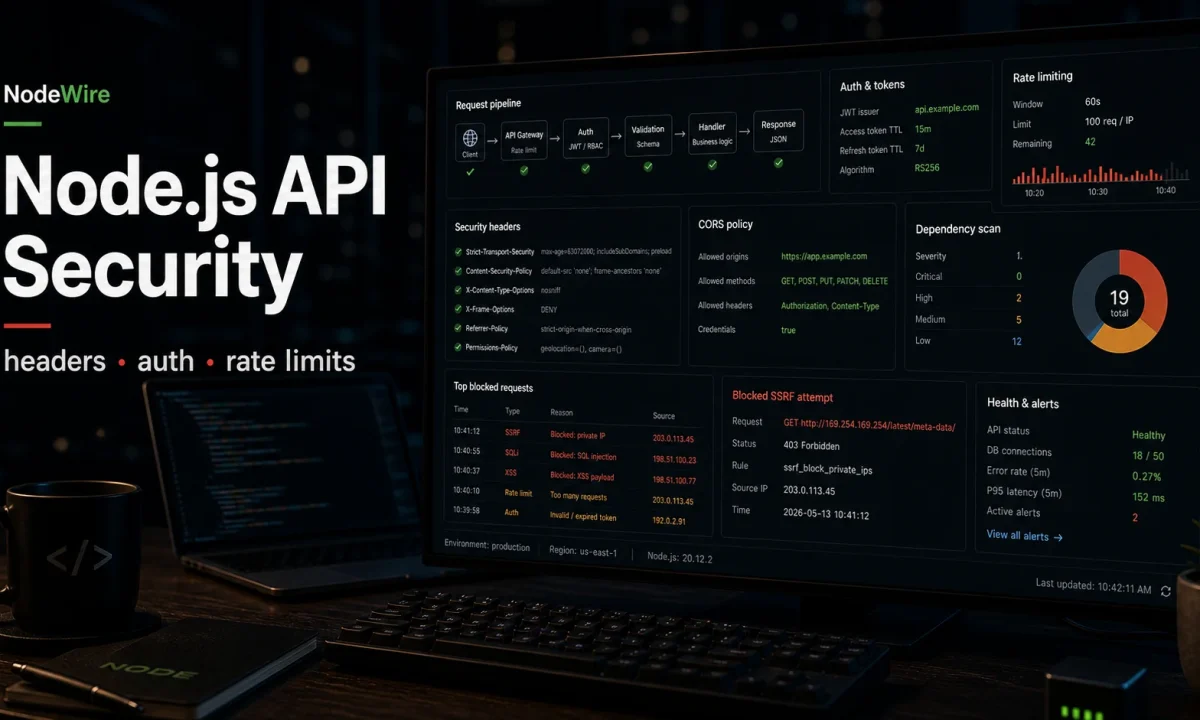
I leaked a logistics company’s internal API for eleven days. Not a customer-facing one — an admin endpoint that returned every shipment’s tracking number, recipient address, and carrier reference for a fixed Bearer token that we had hard-coded “temporarily” during the migration. The token was in a CI environment variable in a public Drone build log. Nobody noticed because there were no failed-auth alerts and no abnormal request-rate alarms — the scraper was patient, three requests a minute, well under the 60-per-minute rate limit we had configured. By the time we caught it, 11,000 records were on a Telegram channel. That experience reshaped how I think about Node.js API security best practices. This is the checklist I now run on every Node.js project before it ships to production, updated for Node 24 LTS, OWASP API Security Top 10 (2023 edition still authoritative in 2026), and helmet 8.x.
The threat shape: what you are actually defending against
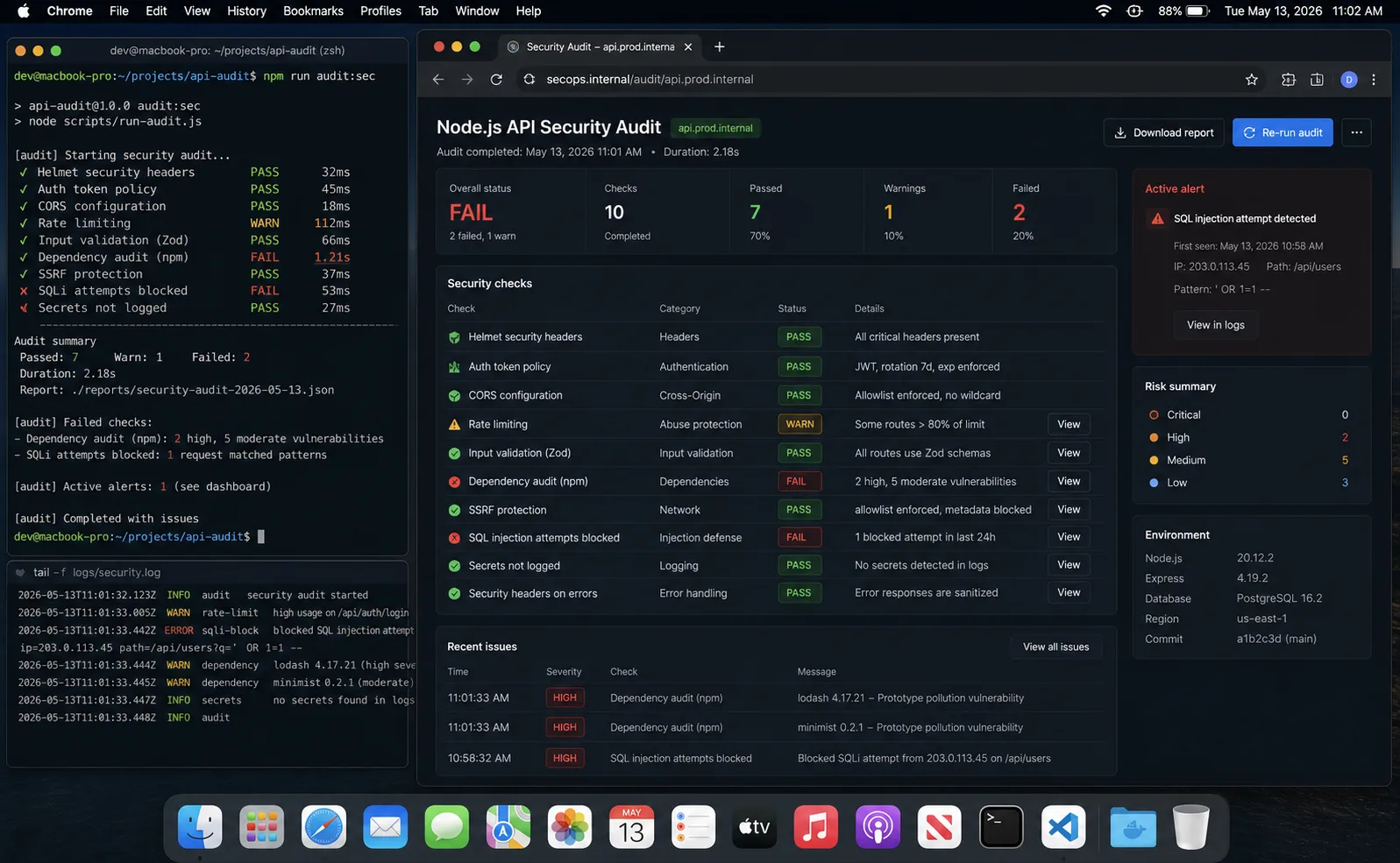
Before the controls, a quick map of the threats. The OWASP API Security Top 10 (2023 edition) is still the authoritative reference in 2026 — there is no 2026 edition yet. The vulnerability classes I see most often in Node.js code reviews:
| Class | OWASP ID | Typical Node.js failure | Primary control |
|---|---|---|---|
| Broken Object Level Authorization (BOLA / IDOR) | API1:2023 | findById(req.params.id) without an ownership filter |
Always include userId in the query |
| Broken Authentication | API2:2023 | Long-lived JWT in localStorage, no rotation |
15-min access tokens + httpOnly refresh + rotation |
| Unrestricted Resource Consumption | API4:2023 | Unbounded JSON body, no rate limit, slow regex | Body limits, rate limit, timeouts |
| Security Misconfiguration | API8:2023 | No helmet, default CORS, debug stack in prod | helmet 8 + CSP + structured error handler |
| Injection | OWASP A03 | $queryRawUnsafe, exec on user input, NoSQL operator injection |
Parameterised queries, execFile, type coercion |
| SSRF | API7:2023 | Webhook fetcher hits 169.254.169.254 (AWS metadata) |
URL allowlist + DNS resolution check |
| Prototype pollution | CWE-1321 | _.merge(config, req.body) with __proto__ |
Object.create(null), schema validation |
| Supply chain | API8 / CWE-1357 | Compromised transitive dep ships in next deploy | Lockfile + npm audit in CI + --ignore-scripts |
1. Helmet 8 for the headers you do not want to remember
Helmet sets a baseline of HTTP security headers that browsers honour. It is the cheapest security win in Node.js — install, mount, done. Helmet 8 (released 2024, current in 2026) ships with stricter defaults than 7 — most notably an enabled Cross-Origin-Resource-Policy and the modern Origin-Agent-Cluster header.
npm i helmetimport express from "express";
import helmet from "helmet";
const app = express();
app.use(helmet({
contentSecurityPolicy: {
directives: {
defaultSrc: ["'self'"],
scriptSrc: ["'self'"],
styleSrc: ["'self'", "'unsafe-inline'"],
imgSrc: ["'self'", "data:", "https:"],
connectSrc: ["'self'", "https://api.example.com"],
fontSrc: ["'self'"],
objectSrc: ["'none'"],
frameSrc: ["'none'"],
upgradeInsecureRequests: [],
},
},
hsts: { maxAge: 63_072_000, includeSubDomains: true, preload: true },
referrerPolicy: { policy: "strict-origin-when-cross-origin" },
crossOriginResourcePolicy: { policy: "same-site" },
crossOriginOpenerPolicy: { policy: "same-origin" },
}));
app.disable("x-powered-by");The defaults give you X-DNS-Prefetch-Control, X-Frame-Options, Strict-Transport-Security, X-Content-Type-Options, Referrer-Policy, and a half-dozen others. CSP is the one most teams turn off because it is app-specific — but turning it on for your actual asset origins is worth the afternoon. Disabling x-powered-by removes the Express fingerprint, which makes targeted CVE scans slightly less productive.
2. Validate every input with Zod (or never trust your types)
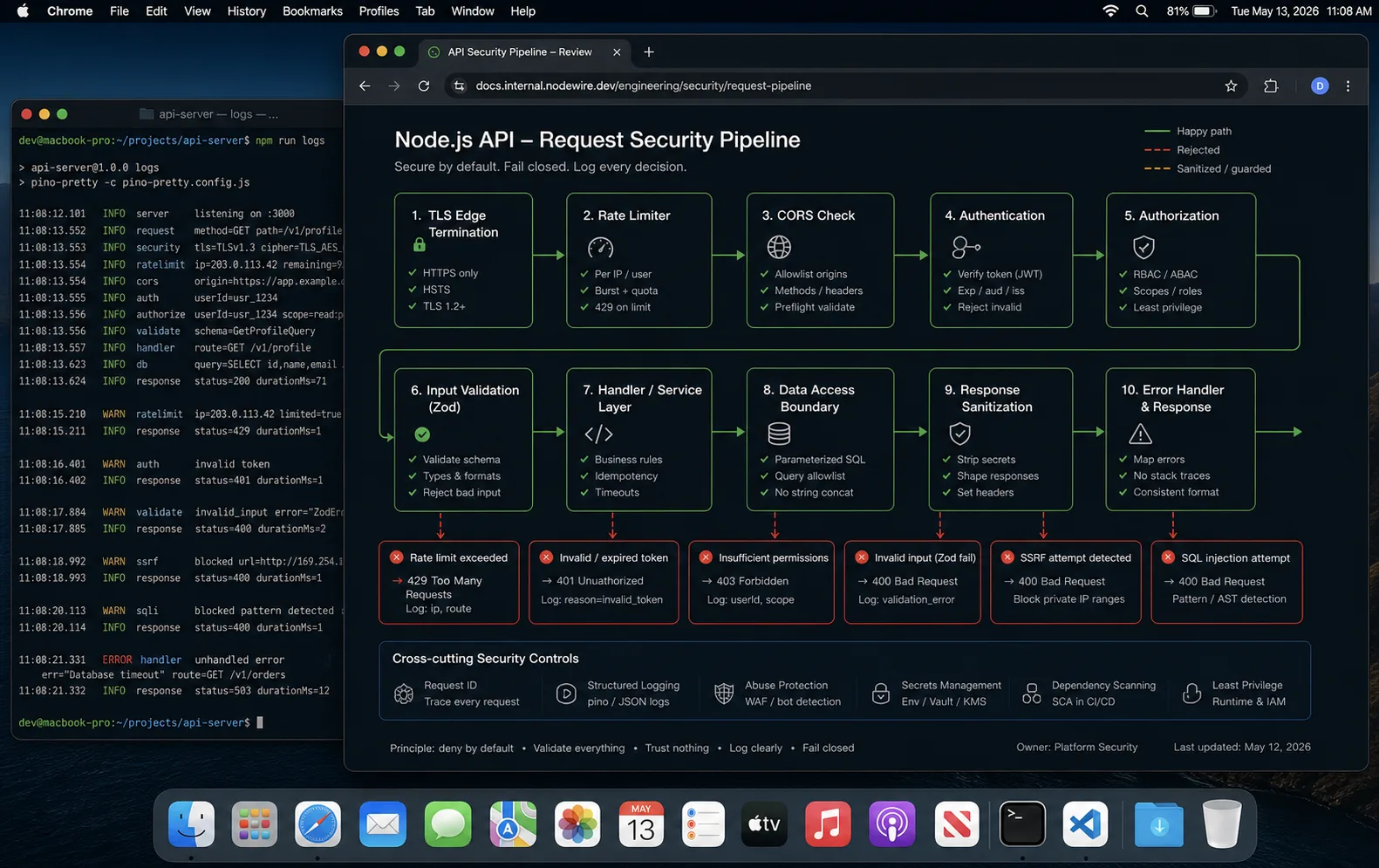
TypeScript types are a compile-time fiction. At runtime, req.body is whatever JSON the client decided to send. Trusting it is how you get prototype pollution, NoSQL injection, mass assignment, and casting bugs that turn into RCEs.
import { z } from "zod";

const CreateUserSchema = z.object({
  email: z.string().email().max(254),
  password: z.string().min(12).max(72),
  name: z.string().min(1).max(100).regex(/^[p{L}s'-]+$/u),
  role: z.enum(["customer", "admin"]).default("customer"),
}).strict();   // strict() rejects unknown fields — kills mass assignment

app.post("/api/users", async (req, res) => {
  const parsed = CreateUserSchema.safeParse(req.body);
  if (!parsed.success) {
    return res.status(400).json({ error: parsed.error.flatten() });
  }
  const user = await createUser(parsed.data);
  res.status(201).json({ id: user.id, email: user.email });
});
.strict() is the line most schemas miss. Without it, an attacker can send {"email":"...","password":"...","role":"admin","isAdmin":true} and your defaults get blown past silently. With it, the request is rejected. Validate at the boundary; once data is past the schema, your types are honest and you can stop sanity-checking inside business logic.
Cap body sizes globally: app.use(express.json({ limit: "100kb" })). The default 100 KB on Express 5 is sane; explicitly setting it puts the limit in code where reviewers see it. Anything bigger than 100 KB on a public API is a red flag that needs a separate dedicated route with its own validation.
3. Authentication done right (and the patterns that look right and aren’t)
Three things I see junior teams get wrong on JWT:
- HS256 with a weak shared secret. Use HS256 with a 32+ byte secret generated by
crypto.randomBytes(32).toString("hex"), or asymmetric RS256/ES256 if more than one service has to verify tokens. - Long-lived access tokens. Access tokens should expire in 15–30 minutes. Refresh tokens (longer-lived, rotated on every use, hashed in the database) handle session lifetime.
- Storing JWTs in
localStorage. Vulnerable to any XSS that runs JS on your origin. Use httpOnly Secure cookies for the refresh token, in-memory for the access token.
Always pin algorithms on jwt.verify:
import jwt from "jsonwebtoken";

export function verifyAccessToken(token: string) {
  return jwt.verify(token, process.env.JWT_ACCESS_SECRET!, {
    algorithms: ["HS256"],            // critical — never trust the header
    issuer: "nodewire",
    audience: "nodewire-web",
  });
}
Without the explicit algorithms, an attacker can change the token header to alg: none and bypass verification entirely (the RFC 7519 downgrade attack that comes back every few years in some library or another).
The full JWT pattern with refresh tokens, rotation, reuse detection, and bcrypt password storage lives in the JWT authentication guide. The summary: short access tokens, refresh tokens in httpOnly cookies, rotate on every refresh, kill the entire token family on reuse detection, blocklist revoked refresh tokens in PostgreSQL.
For comparing API keys, TOTP codes, or HMAC signatures, do not use ===. The JIT exits early, leaks length and content via timing. Use the constant-time comparison from the crypto module:
import { timingSafeEqual } from "node:crypto";

function safeEqual(a: string, b: string): boolean {
  const bufA = Buffer.from(a);
  const bufB = Buffer.from(b);
  if (bufA.length !== bufB.length) return false;
  return timingSafeEqual(bufA, bufB);
}
bcrypt.compare and argon2.verify already handle this internally; you only need timingSafeEqual for raw secret-string comparisons.
4. Rate limit aggressively, especially on auth endpoints
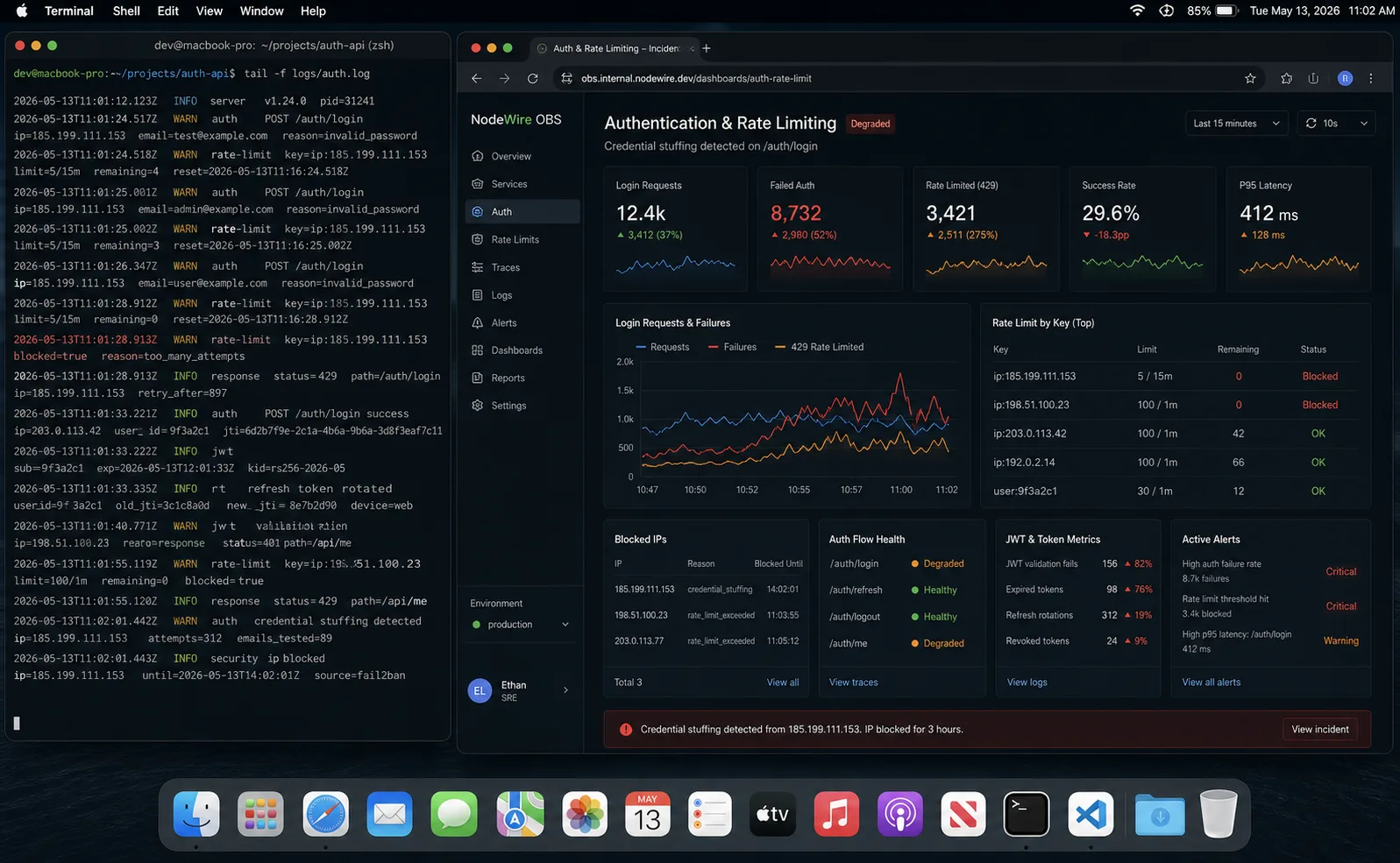
The leak from the opener happened partly because we had set a global rate limit of 60 requests per minute per IP. Our scraper made 3. The lesson: a single global rate limit is rarely the right shape — different endpoints get different limits because their abuse profile differs.
import rateLimit from "express-rate-limit";
import RedisStore from "rate-limit-redis";
import { redis } from "./redis";

const authLimiter = rateLimit({
  windowMs: 15 * 60_000,
  max: 5,
  store: new RedisStore({
    sendCommand: (...args) => redis.call(...args),
    prefix: "rl:auth:",
  }),
  skipSuccessfulRequests: true,
  keyGenerator: (req) => `${req.ip}:${(req.body?.email ?? "").toLowerCase()}`,
});

const writeLimiter = rateLimit({
  windowMs: 60_000,
  max: 30,
  store: new RedisStore({
    sendCommand: (...args) => redis.call(...args),
    prefix: "rl:w:",
  }),
  keyGenerator: (req) => (req as { user?: { id?: string } }).user?.id ?? req.ip ?? "anon",
});

app.post("/auth/login", authLimiter, loginHandler);
app.use("/api/admin", writeLimiter, adminRouter);
Three rules. First, rate limits live in Redis, never in process memory — otherwise a process restart resets them and a multi-process deploy gives every process its own counter. Second, the auth limit is a tuple of (IP, email) so a single IP cannot try five passwords against every account it knows about. Third, skipSuccessfulRequests: true on the auth limiter means a legitimate user typing their password wrong twice is not punished. Full rate-limiting patterns (token bucket, multi-instance Redis store, key generators) are in the Express rate limiting guide.
5. CORS — restrictive by default
import cors from "cors";

const allowedOrigins = (process.env.ALLOWED_ORIGINS ?? "")
  .split(",")
  .map((s) => s.trim())
  .filter(Boolean);

app.use(cors({
  origin: (origin, cb) => {
    if (!origin || allowedOrigins.includes(origin)) cb(null, true);
    else cb(new Error("CORS rejected"));
  },
  credentials: true,
  methods: ["GET", "POST", "PUT", "PATCH", "DELETE"],
  allowedHeaders: ["Content-Type", "Authorization"],
  maxAge: 600,
}));
Do not app.use(cors()) with no options — that is Access-Control-Allow-Origin: * which makes your API readable from any other origin. credentials: true with a wildcard origin is impossible (browsers reject it), so the wildcard pattern only works for unauthenticated public APIs. For auth endpoints specifically, the allowlist must be a single origin per request — never reflect req.headers.origin back unconditionally.
6. Prototype pollution: the bug your linter cannot see
Prototype pollution is when user input modifies Object.prototype indirectly via __proto__, constructor, or prototype keys. The classic trigger is a recursive merge of untrusted JSON into a config object:
// Attacker sends: {"__proto__": {"isAdmin": true}}
// After merge, every object in the process has isAdmin = true
const config = recursiveMerge({}, req.body);
Three lines of defence:
- Use
.strict()Zod schemas (Section 2) — unknown keys are rejected before they reach any merge. - For request-body objects you intend to keep, build them from scratch with
Object.create(null)so they have no prototype to pollute. - Run Node with
--disable-proto=deletein production — the__proto__getter/setter goes away entirely. Has been stable since Node 18; safe on Node 24.
node --disable-proto=delete dist/server.jsThat single flag has caught real exploits in production for me. It costs nothing.
7. SQL and NoSQL injection (yes, still, in 2026)
If you are using a real ORM (Prisma, Drizzle, TypeORM), parameterised queries are the default. The danger is the escape hatches — raw SQL, dynamic table names, dynamic ORDER BY clauses.
// SAFE — parameterised
const users = await db.$queryRaw`SELECT * FROM users WHERE email = ${email}`;

// UNSAFE — string interpolation
const users = await db.$queryRawUnsafe(`SELECT * FROM users WHERE email = '${email}'`);

// SAFE — allowlist for dynamic ORDER BY
const ALLOWED_SORT = ["createdAt", "name", "email"] as const;
type Sort = typeof ALLOWED_SORT[number];
const sortBy: Sort = (ALLOWED_SORT as readonly string[]).includes(req.query.sort as string)
  ? (req.query.sort as Sort)
  : "createdAt";
NoSQL injection is the MongoDB equivalent. The classic exploit:
// Attacker sends body: {"email":"x@y.com", "password":{"$gt":""}}
// findOne returns the first matching user — auth bypassed
const user = await User.findOne(req.body);
Coerce inputs to strings before passing them to the query, or — better — validate with Zod first so the attack never reaches the driver. Never spread req.body into a Mongo filter.
8. SSRF: your “fetch this URL” feature is also a port scanner
Server-Side Request Forgery is the bug that turns a webhook fetcher into an attack tool. The attacker sends a URL pointing at http://169.254.169.254/latest/meta-data/iam/security-credentials/ (the AWS instance metadata endpoint), your server happily fetches it, and the attacker gets your IAM credentials.
The fix is a deny-list of private ranges plus a DNS resolution check — hostnames that look public can resolve to private IPs (DNS rebinding):
import { URL } from "node:url";
import { promises as dns } from "node:dns";

const BLOCKED_RANGES = [
  /^10./,
  /^172.(1[6-9]|2[0-9]|3[0-1])./,
  /^192.168./,
  /^127./,
  /^0./,
  /^169.254./,                 // link-local, AWS / GCP metadata
  /^fd[0-9a-f]{2}:/i,            // IPv6 ULA
  /^fe80:/i,                     // IPv6 link-local
];

export async function isUrlSafe(input: string): Promise<boolean> {
  try {
    const url = new URL(input);
    if (!["http:", "https:"].includes(url.protocol)) return false;

    const v4 = await dns.resolve4(url.hostname).catch(() => []);
    const v6 = await dns.resolve6(url.hostname).catch(() => []);
    const all = [...v4, ...v6];
    if (all.length === 0) return false;

    for (const ip of all) {
      if (BLOCKED_RANGES.some((r) => r.test(ip))) return false;
    }
    return true;
  } catch {
    return false;
  }
}
One non-obvious follow-up: when you actually fetch the URL, pass the resolved IP as the host with the original hostname in the Host header — otherwise the DNS can change between your check and the fetch (TOCTOU). For most apps that is overkill; the simpler workaround is to put the fetcher behind an outbound HTTP proxy that itself blocks RFC-1918 ranges (e.g., Stripe’s smokescreen).
9. CSRF protection (only when you use cookie auth)
If your API authenticates with httpOnly cookies (refresh tokens, session cookies), you need CSRF protection. If you authenticate with Bearer tokens in headers, you do not — browsers do not auto-attach Authorization headers cross-origin.
csurf is deprecated. The modern picks:
- csrf-csrf — double-submit cookie pattern, simple to set up.
SameSite=Strictcookies for the refresh token, plus an explicit CSRF token on state-changing requests. Belt-and-braces.
10. DoS hardening: timeouts, limits, slowloris
Three Node-specific knobs that prevent the worst classes of DoS, all documented in the Node.js security best-practices guide:
import http from "node:http";
const server = http.createServer(app);

server.headersTimeout = 60_000;     // kills slowloris-style header drip
server.requestTimeout = 30_000;     // total request time budget
server.keepAliveTimeout = 5_000;
server.maxRequestsPerSocket = 100;  // forces socket reuse to be bounded

server.on("clientError", (err, socket) => {
  socket.end("HTTP/1.1 400 Bad Requestrnrn");
});

server.listen(3000);
headersTimeout is the one that closes Slowloris — a client that drips one header byte every 10 seconds will never finish, and without this it could keep a socket open forever. Sit the whole thing behind nginx or a managed CDN; the reverse proxy adds another layer of buffering and rate limiting. The DigitalOcean deploy guide covers the nginx side.
11. Pin your dependencies, audit them, and stop running install scripts
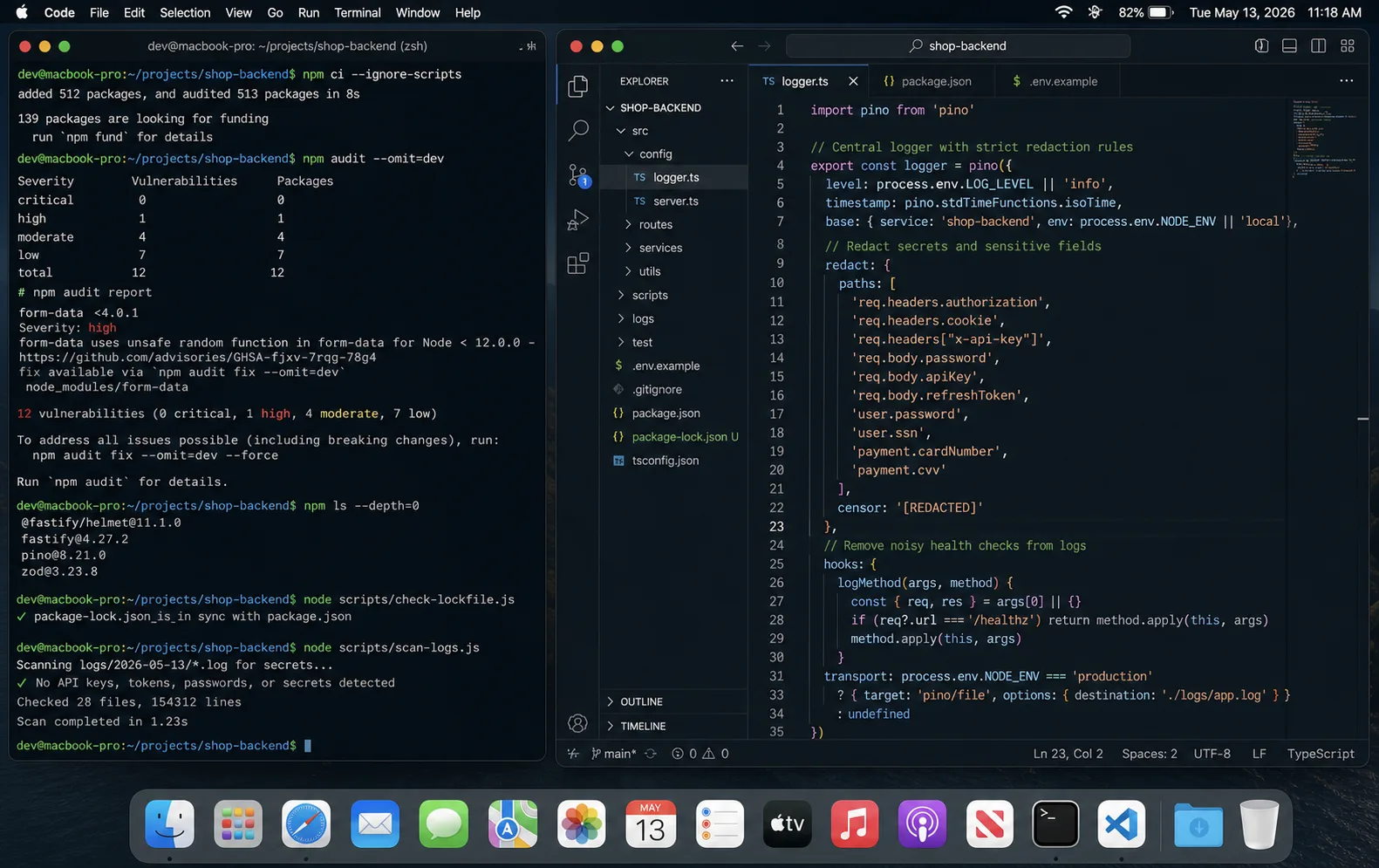
Three habits, each catches a different class of bug:
package-lock.jsonis committed. Reproducible installs. Without it, your CI build pulls a different transitive dependency than your machine and security patches drift.npm audit --audit-level=criticalin CI, not just locally. Fail the build on critical vulnerabilities. Run it on a daily schedule too, so a CVE that lands at 4 PM Friday gets a Monday-morning ticket without anyone touching code.- Renovate or Dependabot for automated PRs. Both create PRs for outdated deps. Review them weekly. Patch and minor updates can usually auto-merge with a passing test suite.
One under-used flag: npm config set ignore-scripts true. This stops postinstall hooks from running automatically. The vast majority of legitimate packages do not need them; the ones that do are mostly native modules that you can build explicitly. Most published-malware incidents in the npm ecosystem have used postinstall as their execution vector.
For untrusted code paths, Node 24’s permission model (node --permission --allow-fs-read=./data ...) blocks file-system writes, network access, and child process spawning at the runtime level. It is still labelled experimental but stable enough to use on isolated workers that should never reach outside.
12. Do not log secrets (and assume your logs leak)
Two compounding mistakes:
- Logging the full request, including headers (
Authorization), body (passwords), or query strings (tokens in URL). - Shipping those logs to a third-party service (Sentry, Datadog, Logtail) where they sit for 30+ days.
Pino’s redact option strips fields at log-emission time:
import pino from "pino";

export const logger = pino({
  redact: {
    paths: [
      "req.headers.authorization",
      "req.headers.cookie",
      "*.password",
      "*.passwordHash",
      "*.token",
      "*.refreshToken",
      "*.cardNumber",
      "*.ssn",
      "*.apiKey",
    ],
    censor: "[REDACTED]",
  },
});
Pino patterns and the broader logging story are in the Pino vs Winston comparison.
13. Brute-force protection on auth
Rate limiting is one layer. Account lockout is another. After N consecutive failed logins, lock the account for M minutes — and notify the legitimate user that someone tried.
const FAILED_KEY = (email: string) => `failed:${email.toLowerCase()}`;
const LOCKOUT_THRESHOLD = 10;
const LOCKOUT_MINUTES = 30;

async function loginHandler(email: string, password: string) {
  const failed = Number(await redis.get(FAILED_KEY(email))) || 0;
  if (failed >= LOCKOUT_THRESHOLD) {
    throw new Error("Account locked. Check your email for instructions.");
  }

  const user = await db.user.findUnique({ where: { email } });
  const ok = user && (await bcrypt.compare(password, user.passwordHash));
  if (!ok) {
    const next = await redis.incr(FAILED_KEY(email));
    if (next === 1) await redis.expire(FAILED_KEY(email), LOCKOUT_MINUTES * 60);
    if (next === LOCKOUT_THRESHOLD) await sendLockoutEmail(email);
    throw new Error("Invalid credentials");
  }

  await redis.del(FAILED_KEY(email));
  return user;
}
14. Validated environment, structured errors
Every secret comes from a Zod-validated env object that fails the boot if anything is missing. The dotenv with Zod guide has the full pattern.
import { z } from "zod";

const Env = z.object({
  NODE_ENV: z.enum(["development", "test", "production"]),
  DATABASE_URL: z.string().url(),
  JWT_ACCESS_SECRET: z.string().min(32),
  JWT_REFRESH_SECRET: z.string().min(32),
  REDIS_URL: z.string().url(),
  ALLOWED_ORIGINS: z.string().min(1),
});

export const env = Env.parse(process.env);
Pair it with an Express error middleware that hides stack traces in production. The Express async error handling guide covers operational vs programming errors and how to log each correctly. The TL;DR: send { error: "Internal server error" } to the client in production; log the stack server-side; never let a programming bug become an information leak.
15. Monitoring catches what code review misses
The leak from the opener was not a code-review failure. The bad pattern was checked in, reviewed, approved. What we lacked was a metric that would have screamed: “this admin endpoint is being hit from a residential IP in Romania at exactly 3 a.m. every night.” Three signals to wire up:
- Failed authentication rate. Sustained spikes mean credential stuffing. Alert when it crosses 10× baseline for > 5 minutes.
- Per-endpoint p99 latency. Sudden increases often mean someone is enumerating something with bad input that bypasses your fast path.
- User-agent diversity on internal endpoints. Anything not from your own apps should not hit
/api/admin/*. A new UA on an admin path is a five-minute-to-investigate ticket.
Sentry, Datadog, or any APM tool exposes these. The cheapest version is grepping your access logs once a week — not great, but better than nothing. Log to stdout; let your runtime collect it; never write logs to disk on the app instance.
For a distributed API, run this checklist alongside the Node.js microservices architecture guide. The security bugs I see after service splits are usually boring: one service trusts another too much, a queue payload skips validation, or logs leak data across a boundary.
The pre-launch checklist (copy this)
- helmet 8 mounted, CSP enabled per route,
x-powered-bydisabled. - JWT with short access tokens + refresh rotation, refresh in httpOnly Secure SameSite cookie.
algorithmspinned on everyverify. - Rate limiting per route, with Redis store, separate strict limits on auth endpoints. Key includes both IP and email for auth.
- Zod
.strict()validation on every endpoint input. Body size capped at 100 KB by default. - CORS allowlist (no wildcard with credentials). Single explicit origin for auth endpoints.
- CSRF for cookie-auth endpoints only.
SameSite=Strictas a second line. npm audit --audit-level=criticalfailing the CI build. Daily scheduled run as well.- Pino with secret-redaction; logs to a managed service with retention < 30 days for PII.
- SQL via parameterised queries; allowlists for dynamic columns. NoSQL inputs coerced to scalars before query.
- Account lockout after 10 failed logins; lockout email to user.
Cache-Control: no-storeon responses with PII;Permissions-Policyset to deny features you do not use.- Server timeouts:
headersTimeout60s,requestTimeout30s,keepAliveTimeout5s,maxRequestsPerSocket100. - SSRF defence on any user-supplied URL — protocol allowlist, DNS resolution + private-range deny list.
--disable-proto=deletein the production startup command.- Secrets validated by Zod at boot.
npm config set ignore-scripts truein CI containers. - Alerts on failed auth rate, latency anomalies, new user agents on internal endpoints.
- HTTPS enforced; HSTS preload submitted; non-root container user (
USER nodein Dockerfile).
This is the list I run before recommending any Node.js API for production. Half of the items take an afternoon to wire up. The other half are habits you build over time.
FAQ
How do I secure a Node.js API?
Mount helmet 8 with a per-route CSP, validate every input with a Zod .strict() schema, rate-limit with a Redis store (especially auth endpoints), use 15-minute JWT access tokens with rotated refresh tokens in httpOnly cookies, parameterise every query, harden against SSRF and prototype pollution, lock accounts after 10 failed logins, audit dependencies with npm audit in CI, and watch failed-auth rate plus per-endpoint p99. The full pre-launch checklist is in this article.
Is JWT secure for Node.js APIs?
Yes when implemented correctly: short-lived access tokens (15–30 min), refresh tokens with rotation and reuse detection, refresh tokens in httpOnly Secure cookies, asymmetric (RS256) signing if more than one service must verify the token, algorithms pinned on every verify, and a revocation list in PostgreSQL or Redis for compromised refresh tokens. Stored badly (in localStorage, long-lived, no rotation), JWT becomes a liability.
What is the OWASP API Security Top 10 in 2026?
The current list is still the OWASP API Security Top 10 (2023 edition) — there is no newer release as of April 2026. It covers Broken Object Level Authorization (API1, the IDOR class), Broken Authentication, Broken Object Property Level Authorization, Unrestricted Resource Consumption, Broken Function Level Authorization, Unrestricted Access to Sensitive Business Flows, Server-Side Request Forgery, Security Misconfiguration, Improper Inventory Management, and Unsafe Consumption of APIs. Helmet plus Zod plus rate limiting plus the auth checklist in this article cover most of them.
Do I need CSRF protection if I use JWT?
Only if you store the JWT (or refresh token) in a cookie. Bearer tokens in Authorization headers do not get auto-attached cross-origin by browsers, so CSRF does not apply. Cookie-based auth needs CSRF protection — modern picks: csrf-csrf for double-submit cookies, plus SameSite=Strict for defence in depth. csurf is deprecated; do not use it.
How do I handle secrets in a Node.js app?
Environment variables loaded by dotenv (or Node 22+’s built-in --env-file flag), validated at boot with Zod (covered in the Node.js dotenv guide). Never commit .env files. For production, use the platform’s secret manager (AWS Secrets Manager, GCP Secret Manager, HashiCorp Vault) and rotate critical secrets quarterly. The startup script should fail fast if any required secret is missing — that is the difference between a noisy boot error and a 3 a.m. page when production silently runs with JWT_SECRET=undefined.
How do I prevent prototype pollution in Express?
Three layers. Use Zod .strict() schemas to reject unknown keys including __proto__. Build mutable config objects with Object.create(null). Run Node with --disable-proto=delete in production. The flag alone has caught real exploits in production for me with no measurable cost.
Should I run my Node.js API as root?
No. In Docker, create a non-root user (USER node, present in the official image) and run as that. On a VPS, run under a dedicated unprivileged user and use a process manager. The Docker patterns are in the Node.js Docker guide. For workers that do not need outbound network or filesystem write, the Node 24 permission model (--permission --allow-fs-read=./data) adds a runtime sandbox layer.
What is the cheapest single security improvement for an existing Node.js API?
Helmet 8 plus app.disable("x-powered-by") plus a Zod .strict() schema on every public route. Three lines of dependency wiring, two days of schema work. Closes more bugs than any other single change I have ever shipped.
Does this apply to Fastify or NestJS too?
Yes. The primitives map cleanly: @fastify/helmet ships the same headers, Fastify’s built-in JSON schema validation replaces Zod (or use fastify-type-provider-zod for the same syntax), @fastify/rate-limit covers the rate-limiting role. NestJS sits on top of Express or Fastify; pick the underlying server and apply the same controls. Comparison and migration notes in the Express vs Fastify guide.