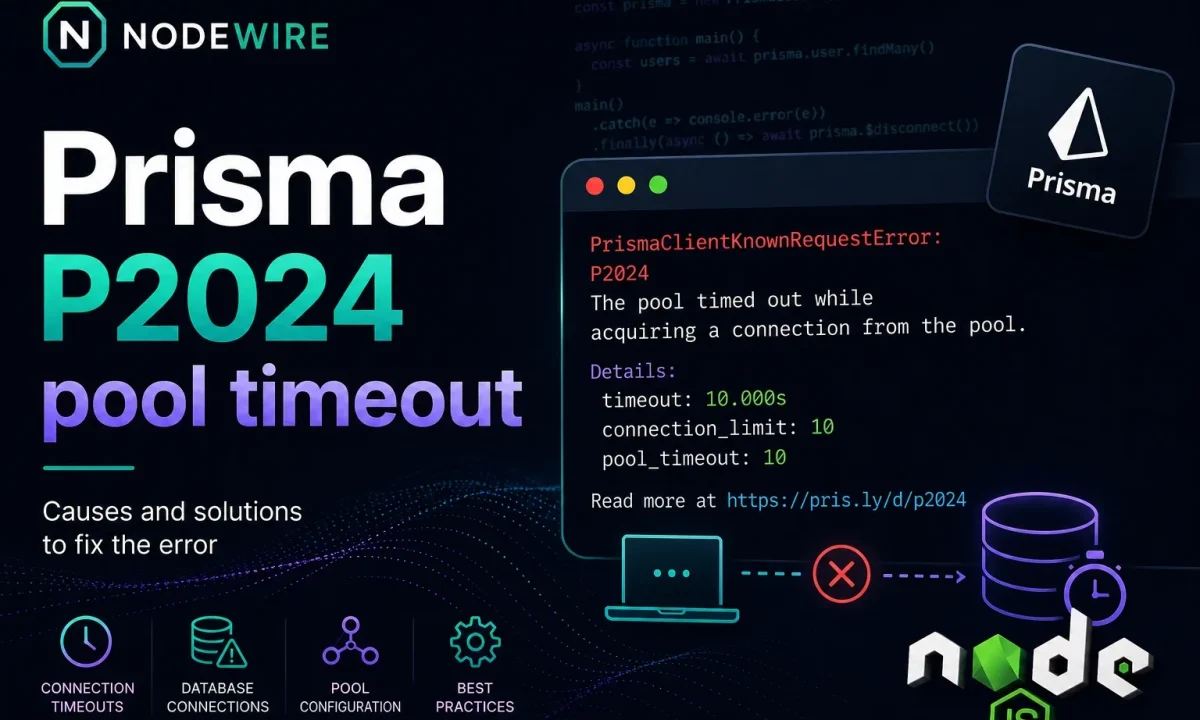
The dashboard says the database is bored — 8% CPU, a dozen active connections, plenty of headroom. And yet Prisma is throwing P2024 under load, checkout requests are stalling for ten seconds and then failing, and the on-call engineer is staring at a Postgres instance that looks completely healthy. The Prisma connection pool timeout is one of the most misdiagnosed errors in a Node.js backend, because the error points at “the pool” and everyone goes looking at the database, when the cause is usually closer to home — the app holding connections too long or opening too many pools.
Quick fix
P2024 — Timed out fetching a new connection from the pool — means a query waited longer than the pool’s acquire timeout for a free connection from Prisma’s client-side pool, and gave up. It is not a database error. Fix it in this order: find the slow or leaked queries that hog connections; make sure you aren’t creating multiple PrismaClient instances; size the pool to your workload; and if you run many instances or anything serverless, put a real pooler like PgBouncer in front of Postgres. Raising the connection limit blindly is the last resort, not the first. (One version note up front: where you set the pool size changed in Prisma ORM v7 — see the v6-vs-v7 section below.)
The error you’re chasing:
Invalid `prisma.order.findMany()` invocation:
Timed out fetching a new connection from the connection pool.
More info: https://pris.ly/d/connection-pool
(Current connection pool timeout: 10, connection limit: 9)
P2024
Read the last line. It’s telling you the pool limit and the timeout, and those two numbers are where the fix lives. The full error is in the Prisma error reference.
What P2024 actually means
Prisma Client keeps its own connection pool in the Node process, separate from anything Postgres does. When you call a query, it reserves a connection from that pool, runs the query, and returns the connection. If every connection is busy, the query goes into a FIFO queue and waits. If it’s still waiting when the acquire timeout elapses, you get P2024.
On Prisma ORM v5 and v6, the default connection_limit is num_physical_cpus * 2 + 1 — so on a 4-core box, 9 connections, per Prisma Client instance — and the default pool_timeout is 10 seconds. So P2024 usually translates to: “for 10 straight seconds, all 9 connections were busy and your query never got one.” Most of the time the database wasn’t the bottleneck — your pool was empty.
This is the same connection-budget arithmetic that sinks plain pg setups too — I wrote about the broader pattern in PostgreSQL connection pooling in Node.js, and it’s worth reading alongside this because Prisma is just one pool in a system that probably has several.
Prisma v6 vs v7: where you set the pool changed
This trips people up in 2026, so check your major version first (npx prisma -v):
- Prisma ORM v5 / v6: the URL parameters work exactly as described in this article —
?connection_limit=10&pool_timeout=20in the database connection string. The examples below apply directly. - Prisma ORM v7: relational datasources use driver adapters by default, so pooling config comes from the Node.js driver you supply — the
connection_limitandpool_timeoutURL parameters are no longer read. You configure the pool on the adapter instance instead.
For PostgreSQL via @prisma/adapter-pg, the equivalents (node-postgres pool fields) are:
import { PrismaPg } from '@prisma/adapter-pg';
import { PrismaClient } from './generated/prisma';

const adapter = new PrismaPg({
  connectionString: process.env.DATABASE_URL,
  max: 10,                      // was connection_limit
  connectionTimeoutMillis: 10_000, // acquire/connect wait; v7 default 0 = wait forever
  idleTimeoutMillis: 30_000,    // close idle clients
  // maxLifetimeSeconds: 1800,  // recycle long-lived connections
});
const prisma = new PrismaClient({ adapter });
So the diagnosis in this article is identical across versions — a query couldn’t get a connection in time — but on v7 you tune max and connectionTimeoutMillis on the adapter, not in the URL. If you’re still on v5/6, the URL params are fine.
First identify your deployment type
The right fix depends on how many pools point at your database. Place yourself first:
- Single VPS / one long-lived Node process — you own the whole connection budget; sizing the pool up is safe.
- Docker / Kubernetes / multiple pods — every replica has its own pool; the total is
pool size × replicas. - Serverless (Vercel, AWS Lambda, Cloud Run) — every cold start can open a fresh pool; per-instance pools don’t compose. You need an external pooler.
- Managed pooler (Supabase, Neon, Prisma Postgres, Railway) — connect through the pooled endpoint, not the direct one.
That single distinction — do you own the budget, or are you sharing it across many instances — decides whether Fix 3 or Fix 4 is your real answer.
Fix 1: find slow queries and long transactions
A pool that runs dry at 9 connections under modest load is usually a code problem. The usual suspects:
- A long-running query inside a transaction.
prisma.$transactionholds a connection for the entire callback. An HTTP call or slow computation inside it pins that connection the whole time. - N+1 queries. A request that fires 40 sequential queries churns connections; 50 concurrent such requests drain any pool.
- Interactive transactions left open because an error path didn’t roll back.
Turn on query logging and look for the slow ones:
const prisma = new PrismaClient({
  log: [{ emit: 'event', level: 'query' }],
});

prisma.$on('query', (e) => {
  if (e.duration > 200) console.warn(`slow query ${e.duration}ms: ${e.query}`);
});
Clear the slow and leaked queries before you touch a single config value. Most P2024 reports disappear here.
Fix 2: avoid multiple PrismaClient instances
Each PrismaClient opens its own pool. Create several and you multiply connections without realizing it — a classic cause of P2024 and too many clients already that no amount of pool sizing fixes. The two common mistakes: instantiating a client inside a request handler (a new pool per request), and Next.js / hot-reload in development re-running the module on every edit (a new pool per reload). Use a single shared instance:
// db.ts — one PrismaClient per process, survives hot reload
import { PrismaClient } from './generated/prisma';

const globalForPrisma = globalThis as unknown as { prisma?: PrismaClient };
export const prisma = globalForPrisma.prisma ?? new PrismaClient();
if (process.env.NODE_ENV !== 'production') globalForPrisma.prisma = prisma;
Import that prisma everywhere. One process, one pool. This is the fix people skip because it doesn’t look like a “pool” problem — but the Prisma + Postgres setup guide wires the singleton in from the start for exactly this reason.
Fix 3: size the pool correctly
Once the queries are honest and there’s one client, set the pool to match reality. On v5/6 both knobs live in the connection string; on v7 they’re adapter fields (above):
postgresql://user:pass@host:5432/db?connection_limit=10&pool_timeout=20
- Pool size (
connection_limit/ adaptermax): total connections this client may open. The right number is(Postgres max_connections − reserved) ÷ number of app instances, leaving room for migrations and admin sessions. Eight pods against a 100-connection Postgres means roughly 10 each, not 50. - Acquire timeout (
pool_timeout/ adapterconnectionTimeoutMillis): how long a query waits for a connection before failing. Raising it trades a faster failure for a longer wait — useful to ride out short bursts, harmful if it just hides a leak.
Fix 4: use PgBouncer or a managed pooler
If you run serverless or autoscale to many instances, per-instance pools don’t compose — every cold start opens its own connections and you exhaust Postgres immediately. The fix is an external pooler: PgBouncer in transaction mode, or a managed equivalent. Point Prisma at the pooler, set a small pool per instance, and let the pooler multiplex everything onto a sane number of real Postgres connections. Provider specifics that bite people:
- Supabase: use the transaction pooler (Supavisor) endpoint, and keep the per-client pool small.
- Prisma Postgres / Prisma Accelerate: use the pooled connection for application, background, and serverless traffic; use a direct connection only for migrations, introspection, Prisma Studio, and dumps.
- Neon / serverless Postgres: connect via the pooled endpoint; don’t rely on a per-instance pool surviving between invocations.
This is the standard architecture for serverless Prisma — see Prisma’s connection-pooling docs. If you’re still choosing an ORM and this kind of connection management matters, the Prisma vs Drizzle comparison covers how each handles it.
What to check before changing connection_limit
Before you touch any number, gather evidence — most P2024 fixes are decided here, not by guessing:
SELECT count(*), state FROM pg_stat_activity GROUP BY state;— how many connections, and how many areidle in transaction(a leak signal).- Slow queries (Prisma query log above, or
pg_stat_statements). - Long-open or abandoned transactions.
- Request concurrency at peak.
- Number of app instances × pool size — your real connection footprint.
- Postgres
max_connectionsand any pooler limits. - Whether the errors cluster on cold starts (serverless/pool composition) or traffic spikes (sizing or slow queries).
That checklist usually points straight at one of Fixes 1–4 instead of a blind limit bump.
When raising the limit is safe
There’s a real case for a bigger pool: a single, long-lived instance (a classic VPS deployment) talking to a database with plenty of spare max_connections, running genuinely concurrent fast queries. There, bumping the pool from 9 to 25 is correct and safe, because you own the whole connection budget. The danger is only when many instances share one database — which is most modern deployments, so confirm your deployment type before you turn the dial.
FAQ
What does Prisma error P2024 mean?
It means a query waited longer than the pool’s acquire timeout for a free connection from Prisma Client’s connection pool and timed out. It is a client-side pool exhaustion error, not a database error — Postgres itself is usually fine. Free up connections (slow/leaked queries, extra clients) and size the pool correctly.
What is the default Prisma connection_limit?
On Prisma ORM v5/v6 it’s num_physical_cpus * 2 + 1 per Prisma Client instance — 9 on a 4-core machine — with a 10-second pool_timeout, both set in the connection URL. On Prisma ORM v7 the pool is configured on the driver adapter instead (for @prisma/adapter-pg, the max field, default 10).
Does Prisma ORM v7 still use connection_limit?
No. From v7, relational datasources use driver adapters by default, so pooling comes from the Node.js driver and the connection_limit / pool_timeout URL parameters are no longer read. Configure the pool on the adapter — e.g. @prisma/adapter-pg with max, connectionTimeoutMillis, and idleTimeoutMillis. On v5/v6 the URL parameters still apply.
Can multiple PrismaClient instances cause P2024?
Yes — each PrismaClient has its own pool, so several of them multiply your connections. The usual causes are creating a client inside a request handler and Next.js dev hot-reload re-instantiating on every edit. Use a single shared client (a global singleton) so one process keeps one pool.
Why does Prisma time out when the database CPU is low?
Because the bottleneck is your client-side pool, not the database. If queries hold connections too long (long transactions, N+1, slow queries) or you’ve spun up extra clients, all pool connections stay busy and new queries queue until they time out — while Postgres sits nearly idle. Find the slow queries and extra clients first.
How do I fix Prisma connection pool timeout in serverless?
Don’t rely on per-instance pools. Put PgBouncer (transaction mode) or a managed/pooled endpoint (Supabase Supavisor, Prisma Accelerate, Neon pooled) in front of Postgres, keep a small pool per function, and let the pooler share a fixed number of real connections across all instances. Per-instance pools exhaust max_connections as soon as you scale.
Should I just increase connection_limit to fix P2024?
Only if a single instance owns the database’s connection budget. If multiple instances share one Postgres, a bigger per-instance limit multiplies across instances and triggers too many clients already, which is worse. Fix the queries, collapse extra clients, and add a pooler before raising the limit.
What is the difference between P2024 and “too many clients already”?
P2024 is Prisma’s own pool running out of connections inside your Node process. FATAL: too many clients already is Postgres rejecting new connections because the server-wide max_connections is exhausted — usually too many app instances each with a large pool. The first is a client-side limit, the second is a server-side one.