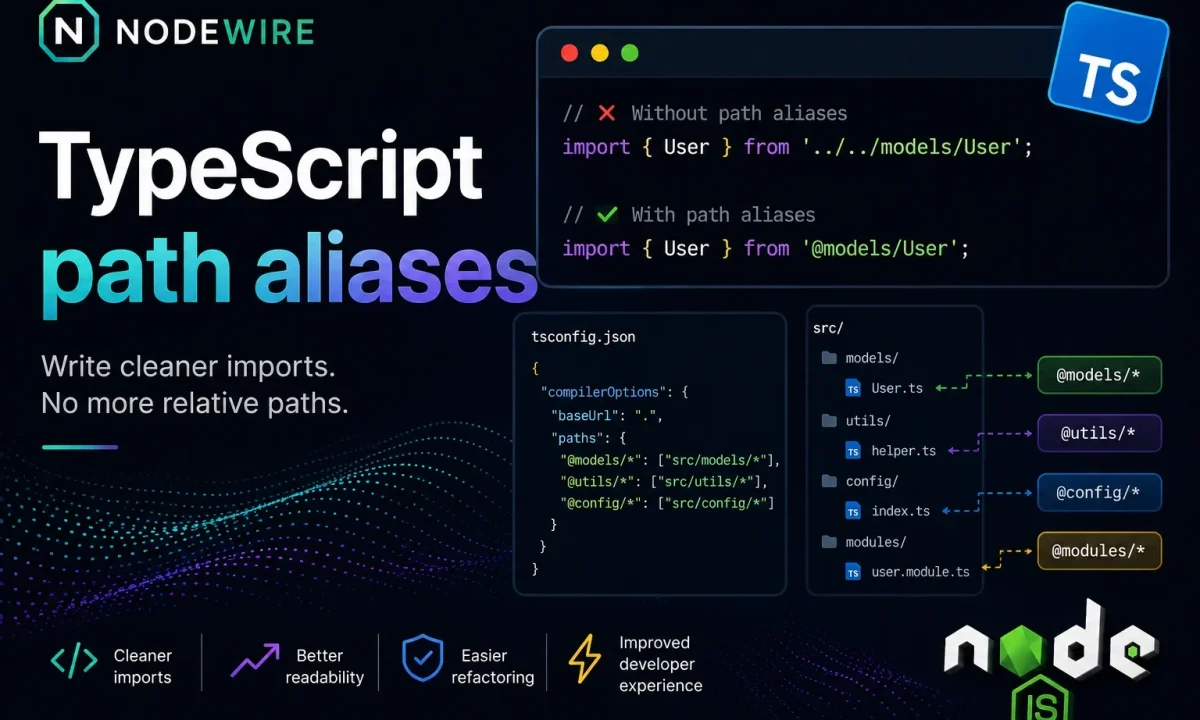
You set up @/services/user imports months ago, the editor resolves them, tsc --noEmit is green, and then you run the built app and it dies on the first import: Cannot find module '@/services/user'. Nothing changed in the code. The TypeScript path aliases not working problem is the most reliable way to lose an afternoon, because every signal you trust — the IDE, the type-checker — tells you the import is fine. It isn’t fine. It’s a compile-time fiction that Node never agreed to.
Quick fix
TypeScript paths only exist during type-checking. tsc strips the types and emits your @/... imports unchanged, and Node.js does not read tsconfig.json, so it has no map from @/services/user to a real file. Fix it where the code actually runs: for a production build, rewrite the aliases into real relative paths with tsc-alias after tsc; for tsx or ts-node in development, use tsx (or register tsconfig-paths); or skip aliases entirely and use Node’s native subpath imports (the # prefix), which works at runtime with zero extra tooling.
Here is the error you came here with:
Error: Cannot find module '@/services/user'
Require stack:
- /app/dist/index.js
    at Function._resolveFilename (node:internal/modules/cjs/loader:1248:15)
Symptoms: are you hitting this?
This is the “tsconfig paths not working at runtime” case — and a “cannot find module @ alias node” search — if all of these are true:
tsc --noEmitpasses with no errors.- VS Code resolves
@/imports and jump-to-definition works. npm run buildsucceeds.node dist/index.jsfails withError: Cannot find module '@/...'.- It runs fine under
tsxin development but breaks after you deploy the built output.
If that’s your pattern, the alias is real to TypeScript and invisible to Node — exactly the split this article fixes.
Why TypeScript path aliases are not working at runtime
The paths block in tsconfig.json does one job: it tells the TypeScript language service and the type-checker how to resolve @/services/user so it can find the types behind that import. That’s it. When tsc emits JavaScript, it performs no path rewriting — it removes the type annotations and copies your import specifiers across verbatim. So this:
// src/index.ts
import { getUser } from '@/services/user';
becomes, in dist/index.js:
import { getUser } from '@/services/user';
Node now tries to resolve @/services/user using its own algorithm: a bare specifier that isn’t a relative path and isn’t a package in node_modules. There’s no @ package installed, so resolution fails. The same thing bites people who hit Cannot find module for unrelated reasons — the resolver is unforgiving and it does not know your editor’s conveniences.
This got worse, not better, with modern Node.js native TypeScript. On Node 24+ you can run node src/index.ts directly because Node strips types on the fly — but Node’s strip-types mode explicitly does not read tsconfig.json, so it ignores paths for the same reason tsc‘s output does. Native TypeScript removed the build step; it did not teach Node about your aliases.
Wrong fixes: baseUrl, paths, and module-alias
The first instinct is to add baseUrl and paths to tsconfig.json more carefully, or to move them around, or to add a paths entry for every folder. None of it matters at runtime, because — one more time — Node never opens that file. The second instinct is module-alias, an old package that monkey-patches the module loader. It works for CommonJS, it does not work cleanly for ESM, and it adds a runtime dependency to paper over a build-time decision. There are better options now.
Fix 1: Use tsc-alias after tsc build
If you compile with tsc and ship the JavaScript in dist/, the cleanest fix is to rewrite the aliases into real relative paths as a post-build step. Install it as a dev dependency:
npm install -D tsc-alias
tsc-alias reads your paths config and edits the emitted files so @/services/user becomes ./services/user:
// tsconfig.json
{
  "compilerOptions": {
    "baseUrl": ".",
    "paths": {
      "@/*": ["src/*"]
    },
    "outDir": "dist"
  }
}
// package.json
{
  "scripts": {
    "build": "tsc && tsc-alias"
  }
}
After npm run build, the code in dist/ has no aliases left — it’s plain relative imports Node resolves without help. This is my default for anything that goes to production, because the artifact you deploy contains zero alias magic. What ships is what runs.
Fix 2: Use tsx or tsconfig-paths/register in development
In development you’re usually running the TypeScript directly, not the compiled output. The simplest path is tsx, which reads tsconfig.json and resolves paths out of the box:
npm install -D tsx
node --import tsx src/index.ts        # tsx: aliases just work
If you’re still on ts-node in a CommonJS project, register tsconfig-paths:
npm install -D tsconfig-paths
ts-node -r tsconfig-paths/register src/index.ts
tsconfig-paths/register hooks the resolver and applies your paths mappings at runtime. It only covers the running process, so it’s a development convenience — never rely on it for the production artifact, which is exactly what Fix 1 is for. One caveat: for ESM projects, don’t fight ts-node’s loader hooks — prefer tsx or Node imports instead. The same ESM strictness shows up in Cannot use import statement outside a module. The full dev loop is in the TypeScript setup guide.
Fix 3: Use Node.js subpath imports with # aliases
If you’d rather not depend on any alias tool, Node has a native feature that does the same job: subpath imports in package.json. The convention uses a # prefix instead of @, and it’s understood by Node directly, by tsc, and by Node’s strip-types mode:
// package.json
{
  "imports": {
    "#services/*": "./dist/services/*.js"
  }
}
import { getUser } from '#services/user';
This is the one option that works the same way everywhere — dev, prod, native TypeScript, bundler — because it’s a Node feature, not a TypeScript one. The tradeoff is the # sigil (subpath imports must start with #) and the explicit file extensions, which is exactly the discipline Node’s ESM resolver wants anyway.
Common setups: which fix for your stack
Find your setup and use the matching fix:
tsc+dist/production build →tsc-aliasaftertsc(Fix 1).tsxdev server → nothing to do; tsx resolvespathsitself.ts-nodeon CommonJS →tsconfig-paths/register(Fix 2).- Node native TypeScript (
node file.ts) → Nodeimportsinpackage.json(Fix 3);pathswon’t work. - ESM project (
"type": "module") → prefertsxin dev and Nodeimportseverywhere; avoid ts-node loader patching.
Which fix should you choose?
If you build with tsc, use tsc-alias and stop thinking about it. If you want one mechanism that survives every runtime and tool, use Node imports. Reach for tsconfig-paths only to make ts-node behave in dev, and honestly, the better move there is to switch to tsx. Whatever you choose, the rule underneath all of it is the same: the alias has to be resolved by the thing that actually executes the code, and that thing is never your tsconfig.json.
FAQ
Why do TypeScript path aliases work in my editor but not at runtime?
The editor uses the TypeScript language service, which reads tsconfig.json and resolves paths for IntelliSense and type-checking. Node.js does not read tsconfig.json at all, so once tsc emits the JavaScript with the aliases left intact, Node can’t resolve them. The editor and the runtime use two completely different resolvers.
Why does it work with tsx but fail after npm run build?
Because tsx reads your tsconfig.json and resolves paths live in the dev process. After tsc, the files in dist/ are plain JavaScript with the same @/... specifiers still in them — and Node doesn’t read tsconfig. Unless you rewrite the output with tsc-alias, the built app fails even though dev was fine. This is the classic “works locally, breaks in production” version of the bug.
Does tsc rewrite path aliases when it compiles?
No. tsc only erases types; it copies your import specifiers verbatim into the output. This is deliberate — TypeScript treats module resolution as the runtime’s job. You need tsc-alias (or a bundler) to rewrite @/... into real paths in the emitted files.
Do path aliases work with Node native TypeScript?
No. Node 24+ strips types so you can run node file.ts, but its strip-types mode does not read tsconfig.json, so paths are ignored just like in compiled output. Use Node’s subpath imports (# prefix) if you want runtime aliases with native TypeScript.
What is the difference between tsc-alias and tsconfig-paths?
tsc-alias rewrites aliases into relative paths in your compiled dist/ output — it’s for production builds. tsconfig-paths resolves aliases at runtime via a loader hook (-r tsconfig-paths/register) — it’s for running TypeScript directly in development on CommonJS. Use the first for what you ship, the second only for the dev process.
Should I use module-alias for path aliases?
Avoid it on new projects. module-alias monkey-patches the CommonJS loader and doesn’t handle ESM cleanly, and it adds a runtime dependency to solve a build-time problem. tsc-alias (build) or Node imports (runtime) are both better and don’t patch the loader.
How do I set up path aliases that work everywhere with no extra tools?
Use Node’s subpath imports in package.json with the # prefix, e.g. "#services/*": "./dist/services/*.js". Node, tsc, and Node’s native TypeScript all understand it, so the same import resolves in development, in production, and in tests without any alias package.