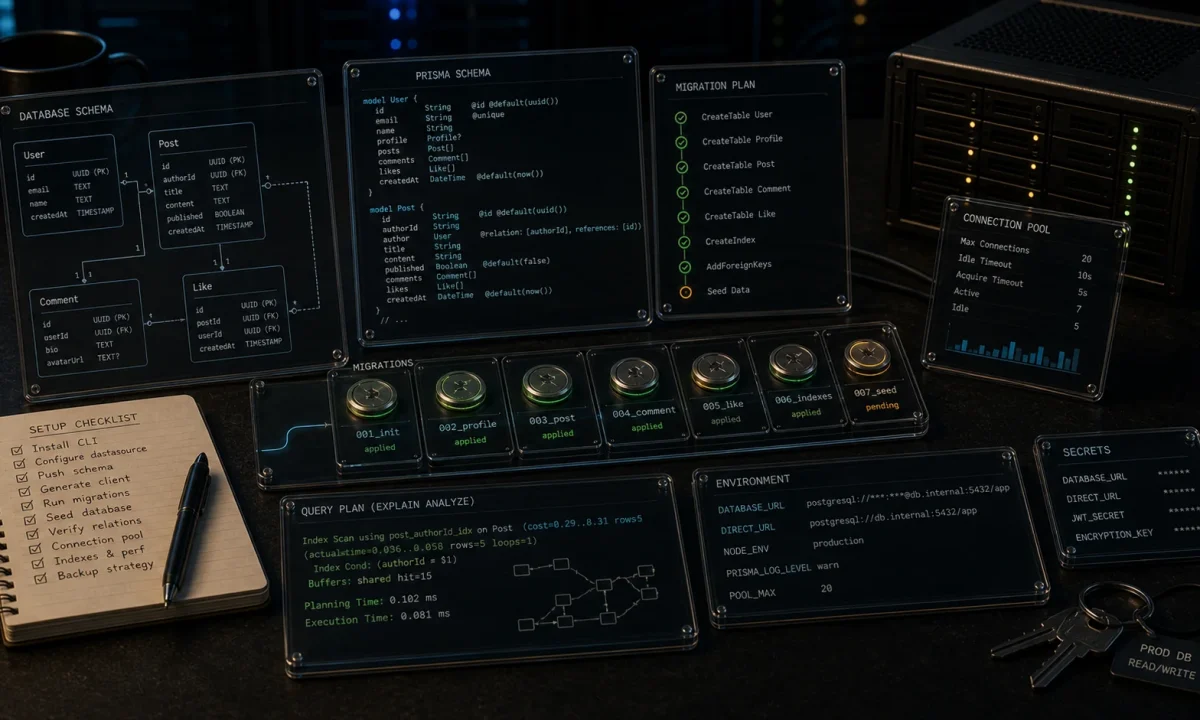
The first time I wired Node.js + PostgreSQL with Prisma into a real production load, I learned three things in the same week that nothing in the docs had warned me about. The connection pool exhausted at 47 concurrent users because Prisma kept opening fresh sessions to a managed Postgres instance behind a connection limit of 25. The migration that worked locally failed in CI because prisma migrate dev and prisma migrate deploy are different commands with different rules. And the prepared-statement cache filled up to the point where pg_stat_statements hit its row limit and Postgres started silently dropping plans.
None of that is hard to fix. All of it is hard to discover from a “Hello World” tutorial. The setup below is the one I now use on every greenfield Node 24 LTS backend with PostgreSQL 18, Prisma 7.x, TypeScript-only. It survives real traffic. Copy it, then read the production sections to harden the parts that quietly break.
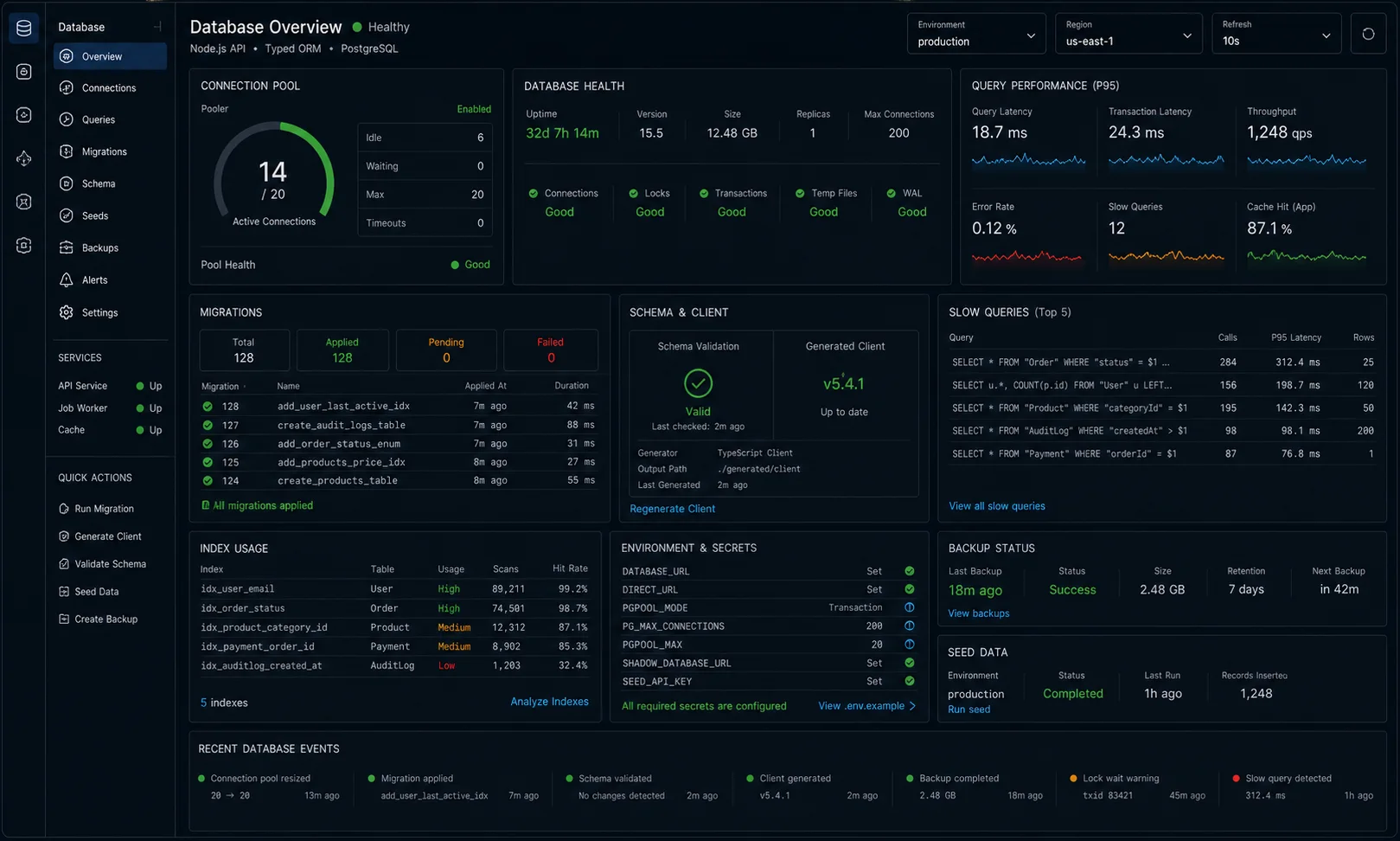
Quick start: working schema and first query in 5 minutes
If you just need the minimum working shape before reading the rest, this is it. PostgreSQL running locally (or via Docker), Node 24 LTS, fresh project.
mkdir nw-prisma-quickstart && cd $_
npm init -y
npm i @prisma/client
npm i -D typescript @types/node tsx prisma
npx tsc --init
npx prisma init --datasource-provider postgresql
Edit .env:
DATABASE_URL="postgresql://postgres:postgres@localhost:5432/nw_dev?schema=public"Edit prisma/schema.prisma:
generator client {
  provider = "prisma-client-js"
}

datasource db {
  provider = "postgresql"
  url      = env("DATABASE_URL")
}

model User {
  id        String   @id @default(cuid())
  email     String   @unique
  name      String?
  createdAt DateTime @default(now())
}
Then:
npx prisma migrate dev --name init
npx prisma generate
And one query script:
// query.ts
import { PrismaClient } from '@prisma/client';
const db = new PrismaClient();
await db.user.create({ data: { email: 'demo@nodewire.net' } });
console.log(await db.user.findMany());
await db.$disconnect();npx tsx query.tsWorks. Also wrong for production for at least four reasons, all of which the rest of this article fixes.
If you are still choosing the ORM before wiring Postgres, start with the Sequelize vs Prisma vs TypeORM comparison and the Prisma vs Drizzle benchmark. This tutorial assumes Prisma already won that argument.
Prisma 7.x and the adapter-based setup
Prisma 7 introduced a breaking change worth knowing about before you copy old tutorials: the new adapter-based client. Instead of Prisma’s internal query engine binary, you can now use the native Node.js PostgreSQL driver (pg) via @prisma/adapter-pg. This removes the Rust-based query engine entirely, which matters for Docker image size and for environments that restrict native binaries.
The adapter-based setup requires a slightly different instantiation:
npm i @prisma/client @prisma/adapter-pg pg dotenv
npm i -D prisma @types/pg// src/lib/prisma.ts — adapter-based (Prisma 7+)
import { PrismaPg } from '@prisma/adapter-pg';
import { PrismaClient } from '@prisma/client';
const adapter = new PrismaPg({ connectionString: process.env.DATABASE_URL! });
export const db = new PrismaClient({ adapter });The adapter approach and the classic approach (no adapter, Prisma manages its own pool) are functionally equivalent for most workloads. I still default to the classic singleton below for long-lived VM deployments because the adapter adds a dependency I prefer not to carry. For serverless or environments banning native binaries, the adapter is the right call.
What is wrong with the typical Prisma tutorial
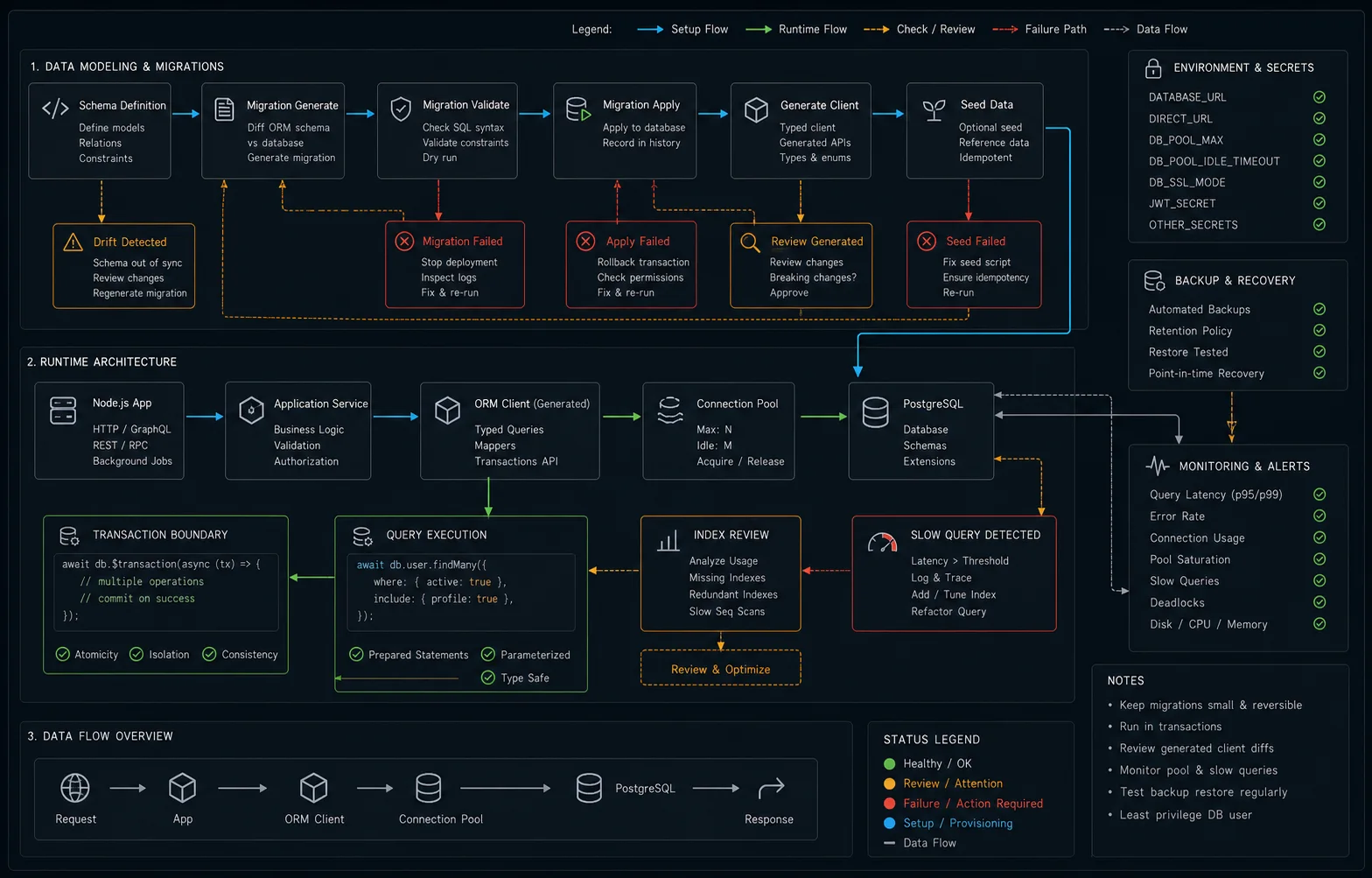
The standard Node.js + PostgreSQL + Prisma walkthrough leaves you with code that breaks the first time real traffic shows up. Four production failures I have personally debugged:
- Multiple PrismaClient instances kill your connection pool. Every
new PrismaClient()opens its own pool. Hot reload in dev or a worker per-request architecture in prod can blow past your Postgres connection limit in seconds. migrate devworks locally and fails in CI. Thedevcommand needs a shadow database; thedeploycommand does not. Production must usedeploy, neverdev.- The default pool size is too small for serverless and too large for a single-VM monolith. Prisma calculates it as
num_physical_cpus × 2 + 1. On a 2-vCPU droplet that is 5; on a 32-vCPU box it is 65 — likely past your Postgresmax_connections. - Long-lived connections accumulate prepared statements. Postgres caches plans per session. A serverless function that thaws and refreezes thousands of times leaves the database with thousands of prepared statements it can never clean up.
Project structure I use on every backend
src/
  db/
    prisma.ts          # singleton PrismaClient — never instantiate elsewhere
  env.ts               # zod-validated env vars (DATABASE_URL etc.)
  modules/
    user/
      user.repo.ts     # all User queries live here
      user.service.ts  # business logic — no Prisma calls in services
prisma/
  schema.prisma
  migrations/          # generated, committed
Two rules that separate apps that scale from apps that don’t:
- One PrismaClient per process. Singleton in
src/db/prisma.ts, exported, imported everywhere. - No Prisma calls outside
*.repo.tsfiles. Services depend on repositories; repositories own all SQL. Swap-out becomes possible without rewriting business logic — and you stop accidentally building N+1 queries from inside three layers down.
The singleton pattern, with hot-reload safety
Without this, every Next.js or Vite dev rebuild leaks a new PrismaClient and your pool dies inside ten saves.
// src/db/prisma.ts
import { PrismaClient } from '@prisma/client';

const globalForPrisma = globalThis as unknown as {
  prisma: PrismaClient | undefined;
};

export const db =
  globalForPrisma.prisma ??
  new PrismaClient({
    log: process.env.NODE_ENV === 'production'
      ? ['error', 'warn']
      : ['query', 'error', 'warn'],
  });

if (process.env.NODE_ENV !== 'production') {
  globalForPrisma.prisma = db;
}
Validate DATABASE_URL at boot with Zod so the typo that turns your URL into undefined crashes the process before Prisma silently connects to localhost.
Graceful shutdown: disconnect on process exit
One thing almost every tutorial skips: disconnecting Prisma when your app stops. Without it, in-flight queries get cut off hard and some Postgres drivers leave idle connections open until the server-side idle timeout fires. Two lines fixes it:
// src/server.ts
import { db } from './db/prisma';

process.on('SIGTERM', async () => {
  await db.$disconnect();
  process.exit(0);
});

process.on('SIGINT', async () => {
  await db.$disconnect();
  process.exit(0);
});
If you are running under a process manager like PM2, SIGTERM is what gets sent on a graceful restart. Without this handler the pool leaves ghost connections behind on every deploy.
Schema design: the parts the docs gloss over
A more complete schema showing one-to-many, one-to-one, many-to-many relationships, soft delete, enum, and composite indexes all in one place — so you can see how the patterns fit together:
// prisma/schema.prisma
enum Role {
  USER
  ADMIN
  MODERATOR
}

enum PostStatus {
  DRAFT
  PUBLISHED
  ARCHIVED
}

model User {
  id        String    @id @default(cuid())
  email     String    @unique
  name      String?
  role      Role      @default(USER)
  createdAt DateTime  @default(now())
  updatedAt DateTime  @updatedAt
  deletedAt DateTime?                          // soft delete

  posts     Post[]
  profile   Profile?

  @@index([deletedAt])
}

model Profile {
  id     String  @id @default(cuid())
  bio    String?
  avatar String?
  user   User    @relation(fields: [userId], references: [id], onDelete: Cascade)
  userId String  @unique
}

model Post {
  id          String     @id @default(cuid())
  authorId    String
  title       String
  body        String
  status      PostStatus @default(DRAFT)
  publishedAt DateTime?

  author      User       @relation(fields: [authorId], references: [id], onDelete: Cascade)
  categories  Category[]

  @@index([authorId, status])                  // composite for "user's posts by status"
  @@index([status, publishedAt(sort: Desc)])   // composite for "newest published"
}

model Category {
  id    String @id @default(cuid())
  name  String @unique
  posts Post[]
}
Three choices worth defending:
- cuid over uuid. Same uniqueness guarantees, sortable by creation order, slightly faster index lookups in B-tree because of the time prefix. UUID v7 also works in 2026 if you prefer the standard.
- Soft delete with
deletedAtand an index on it. Hard deletes break audit trails. Soft delete with a partial-index pattern lets you restore in one query. - Composite indexes on the actual access patterns. Single-column indexes are the rookie mistake. Look at your
WHEREclauses — that is the index you want.
Migrations: dev vs deploy is not a typo
The single most common Prisma incident I get paged for: a CI step running prisma migrate dev against the staging database and silently dropping data.
| Command | Use when | What it does |
|---|---|---|
migrate dev |
Local development only | Generates a migration, applies it, regenerates client. Needs shadow DB. Will reset DB on conflict. |
migrate deploy |
CI / staging / production | Applies pending migrations only. No shadow DB. Never resets. |
migrate reset |
Local only — wipes everything | Drops DB, recreates, applies all migrations, runs seed. |
db push |
Prototyping schema changes | Syncs schema without creating migration. Never use in prod. |
Production deploy step looks like one line:
npx prisma migrate deployRun it once, before the new app version starts taking traffic. Roll back by deploying the previous migration set, never by editing _prisma_migrations.
Connection pooling: the part that breaks at scale
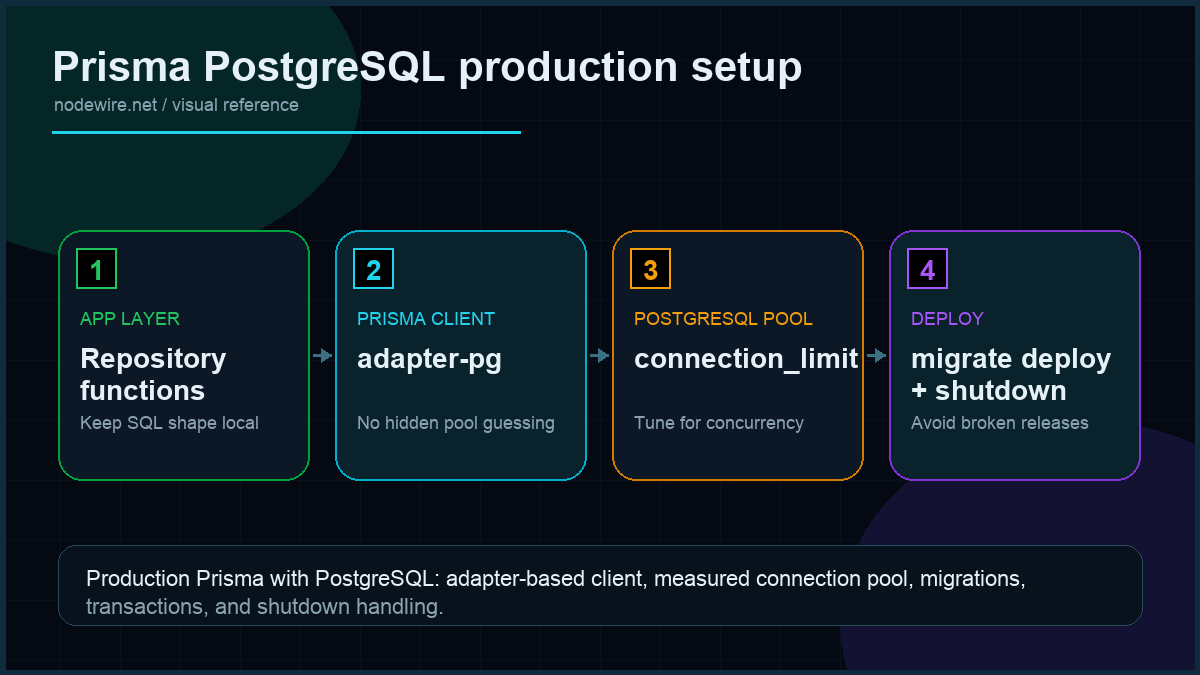
Numbers from the same droplet (4 vCPU, 8 GB, Postgres 18 on a peer box): a Prisma client with connection_limit=1 sits at p50 = 4 ms / p99 = 38 ms on a single-row read; bumping to connection_limit=10 drops p99 to 11 ms at the same throughput, but starts contending at ~150 concurrent requests; connection_limit=20 trades p99 for p99.9 = 480 ms tail-latency spikes during the every-10-second pool reaper. The sweet spot for most APIs is 10 per process, with pool_timeout=10.
Three architectures, three different pooling strategies:
| Topology | Pool config | Why |
|---|---|---|
| Single VM, persistent process | ?connection_limit=10 |
One process, one pool, lives forever. Default formula often over-provisions. |
| Multiple VMs behind LB | ?connection_limit=10 per VM |
Sum across all VMs must stay below Postgres max_connections. |
| Serverless / Lambda / Vercel | Prisma Accelerate or PgBouncer + ?pgbouncer=true |
Function instances thaw / freeze unpredictably. Connection-per-instance does not work. |
Set the pool explicitly in your DATABASE_URL:
DATABASE_URL="postgresql://user:pass@host:5432/db?connection_limit=10&pool_timeout=20"For PgBouncer in transaction mode, add &pgbouncer=true — Prisma disables prepared statements, which is required because PgBouncer multiplexes sessions and prepared statements are session-scoped.
Complete CRUD operations reference
Most Prisma tutorials show a create and a findUnique, then call it a day. Here is the full surface you actually use day-to-day.
Create
// Single record
const user = await db.user.create({
  data: { email: 'alice@example.com', name: 'Alice' },
});

// Create with nested relation (user + profile in one query)
const userWithProfile = await db.user.create({
  data: {
    email: 'bob@example.com',
    profile: {
      create: { bio: 'Senior engineer', avatar: 'https://cdn.example.com/bob.png' },
    },
  },
  include: { profile: true },
});

// Bulk insert — skipDuplicates avoids error on constraint violation
const { count } = await db.user.createMany({
  data: [
    { email: 'a@example.com' },
    { email: 'b@example.com' },
    { email: 'a@example.com' },   // duplicate — skipped
  ],
  skipDuplicates: true,
});
Read
// Find by unique field
const user = await db.user.findUnique({ where: { email: 'alice@example.com' } });

// First matching record
const firstAdmin = await db.user.findFirst({
  where: { role: 'ADMIN', deletedAt: null },
  orderBy: { createdAt: 'asc' },
});

// Filtered list
const publishedPosts = await db.post.findMany({
  where: {
    status: 'PUBLISHED',
    authorId: user!.id,
  },
  orderBy: { publishedAt: 'desc' },
  take: 20,
});

// Complex OR/AND filtering
const searchResults = await db.post.findMany({
  where: {
    AND: [
      { status: 'PUBLISHED' },
      {
        OR: [
          { title: { contains: 'prisma', mode: 'insensitive' } },
          { body: { contains: 'prisma', mode: 'insensitive' } },
        ],
      },
    ],
  },
});
Update
// Update single record
const updated = await db.user.update({
  where: { id: 'clxxx' },
  data: { name: 'Alice Smith' },
});

// Upsert — update if exists, create if not
const upserted = await db.user.upsert({
  where: { email: 'charlie@example.com' },
  update: { name: 'Charlie Updated' },
  create: { email: 'charlie@example.com', name: 'Charlie' },
});

// Bulk update
const { count: publishedCount } = await db.post.updateMany({
  where: { authorId: user!.id, status: 'DRAFT' },
  data: { status: 'PUBLISHED', publishedAt: new Date() },
});
Delete
// Hard delete — usually the wrong choice; see soft delete below
await db.user.delete({ where: { id: 'clxxx' } });

// Bulk delete old drafts
const { count: removed } = await db.post.deleteMany({
  where: {
    status: 'DRAFT',
    createdAt: { lt: new Date(Date.now() - 90 * 24 * 60 * 60 * 1000) }, // 90 days old
  },
});
Many-to-many relationships: connect and disconnect
The categories-to-posts many-to-many in the schema above has no explicit join model — Prisma manages it. Connecting and disconnecting is done via the relation methods:
// Add categories to a post
const post = await db.post.update({
  where: { id: 'post-id' },
  data: {
    categories: {
      connect: [{ id: 'cat-1' }, { id: 'cat-2' }],
    },
  },
  include: { categories: true },
});

// Remove a category from a post
await db.post.update({
  where: { id: 'post-id' },
  data: {
    categories: { disconnect: { id: 'cat-1' } },
  },
});

// Replace all categories at once (set — disconnects old, connects new)
await db.post.update({
  where: { id: 'post-id' },
  data: {
    categories: { set: [{ id: 'cat-3' }] },
  },
});
Repository pattern: SQL stays in one place
// src/modules/user/user.repo.ts
import { db } from '../../db/prisma';

export const userRepo = {
  findById: (id: string) =>
    db.user.findUnique({ where: { id, deletedAt: null } }),

  findByEmail: (email: string) =>
    db.user.findUnique({ where: { email, deletedAt: null } }),

  list: (limit = 20, cursor?: string) =>
    db.user.findMany({
      where: { deletedAt: null },
      orderBy: { id: 'desc' },
      take: limit,
      ...(cursor && { skip: 1, cursor: { id: cursor } }),
    }),

  create: (data: { email: string; name?: string }) =>
    db.user.create({ data }),

  softDelete: (id: string) =>
    db.user.update({
      where: { id },
      data: { deletedAt: new Date() },
    }),
};
Service code consumes the repo and never touches Prisma:
// src/modules/user/user.service.ts
import { userRepo } from './user.repo';

export const userService = {
  async deleteUser(id: string, requesterId: string) {
    if (id !== requesterId) throw new Error('Forbidden');
    await userRepo.softDelete(id);
  },
};
The win shows up the day you have to add a Redis cache layer or replace Prisma with Drizzle on a hot path. Service code does not change.
Pagination: offset vs cursor
Two patterns, different trade-offs:
// Offset pagination — simple but slow on large tables (OFFSET 10000 scans 10,000 rows)
async function paginateOffset(page = 1, limit = 10) {
  const skip = (page - 1) * limit;
  const [users, total] = await db.$transaction([
    db.user.findMany({
      where: { deletedAt: null },
      skip,
      take: limit,
      orderBy: { createdAt: 'desc' },
    }),
    db.user.count({ where: { deletedAt: null } }),
  ]);

  return {
    data: users,
    pagination: {
      page,
      limit,
      total,
      pages: Math.ceil(total / limit),
    },
  };
}

// Cursor pagination — fast at any page depth, but no "page 47 of 80"
async function paginateCursor(cursor?: string, limit = 20) {
  const users = await db.user.findMany({
    where: { deletedAt: null },
    orderBy: { id: 'desc' },
    take: limit,
    ...(cursor && { skip: 1, cursor: { id: cursor } }),
  });

  return {
    data: users,
    nextCursor: users.length === limit ? users[users.length - 1].id : null,
  };
}
Use offset pagination when users need to jump to page N by number. Use cursor pagination for infinite scroll and large datasets — it stays constant-time regardless of how deep you are in the list.
Avoiding N+1: include, select, and the explicit join
Prisma’s include is convenient and dangerous. This is N+1:
// SLOW: 1 query for posts + N queries for authors
const posts = await db.post.findMany();
for (const p of posts) {
  const author = await db.user.findUnique({ where: { id: p.authorId } });
}
This is one query:
// FAST: single query with JOIN
const posts = await db.post.findMany({
  include: { author: true },
});
Use select to narrow the columns — every field you don’t need is bytes over the wire and a slot in your query plan:
const posts = await db.post.findMany({
  where: { status: 'PUBLISHED' },
  select: {
    id: true,
    title: true,
    publishedAt: true,
    author: { select: { id: true, email: true } },
  },
  orderBy: { publishedAt: 'desc' },
  take: 20,
});
For analytics queries, drop to raw SQL. $queryRaw with tagged templates is parameterised and safe:
const stats = await db.$queryRaw<{ day: Date; count: bigint }[]>`
  SELECT date_trunc('day', "createdAt") AS day, COUNT(*) AS count
  FROM "Post"
  WHERE "createdAt" > NOW() - INTERVAL '30 days'
  GROUP BY day ORDER BY day DESC;
`;
For write operations via raw SQL, use $executeRaw — it returns the number of affected rows:
const affected = await db.$executeRaw`
  UPDATE "Post"
  SET "updatedAt" = NOW()
  WHERE "status" = 'PUBLISHED' AND "updatedAt" < NOW() - INTERVAL '7 days';
`;
Transactions: batch vs interactive
Prisma has two transaction modes and they are not interchangeable:
// Batch transaction: send an array of independent statements.
// All succeed or all roll back. No reading between writes.
const [user, post] = await db.$transaction([
  db.user.create({ data: { email: 'new@example.com' } }),
  db.post.create({ data: { title: 'Hello', authorId: 'existing-id' } }),
]);

// Interactive transaction: async callback with a tx client.
// Can read results and branch based on them — necessary for conditional logic.
const result = await db.$transaction(async (tx) => {
  const sender = await tx.user.update({
    where: { id: fromId },
    data: { credits: { decrement: amount } },
  });

  if (sender.credits < 0) {
    throw new Error('Insufficient credits');   // rolls back the whole tx
  }

  const receiver = await tx.user.update({
    where: { id: toId },
    data: { credits: { increment: amount } },
  });

  return { sender, receiver };
});
The interactive form holds a database connection for the duration of the callback. Keep interactive transactions short — a 200 ms network call inside one ties up a pool slot for 200 ms. Push I/O outside the transaction boundary wherever you can.
Production checklist
- Single PrismaClient per process, wired through
globalThisin dev for hot-reload safety. prisma migrate deployin CI/CD pipelines.migrate devonly on developer laptops.- Set
connection_limitexplicitly inDATABASE_URL. Sum across processes must stay below Postgresmax_connections. - Use PgBouncer or Prisma Accelerate for serverless. Add
?pgbouncer=truewhen using transaction-mode pooling. - Composite indexes match your
WHEREclauses, not your model fields. - Monitor
pg_stat_statementsin production. Slow queries hide there before they break. - All ORM access through repositories. Services depend on repos; repos own SQL.
- Soft delete with
deletedAt, hard delete only via a separate admin pathway with audit logging. - Backups via
pg_dumpnightly, WAL archiving on managed providers; verified restore at least quarterly. prisma generatein yourpostinstallscript — broken types in CI almost always trace back to a missing client regeneration.- Disconnect on SIGTERM/SIGINT. Add the shutdown handlers so deploys don’t leave ghost connections.
- Keep interactive transactions short. No network calls inside
db.$transaction(async tx => ...).
When not to use Prisma
Three cases where I tell clients to skip Prisma entirely:
- You need raw SQL performance for analytics or reporting workloads. Prisma’s query engine has overhead. Use postgres.js directly, write SQL, move on.
- You want compile-time safety on raw SQL strings. Drizzle ORM gives you a SQL-flavoured DSL with full type inference. If your team thinks in SQL, Drizzle is the better fit.
- You are running serverless and don’t want to manage PgBouncer or pay for Accelerate. Use a HTTP-driver-friendly Postgres like Neon or Supabase with their respective serverless drivers; the connection model fits Lambda-shaped workloads better than Prisma’s session-based pooling.
Troubleshooting FAQ
Why does my app run out of database connections after a while?
Multiple PrismaClient instances. Either you instantiate per-request (don’t), or your dev hot-reload leaks them (use the globalThis pattern). Confirm with SELECT count(*) FROM pg_stat_activity WHERE datname = 'your_db'; before and after a few app restarts.
What is the right connection_limit for my Postgres?
Take Postgres max_connections, subtract reserved superuser slots (usually 3), divide by the number of app instances, leave 20% headroom. For a single-VM app on managed Postgres with max_connections=100: pick 10–15.
Should I use Prisma Accelerate?
If your app is serverless and you don’t want to operate PgBouncer yourself, yes. The cache layer also helps with hot reads. For a long-lived VM-hosted app, probably no — the cost rarely justifies itself.
Can I run prisma migrate dev in production?
No. dev compares schema state and may reset your database to fix drift. Production runs deploy only, ever.
How do I handle schema changes that need data backfill?
Two-phase deploy: ship migration #1 that adds the new column nullable, deploy app version that writes both old and new, run a backfill job, ship migration #2 that makes the new column required and drops the old one, deploy app version that reads only new. This is annoying and the only safe way.
Drizzle vs Prisma in 2026?
See my full Prisma vs Drizzle comparison — short version: Prisma if you value the schema-driven workflow and don’t mind the extra abstraction, Drizzle if you want type-safe SQL with no surprises.
Why is my query slow even with an index?
Run EXPLAIN ANALYZE against your raw SQL. The plan will tell you whether the index is used. Common causes: leading-column mismatch in composite index, function call on indexed column (WHERE LOWER(email) = ? defeats the index unless you have a functional index), or simply a small enough table that sequential scan is faster.
Does Prisma support transactions?
Yes. db.$transaction([...]) for an array of independent statements; db.$transaction(async (tx) => { ... }) for interactive transactions where each step depends on the previous. The interactive form holds a connection for the duration — keep them short.
What changed in Prisma 7 that I need to know about?
The big one is the adapter-based client setup using @prisma/adapter-pg, which removes the Rust query engine binary. There are also ESM-first changes (add "type": "module" to package.json for the full ESM path) and a new prisma.config.ts file generated by npx prisma init. If you are upgrading from v5 or v6, read the migration guide before touching your schema — some defaults changed.
Which database provider should I use for development if I don’t want to run PostgreSQL locally?
SQLite with DATABASE_URL="file:./dev.db" works for most schemas and runs with no extra process. The caveat: Prisma has a few features that are Postgres-only (some aggregate functions, JSONB operations, advisory locks). If your prod schema uses those, you are better off running Postgres locally via Docker: docker run -e POSTGRES_PASSWORD=postgres -p 5432:5432 postgres:18.
What ships next
This article covers the database layer end to end. The natural next steps for a real backend are JWT authentication backed by this Postgres setup and a deployment story for both the app and the database — managed Postgres on Render or Neon, app on a DigitalOcean droplet, monitored with pg_stat_statements and pino. Both pieces are in the queue.