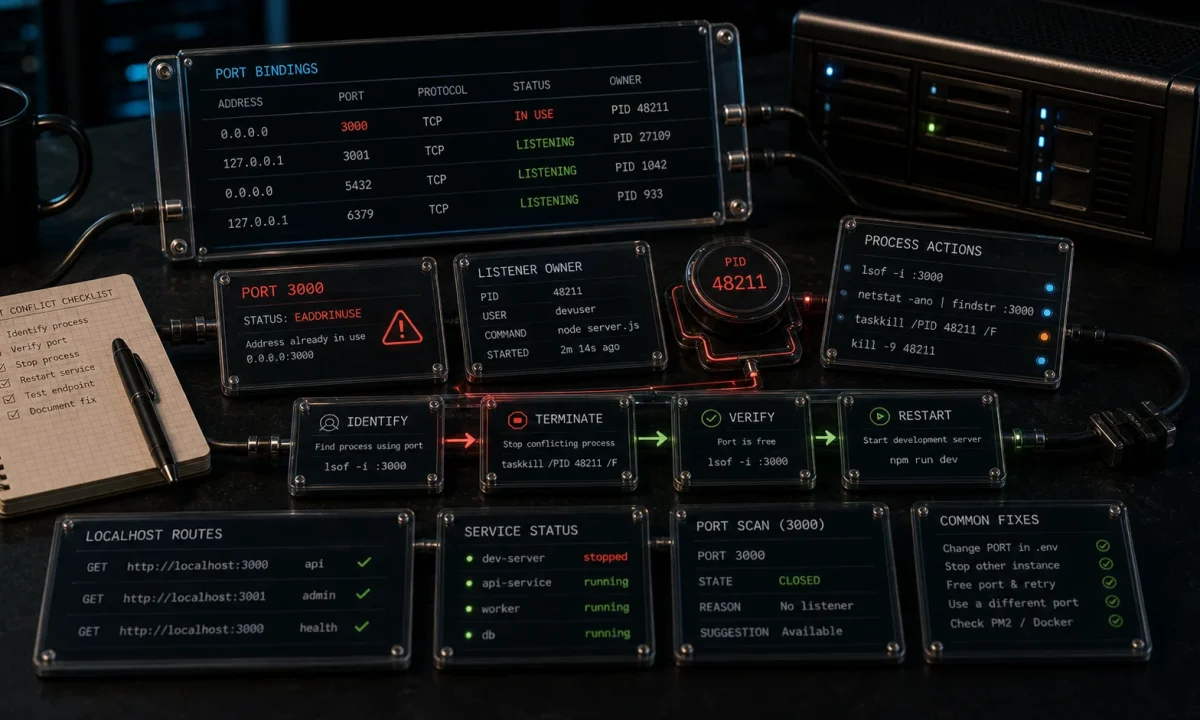
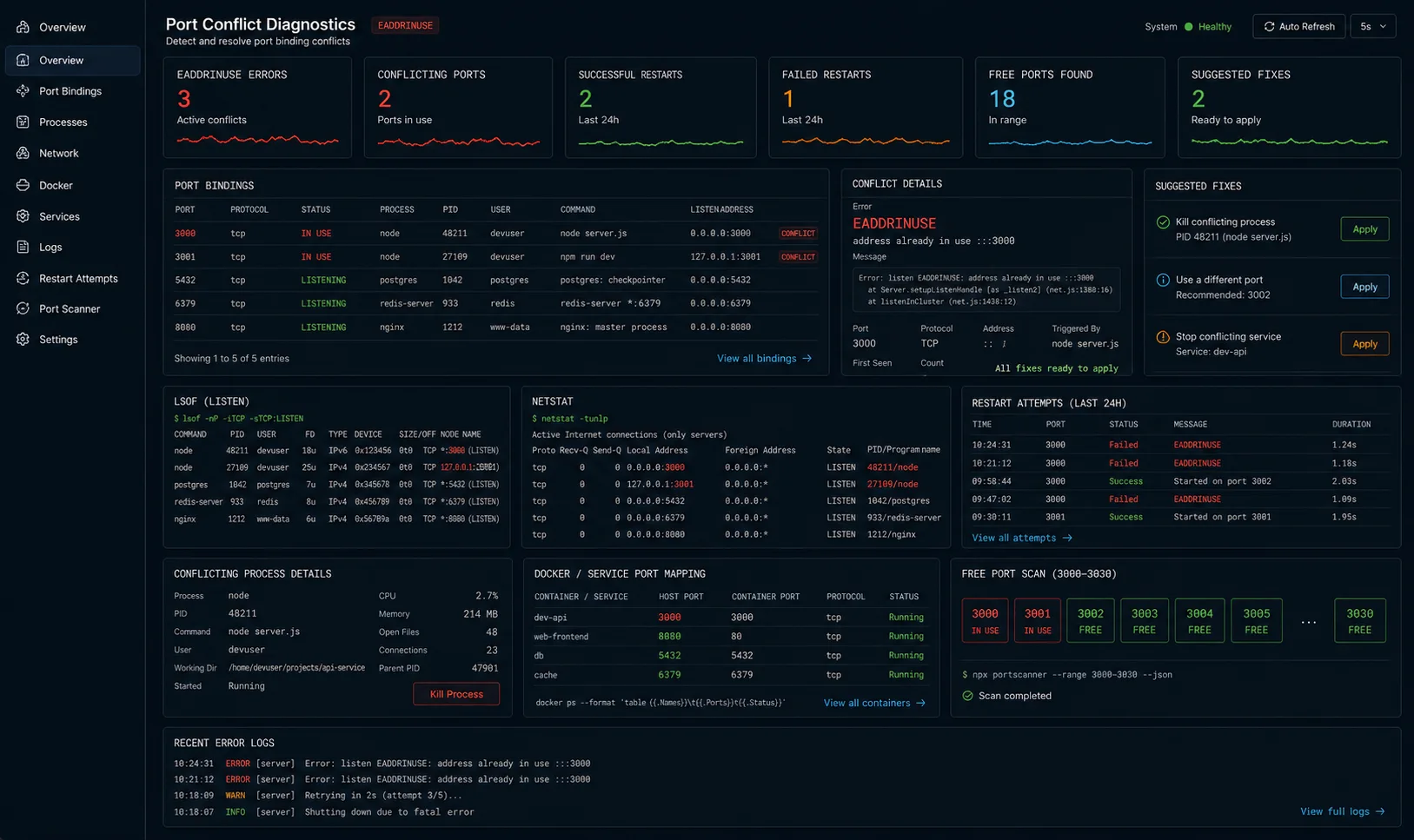
I had this one break in prod on a Friday afternoon. The server threw EADDRINUSE: address already in use :::3000 and wouldn’t come back up. The deploy script restarted the process, the new process tried to bind port 3000, the old one was still holding it, and the supervisor kept retrying in a loop until somebody noticed in Slack. Total damage: about three minutes of dropped traffic and one engineer’s evening.
The fix takes thirty seconds once you know it. The longer story — why EADDRINUSE in Node.js happens, why the obvious fix doesn’t always work, and how to prevent it from coming back — is what this article covers. Mac, Linux, Windows. Node 24 LTS, Node 26.
The fix in one paragraph (skip ahead if you have 60 seconds)
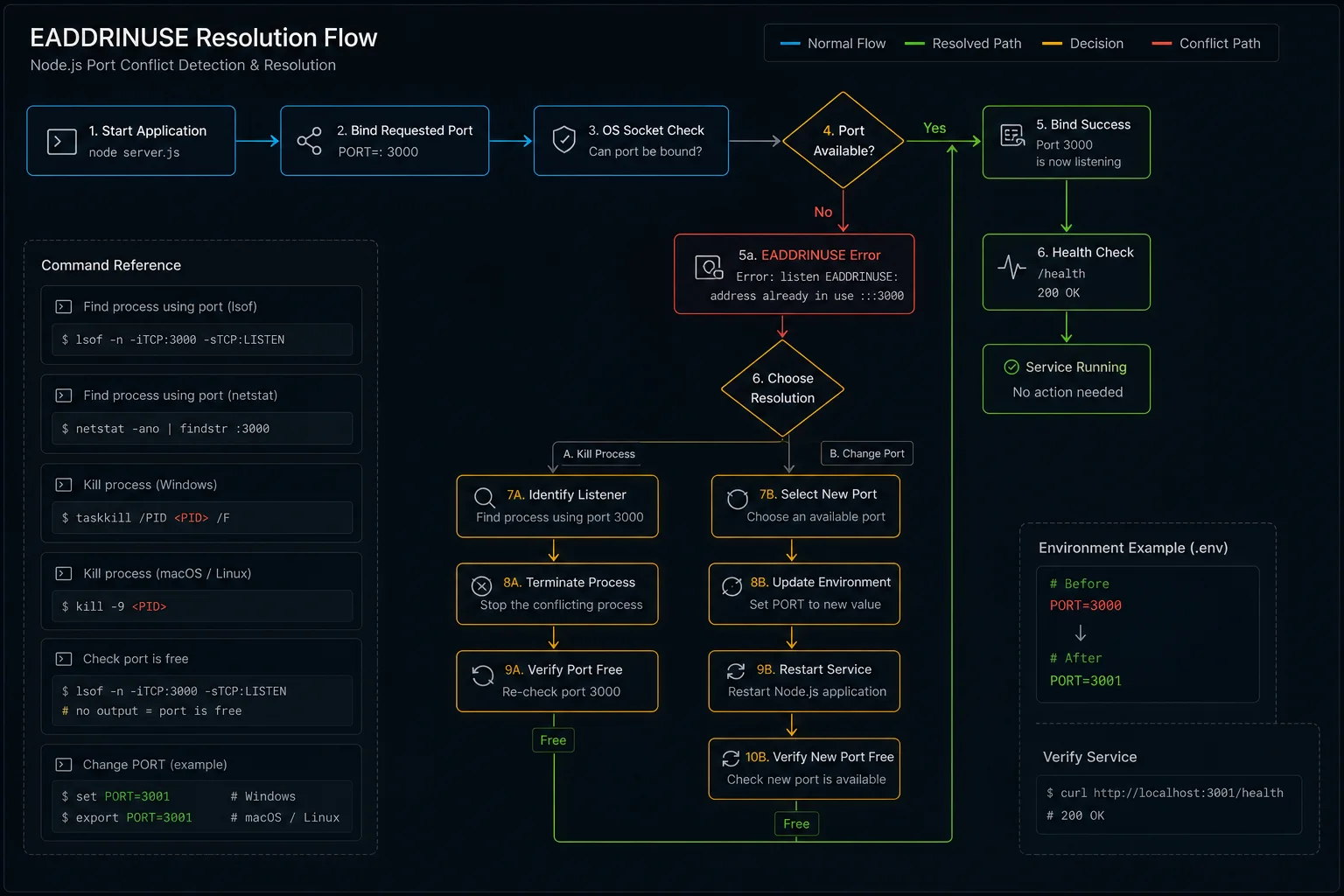
Find the process holding the port, kill it, restart your app. Three commands per OS, copy-paste:
# macOS / Linux
lsof -i :3000              # find PID listening on 3000
kill -9 <PID>              # kill it
node server.js # restart# Windows (PowerShell)
Get-NetTCPConnection -LocalPort 3000 | Select OwningProcess
Stop-Process -Id <PID> -Force
node server.jsOne-liner for the impatient:
# macOS / Linux
kill -9 $(lsof -t -i :3000)

# Windows
Stop-Process -Id (Get-NetTCPConnection -LocalPort 3000).OwningProcess -Force

# Cross-platform (npm)
npx kill-port 3000

# Kill multiple ports at once
npx kill-port 3000 4000 8080
That solves the symptom. Now the part that prevents it next time.
Why EADDRINUSE happens (the part most tutorials skip)
Six real causes I have personally debugged. The first three account for 90% of incidents:
- Old process did not exit. You hit Ctrl+C in the wrong terminal, or your supervisor crashed mid-restart. The previous Node process is still running and still bound to the port.
- nodemon orphaned a child. nodemon spawns your script as a child process, watches files, restarts on change. If nodemon crashes or you kill it ungracefully, the child can survive and keep the socket.
- Port reuse race after a previous crash. When a process holding a TCP socket dies abruptly, the kernel keeps the socket in
TIME_WAITfor ~60 seconds before releasing it. Your new process binds and gets EADDRINUSE during that window. - Two services configured for the same port. Docker Compose with two services both forwarding host port 3000. The second one starts and gets the error. Common with monorepos that copy
.env.exampleblindly. - Some other random process is on that port. Skype historically, AirPlay Receiver on macOS Monterey+ (port 5000), Windows IIS development sites. Hard to diagnose because you don’t expect it.
- Multiple calls to
app.listen()in your own code. Copy-paste error, or a module that auto-starts the server being imported twice. The second call hits EADDRINUSE immediately even though nothing external is involved. I have seen this one in codebases that build Express apps with conditional startup logic.
The wrong fix everyone tries first
This is the diagnostic Stack Overflow usually offers and the one I see misused most often:
sudo killall node # kills every Node process on the machineIt works. It also kills the unrelated Next.js dev server in your other terminal, the language server backing your IDE, and the background script processing analytics. Use targeted kill via lsof; never broadcast-kill Node.
The Windows equivalent — taskkill /F /IM node.exe — has the same problem. Kills all Node processes system-wide, not just the one holding your port. Use it as a last resort, not a first move.
Find the right PID, on every OS
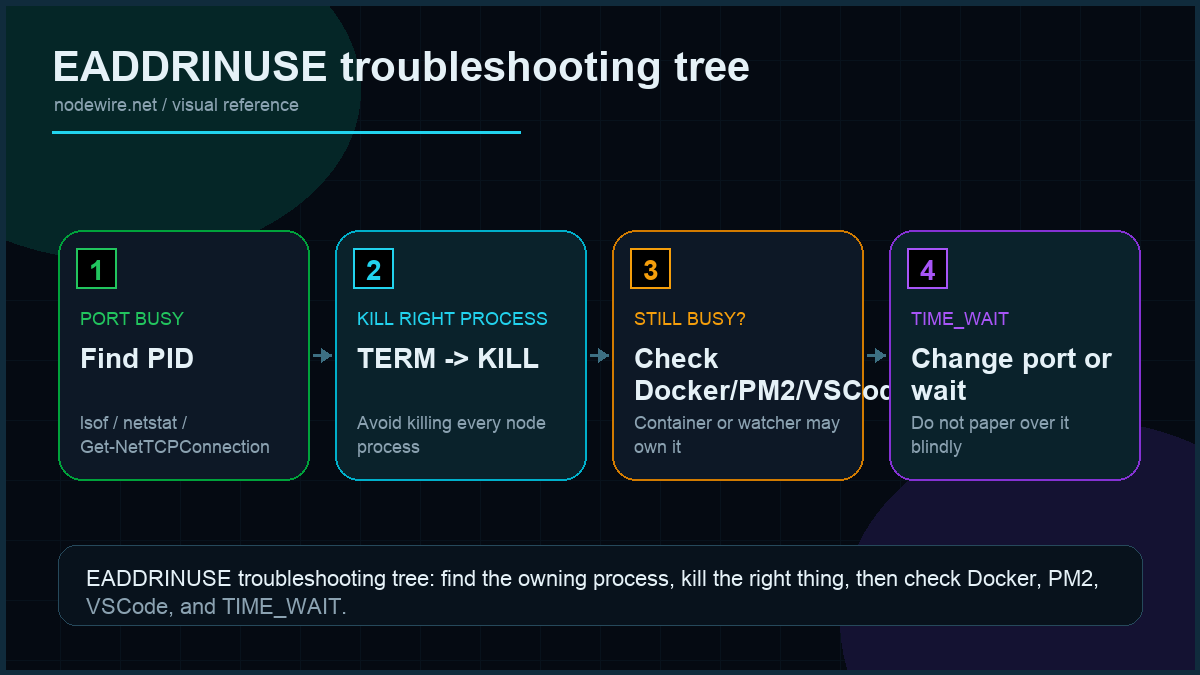
| OS | Command | What it shows |
|---|---|---|
| macOS | lsof -i :3000 -sTCP:LISTEN |
PID, command, user, file descriptor |
| Linux (modern) | ss -tlnp | grep :3000 |
Same shape, faster than lsof |
| Linux (any) | lsof -i :3000 -sTCP:LISTEN |
Universal fallback |
| Windows (cmd) | netstat -ano | findstr :3000 |
PID in last column |
| Windows (PS) | Get-NetTCPConnection -LocalPort 3000 |
OwningProcess column |
Verify what you are about to kill:
ps -p <PID> -o pid,cmd     # macOS / Linux
Get-Process -Id <PID>       # Windows PowerShell
If it is your own Node script, kill it. If it is something you don’t recognise (a system service, your IDE), don’t.
Why kill sometimes fails — and the SIGKILL escalation
Three signals worth knowing:
| Signal | Number | Behaviour |
|---|---|---|
| SIGTERM | 15 | «Please exit.» Process can clean up. Default for plain kill. |
| SIGINT | 2 | Same as Ctrl+C. Most Node apps handle this gracefully. |
| SIGKILL | 9 | «Die now.» Cannot be caught or ignored. Releases the socket immediately. |
Try graceful first: kill <PID>. If the process refuses to exit (rare; usually because of an unhandled promise blocking shutdown), escalate: kill -9 <PID>. SIGKILL is the nuclear option — the process gets no chance to flush logs or close database connections. Use it sparingly, but use it when needed.
The TIME_WAIT trap (and how to actually fix it)
You restart your server. The old process is gone, lsof shows nothing, and Node still throws EADDRINUSE. This is the TCP TIME_WAIT state — the kernel holds the socket for up to 60 seconds after the previous owner closed it ungracefully.
Three ways out:
- Wait it out. 60 seconds, retry. Boring, always works.
- Use a different port. Set
PORT=3001, restart. Same effect, different port. - SO_REUSEADDR on the listener. Tells the kernel «let me bind even if the address is in TIME_WAIT.» Node’s HTTP server doesn’t expose this option directly, but a graceful exit handler avoids landing in TIME_WAIT in the first place:
// src/server.ts
import { createServer } from 'http';

const server = createServer(/* your app */);
server.listen(3000);

const shutdown = (signal: string) => {
  console.log(`Received ${signal}, closing server`);
  server.close(() => {
    console.log('Server closed cleanly');
    process.exit(0);
  });

  // Hard ceiling — if shutdown takes more than 10s, force exit.
  setTimeout(() => {
    console.error('Forcing exit after timeout');
    process.exit(1);
  }, 10_000).unref();
};

process.on('SIGTERM', () => shutdown('SIGTERM'));
process.on('SIGINT', () => shutdown('SIGINT'));
server.close() stops accepting new connections and waits for in-flight ones to finish. That clean close skips the TIME_WAIT problem on next boot. The 10-second hard ceiling prevents shutdown from hanging if a long-running request never returns.
nodemon orphans: kill the parent and the child both
If you run with nodemon and Ctrl+C doesn’t release the port:
# macOS / Linux
pkill -f "node|nodemon"          # kills every node and nodemon process

# Or more surgical:
ps aux | grep node               # find the children
kill -9 <child PID>
Long-term fix: configure nodemon to forward signals to its child and add a small restart delay so the OS has time to release the socket:
{
  "execMap": { "js": "node" },
  "signal": "SIGTERM",
  "delay": 200
}
The delay: 200 adds a 200ms pause before nodemon starts the new child process. That’s usually enough for the OS to release the socket from the previous run, which eliminates the TIME_WAIT race on every file-save restart.
VSCode debug sessions holding the port
This one bites every few months. You stop a debug session in VSCode, start your app normally, and get EADDRINUSE. The debug process didn’t fully terminate — it’s still holding the socket.
Fix: add "killBehavior": "forceful" to your launch configuration:
{
  "version": "0.2.0",
  "configurations": [
    {
      "type": "node",
      "request": "launch",
      "name": "Debug App",
      "program": "${workspaceFolder}/src/index.ts",
      "runtimeExecutable": "tsx",
      "restart": true,
      "console": "integratedTerminal",
      "killBehavior": "forceful"
    }
  ]
}
killBehavior: "forceful" tells VSCode to SIGKILL the process when you stop the debugger, not just SIGTERM. It skips the graceful-shutdown window where the process keeps the socket.
Docker: when the container is the problem
Running your Node app in Docker adds a layer where the conflict can live. Common scenario: you docker-compose up, get EADDRINUSE on the host, and lsof shows nothing. The blocker is another container mapping the same host port.
# Find containers using host port 3000
docker ps --filter "publish=3000"

# Stop the offending container
docker stop <container_name>

# Check all containers including stopped ones
docker ps -a
If you stopped a container and the port still shows busy, Docker sometimes takes a few seconds to release the mapping. Give it 5 seconds and retry. Restarting the Docker daemon is the last resort.
Compose config that avoids the conflict — map different host ports per service:
# docker-compose.yml
services:
  api:
    build: .
    ports:
      - "3000:3000"   # host:container
  worker:
    build: .
    ports:
      - "3001:3000"   # different host port, same container port
PM2: stop before restart, or use reload
If you manage your Node app with PM2 and EADDRINUSE appears on restart, the old process instance may still be running. PM2’s restart command sends SIGINT to the old process but doesn’t wait for the port to be released before starting the new one.
# Safer: use reload (zero-downtime, waits for old process to exit)
pm2 reload myapp

# Or explicitly stop, then start
pm2 stop myapp
pm2 start myapp

# List running processes to confirm state
pm2 list
Configure a restart delay in your PM2 ecosystem file to give the OS time to release the socket between the old process dying and the new one starting:
// ecosystem.config.js
module.exports = {
  apps: [{
    name: 'myapp',
    script: 'dist/server.js',
    restart_delay: 500,       // ms between crashes before restart
    kill_timeout: 5000,       // ms to wait for graceful shutdown before SIGKILL
  }]
};
Bind to a random free port instead of failing
Useful for development and tests. Pass 0 as the port and let the kernel pick:
const server = app.listen(0, () => {
  const { port } = server.address() as { port: number };
  console.log(`Listening on http://localhost:${port}`);
});
For finding a preferred port with fallback, use the get-port package:
import getPort from 'get-port';

const port = await getPort({ port: [3000, 3001, 3002, 4000, 5000] });
// Returns 3000 if free, otherwise the next available from the list
app.listen(port, () => console.log(`Listening on ${port}`));
Or auto-retry incrementally without a library:
import net from 'net';

function isPortAvailable(port: number): Promise<boolean> {
  return new Promise((resolve) => {
    const srv = net.createServer();
    srv.once('error', () => resolve(false));
    srv.once('listening', () => { srv.close(); resolve(true); });
    srv.listen(port);
  });
}

async function findOpenPort(start = 3000): Promise<number> {
  let p = start;
  while (!(await isPortAvailable(p))) {
    console.log(`Port ${p} busy, trying ${p + 1}…`);
    p++;
  }
  return p;
}

const port = await findOpenPort(3000);
app.listen(port);
For production where you do need port 3000, detect the conflict and exit cleanly with a useful message instead of the default crash:
server.on('error', (err: NodeJS.ErrnoException) => {
  if (err.code === 'EADDRINUSE') {
    console.error(`Port ${PORT} is already in use. Run: lsof -i :${PORT}`);
    process.exit(1);
  }
  throw err;
});
The macOS AirPlay trap (and Windows equivalents)
macOS Monterey+ binds port 5000 to AirPlay Receiver by default. If you set PORT=5000 in your .env on a Mac, you get EADDRINUSE the first time you boot. Either change to 3000 or disable AirPlay Receiver:
- macOS Monterey: System Preferences → Sharing → untick AirPlay Receiver
- macOS Ventura / Sonoma: System Settings → General → disable AirPlay Receiver
On Windows, IIS Express commonly holds 80 and 443. Hyper-V reserves random port ranges; check with:
netsh interface ipv4 show excludedportrange protocol=tcpOn Linux, ports below 1024 require root or CAP_NET_BIND_SERVICE capability. Running your Node app as root to bind port 80 is a security hole. The right fix is putting nginx on 80 and proxying to your Node app on 3000.
Debugging checklist: when nothing obvious is holding the port
- Check for running Node processes:
ps aux | grep node - Find what’s actually on the port:
lsof -i :3000(macOS/Linux) ornetstat -ano | findstr :3000(Windows) - Check Docker containers:
docker ps --filter "publish=3000" - Check PM2:
pm2 list - Check for zombie VSCode debug sessions: look for
nodein the process list with your script path - Verify you don’t have multiple
app.listen()calls:grep -r "app.listen|server.listen" src/ - Check Windows reserved ranges:
netsh interface ipv4 show excludedportrange protocol=tcp
Production checklist
- Graceful shutdown handler on SIGTERM and SIGINT, with a 10-second hard ceiling.
server.on('error')handler that prints a useful diagnostic on EADDRINUSE and exits 1.- Process supervisor (PM2 or systemd) with restart-on-crash, a backoff between restarts, and
kill_timeoutto let graceful shutdown complete. Without backoff, EADDRINUSE on boot becomes a tight CPU loop. - Document the port in
.env.examplewith a comment about what it is for. - One service per port. Reserve ports per app in a team-wide table; never assume «3000 is free.»
- Use the get-port package in tests to pick a free port automatically. Fixes flaky CI.
- VSCode launch config with
killBehavior: "forceful"to avoid debug-session leaks. - Don’t run as root. Binding to 80/443 needs root or capabilities; put nginx in front instead.
Troubleshooting FAQ
Why does my port stay busy after I kill the process?
TCP TIME_WAIT. The kernel holds the socket for up to 60 seconds after an ungraceful close. Wait, switch ports temporarily, or fix the shutdown handler so future closes are graceful.
Can I bind multiple Node processes to the same port?
Yes, with Node’s cluster module or PM2 cluster mode. The OS load-balances connections between workers. This is the supported pattern; sharing a port between unrelated processes is not.
What is the difference between kill and kill -9?
kill sends SIGTERM (graceful). kill -9 sends SIGKILL (immediate, uncatchable). Try graceful first; escalate to -9 only if the process refuses to exit. Note that SIGKILL skips your shutdown handler — you may leave the socket in TIME_WAIT.
Does EADDRINUSE happen on Unix sockets too?
Yes. Same error code, different fix: delete the socket file. rm /tmp/your.sock before binding.
How do I find which Node app holds the port if I have many?
lsof -i :3000 -sTCP:LISTEN shows the PID; ps -p <PID> -o cmd shows the full command line. The command line usually identifies the app — different cwd, different script name.
Can my CI pipeline hit this?
Yes, on shared runners. Use a random port (listen(0)) for tests, or use Docker with explicit port mappings that fail loudly when conflicting.
Why does Docker say port is in use when nothing is listening?
Either another container has the host port, or you stopped a container and Docker hasn’t released the port yet. docker ps -a to see stopped containers, docker port <name> to confirm mapping. Restart Docker daemon as last resort.
Should I use a high port to avoid conflicts?
For development, yes — pick something memorable above 1024 (3000, 4000, 8080, 8000). For production, put nginx on 80/443 and proxy to your Node app.
What if I accidentally called app.listen() twice?
EADDRINUSE fires immediately on the second call, before any external process is involved. Search your codebase: grep -r ".listen(" src/. If a module auto-starts the server on import, guard it with if (require.main === module) (CJS) or an explicit start function.
What ships next
This article fixes the symptom and prevents it. The natural next step is graceful shutdown done properly — drain in-flight requests, close database connections, flush logs. If your shutdown hangs because of a hanging async handler, fixing the error handling fixes the shutdown too. If you are deploying behind PM2, the supervisor configuration matters as much as the code. If your boot fails earlier with «Cannot find module», fix that first — the port-binding error never surfaces.