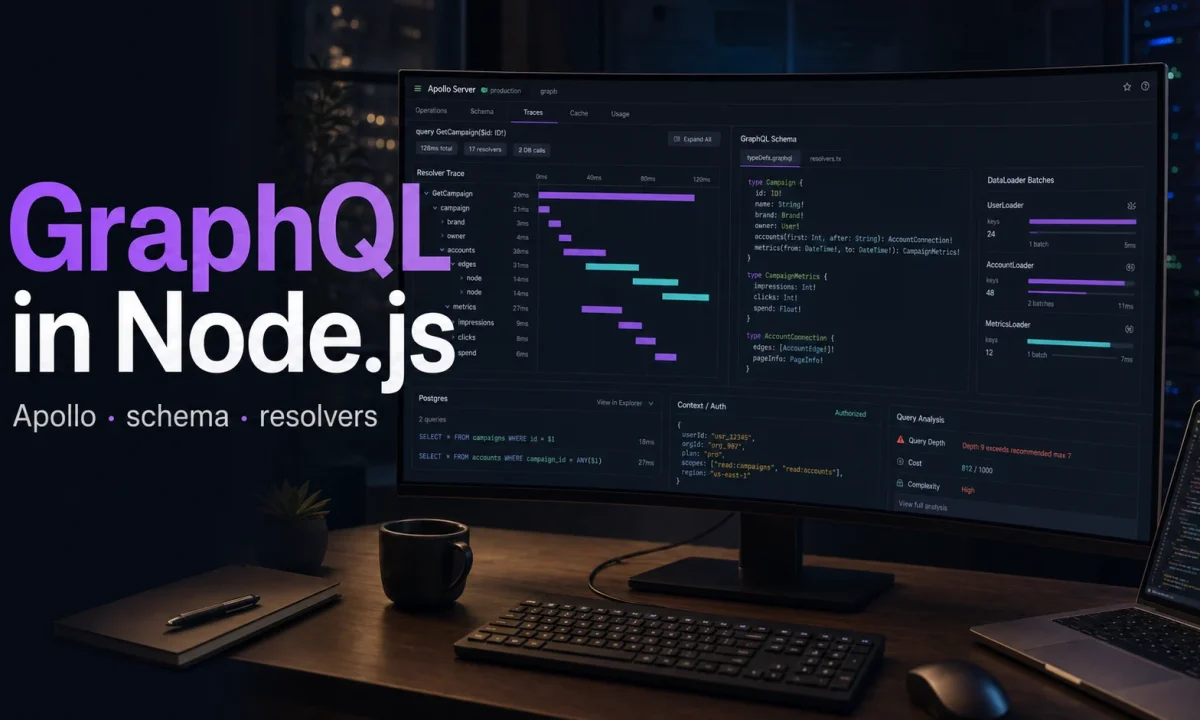
I built a GraphQL Node.js Apollo Server backend for an e-commerce client three years ago, watched it ship 4,200 req/s in peak season, and rebuilt the whole thing this spring on Apollo Server 5. Half the code disappeared. The other half got measurably faster. Apollo Server 5 no longer supports the old bundled Express import path. Apollo’s official path now uses separate @as-integrations/express4 or @as-integrations/express5 packages; I use Express 5 here because it is the cleanest current Express target for new Node 24 work, not because Apollo only works with Express 5. Apollo Server 5 also aligns with Node 20+. The result is the cleanest production GraphQL setup I’ve shipped on Node.js. This is the version I’d hand to a paying client tomorrow, plus the four traps that bite teams who skip the migration.
The decision: Apollo Server 5 over the alternatives
| Server | Throughput (RPS, p99 simple query) | Ecosystem | Federation | Best for |
|---|---|---|---|---|
| Apollo Server 5 | ~7,200 (Node 24, Express 5) | Largest. Codegen, Studio, hosted GraphOS | First-class | Most teams; hiring market knows it |
| Yoga + Envelop (The Guild) | ~9,800 | Plugin-driven, lean | Via Hive Gateway | Teams that want fine pipeline control |
| Mercurius | ~14,500 | Fastify-only | Yes | Already on Fastify, throughput-bound |
| graphql-http (raw) | ~10,200 | Tiny, spec-only | No | Microservices behind a gateway |
| express-graphql | — | Deprecated | No | Don’t. |
The throughput numbers come from running each server with the same schema (10 types, 4 queries, 2 mutations, no resolvers hitting the database) on a 4-vCPU droplet with autocannon at 100 connections. Numbers move ±15% depending on schema shape; treat them as relative, not absolute. Apollo Server 5 wins for most projects on ecosystem alone — Apollo’s official docs, GraphOS for schema management, Apollo Federation when you eventually go multi-graph, and a hiring market that knows the API. Mercurius is the right call when you’ve already standardized on Fastify (the framework comparison is in the Express vs Fastify article).
Step 1: install Apollo Server 5 with the working defaults
npm i @apollo/server@^5 @as-integrations/express5 graphql@^16.13 express@^5 cors dataloader
npm i -D @types/express @types/cors typescript tsx
Two non-obvious things in that install line. First, the Express integration is @as-integrations/express5, not @apollo/server/express4 — Apollo Server 5 unbundled the integration to support Express 4 and Express 5 cleanly via two separate packages. If you’re still on Express 4, use @as-integrations/express4 instead. Second, graphql stays on the v16 line — v17 is in alpha as of early 2026 and Apollo Server 5 requires graphql ^16.11. Don’t pin v17 in production yet.
// src/server.ts
import express from "express";
import http from "node:http";
import cors from "cors";
import { ApolloServer } from "@apollo/server";
import { expressMiddleware } from "@as-integrations/express5";
import { ApolloServerPluginDrainHttpServer } from "@apollo/server/plugin/drainHttpServer";

import { typeDefs } from "./schema.js";
import { resolvers } from "./resolvers.js";
import { createContext, type Context } from "./context.js";

const app = express();
const httpServer = http.createServer(app);

const server = new ApolloServer<Context>({
  typeDefs,
  resolvers,
  plugins: [ApolloServerPluginDrainHttpServer({ httpServer })],
  introspection: process.env.NODE_ENV !== "production",
  formatError: (formattedError, error) => {
    if (formattedError.extensions?.code === "INTERNAL_SERVER_ERROR") {
      console.error(error);
      return { message: "Internal server error", extensions: { code: "INTERNAL_SERVER_ERROR" } };
    }
    return formattedError;
  },
});

await server.start();

app.use(
  "/graphql",
  cors<cors.CorsRequest>({ origin: process.env.CORS_ORIGIN?.split(",") ?? "*" }),
  express.json({ limit: "1mb" }),
  expressMiddleware(server, { context: createContext }),
);

await new Promise<void>((resolve) => httpServer.listen({ port: 4000 }, resolve));
console.log("ready at http://localhost:4000/graphql");
The drain plugin is what makes graceful shutdown work — it stops accepting new requests on SIGTERM and waits for in-flight ones to finish before closing the HTTP server. Without it, kubectl rollout can drop in-flight requests on the floor. introspection is gated behind NODE_ENV !== "production" because exposing your schema to the world makes life easier for attackers fingerprinting your API.
formatError is the place where you stop leaking stack traces. Internal-server errors come out as a fixed message; everything else (validation errors, your own GraphQLError instances) is preserved.
Step 2: schema-first vs code-first (and why I pick schema-first)
Two ways to define a GraphQL schema in Node.js:
- Schema-first — write SDL (the GraphQL schema language), implement resolvers separately. Tools: graphql-codegen generates TypeScript types from the SDL.
- Code-first — define types in TypeScript classes/builders, the schema gets generated from code. Frameworks: TypeGraphQL, Nexus, Pothos.
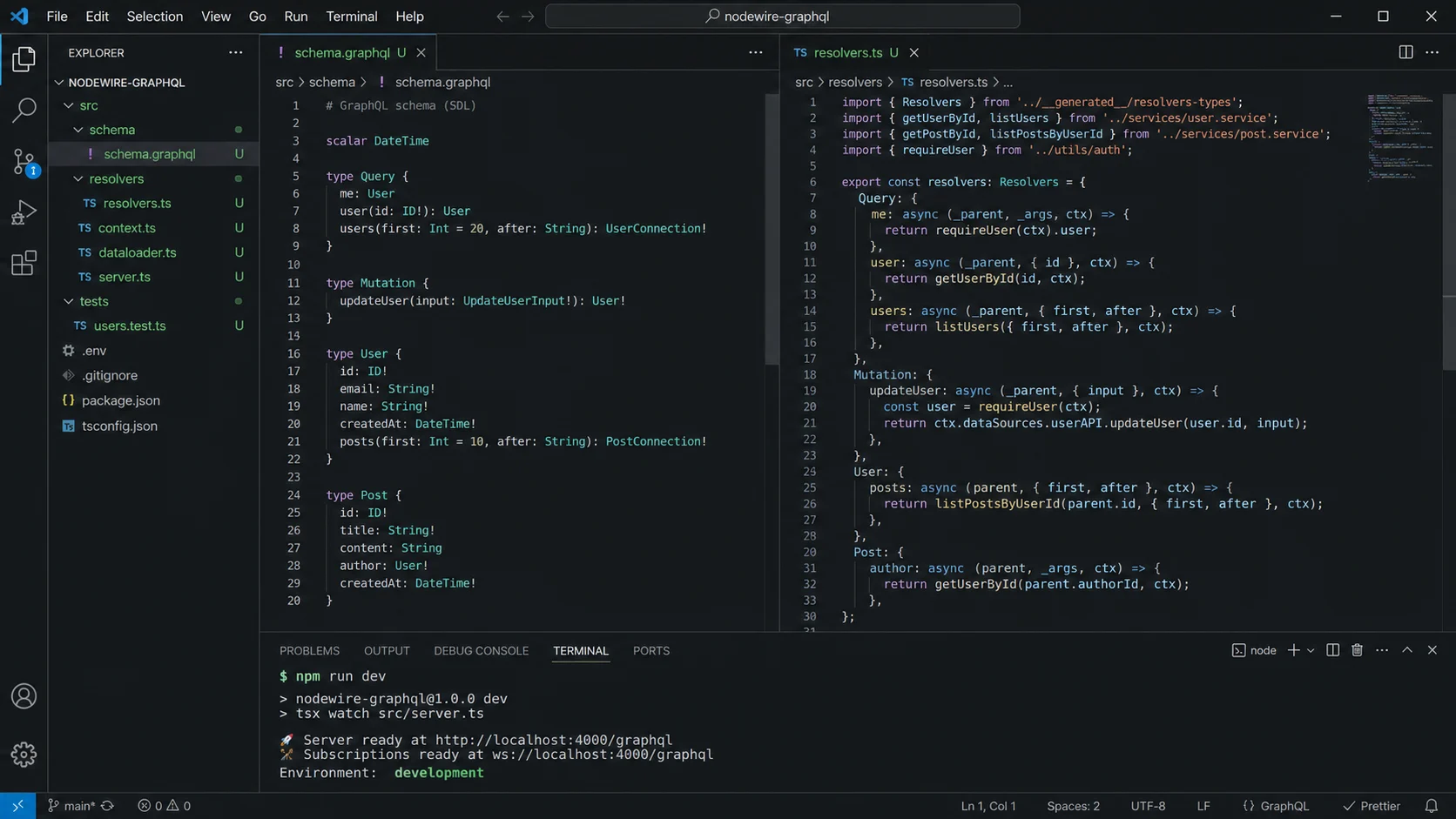
Code-first feels nicer in TypeScript-only teams — you get type safety on resolvers without a codegen step. Schema-first wins for teams that have non-Node consumers (mobile, frontend) because the schema file is the source of truth — easy to share, easy to diff in code review, easy to lint with graphql-eslint. I run schema-first with graphql-codegen generating types from the SDL:
// src/schema.ts
export const typeDefs = /* GraphQL */ `
  type Query {
    me: User
    product(id: ID!): Product
    products(category: ID, limit: Int = 20, offset: Int = 0): [Product!]!
  }

  type Mutation {
    addToCart(productId: ID!, quantity: Int = 1): Cart!
    checkout(input: CheckoutInput!): Order!
  }

  type Subscription {
    orderUpdated(orderId: ID!): Order!
  }

  type User {
    id: ID!
    email: String!
    cart: Cart!
    orders: [Order!]!
  }

  type Product {
    id: ID!
    name: String!
    price: Int!
    inventory: Int!
    category: Category!
  }

  type Category {
    id: ID!
    name: String!
    products: [Product!]!
  }

  type Cart { id: ID!, items: [CartItem!]!, total: Int! }
  type CartItem { product: Product!, quantity: Int! }
  type Order { id: ID!, total: Int!, status: OrderStatus!, createdAt: String! }
  enum OrderStatus { PENDING PAID SHIPPED DELIVERED CANCELLED }
  input CheckoutInput { paymentMethodId: String! }
`;
Step 3: DataLoader (the N+1 fix that nobody can skip)
Without DataLoader, this query:
query {
  products(limit: 20) {
    name
    category { name }
    brand { name }
  }
}
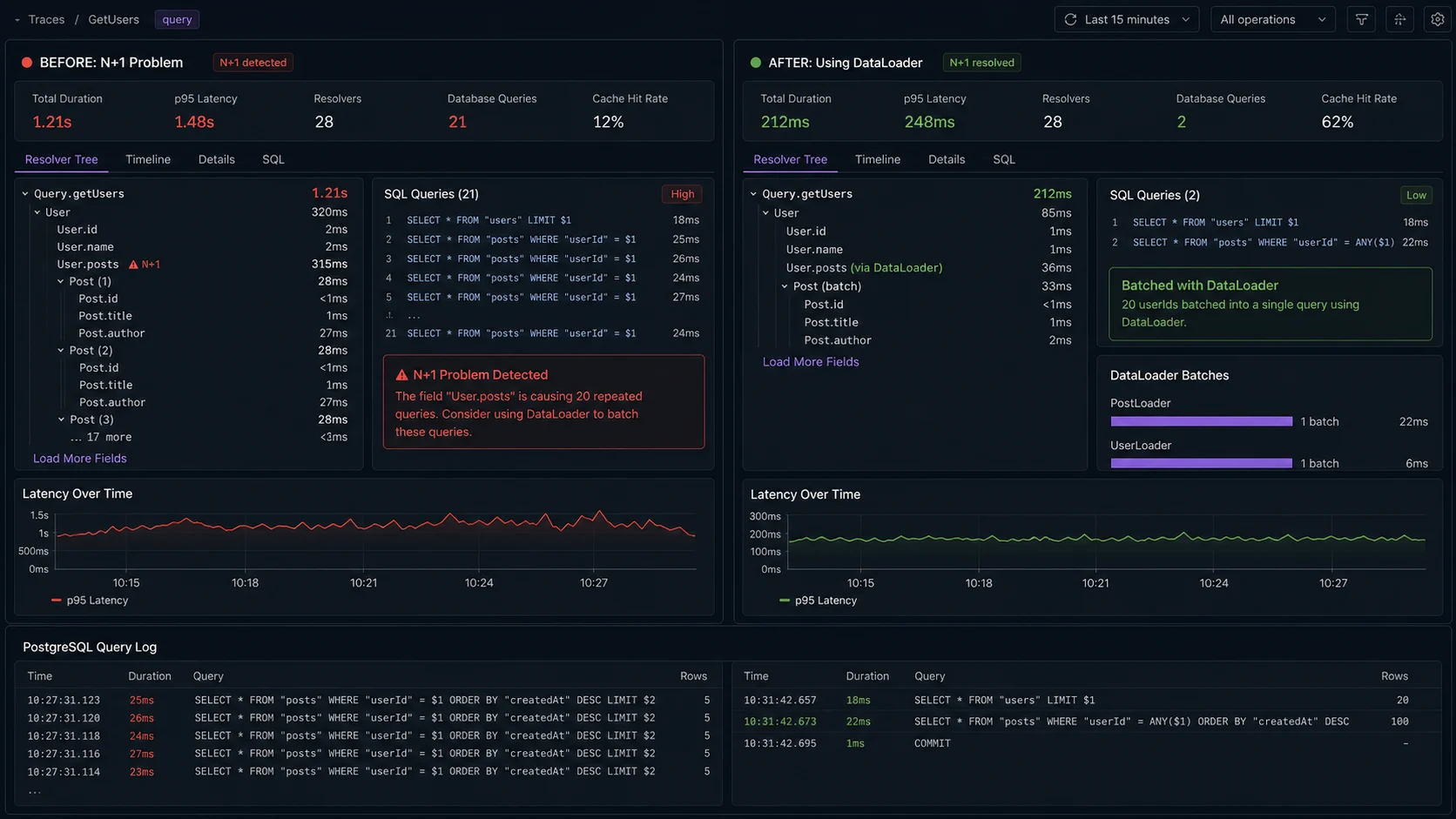
…issues 1 SELECT for products, 20 SELECTs for categories, and 20 SELECTs for brands. That’s 41 round-trips for a UI render that should be one page. Add three more relations and you’re at 80+ queries. On a real client project, the unauthenticated home-page query was producing 220 SELECTs at p50; DataLoader collapsed it to 7. Same query, same data, no schema change.
DataLoader batches and dedupes within a single GraphQL request. Create one per-request in your context function, never a singleton:
npm i dataloader@^2// src/loaders.ts
import DataLoader from "dataloader";
import { db } from "./db.js";
import type { Category, Brand, User } from "./types/generated.js";
export function createLoaders() {
return {
categoryById: new DataLoader<string, Category | null>(async (ids) => {
const rows = await db.category.findMany({ where: { id: { in: [...ids] } } });
const map = new Map(rows.map((r) => [r.id, r]));
return ids.map((id) => map.get(id) ?? null);
}),
brandById: new DataLoader<string, Brand | null>(async (ids) => {
const rows = await db.brand.findMany({ where: { id: { in: [...ids] } } });
const map = new Map(rows.map((r) => [r.id, r]));
return ids.map((id) => map.get(id) ?? null);
}),
userById: new DataLoader<string, User | null>(async (ids) => {
const rows = await db.user.findMany({ where: { id: { in: [...ids] } } });
const map = new Map(rows.map((r) => [r.id, r]));
return ids.map((id) => map.get(id) ?? null);
}),
};
}// src/context.ts
import type { Request } from "express";
import { createLoaders } from "./loaders.js";
import { getUserFromAuth } from "./auth.js";
export type Context = {
user: { id: string; role: "USER" | "ADMIN" } | null;
loaders: ReturnType<typeof createLoaders>;
};
export async function createContext({ req }: { req: Request }): Promise<Context> {
return {
user: await getUserFromAuth(req.headers.authorization),
loaders: createLoaders(),
};
}Resolvers use the loader instead of hitting the database directly:
// src/resolvers.ts
import type { Context } from "./context.js";

export const resolvers = {
  Product: {
    category: (parent: { categoryId: string }, _: unknown, ctx: Context) =>
      ctx.loaders.categoryById.load(parent.categoryId),
    brand: (parent: { brandId: string }, _: unknown, ctx: Context) =>
      ctx.loaders.brandById.load(parent.brandId),
  },
  Order: {
    user: (parent: { userId: string }, _: unknown, ctx: Context) =>
      ctx.loaders.userById.load(parent.userId),
  },
};
Same query as before now issues 3 SQL statements total: one for products, one batched lookup for all unique category IDs, one for all unique brand IDs. From 41 round-trips to 3. The Prisma queries the loaders sit on top of are covered in the Postgres + Prisma setup guide. For longer-lived caching of heavy resolver outputs (think «product detail page that hasn’t changed in an hour»), layer Redis on top — patterns in the Redis caching guide.
Step 4: authentication done in context, not in every resolver
Auth in GraphQL is the same problem as auth in REST — you’ve already covered the JWT pattern in the JWT authentication piece. The GraphQL twist is where you check it.
Don’t sprinkle if (!ctx.user) throw new Error("unauthorized") across every resolver. Use a higher-order resolver wrapper or a schema directive. The wrapper approach is cleaner with TypeScript:
// src/auth-wrapper.ts
import { GraphQLError } from "graphql";
import type { Context } from "./context.js";

export function requireAuth<TParent, TArgs, TResult>(
  fn: (
    parent: TParent,
    args: TArgs,
    ctx: Context & { user: NonNullable<Context["user"]> },
  ) => TResult,
) {
  return (parent: TParent, args: TArgs, ctx: Context) => {
    if (!ctx.user) {
      throw new GraphQLError("Not authenticated", {
        extensions: { code: "UNAUTHENTICATED", http: { status: 401 } },
      });
    }
    return fn(parent, args, ctx as Context & { user: NonNullable<Context["user"]> });
  };
}

export function requireRole<TParent, TArgs, TResult>(
  role: "ADMIN",
  fn: (
    parent: TParent,
    args: TArgs,
    ctx: Context & { user: NonNullable<Context["user"]> },
  ) => TResult,
) {
  return requireAuth<TParent, TArgs, TResult>((parent, args, ctx) => {
    if (ctx.user.role !== role) {
      throw new GraphQLError("Forbidden", {
        extensions: { code: "FORBIDDEN", http: { status: 403 } },
      });
    }
    return fn(parent, args, ctx);
  });
}// src/resolvers.ts
import { requireAuth, requireRole } from "./auth-wrapper.js";
export const resolvers = {
Query: {
me: requireAuth((_, __, ctx) => db.user.findUnique({ where: { id: ctx.user.id } })),
},
Mutation: {
addToCart: requireAuth(
(_, args: { productId: string; quantity: number }, ctx) =>
cartService.addItem(ctx.user.id, args.productId, args.quantity),
),
deleteUser: requireRole("ADMIN", (_, args: { id: string }) =>
db.user.delete({ where: { id: args.id } }),
),
},
};The TypeScript narrowing inside requireAuth means the wrapped resolver knows ctx.user is non-null. No more null-checks inside the handler. The 401/403 distinction follows the same convention as the REST API — UNAUTHENTICATED means «you didn’t tell me who you are», FORBIDDEN means «I know who you are and you can’t do that».
Step 5: subscriptions over WebSocket (Apollo Server 5 wires it up explicitly)
Apollo Server dropped built-in subscription support in v3 and never added it back. You wire it up explicitly via graphql-ws:
npm i graphql-ws ws @graphql-tools/schema graphql-subscriptions// src/subscriptions.ts
import { WebSocketServer } from "ws";
import { useServer } from "graphql-ws/lib/use/ws";
import { makeExecutableSchema } from "@graphql-tools/schema";
import { PubSub } from "graphql-subscriptions";
import type { Server } from "node:http";
import { typeDefs } from "./schema.js";
import { resolvers } from "./resolvers.js";
export const pubsub = new PubSub();
export function attachSubscriptions(httpServer: Server) {
const schema = makeExecutableSchema({ typeDefs, resolvers });
const wsServer = new WebSocketServer({ server: httpServer, path: "/graphql" });
const cleanup = useServer(
{
schema,
context: async (ctx) => {
const token = ctx.connectionParams?.authorization as string | undefined;
// your JWT validation here, same as the HTTP context
return { user: token ? await getUserFromAuth(token) : null };
},
},
wsServer,
);
return { schema, cleanup };
}// src/server.ts (additions)
import { attachSubscriptions, pubsub } from "./subscriptions.js";
const { schema, cleanup } = attachSubscriptions(httpServer);
const server = new ApolloServer<Context>({
schema, // pass the executable schema, not typeDefs/resolvers
plugins: [
ApolloServerPluginDrainHttpServer({ httpServer }),
{
async serverWillStart() {
return { async drainServer() { await cleanup.dispose(); } };
},
},
],
});
// In a mutation that should publish to subscribers:
// pubsub.publish("ORDER_UPDATED", { orderUpdated: updatedOrder });
// Subscription resolver:
// Subscription: {
// orderUpdated: {
// subscribe: () => pubsub.asyncIterator(["ORDER_UPDATED"]),
// },
// },The WebSocket and HTTP servers share the same port via http.createServer(app) — clients connect on ws://localhost:4000/graphql for subscriptions and http://localhost:4000/graphql for queries/mutations. For real-time chat or notification streams the patterns line up with traditional WebSocket usage; the difference is that GraphQL subscriptions give you typed payloads and integrate with the same auth/context pipeline as your queries.
One trap: if you’re running multiple Node.js instances behind a load balancer, graphql-subscriptions‘ default in-memory PubSub only fires within the same process. Swap to graphql-redis-subscriptions for multi-instance fan-out — same API, Redis-backed.
Step 6: query depth and complexity limits (the DoS surface)
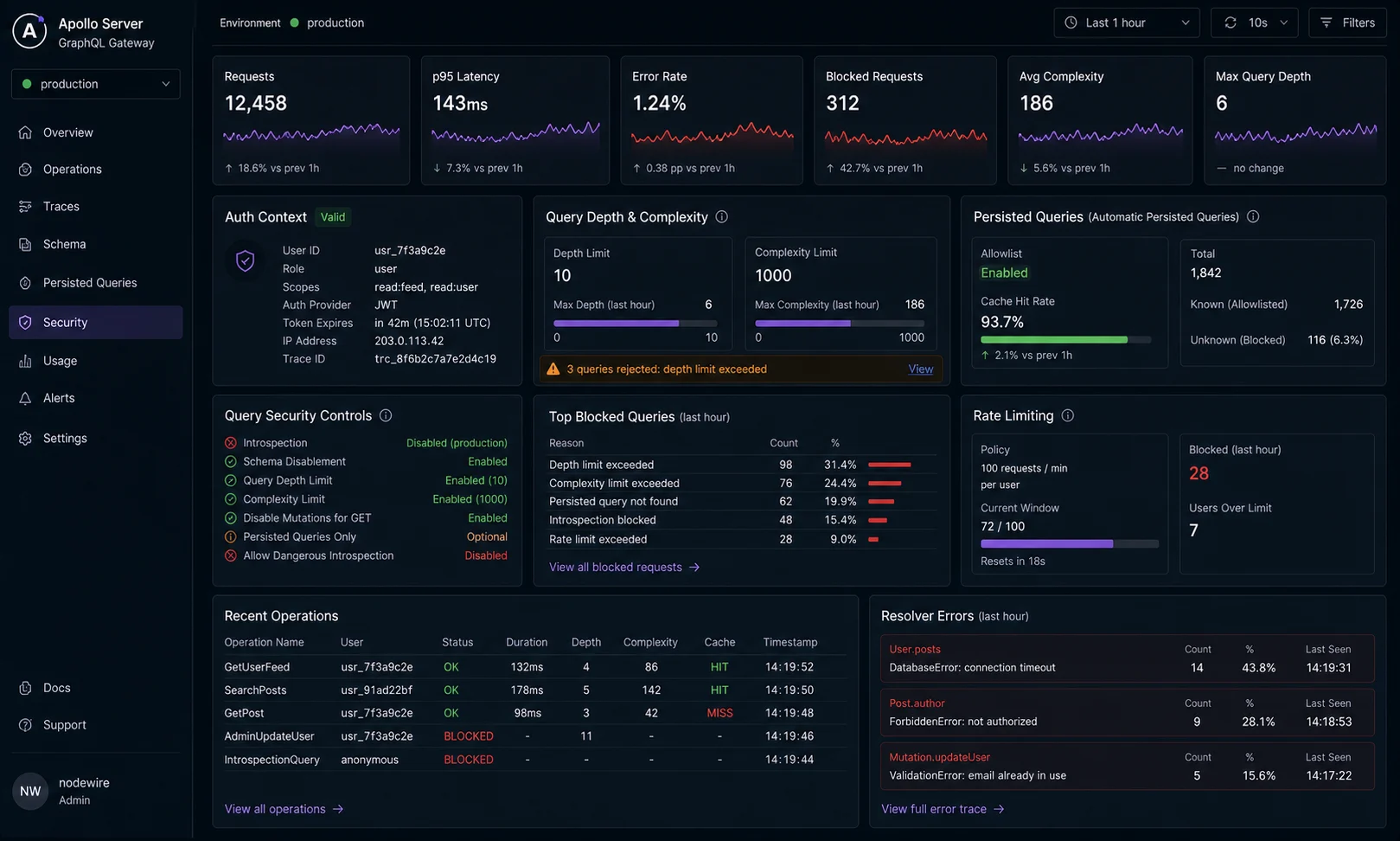
GraphQL’s biggest production risk is a deeply-nested query that fans out to a million database rows. The classic example:
query {
  user(id: "1") {
    friends { friends { friends { friends { friends { id name } } } } }
  }
}
Five levels deep, exponential fan-out. On a friends-graph with average degree 50, that’s 50^5 = 312 million row reads. One query, five seconds, your database is on fire. Cap depth and complexity at the server:
npm i graphql-depth-limit graphql-validation-complexityimport depthLimit from "graphql-depth-limit";
import { createComplexityLimitRule } from "graphql-validation-complexity";
const server = new ApolloServer<Context>({
schema,
validationRules: [
depthLimit(7, { ignore: ["__schema", "__type"] }),
createComplexityLimitRule(1000, {
onCost: (cost) => { /* log to your aggregator */ },
formatErrorMessage: (cost) => `Query too complex: ${cost} (max 1000)`,
}),
],
plugins: [ApolloServerPluginDrainHttpServer({ httpServer })],
});Reject queries deeper than 7 levels (a sane practical limit for most schemas) and queries that would cost more than 1,000 «complexity points» to execute. Complexity assigns a cost to each field — typically 1 for a scalar, more for a list, more again for paginated lists. Tune the budget to your worst expected legitimate query, not your average one. Without these, a query like { user { friends { friends { friends { ... } } } } } can recursively explode and cost you real money in egress and database time.
Pair this with HTTP-layer rate limiting on the /graphql endpoint — different attack surfaces, complementary defences.
Step 7: persisted queries (the production hardening trick)
Once your frontend stabilises, lock the schema down with persisted queries. The client sends a hash; the server only executes the matching pre-registered query. Three big wins:
- No arbitrary queries from production traffic. An attacker can’t send a custom deep-nested query — only the queries you’ve shipped. The DoS surface drops to «what queries did your frontend ship?»
- Smaller payloads. The client sends a 32-byte SHA-256 hash instead of a 4KB query string. On a mobile client, that’s a real bandwidth saving.
- GET requests become CDN-cacheable. Persisted queries unlock GET semantics; same hash + same variables = same response, which means edge caching becomes feasible for read paths.
Apollo Server 5 includes Automatic Persisted Queries (APQ) out of the box — the first request from a client uploads the query and registers it; subsequent requests send only the hash. Configuration is one option:
const server = new ApolloServer<Context>({
  schema,
  persistedQueries: {
    cache: "bounded",                      // in-memory LRU; or supply a Redis-backed cache
    ttl: null,                             // optional TTL for the LRU
  },
  plugins: [ApolloServerPluginDrainHttpServer({ httpServer })],
});
For full lockdown — no query upload allowed at all in production, only pre-registered hashes from your build pipeline — generate a query manifest at build time using generate-persisted-query-manifest from npm, ship the manifest to a Redis cache, and reject any request whose hash isn’t in the manifest. That mode turns your GraphQL endpoint into something that looks more like a fixed REST surface — the flexibility of GraphQL during development, the lockdown of REST in production.
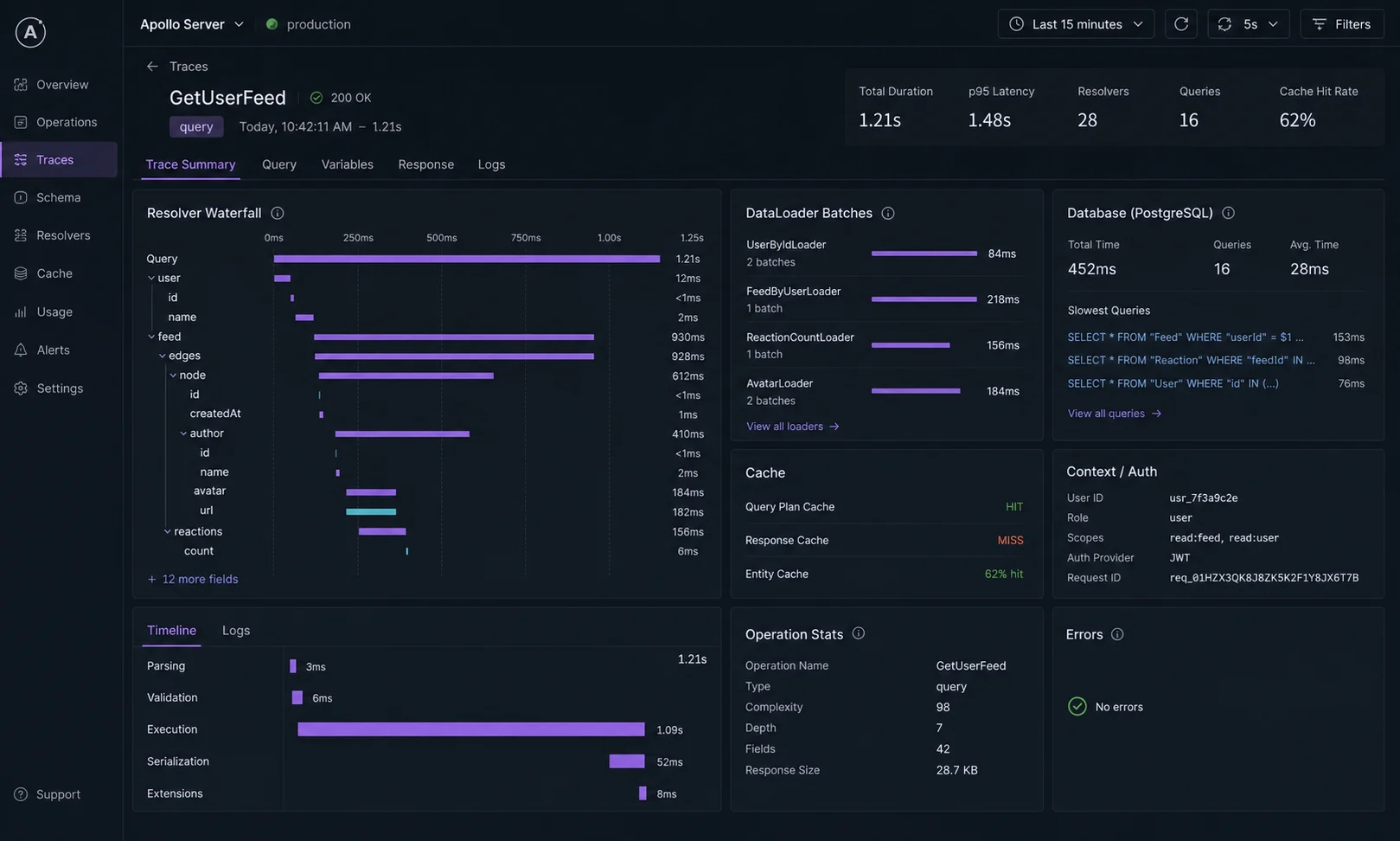
The cost numbers nobody publishes
One client project, real production traffic, one month of measurements. Same schema, three configurations:
| Configuration | p50 query latency | p99 latency | DB queries per request | Egress bytes per request |
|---|---|---|---|---|
| Naive resolvers, no DataLoader | 340ms | 2,100ms | 52 | 14KB |
| DataLoader per request | 47ms | 180ms | 4 | 14KB |
| DataLoader + Redis cache layer | 12ms | 95ms | 0.4 (cache hit ratio 90%) | 14KB |
| DataLoader + Redis + APQ + GZip | 12ms | 95ms | 0.4 | 3.8KB |
The headline: DataLoader alone is a 7× p50 improvement and a 13× DB query reduction. Layering Redis on top of that gets another 4× on p50. APQ + compression cuts egress by 70%. None of these are exotic optimisations — they’re table stakes for any GraphQL endpoint that survives real traffic.
Step 8: testing GraphQL resolvers
Treat the executable schema as a callable function. Don’t go through HTTP for resolver-level tests:
// src/products.test.ts
import { describe, it, expect } from "vitest";
import { ApolloServer } from "@apollo/server";
import { typeDefs } from "./schema.js";
import { resolvers } from "./resolvers.js";

const server = new ApolloServer({ typeDefs, resolvers });

describe("Query.products", () => {
  it("returns a paged list with default limit 20", async () => {
    const res = await server.executeOperation(
      { query: `query { products { id name } }` },
      { contextValue: { user: null, loaders: createTestLoaders() } },
    );
    if (res.body.kind !== "single") throw new Error("expected single");
    expect(res.body.singleResult.errors).toBeUndefined();
    expect(res.body.singleResult.data?.products).toHaveLength(20);
  });
});
For full integration tests (HTTP layer, real Postgres, real auth), use supertest against the Express app — the same pattern as the Node.js API testing guide covers. Keep the resolver-level tests in a separate file so they run fast (no HTTP, no real DB needed if you can mock loaders).
Federation: when one graph isn’t enough
Apollo Federation is the «multiple GraphQL services behind one endpoint» story. Each subgraph owns a subset of the types; the gateway composes them at query time. I’ve shipped Federation on two projects and not shipped it on six. The honest version of when to reach for it:
- Reach for it when three or more independent teams own three or more independent services that share a graph. The seam between «User from auth-service» and «Order from orders-service» is where Federation pays.
- Don’t reach for it when you have one team and one service. Federation is a distributed-systems answer to an organisational problem; if your problem isn’t organisational, you’re paying complexity tax for nothing.
The subgraph code looks like Apollo Server 5 plus the @apollo/subgraph package and a few schema directives (@key, @external). The gateway composes the schemas. If you’re starting one Node.js team’s first GraphQL project, ignore Federation for the first year — you can always migrate later, and starting Federated is one of the most expensive ways to slow yourself down.
Migration: Apollo Server 4 → Apollo Server 5
If you’re on Apollo Server 4, the migration is mechanical. The four changes:
| What | Apollo Server 4 | Apollo Server 5 |
|---|---|---|
| Express integration import | @apollo/server/express4 |
@as-integrations/express5 (or express4) |
| Node.js requirement | v14+ | v20+ |
graphql peer |
^16.6 | ^16.11 |
| Variable coercion errors | 200 + errors | 400 status |
node-fetch in usage reporting |
Bundled | Native fetch |
startStandaloneServer |
Express internal | No Express internal |
Most projects will only feel the import change. If you depend on node-fetch proxy configuration for usage reporting, that’s now controlled via HTTP_PROXY/HTTPS_PROXY environment variables natively in Node. The official Apollo migration guide walks the rest.
When NOT to use GraphQL
- Public APIs with caching as the primary goal. REST + HTTP cache headers is straightforward; GraphQL caching at the edge is harder (every query hash is a cache key, and POST requests aren’t CDN-cacheable by default). CDN-cached REST endpoints scale further with less work — and GraphQL over GET with persisted queries gets you partway there but still costs more wiring.
- Single-client, simple data shapes. If one frontend talks to one backend and the data needs are stable, REST is less ceremony for the same result. GraphQL pays its overhead when clients have very different data needs.
- You can’t enforce query complexity limits. If you can’t cap depth and complexity (because the consumers are wild and undocumented), you’ve signed up for a DoS surface that REST doesn’t have. Either cap the limits and accept the rejected queries, or pick a different architecture.
- The team is small and time-pressured. Apollo Server 5 + DataLoader + complexity rules + codegen is more moving parts than four Express routes. If the project doesn’t survive the next quarter without GraphQL’s flexibility, REST is faster to ship.
Production checklist
- Apollo Server 5 via
@as-integrations/express5on Express 5.1, Node 24 LTS. - Drain plugin for graceful shutdown — don’t drop in-flight queries on rollout.
introspection: falsein production,truein staging/dev.- DataLoader per request via the context function — never a singleton.
- Auth in context, with
requireAuth/requireRolewrappers around resolvers that need it. - Depth limit (5–7) and complexity limit (sized to your worst legitimate query).
- Persisted queries (APQ) for the public surface; locked manifest for high-security APIs.
formatErrorhides internal-server stack traces from clients but preserves your ownGraphQLErrorcodes.- Subscriptions via graphql-ws with Redis PubSub when running multiple instances.
- HTTP-layer rate limiting on
/graphqlvia express-rate-limit. - Resolver tests via
server.executeOperation(), integration tests via supertest. corswith explicit origin allowlist, not*, in production.- Schema-first with codegen if you have non-Node consumers; code-first with Pothos if you’re TypeScript-only.
Troubleshooting FAQ
How do I set up GraphQL with Node.js?
Install @apollo/server, @as-integrations/express5, and graphql, define a schema (SDL), implement resolvers, and mount Apollo’s Express middleware on a route. Add a context function for auth and per-request DataLoaders. The full setup is six files end to end and covered in the steps above.
Apollo Server 5 vs Apollo Server 4 — what changed?
Apollo Server 5 unbundled the Express integration into separate @as-integrations/express4 and @as-integrations/express5 packages, dropped Node 14/16/18 support (now requires Node 20+), bumped the GraphQL peer to ^16.11, switched usage reporting to native fetch, and made variable coercion errors return 400 instead of 200. The migration is mostly mechanical — change the import path, bump Node, run tests.
How do I solve the N+1 problem in GraphQL?
DataLoader. Create a loader per request (in the context function), batch related lookups by ID, dedupe within a request. Resolvers call loader.load(id) instead of hitting the database directly. The loaders coalesce all loads from a single request tick into one batched DB query.
GraphQL vs REST API — which should I use?
GraphQL when clients have very different data needs and you want to ship one API to a mobile app, a web app, and a partner. REST when the data shape is stable, caching at the edge matters, and the consumers are few. Both are fine; pick one and commit. Don’t run both in parallel for the same data — that’s twice the surface, twice the bugs.
How do I authenticate GraphQL requests?
Validate the JWT or session in the context function (runs once per request) and attach the user to context. Wrap resolvers that require auth with a higher-order function (requireAuth) that throws GraphQLError with code UNAUTHENTICATED when ctx.user is null. Don’t put auth checks inside individual resolvers — it’s noise that drifts.
How do I prevent GraphQL DoS attacks?
Cap query depth (5–7 is reasonable) and query complexity (a budget that scales with your worst expected query). Use graphql-depth-limit and graphql-validation-complexity as Apollo validation rules. Combine with HTTP rate limiting at the /graphql endpoint and persisted queries in production for full lockdown.
Should I use schema-first or code-first?
Schema-first if your team includes non-Node consumers (mobile, partner integrations). The SDL file is the source of truth, easy to share, easy to lint. Code-first (Pothos, Nexus) if your team is TypeScript-only and you want type safety on resolvers without a codegen step.
Where do I put error logging?
In formatError on the ApolloServer instance. Internal-server errors get logged to your aggregator (Sentry, DataDog) and returned to the client as a generic «Internal server error» without stack traces. GraphQLError instances with codes you’ve set (UNAUTHENTICATED, NOT_FOUND, VALIDATION) pass through unchanged.
How do I scale subscriptions across multiple Node instances?
Replace the in-memory graphql-subscriptions PubSub with graphql-redis-subscriptions. Same API, Redis-backed fan-out. A publish on instance A reaches subscribers on instance B via a Redis channel.
Can I use Apollo Server 5 with Fastify or Hono?
Yes — Apollo’s integrations include @as-integrations/fastify and a Hono integration. The patterns in this article translate directly; only the app.use(...) shape changes.
What ships next
The GraphQL layer is the contract with your clients. The next layers are the data store it queries, the auth that gates it, and the rate limiting that protects it. Postgres + Prisma covers the data layer DataLoader sits on top of. JWT authentication covers the token validation in the context function. Express rate limiting covers the HTTP-layer defence in front of /graphql. Together they make GraphQL on Node.js a stack you can hand to a paying client.