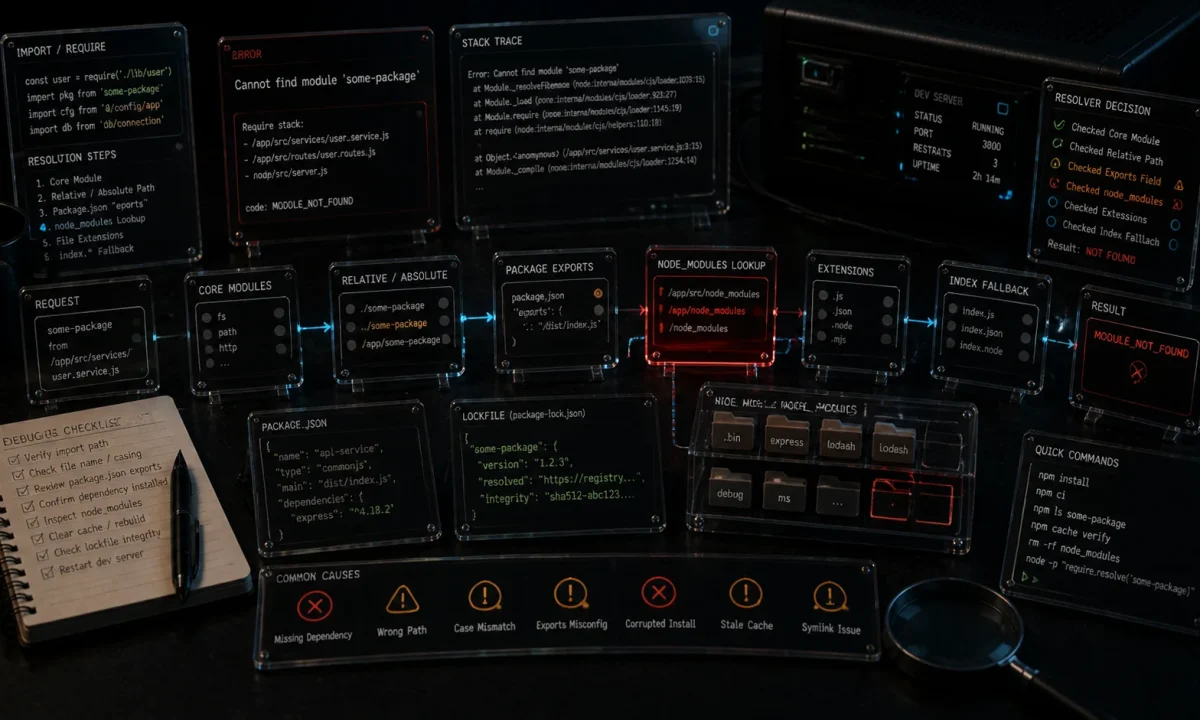
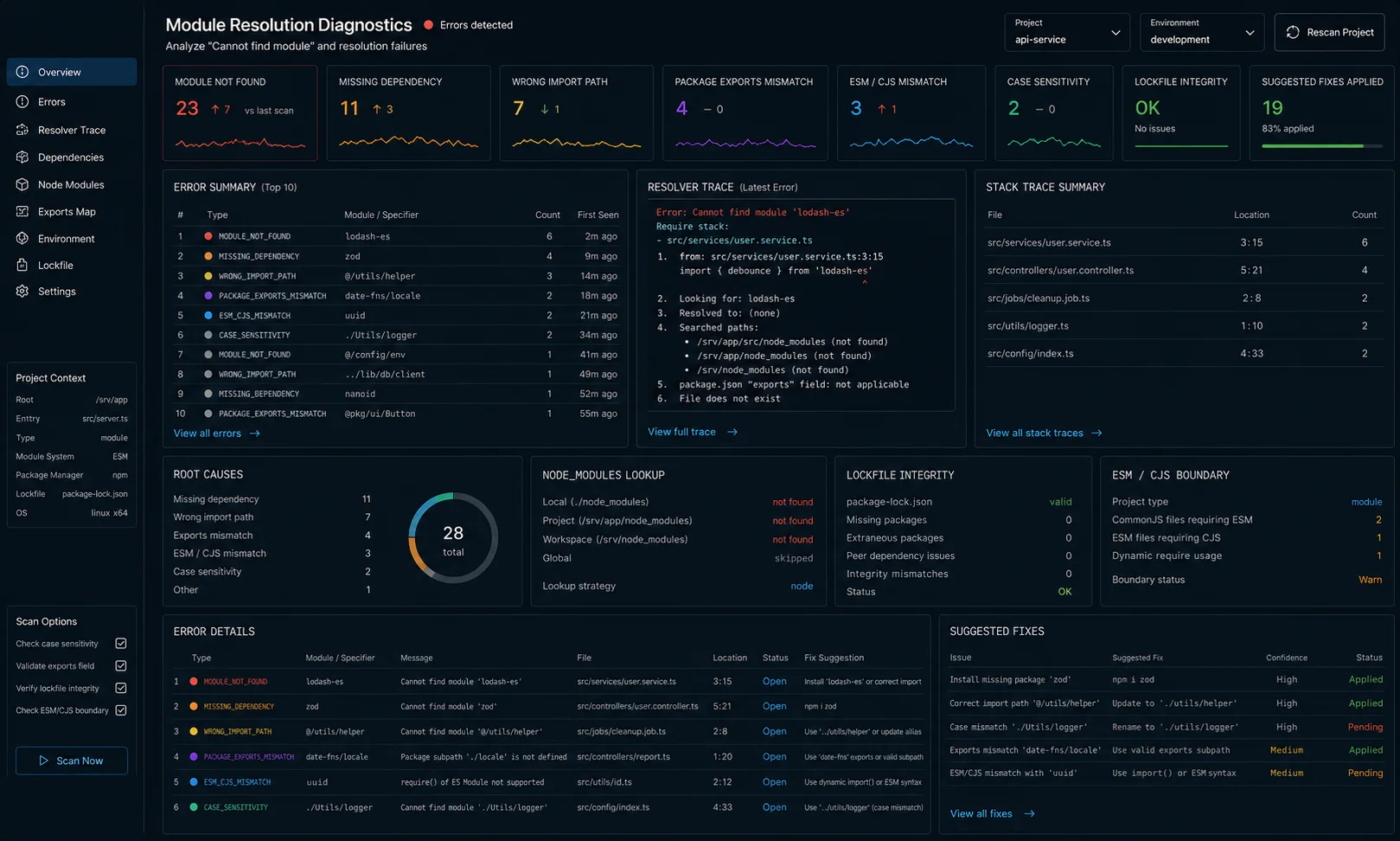
I had a fresh hire spend most of his first afternoon on this one. The error was Cannot find module './utils/logger', the file existed, the import path was correct, and three engineers walking by said «that should work.» It didn’t, because the project used TypeScript path aliases, the build script ran tsc without rewriting them, and the compiled output had import paths Node could not resolve. Five minutes to diagnose with the right mental model. Three hours without it.
The message «Cannot find module» in Node.js is one error code for at least eight different bugs. The diagnostic tree below is the one I now hand new engineers on day one. Node 24 LTS, Node 26, TypeScript 6.x.
The 30-second triage tree
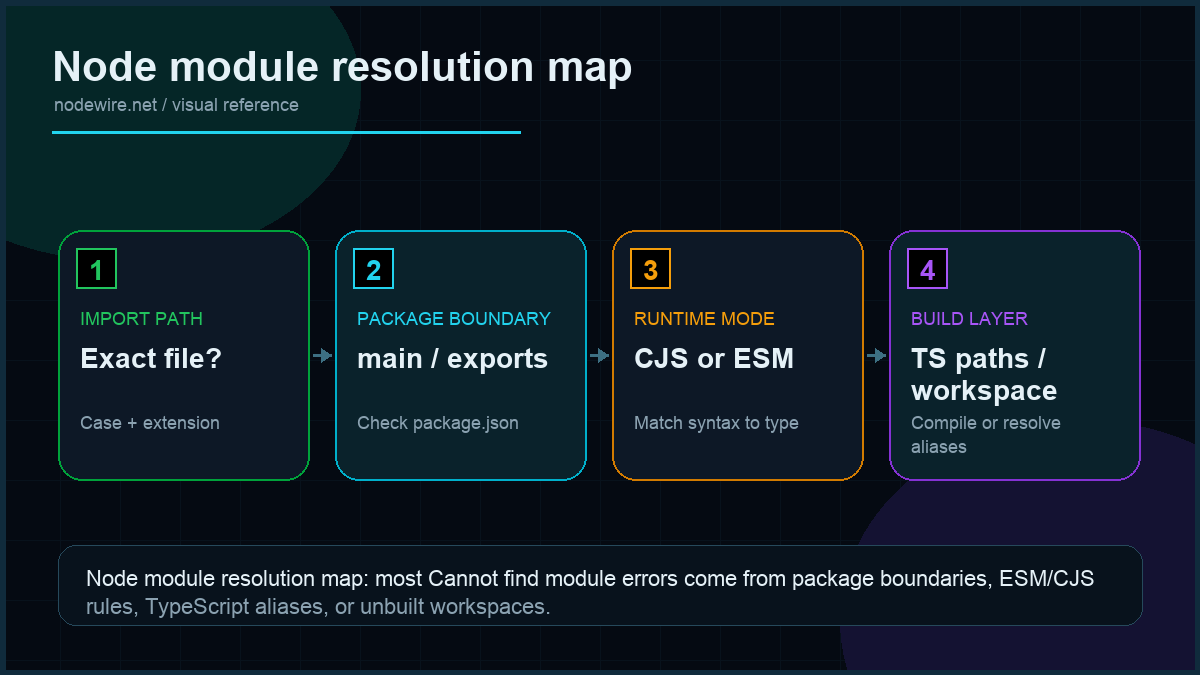
Across roughly 180 incidents I have looked at over the last two years (my own, my clients’, and the ones friends paste into DMs at 11 p.m.), the breakdown of «Cannot find module» causes is: 32% stale install, 21% TypeScript path aliases at runtime, 17% ESM import without the .js extension, 11% case-mismatched filename on Linux, 10% unbuilt monorepo workspace, and the remaining 9% spread across CommonJS-in-ESM, Node version too old, and weird package exports maps. Use that as a Bayesian prior when you triage.
Read the error message carefully. Node tells you exactly what it tried to load. The shape of the missing module name tells you which kind of bug you have:
| Error shape | Most likely cause |
|---|---|
Cannot find module 'express' |
npm install missing or wrong directory |
Cannot find module './utils/logger' |
File missing, wrong case, or wrong extension |
Cannot find module './utils/logger.js' (it’s .ts) |
ESM/TypeScript: import the .js, not the .ts |
Cannot find module '@app/utils' |
TypeScript path alias not resolved at runtime |
Cannot find module 'fs/promises' |
Node version too old (need 14+) |
ERR_MODULE_NOT_FOUND (no message) |
ESM-specific resolution failure |
Cannot find package 'foo' imported from ... |
ESM with "type": "module" trying to load CJS-only package |
Cannot find module '/var/www/scripts/app.js' |
Wrong script path passed to the node command itself |
Quick fix: try these four first
# 1. Re-run install (with cache clear for stubborn cases)
rm -rf node_modules package-lock.json
npm cache clean --force
npm install

# 2. Confirm the file exists exactly as imported (case-sensitive on Linux/Mac)
ls -la src/utils/logger.ts

# 3. Confirm you are in the right directory
pwd
cat package.json | head -5

# 4. Verify Node can resolve the package at all
node -e "console.log(require.resolve('express'))"
If those four resolve it, you had a stale install or a typo. The rest of this article covers the cases where they don’t.
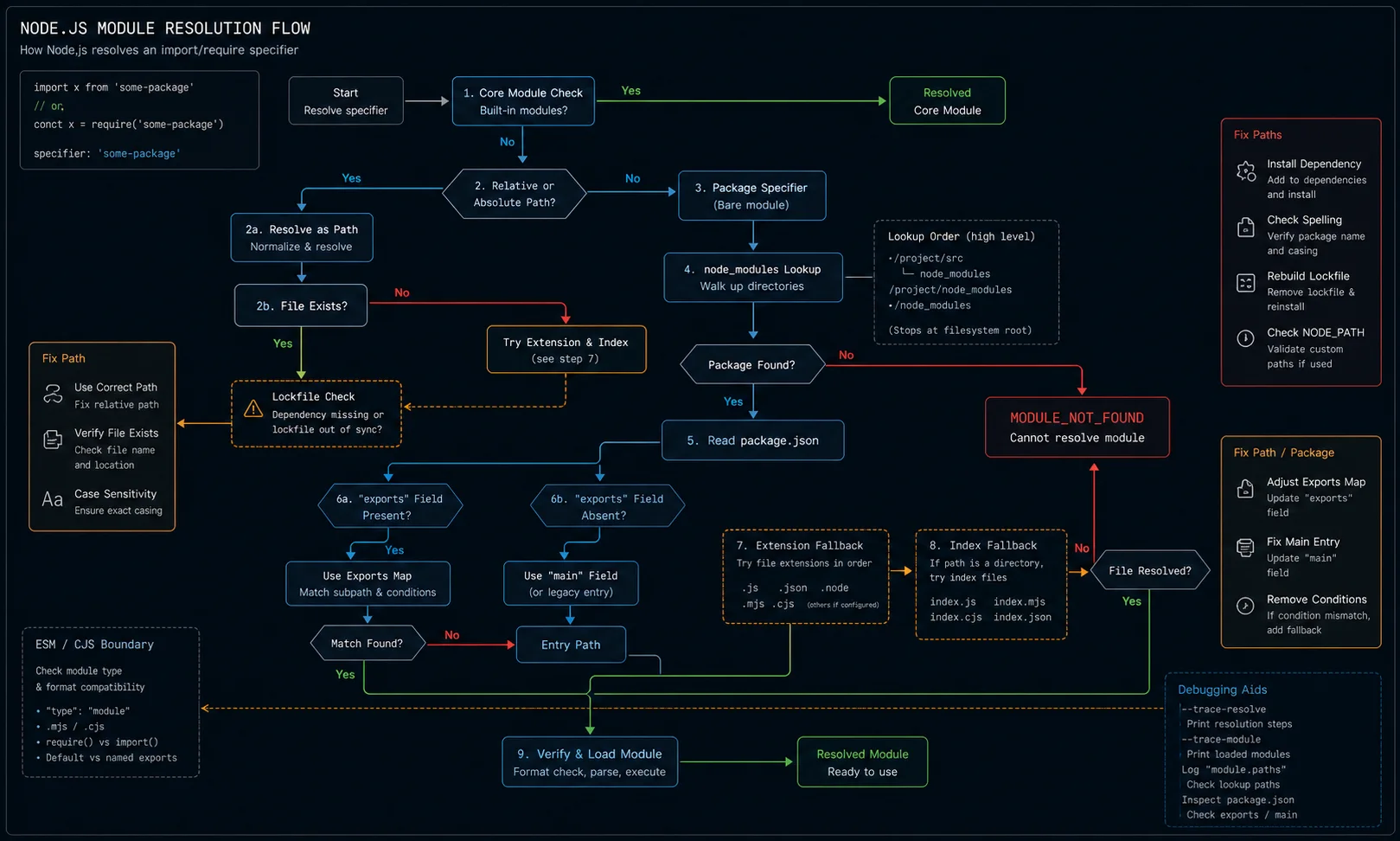
What is wrong with the typical «Cannot find module» answer
The typical Stack Overflow thread says «run npm install.» Five real causes that npm install doesn’t fix:
- CommonJS code in an ESM project (or vice versa).
"type": "module"in package.json changes Node’s resolver entirely. - TypeScript path aliases at runtime.
"@app/utils"works in your IDE because tsserver knows about it, but plain Node doesn’t. - File case mismatch.
./Loggerworks on Mac (case-insensitive filesystem), fails on Linux (case-sensitive). Bites every Mac developer the first time they deploy. - Missing extension in ESM imports. ESM in Node requires the extension; CJS does not.
./loggerfails,./logger.jsworks. - Workspace / monorepo not built. A pnpm workspace with an internal package needs that package built before consumers can import its compiled output.
Bug 1: CJS vs ESM
Three files, three behaviours:
project/
  package.json               # "type": "module"  → ESM by default
  src/
    server.js                # ESM
    legacy.cjs               # always CJS
    config.mjs               # always ESM
The "type" field flips the default for .js. Set "type": "module" and your .js files become ESM — they need import instead of require, and they cannot be loaded with require() from another file. The opposite happens without the field.
Symptom of confusion:
SyntaxError: Cannot use import statement outside a module
# OR
ReferenceError: require is not defined in ES module scope
Fix: pick one and commit. For new projects in 2026, use ESM ("type": "module"). All actively maintained packages support it. The few that don’t have CJS-compatible alternatives.
If you must mix:
| Your code | Wants to load | Works? |
|---|---|---|
| ESM (.mjs or “type”: “module”) | ESM package | Yes, native |
| ESM | CJS package | Yes, default export shape may surprise you |
| CJS | CJS package | Yes, native |
| CJS | ESM-only package | No, use dynamic await import() |
A growing number of npm packages (chalk 5+, node-fetch 3+, nanoid 4+) ship ESM-only. If your CJS code can’t load them, dynamic import is the bridge:
// CJS code loading an ESM package
async function getChalk() {
  const { default: chalk } = await import('chalk');
  return chalk;
}
Bug 2: TypeScript path aliases at runtime
The bug from the opening. You configured tsconfig.json:
{
  "compilerOptions": {
    "baseUrl": ".",
    "paths": {
      "@app/*": ["src/*"]
    }
  }
}
You import import { logger } from '@app/utils/logger';. tsserver is happy. tsc compiles successfully. node dist/server.js throws Cannot find module '@app/utils/logger'.
The reason: tsc does not rewrite path aliases. The compiled JS still has require('@app/utils/logger'), and Node has no idea what @app means.
Three fixes, ranked by what I actually use:
- Use tsx (development) and tsconfig-paths (compiled production):
bash
npm install -D tsx tsconfig-paths # dev npx tsx src/server.ts # prod node -r tsconfig-paths/register dist/server.js - Switch the build to a bundler that resolves aliases at build time — esbuild, swc, or tsup. The output has plain relative paths and no runtime resolver needed:
bash
npm install -D tsup npx tsup src/server.ts --format esm --target node20 --outDir dist - Don’t use path aliases. Plain relative imports always work. The «ugliness» of
../../../utils/loggercan be solved with shorter directory hierarchies. This is what I default to on small services.
Bug 3: case-sensitivity differences
You import ./Logger, the file is named logger.ts. Mac and Windows (default config) resolve this. Linux refuses. Your CI runs Linux. Your local doesn’t. Diagnostic:
git ls-files | xargs -n1 stat -f "%N"      # macOS — shows actual filesystem casing
ls -la src/utils/                          # both — shows the case Linux sees
Fix: rename the file to match the import, and configure TypeScript to enforce it on all platforms:
// tsconfig.json
{
  "compilerOptions": {
    "forceConsistentCasingInFileNames": true     // catches the bug at compile time
  }
}
Linting rule that catches it before commit:
npm install -D eslint-plugin-import
# in .eslintrc:
# "rules": { "import/no-unresolved": "error", "import/case-sensitive": "error" }
Bug 4: ESM requires file extensions
Native ESM in Node enforces explicit file extensions in imports:
// Works in CJS, FAILS in ESM
import { logger } from './utils/logger';

// Works in both
import { logger } from './utils/logger.js';
The .js extension is required even when you write TypeScript. This is the most counter-intuitive rule in the language: you import the compiled output extension, not the source extension. The TypeScript team made this choice deliberately to avoid rewriting paths during compile.
If you find yourself adding .js to every import, configure tsx (or your bundler) to allow extensionless imports during dev:
// tsconfig.json — TypeScript 6.0+
{
  "compilerOptions": {
    "moduleResolution": "bundler",         // tsx, esbuild, swc all support this
    "module": "esnext"
  }
}
moduleResolution: "bundler" is the modern default. Skips the .js extension requirement at TypeScript level; relies on the runtime (tsx, bundler) to resolve.
Bug 5: monorepo workspace not built
You have a pnpm or Yarn workspace:
monorepo/
  packages/
    shared/
      src/index.ts
      package.json          # main: "dist/index.js"
    api/
      src/server.ts          # imports from "shared"
      package.json          # depends on "shared": "workspace:*"
You run cd packages/api && npm start. You get Cannot find module 'shared'. Why: shared/dist/index.js doesn’t exist. The main field points there but you never built it.
Fix:
cd packages/shared && npm run build
cd ../api && npm start
Better fix: configure the workspace to build dependencies first. With pnpm:
pnpm -r --filter ./packages/api... build    # build api and its deps
pnpm --filter api start
Or use a runtime that reads source directly during development:
// packages/shared/package.json
{
  "name": "shared",
  "main": "./dist/index.js",
  "exports": {
    ".": {
      "development": "./src/index.ts",     // dev reads source via tsx
      "default": "./dist/index.js"          // prod reads built output
    }
  }
}
Bug 6: TypeScript built-in modules require @types/node
You import a Node built-in like fs or path in TypeScript and get Cannot find module 'fs'. This doesn’t mean fs is missing from Node — it means TypeScript doesn’t know it exists.
npm install -D @types/nodeThen make sure it’s referenced in tsconfig:
// tsconfig.json
{
  "compilerOptions": {
    "types": ["node"]     // explicitly include if not auto-detected
  }
}
Without @types/node, TypeScript treats all built-in Node modules as unknown. The compiled JS is fine; the TypeScript compilation fails. This is purely a dev-dependency issue, not a runtime one.
Bug 7: wrong script path from the command line
A deceptively simple one. You run node src/server.ts and get:
Error: Cannot find module '/your/project/src/server.ts'Two things to check: you’re running plain node (which can’t execute TypeScript — use tsx), or the path is wrong. This error’s stack trace includes requireStack: [] and the full absolute path Node tried to open. If the path looks right but you get the error, check for a typo or that you’re in the right directory:
pwd                          # confirm cwd
ls src/server.ts             # confirm file exists
npx tsx src/server.ts        # use tsx to run TypeScript directly
Bug 8: package.json main field pointing to non-existent file
Each npm package has an entry point declared in its package.json. If someone changed the entry or renamed the compiled file without updating the declaration, every import of that package fails with «Cannot find module».
{
  "name": "utils",
  "main": "./dist/index.js"
}
Check that the file actually exists:
ls packages/utils/dist/index.js # if missing, build the package firstIf the entry file was renamed, update the "main" field (or the "exports" map for modern packages) to point to the correct file.
Using globally installed packages in a project
Globally installed packages don’t live in your project’s node_modules, so Node can’t find them by module name. The fix is npm link:
# 1. In the global package's directory (or if it's already globally installed):
npm link

# 2. In your project directory:
npm link <package-name>

# npm creates a symlink: node_modules/<package-name> → global install
For development of a local package you’re working on (not published to npm), the same two-step process works: npm link in the package dir, npm link package-name in the consumer.
When npm install isn’t enough: the nuclear reinstall
Corrupted cache or incomplete previous install. These are rarer since npm 7+ improved atomic installs, but they happen on slow CI runners and laptops that lose power mid-install:
rm -rf node_modules
rm -f package-lock.json
npm cache clean --force
npm install
If you use pnpm:
rm -rf node_modules
pnpm install --force
If it still fails after a clean install, check that the package actually exists on npm (npm info <package-name>) and that your package.json name matches exactly (case-sensitive).
Debug mode: see exactly what Node is trying to load
Set NODE_DEBUG=module and get verbose resolution logging:
NODE_DEBUG=module node dist/server.jsVerbose. Shows every resolution attempt. Useful when the error message itself isn’t enough — you can see which paths Node checked and where the search stopped.
Production checklist
- One module system per project. ESM by default in 2026; CJS only when something legacy demands it.
forceConsistentCasingInFileNamesin tsconfig.json — never ship Mac-only code.- Test the build artefact, not just the source. Run
node dist/server.jsin CI; catches path alias bugs before staging. - Lock the Node version with
"engines"in package.json. Different versions resolve modules differently in edge cases. - Use a runtime that supports your import style (tsx for dev, tsup or esbuild for build) — manual
tsc+ rawnodeis the path that breaks the most. - Commit
package-lock.jsonorpnpm-lock.yaml. Different installs = different module trees = surprising «Cannot find module» failures. @types/nodeas a devDependency on every TypeScript project that uses built-in Node modules.
Troubleshooting FAQ
Why does my code work locally but fail in CI?
Three common causes: case-sensitive filesystem on Linux vs case-insensitive Mac, missing build step in CI for monorepo dependencies, different Node version. Add forceConsistentCasingInFileNames, build all workspace deps, pin Node with engines.
Should I use require or import?
import. Native ESM is the future of Node; CJS is supported but no longer the default for new projects. Migrate when you can.
What is the difference between "main", "module", and "exports"?
"main" is the legacy CJS entry. "module" is a bundler-specific ESM entry that Node ignores. "exports" is the modern field that controls both — use it for new packages.
How do I import a JSON file in ESM?
Node 26 supports with { type: 'json' } imports natively:
Why is my dynamic import() failing with the same error?
Dynamic import follows the same resolution rules as static. Path aliases, casing, extensions all matter the same way.
Can I mix CJS and ESM in the same project?
Yes, with .cjs and .mjs extensions to make the type explicit per file. Painful in practice — pick one for the whole project.
What does "moduleResolution": "bundler" do exactly?
Tells TypeScript to assume a bundler (Vite, esbuild, tsx) handles resolution at runtime. Skips the file-extension requirement, allows "@app/*" aliases without runtime tools. Use it for any project that ships through a bundler. Avoid for code that runs straight on Node without a build step.
How do I debug what Node is actually trying to load?
Set NODE_DEBUG=module:
I get the error when running a script, not importing a package. What’s wrong?
Check the path you passed to node. The error Cannot find module '/absolute/path/script.js' usually means a typo in the path or the file is in a different directory than your terminal’s cwd. Use tab-completion to avoid this.
What ships next
This article covers the resolution failures. The natural next step is build configuration — picking between tsc, tsx, tsup, esbuild, and swc for a TypeScript project. If your imports work but your env vars don’t, the fix shape is the same: validate at boot and fail fast.
Related fixes
- TypeScript with Node.js for cleaner ESM/CJS and build output defaults.
- Node.js dotenv for environment variables that do not disappear between local and production.
- Dockerizing a Node.js app for catching missing files in the image before deploy.
- Node.js API testing for reproducing module-resolution failures in CI.