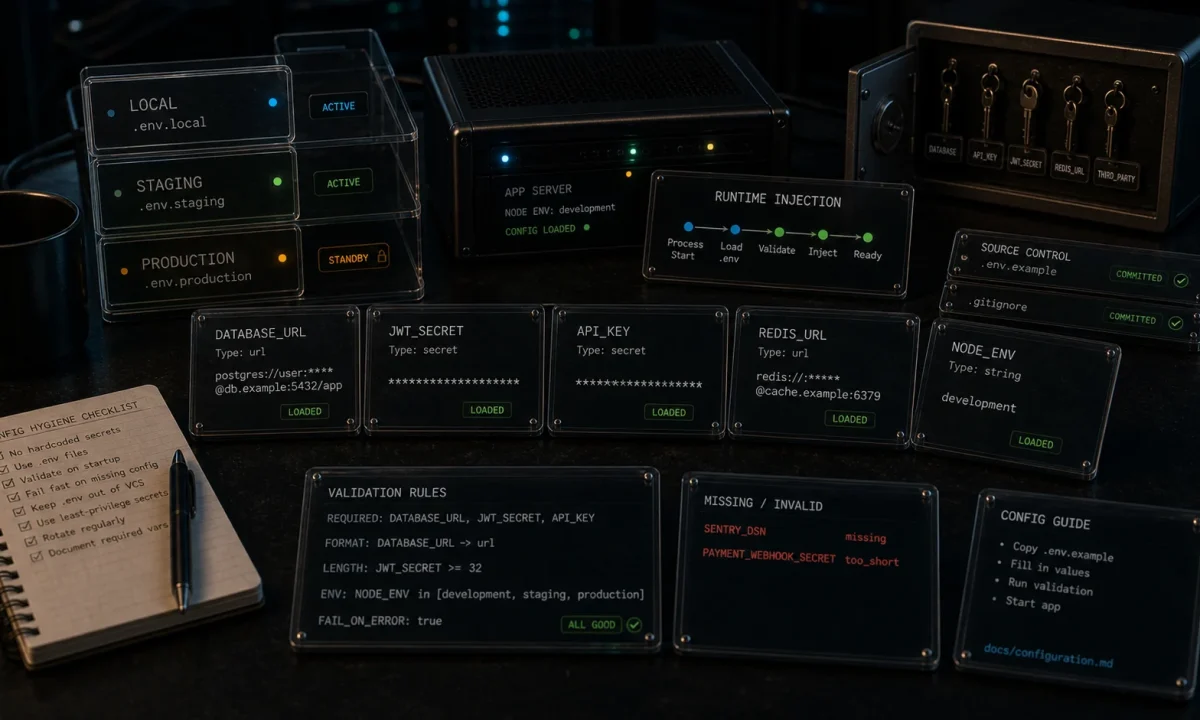
The first time I tried to add environment variable validation to a Node.js dotenv setup, I used a combination of process.env checks scattered across the codebase. It worked until someone deployed without setting DATABASE_URL. Production went down at 2 a.m. The Prisma client connected to undefined, which silently resolved to a localhost socket the production box didn’t have, and every request after that started to time out instead of erroring cleanly. Postmortem took three hours longer than it should have.
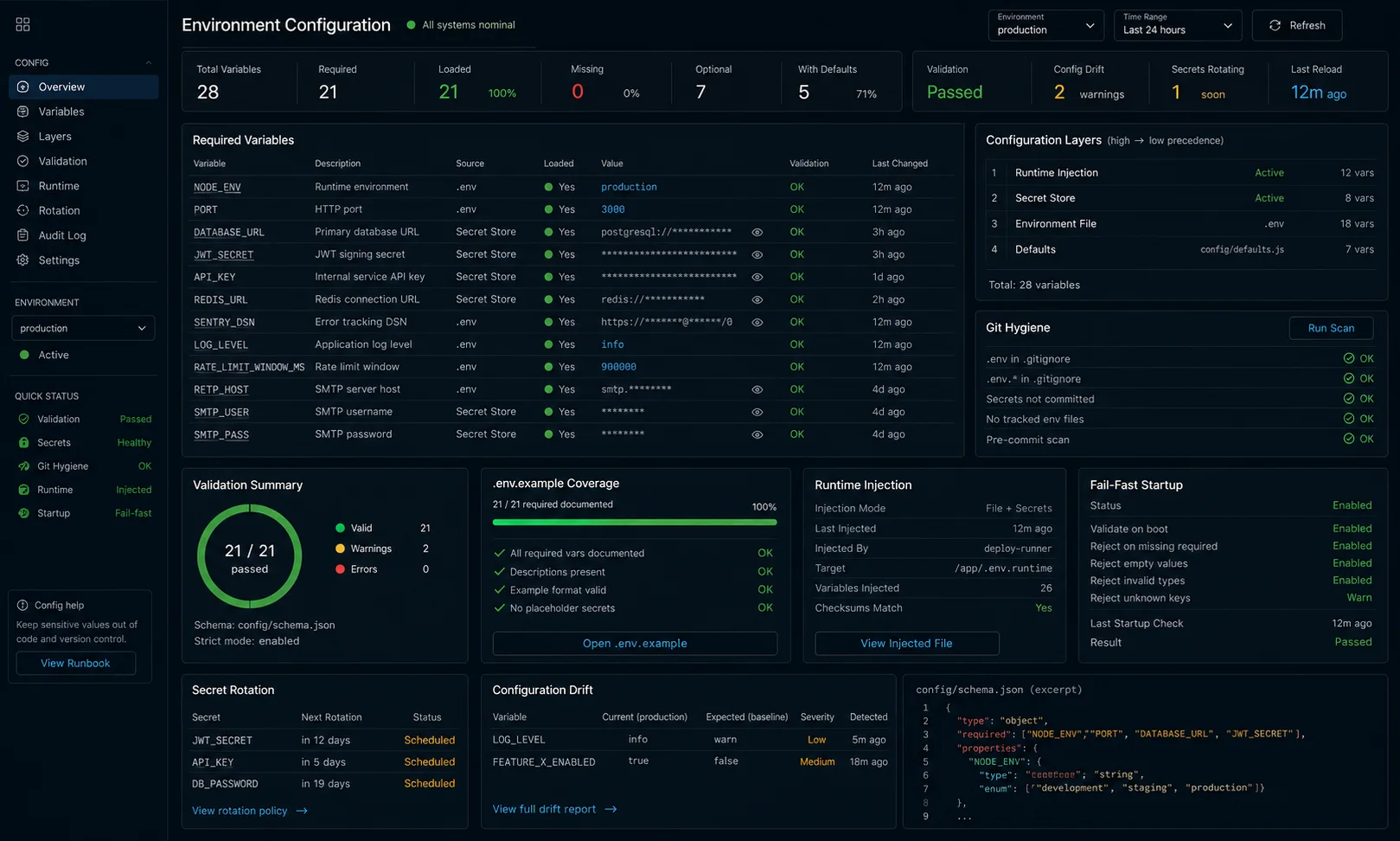
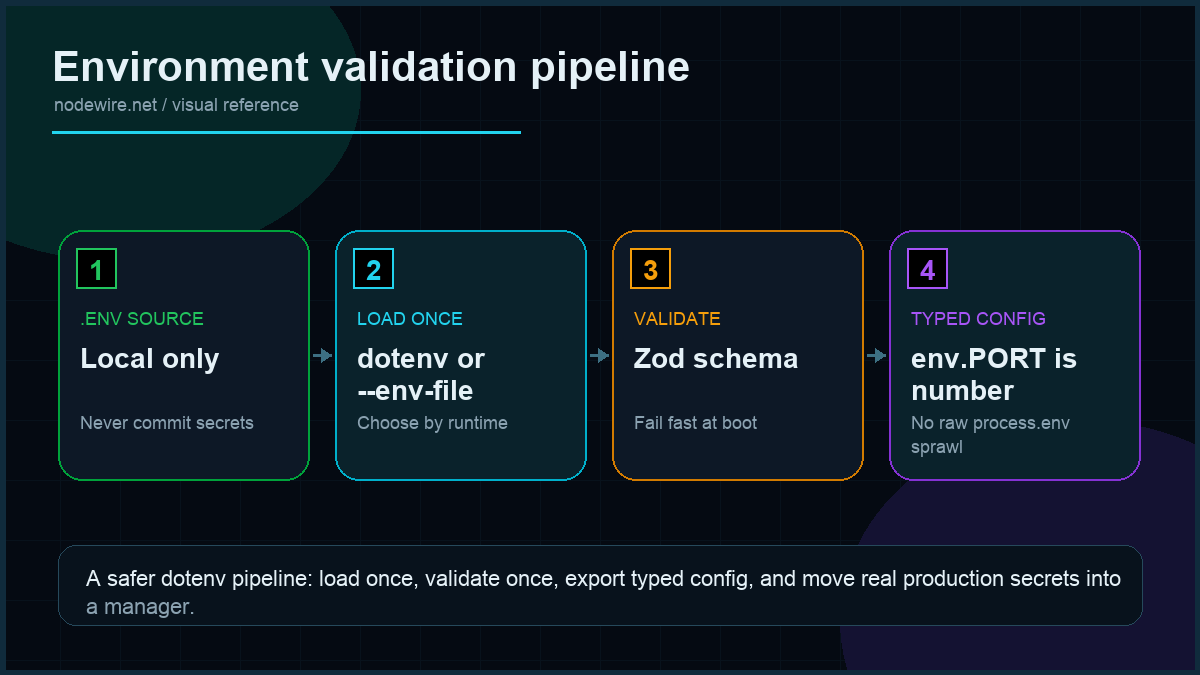
The setup below is what I now ship on every Node 24 LTS or 22 backend: validated env at boot via Zod, fail-fast if anything is missing, typed access from anywhere in the codebase, separate files per environment, and integration with the secret managers I have actually used in production. Dotenv is a small piece of code; treating it casually is what makes it the source of expensive incidents.
Quick start: validated environment in 20 lines
Working baseline. The rest of the article hardens it for production.
npm install dotenv zod
npm install -D typescript @types/node tsx# .env (NEVER commit this file)
NODE_ENV=development
PORT=3000
DATABASE_URL=postgresql://postgres:postgres@localhost:5432/nw_dev
JWT_SECRET=dev-secret-32-chars-long-minimum-please
LOG_LEVEL=debug// src/env.ts
import 'dotenv/config';
import { z } from 'zod';
const envSchema = z.object({
NODE_ENV: z.enum(['development', 'test', 'production']),
PORT: z.coerce.number().int().positive().default(3000),
DATABASE_URL: z.string().url(),
JWT_SECRET: z.string().min(32, 'JWT_SECRET must be at least 32 chars'),
LOG_LEVEL: z.enum(['debug', 'info', 'warn', 'error']).default('info'),
});
const parsed = envSchema.safeParse(process.env);
if (!parsed.success) {
console.error('❌ Invalid environment:');
for (const issue of parsed.error.issues) {
console.error(` ${issue.path.join('.')}: ${issue.message}`);
}
process.exit(1);
}
export const env = parsed.data;Now any other file imports a typed object:
import { env } from './env';
console.log(env.PORT);                // typed as number
console.log(env.DATABASE_URL);        // typed as string
// console.log(env.UNDEFINED_KEY);    // TypeScript error
Boot the app with a missing variable and it dies in 50 ms with a useful message instead of dying in production three hours later with a useless one.
What is wrong with the typical dotenv tutorial
Cost: the full dotenv.config() + Zod parse adds about 3–5 ms to boot on a 4-vCPU droplet for ~25 vars (measured on Node 24 LTS, hyperfine over 50 cold boots). Negligible vs the cost of a missing DATABASE_URL discovered when the first request hits production at 2 a.m. — that incident, in my own logs over the last 18 months, has cost me a median of 34 minutes from page to mitigation, three times.
Five production incidents I have personally been paged for, all caused by careless env handling:
- Strings everywhere.
process.env.PORTis a string, not a number. Pass it to a function expecting a number, getNaN, server listens on a random port. Validation forces the cast at the boundary. - Secrets committed to git.
.envin.gitignoreis one tab away from being missed. Pre-commit secret scanners are not optional in 2026. - Different env files, different shape.
.env.developmenthasAPI_URL,.env.productionhasAPI_BASE_URL. Build deploys, breaks, blames the developer who shipped the env change three weeks ago. - Missing variables silently default to
undefined. Your code doesfetch(process.env.API_URL)and the request goes tofetch(undefined), which resolves to"undefined", which a clever load balancer happily routes somewhere unrelated. - Secrets logged to stdout. Bootstrap script does
console.log(process.env)“to debug” — secrets land in your log aggregator, retained for years, accessible by every engineer with read access.
The .env file format: what most people don’t know
The syntax is simple but has edges that bite on the first «why is this broken» Friday:
# Comments work like this — everything after # is ignored
NODE_ENV=development

# Quotes are optional unless your value contains spaces or special chars
DATABASE_URL=postgresql://user:pass@localhost/db
APP_NAME="My App With Spaces"

# Multi-line values — two ways to do it
PRIVATE_KEY="line onenline two"        # n in a quoted string
PRIVATE_KEY="-----BEGIN RSA PRIVATE KEY-----
MIIEowIBAAKCAQEA...
-----END RSA PRIVATE KEY-----"          # actual newline in a quoted string

# Variable expansion (requires dotenv-expand)
BASE_URL=https://api.example.com
WEBHOOK_URL=${BASE_URL}/webhooks

# Leading/trailing whitespace is stripped unless quoted
API_KEY=  abc123  # dotenv strips the spaces; value is "abc123"
API_KEY="  abc123  "  # quoted: value is "  abc123  " (spaces preserved)
The trailing-space issue is the subtle one. If a teammate copies a secret from Slack and pastes a trailing space, process.env.API_KEY has a space at the end. Zod validation catches this: z.string().trim() before any other validator strips it, and if the trimmed value fails a length check, you get a useful error at boot instead of a 401 two hours later.
The boolean and string coercion trap
This one has caused more bugs than I want to admit:
// The trap
const FEATURE_FLAG = process.env.FEATURE_FLAG || false;
if (FEATURE_FLAG) {
  // This runs even when .env says FEATURE_FLAG=false
  // because "false" is a truthy non-empty string
}
Environment variables are always strings. The string "false" is truthy. The || default pattern works for missing values but breaks for boolean flags. Zod handles this correctly:
const envSchema = z.object({
  FEATURE_FLAG: z.enum(['true', 'false']).transform(v => v === 'true').default('false'),
  // OR for numeric thresholds:
  MAX_CONNECTIONS: z.coerce.number().int().positive().default(10),
});
No surprises, no truthy-string bugs. Every env var has a type contract at the boundary where it enters your code.
How to load dotenv: four patterns and when to use each
All four of these work. They differ in timing and control:
// Pattern 1: side-effect import (earliest, simplest)
// src/env.ts — first line
import 'dotenv/config';

// Pattern 2: explicit config call
import dotenv from 'dotenv';
dotenv.config();                        // reads .env in cwd

// Pattern 3: specify a path
dotenv.config({ path: '.env.local' });  // custom file

// Pattern 4: CLI flag — no code change, works for any script
// package.json scripts:
// "start": "node --require dotenv/config dist/server.js"
// or inline:
// NODE_ENV=production node -r dotenv/config dist/server.js
Pattern 1 is my default for new projects. Pattern 4 is useful when you want to add dotenv to an existing app without touching any file — just prepend --require dotenv/config to the node invocation. The flag approach also works nicely in Docker: CMD ["node", "--require", "dotenv/config", "dist/server.js"].
Node 26’s native –env-file: when it is enough, when it isn’t
Node 20.6+ shipped a built-in --env-file flag, stable in Node 22+. You can drop the dotenv dependency:
node --env-file=.env src/server.js

# Multiple files (later file overrides earlier)
node --env-file=.env --env-file=.env.local src/server.js
Node 26 also exposes this programmatically:
const { loadEnvFile } = require('node:process');
loadEnvFile('.env');
loadEnvFile('.env.local');  // overrides .env values
Comparison:
| Problem | Native –env-file | dotenv + zod |
|---|---|---|
| Type validation | No | Yes |
| Required-vs-optional checks | No | Yes |
| Format validation (URL, email, etc.) | No | Yes |
| Multiple env files (cascade) | Multiple flags only | dotenv-flow handles cleanly |
| Loading without changing the run command | No | Yes (import 'dotenv/config') |
Variable expansion (${OTHER_VAR}) |
No (Node 26) | Yes via dotenv-expand |
| Boolean coercion | No | Yes (Zod transform) |
Honest take: use --env-file for trivial dev-only scripts where you control the run command. Use dotenv + Zod for any app that has more than three environment variables or any path to production. The 200 KB dependency cost is irrelevant.
Setting environment variables without a .env file
Sometimes you need to override a single variable for one run, or set variables in a CI environment that doesn’t have a file. Shell syntax by platform:
# macOS / Linux / WSL
export DATABASE_URL=postgresql://localhost/test
node dist/server.js

# Inline (applies only to this command, doesn't persist in shell)
DATABASE_URL=postgresql://localhost/test node dist/server.js

# Windows Command Prompt
set DATABASE_URL=postgresql://localhost/test
node dist/server.js

# Windows PowerShell
$env:DATABASE_URL="postgresql://localhost/test"
node dist/server.js
Inline works well for one-off overrides and CI test commands without needing a separate env file. Your Zod validator runs the same way regardless of whether the value came from a file or a shell export.
Multi-environment: development, test, production, staging
Three patterns I have shipped. The third is the one I actually recommend.
Pattern 1: per-environment files. .env.development, .env.test, .env.production. Load based on NODE_ENV:
// src/env.ts
import dotenv from 'dotenv';
dotenv.config({ path: `.env.${process.env.NODE_ENV ?? 'development'}` });
// then validate as before
Works. Risk: someone sets NODE_ENV wrong and connects to the wrong database. Add an explicit assertion that the loaded file matches the expected env.
Pattern 2: dotenv-flow — cascade of files. Loads .env, then .env.development, then .env.development.local, with later files overriding earlier ones. Mirrors the Next.js convention.
npm install dotenv-flowimport 'dotenv-flow/config';
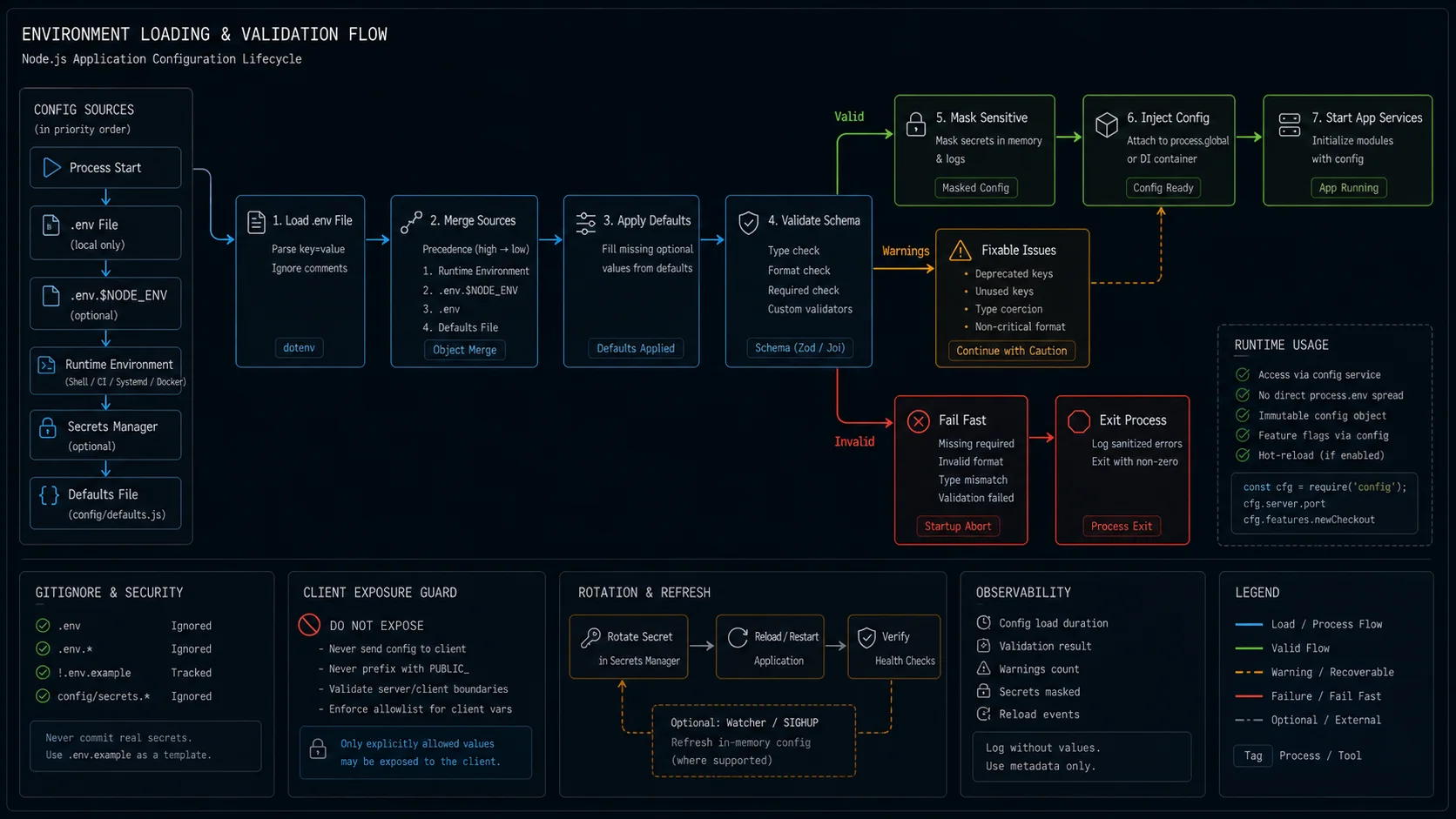
// then validatePattern 3 (recommended): one .env per machine, secrets out-of-process. Local dev keeps a .env.example committed and a .env personal. CI loads test config from CI variables. Production loads everything from a secret manager (Doppler, Infisical, Vault, AWS Secrets Manager) and never reads a file at all. The env.ts validation runs identically in all three because it operates on process.env regardless of where the values came from.
The .env.example pattern that prevents 80% of onboarding pain
Commit a .env.example with every variable, no real values:
# .env.example — committed. Copy to .env and fill in.
NODE_ENV=development
PORT=3000

# Postgres connection string. Format: postgresql://user:pass@host:port/db
DATABASE_URL=

# JWT signing secret. Min 32 chars. Generate: openssl rand -base64 48
JWT_SECRET=

# Optional. Defaults to "info". Values: debug, info, warn, error
LOG_LEVEL=

# OpenAI API key — only needed for /chat endpoints
OPENAI_API_KEY=
Two things this gives you: every new developer can cp .env.example .env and know exactly what to fill in, and a script in CI can diff .env.example against env.ts to catch the case where someone added a new variable to one but not the other.
Variable expansion: when one secret depends on another
You want DATABASE_URL built from individual pieces, or you want a public hostname referenced in multiple URLs:
# .env
DB_HOST=localhost
DB_PORT=5432
DB_USER=postgres
DB_PASS=secret
DB_NAME=nw_dev
DATABASE_URL=postgresql://${DB_USER}:${DB_PASS}@${DB_HOST}:${DB_PORT}/${DB_NAME}// src/env.ts
import dotenv from 'dotenv';
import dotenvExpand from 'dotenv-expand';
const env = dotenv.config();
dotenvExpand.expand(env);
// then validate as beforeUseful in development. Less useful in production — your secret manager usually stores the assembled connection string, not the parts.
Secret managers: when the file is no longer enough
Three production-grade options I have shipped. Skip them at your own risk past employee #5.
| Tool | Best for | Cost |
|---|---|---|
| Doppler | Cross-cloud teams. Polished UX. CLI-first. | Free up to 5 users; paid above |
| Infisical | Self-hosted option, open source | Free self-hosted; paid cloud |
| HashiCorp Vault | Enterprise compliance, dynamic secrets | Self-hosted; complex to operate |
| AWS Secrets Manager / GCP Secret Manager | Already on that cloud, single-environment | ~$0.40 per secret per month |
Doppler is what I default to for new projects. Run the app under the Doppler CLI:
doppler run -- node --enable-source-maps dist/server.jsDoppler injects every secret as an environment variable before the Node process starts. env.ts reads process.env and validates exactly as it does in development. The only difference: no .env file exists on the production server.
The validator runs once, at boot, and exits hard
The single most important pattern in this whole article: validate at boot, not lazily on first access.
// WRONG — validation happens on first DB call, hours after boot
function getDatabaseUrl() {
  if (!process.env.DATABASE_URL) throw new Error('DATABASE_URL missing');
  return process.env.DATABASE_URL;
}// RIGHT — validation happens during import, before listen()
// src/env.ts validates and exits on failure (see Quick Start above)
// src/server.ts
import { env } from './env'; // throws and exits if env is invalid
import express from 'express';
const app = express();
app.listen(env.PORT);Lazy validation means a missing env var goes undetected until the first user hits the broken endpoint. Eager validation means deploys fail fast in CI, before traffic ever reaches the new build.
Production checklist
- Single
src/env.tsthat validates with Zod and exits hard on failure. - No direct
process.envaccess outsideenv.ts. Lint rule (no-process-env) enforces it. - .env in .gitignore at the root. Verify with
git check-ignore .env. - .env.example committed with every variable documented.
- CI runs a “schema sync” check that fails if
env.tsand.env.exampledisagree on keys. - Secret manager in production — Doppler, Infisical, Vault, or your cloud’s native equivalent.
- Pre-commit hook for secret detection (gitleaks is the standard).
- Boot-time logger redacts known secret keys before any startup print.
- Min 32 chars on signing secrets — JWT, session, CSRF. Validation enforces it.
- Different secrets per environment. Don’t share JWT_SECRET between staging and prod; one staging leak should not compromise prod.
z.string().trim()on secrets to catch trailing-space pastes from Slack or password managers.- Boolean flags use
z.enum(['true','false']).transform(v => v === 'true'), never||— “false” is a truthy string.
When not to use dotenv
- Serverless functions on Vercel / Netlify / Cloudflare. Their dashboards inject env vars natively. Reading a
.envfile at runtime fights the platform. - Container deploys via Kubernetes. Secrets come from
Secretresources mounted as env vars; the file pattern doesn’t fit. - Greenfield Node 26+ projects with under five env vars. Native
--env-filewith a tiny manual validator is enough.
Troubleshooting FAQ
Why is process.env.PORT undefined when I see it in the .env file?
Three usual causes: dotenv.config() ran after the import that needs the value (move it earlier), the .env file is in a parent directory (specify path), or the value has a trailing space (Zod will catch this).
Should I commit .env to the repo?
No. Commit .env.example with empty or placeholder values. Real secrets belong in a secret manager.
What is the right rotation policy for secrets?
JWT signing keys: 6 months. API keys to third parties: rotate when an employee leaves or quarterly, whichever is shorter. Database passwords: every 12 months in low-risk environments, sooner if your compliance regime requires it.
How do I share secrets across a team?
Through the secret manager, never through Slack or 1Password URL pastes. Doppler, Infisical, and Vault all support per-user access tokens; revoking access when someone leaves is one CLI command.
Can I use dotenv with TypeScript without ceremony?
Yes. import 'dotenv/config'; as the first line of your env file is a side-effect import and needs no type annotations. The Zod-validated object you export is fully typed.
What about process.env.NODE_ENV specifically?
Treat it as enum-only: development | test | production. Anything else (including the empty string) should fail validation. Many Node libraries branch on this value; a typo silently changes behaviour.
How do I test code that reads env?
In tests, set the variables in vitest.setup.ts or jest.setup.ts before any import. The validator runs once per process; tests get a fresh process per worker so this works without mocking.
Do I need dotenv-flow or is plain dotenv enough?
Plain dotenv is enough for 90% of apps. dotenv-flow is useful if you have a Next.js-style cascade (.env, .env.development, .env.development.local) and a team that follows it consistently.
Why does my boolean env var behave incorrectly even when set to “false”?
The string "false" is truthy in JavaScript. Never use process.env.FLAG || false for booleans. Use Zod’s .transform() to convert to a real boolean at the boundary.
How do I load dotenv without changing my source code?
Use the --require CLI flag: node --require dotenv/config dist/server.js. Add it to your package.json start script. Zero source changes needed.
What ships next
This article fixes the env layer. The natural next steps: a JWT setup that uses the validated JWT_SECRET and refuses to boot without it, and a Postgres + Prisma layer that consumes the validated DATABASE_URL. Both pieces drop in directly on top of this env.ts. If your env import itself throws “Cannot find module”, the issue is upstream of validation — fix the resolution first.