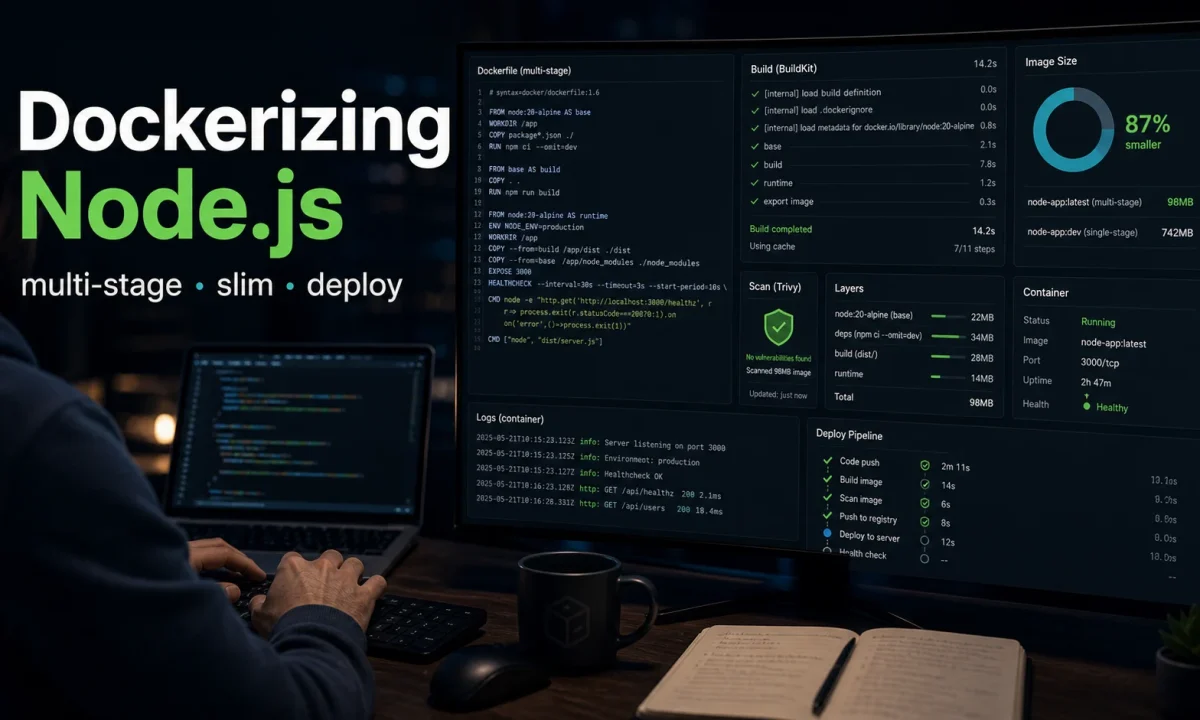
I had a Node.js Docker image weighing 1.2 GB sitting in our container registry, taking 90 seconds to pull on every deploy and 14 seconds to push from CI. Three days of cargo-culted Dockerfiles, COPY-everything-then-rm-unnecessary patterns, and npm install at the wrong layer. Stripped it down to a multi-stage build with BuildKit cache mounts: 184 MB final image, 4 seconds to push, 11 seconds to pull. Same app, smaller surface area, cleaner. This Node.js Docker tutorial is the production Dockerfile I now ship on every Node 24 LTS project, with the reasoning behind each line and the failure modes I’ve personally caused.
deps + build + runtime) on node:24-alpine or node:24-slim. npm ci --omit=dev (the --production flag is deprecated). Run as a non-root user. Use the exec form of CMD. Pin the base image with a digest. Add a .dockerignore that excludes node_modules, .git, and .env*. Enable BuildKit (# syntax=docker/dockerfile:1.7) for cache mounts. Set NODE_OPTIONS=--max-old-space-size to match the container memory limit. Don’t bake secrets in. Use --mount=type=secret for build-time secrets.If this image is one service in a wider split, read the Node.js microservices architecture guide before you start carving containers. Docker makes bad service boundaries look tidy right up until deploy night.
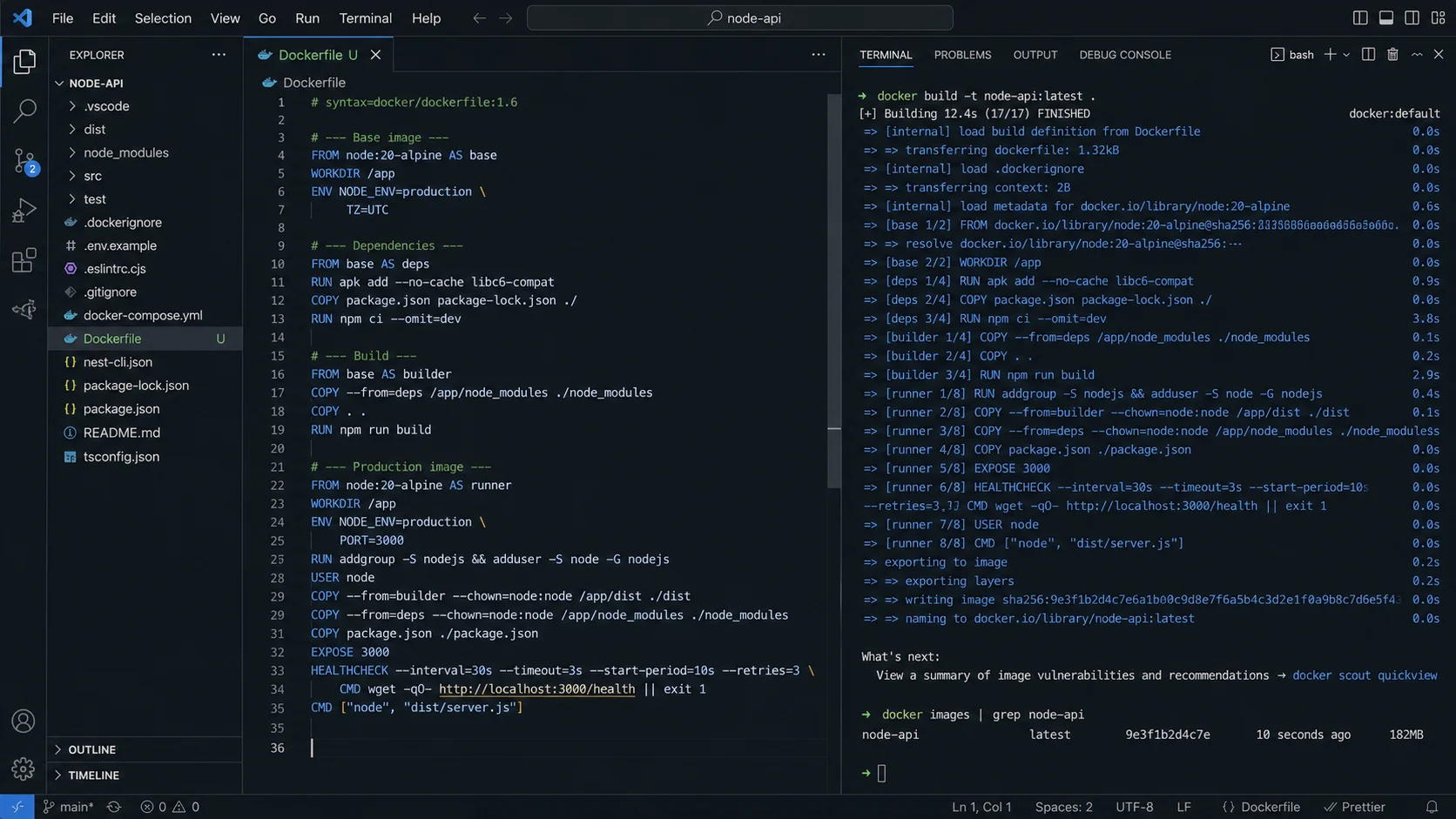
The production Dockerfile
# syntax=docker/dockerfile:1.7

# ---------- Stage 1: deps (production node_modules only) ----------
FROM node:24-alpine AS deps
WORKDIR /app

COPY package.json package-lock.json ./
RUN --mount=type=cache,target=/root/.npm
    npm ci --omit=dev --ignore-scripts

# ---------- Stage 2: build (full deps, compile TypeScript) ----------
FROM node:24-alpine AS build
WORKDIR /app

# Native modules need a toolchain — installed here, discarded with this stage
RUN apk add --no-cache python3 make g++

COPY package.json package-lock.json ./
RUN --mount=type=cache,target=/root/.npm
    npm ci

COPY tsconfig.json ./
COPY src ./src
RUN npm run build

# ---------- Stage 3: runtime (slim production image) ----------
FROM node:24-alpine AS runtime
WORKDIR /app
ENV NODE_ENV=production

# Non-root user
RUN addgroup -g 1001 -S nodejs && adduser -u 1001 -S nodejs -G nodejs

# Cherry-pick exactly what runtime needs
COPY --from=deps  --chown=nodejs:nodejs /app/node_modules ./node_modules
COPY --from=build --chown=nodejs:nodejs /app/dist ./dist
COPY --chown=nodejs:nodejs package.json ./

USER nodejs
EXPOSE 3000

HEALTHCHECK --interval=30s --timeout=3s --start-period=10s --retries=3
  CMD node -e "require('http').get('http://localhost:3000/health', r => process.exit(r.statusCode === 200 ? 0 : 1)).on('error', () => process.exit(1))"

# Exec form — signals reach the Node process
CMD ["node", "dist/index.js"]
Three stages. Three reasons that matter.
depsinstalls only production dependencies. Cached bypackage-lock.jsonhash. Doesn’t rebuild when source code changes.buildinstalls everything. Compiles TypeScript with the full toolchain. The native-build deps (python3,make,g++) live and die in this stage — they never reach the final image.runtimeassembles only what runs. Productionnode_modulesfromdeps, compileddistfrombuild,package.jsonfor metadata. Nothing else.
Real image sizes from production
| Approach | Final image | Build (cold) | Build (cached) |
|---|---|---|---|
Single-stage node:24, COPY . |
1,240 MB | 2m 10s | 50s |
Single-stage node:24-slim |
320 MB | 1m 40s | 30s |
Single-stage node:24-alpine |
520 MB (with build tools) | 1m 35s | 28s |
3-stage above + node:24-alpine |
184 MB | 1m 50s | 14s |
3-stage + node:24-slim |
240 MB | 1m 35s | 13s |
3-stage + distroless/nodejs24-debian12 |
180 MB | 1m 40s | 13s |
The multi-stage win comes from leaving python3, make, g++, and the entire devDependencies tree behind in the build stage. The Distroless image cuts another ~30 MB by removing the shell and package manager — useful for security audits, painful for debugging since you can’t docker exec into it for a poke around. I default to alpine for most projects.
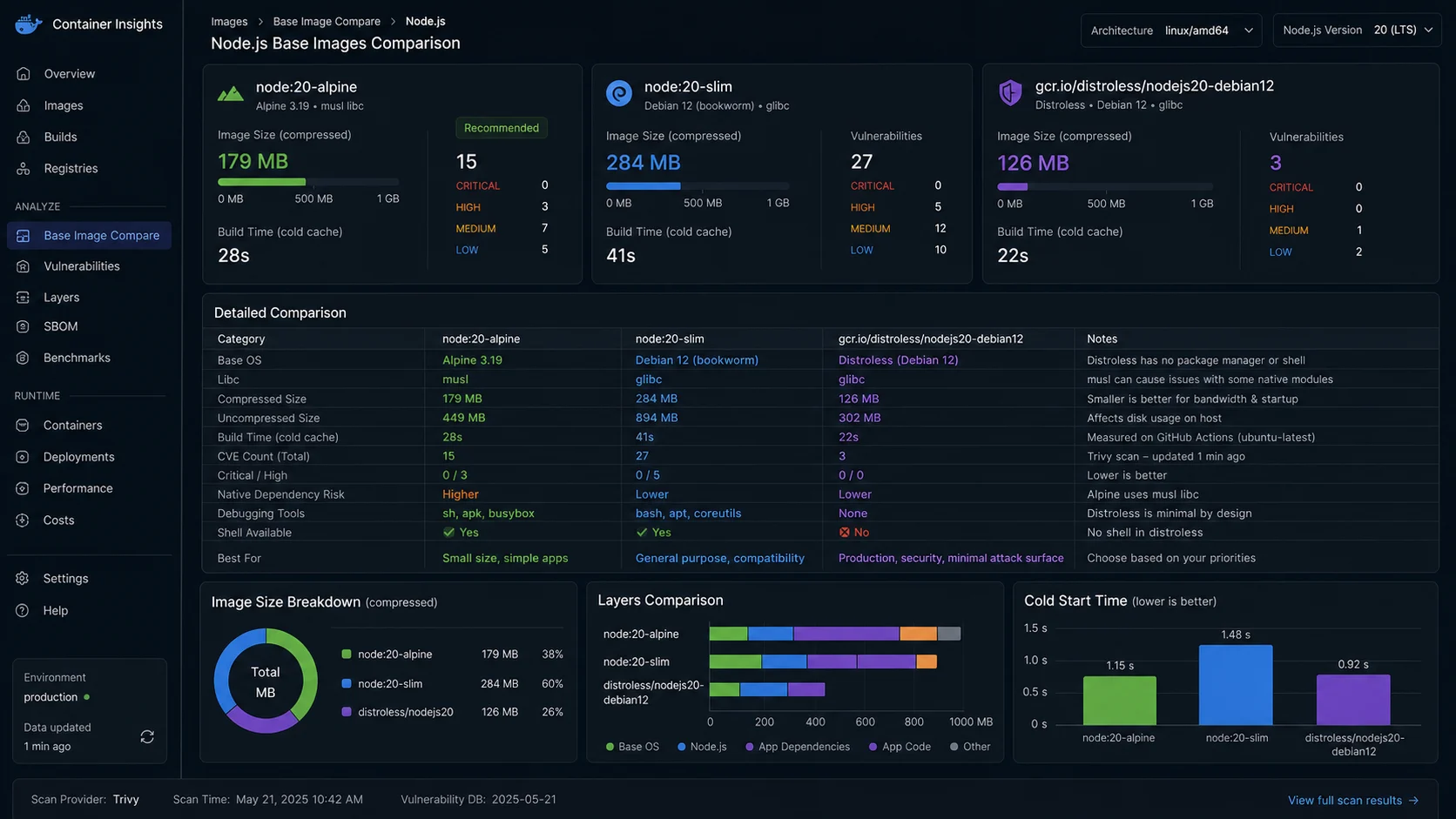
node:alpine vs node:slim vs distroless
Three serious base-image choices for Node 24 LTS. They are not interchangeable.
| Base | Size (base only) | libc | Best for | Watch out |
|---|---|---|---|---|
node:24-alpine |
~50 MB | musl | Pure JS apps, smallest image goal | Some native modules need musl-specific compilation |
node:24-slim |
~180 MB | glibc | Apps with sharp, node-canvas, prisma, tensorflow.js | Slightly larger; fewer compatibility surprises |
gcr.io/distroless/nodejs24-debian12 |
~150 MB | glibc | Tightest security posture, Kubernetes-native | No shell, no package manager — docker exec sh won’t work |
node:24 (full) |
~1 GB | glibc | Never, in production | Includes the entire Debian userland |
Default to node:24-slim for any project with native dependencies (Prisma’s query engine, sharp, bcrypt, argon2). Use node:24-alpine when your dep tree is pure JavaScript and you’ve verified your image actually runs — a successful build does not prove a successful start. Use Distroless when an audit demands “no shell in production containers” or when you’re shipping to a hardened Kubernetes cluster.
The 50 MB difference rarely matters in 2026 — your CDN cache hits and pull-time deltas are much more important than raw bytes. The TypeScript build that pairs with this Dockerfile is in the Fastify vs Express comparison, where the tsconfig.json for backend output is laid out.
The .dockerignore that drops 80% of the image
Without a .dockerignore, your build context includes node_modules, .git, every test file, every screenshot. The Docker daemon copies all of it before running the build.
# .dockerignore
node_modules
npm-debug.log
.npm
.git
.gitignore
.env
.env.*
!.env.example
.DS_Store
dist
build
coverage
.nyc_output
.vscode
.idea
*.log
README.md
docs/
test/
__tests__/
*.test.ts
*.spec.ts
Dockerfile
Dockerfile.*
.dockerignore
docker-compose*.yml
.github/
*.md
This is the file that took the cold-build context on one project from 380 MB to 8 MB. Build time dropped 30 seconds before any actual layers ran. The !.env.example exception keeps the example env file in the image — useful for documentation; the real .env stays out.
Layer order matters more than people think
The cardinal rule: copy what changes least, first.
package.json+package-lock.json— change rarely (a few times a week)npm ci— depends only on the above; cached unless deps change- Build configs (
tsconfig.json) — change occasionally - Source code — changes every commit
If you COPY . . first and npm ci after, every code change invalidates the dependency layer. Builds that should be 14 seconds become 50 seconds. Compounded across a team, you’ve spent a workday a month on rebuilt dependencies for no reason.
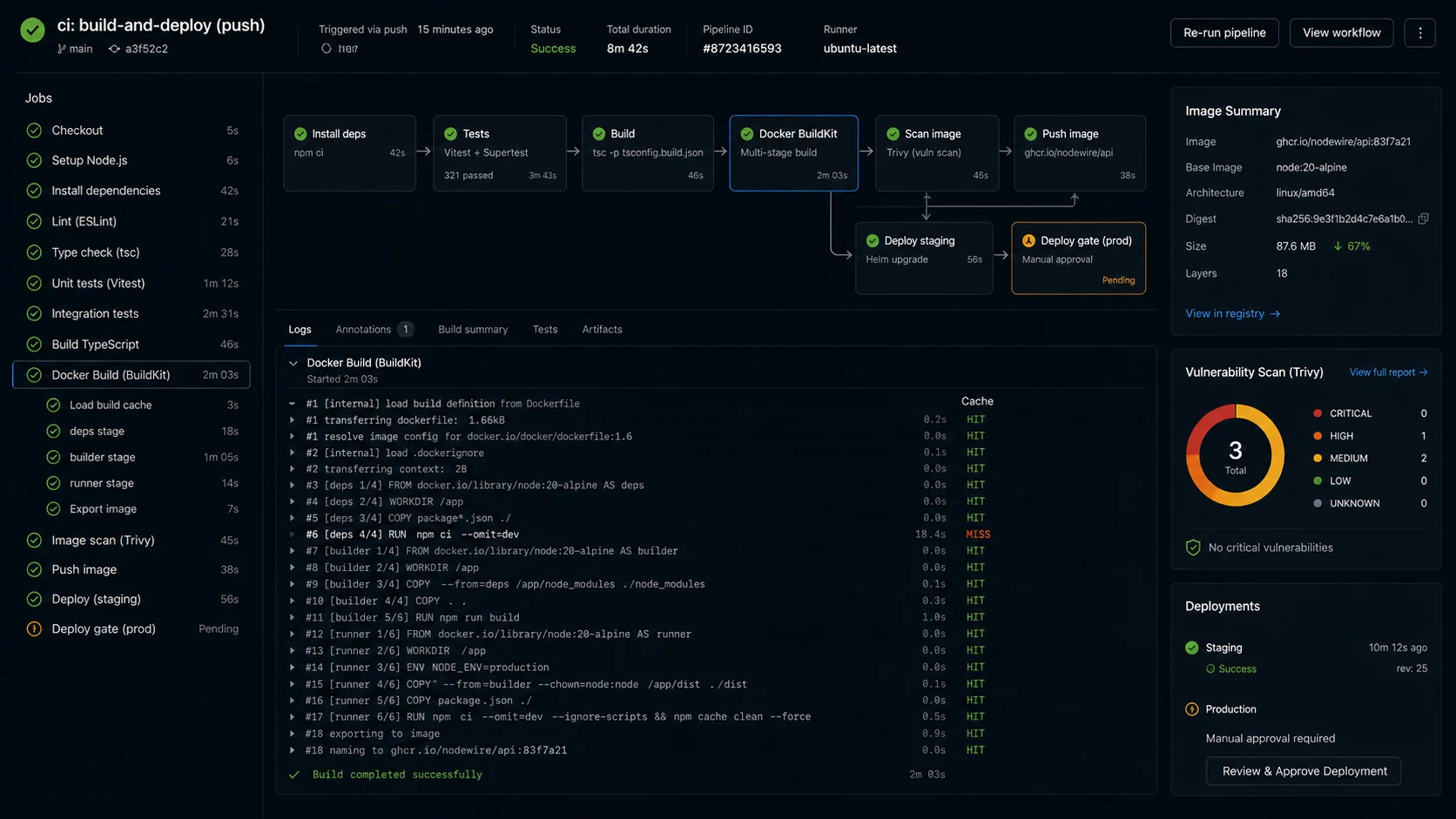
BuildKit cache mounts
The line # syntax=docker/dockerfile:1.7 at the top of the Dockerfile enables BuildKit, which has been the default in Docker 23+ but the syntax pragma documents intent and unlocks the cache mount feature.
RUN --mount=type=cache,target=/root/.npm
    npm ci --omit=dev --ignore-scripts
The cache mount keeps the ~/.npm directory between builds on the same builder. Even when the layer cache misses (because package-lock.json changed), the npm download cache survives — npm ci doesn’t re-download every package, just resolves and links. On a project with 800 dependencies, this is a 40-second saving on every cache miss.
The --ignore-scripts flag is a security improvement: postinstall scripts in dependencies don’t run during build. If a transitive dep gets compromised, an attacker can’t execute arbitrary code at build time. If your build genuinely needs a postinstall (rare — usually just Prisma’s prisma generate), invoke it explicitly after.
npm ci –omit=dev (the deprecated flag everyone still uses)
npm install --production has been deprecated since npm v9 (Node 18). The replacement is npm ci --omit=dev. They behave the same; the new flag composes correctly with --omit=optional. Old tutorials still use --production and it still works, but linters and security scanners flag it now.
| Old flag | 2026 equivalent | Notes |
|---|---|---|
npm install --production |
npm ci --omit=dev |
Use ci in Docker — faster, deterministic |
npm install --only=production |
npm ci --omit=dev |
Same |
npm install --no-optional |
npm ci --omit=optional |
Drops platform-specific deps |
NODE_ENV=production npm install |
Set NODE_ENV=production as ENV; use npm ci --omit=dev explicitly |
Implicit production install via env var is brittle |
Step out of root user (security, not theatre)
Default Docker images run as root. A container escape from a compromised Node process gets root on the host. Adding a non-root user costs three lines and removes a class of attack:
RUN addgroup -g 1001 -S nodejs && adduser -u 1001 -S nodejs -G nodejs
COPY --chown=nodejs:nodejs ...
USER nodejs
Specific UID/GID matters when you mount volumes — the host filesystem permissions need to match. 1001 is the convention; pick anything > 1000 to stay out of the system-user range. The Distroless images include a nonroot user out of the box (UID 65532); switch with USER nonroot.
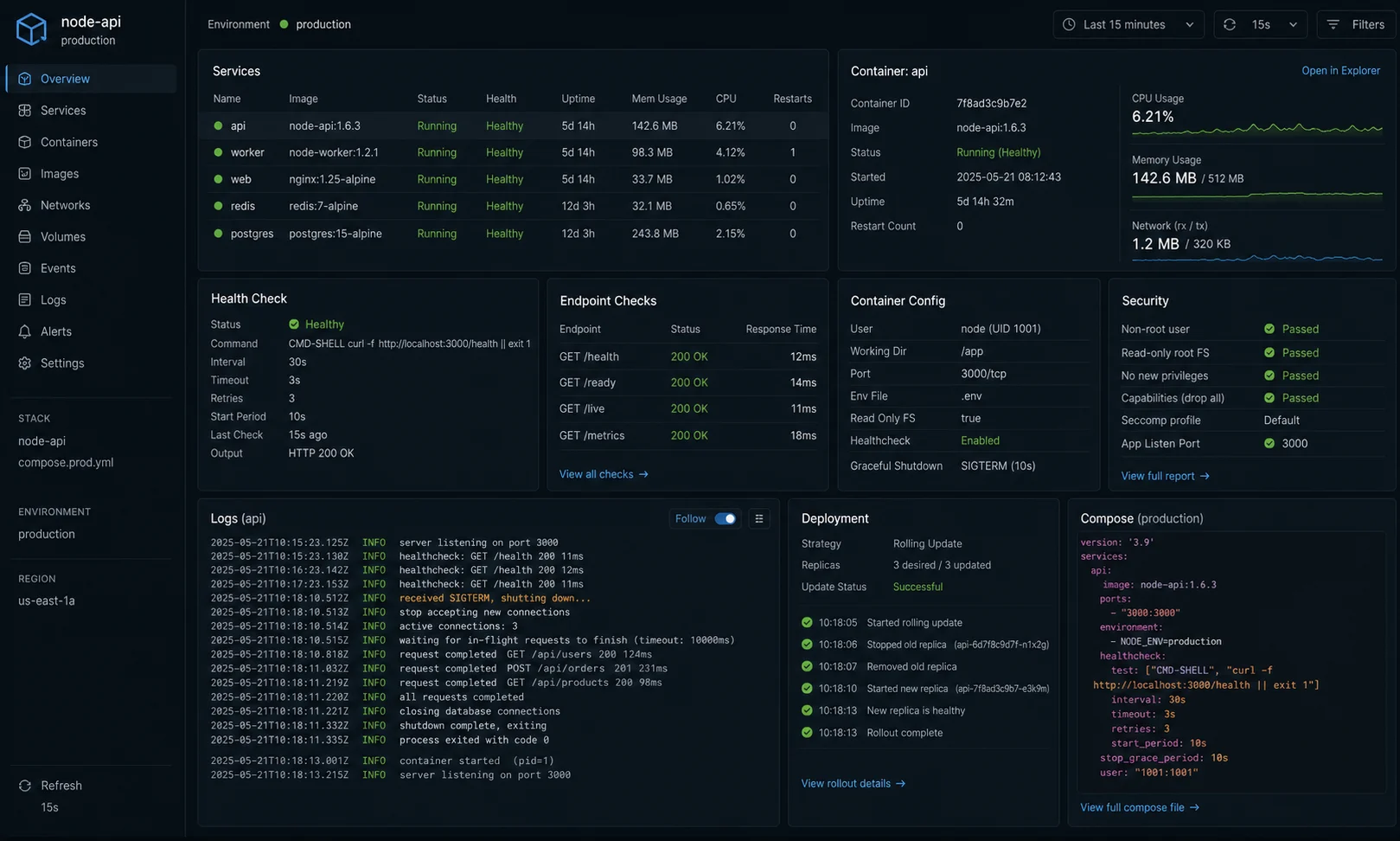
Signal handling: exec form, always
Two ways to write the CMD:
# exec form — signals go straight to Node
CMD ["node", "dist/index.js"]

# shell form — Node runs as a child of /bin/sh, signals get swallowed
CMD node dist/index.js
The shell form is the reason your container takes 30 seconds to stop on docker stop. SIGTERM goes to sh, not Node. Node never gets the signal, never runs your shutdown hooks, and gets SIGKILL‘d after the grace period — mid-database-write, mid-job, mid-anything.
For multi-process containers (which you should avoid, but sometimes can’t), use --init at docker run time or tini as the entrypoint:
RUN apk add --no-cache tini
ENTRYPOINT ["/sbin/tini", "--"]
CMD ["node", "dist/index.js"]
tini handles signal forwarding and zombie reaping. docker run --init does the same thing without the install step — use that if your platform supports it. The BullMQ background jobs guide covers what graceful shutdown looks like on the Node side, which only fires if the container actually delivers the signal.
Build-time secrets: never ARG, always --mount=type=secret
Putting a private npm token in a build arg is a leak waiting to happen. Build args are stored in image history; docker history myimage shows them in plain text. Use BuildKit’s secret mount, which makes the secret available as a file during a single RUN and never persists.
# syntax=docker/dockerfile:1.7
FROM node:24-alpine AS deps
WORKDIR /app

COPY package.json package-lock.json .npmrc ./
RUN --mount=type=secret,id=npm_token
    NPM_TOKEN=$(cat /run/secrets/npm_token)
    --mount=type=cache,target=/root/.npm
npm ci --omit=devecho "$NPM_TOKEN" > /tmp/npm_token
docker build --secret id=npm_token,src=/tmp/npm_token -t myapp:latest .
rm /tmp/npm_tokenRuntime secrets (database URL, JWT signing key, Stripe API key) are different — pass them as environment variables at docker run time, never ENV DATABASE_URL=... in the Dockerfile.
Compose for local dev
# docker-compose.yml
services:
  api:
    build: .
    ports: ["3000:3000"]
    environment:
      DATABASE_URL: postgres://app:app@postgres:5432/app
      REDIS_URL: redis://redis:6379
      NODE_ENV: development
    volumes:
      - ./src:/app/src
      - /app/node_modules
    depends_on:
      postgres:
        condition: service_healthy
      redis:
        condition: service_started

  postgres:
    image: postgres:18-alpine
    environment:
      POSTGRES_USER: app
      POSTGRES_PASSWORD: app
      POSTGRES_DB: app
    ports: ["5432:5432"]
    volumes:
      - pgdata:/var/lib/postgresql/data
    healthcheck:
      test: ["CMD", "pg_isready", "-U", "app"]
      interval: 5s
      retries: 10

  redis:
    image: redis:8-alpine
    command: ["redis-server", "--appendonly", "yes"]
    ports: ["6379:6379"]
    volumes:
      - redisdata:/data

volumes:
  pgdata:
  redisdata:
The pattern that catches teams off guard: the volumes mount of ./src:/app/src overlays your host source on the container. Without the second volume /app/node_modules, your host’s empty node_modules shadows the one installed in the image. The empty-volume trick keeps the image’s node_modules visible.
depends_on with condition: service_healthy is the modern Compose feature that actually waits — old depends_on only waited for the container to start, not for Postgres to be accepting connections. The full Postgres connection-pool setup that runs in this Compose stack is in the Postgres + Prisma setup guide.
Multi-architecture builds for Apple Silicon and Graviton
If you develop on Apple Silicon (arm64) and deploy to AWS Graviton (arm64) or x86 EC2 (amd64), build for both architectures and let the registry serve the right one based on the puller’s platform.
docker buildx create --name multiarch --use
docker buildx build
  --platform linux/amd64,linux/arm64
  -t ghcr.io/me/myapp:1.4.0
  --push .
The push is required — multi-arch manifests can’t be loaded into the local Docker daemon. The registry holds two images and a manifest list pointing at each. docker pull picks the right one transparently.
Production gotchas
- Don’t bake secrets into the image. Use environment variables at
docker run/ Compose / Kubernetes time.ENV DATABASE_URL=...in the Dockerfile is a leak waiting to happen. The full secret-handling pattern pairs with the JWT authentication guide for the JWT signing key handling. - Pin the Node version with a digest.
node:24-alpinemeans “the latest 24.x” — your image rebuilds get patch updates without warning. Pin tonode:24.14.0-alpineor, for full reproducibility,node:24-alpine@sha256:.... - Set
NODE_OPTIONS=--max-old-space-sizeif you’re on a small container. Node defaults to ~1.4 GB heap regardless of cgroup limits — your container gets OOM-killed before Node knows it’s running out of memory. For a 512 MB container, set--max-old-space-size=400. The full GC tuning story is in the Node.js memory leak fix guide. - Healthchecks are real. The
HEALTHCHECKin the Dockerfile tells Docker (and orchestrators) when your container is genuinely ready to take traffic. Without one, your load balancer routes traffic the moment the container starts — before Node has finished booting. - Don’t run database migrations in the same container as the app on startup. Two replicas, both running migrations on boot, is a classic race condition. Run migrations in a separate one-shot container before the app rollout.
- Scan images in CI.
trivy image myapp:latest --severity HIGH,CRITICALas a CI gate catches the most-actionable vulnerabilities before deploy. Docker Scout (docker scout cves myapp:latest) is the equivalent inside the Docker toolchain.
Decision matrix: which Dockerfile shape
| Project profile | Base image | Stages | Extra steps |
|---|---|---|---|
| Pure-JS Express API | node:24-alpine |
3 (deps + build + runtime) | BuildKit cache mounts |
| TypeScript + Prisma | node:24-slim |
3 | prisma generate in build stage |
| Image / video processing (sharp, ffmpeg) | node:24-slim |
3 | Install ffmpeg in runtime stage |
| Next.js standalone | node:24-alpine |
2 (build + runtime) | Use Next.js standalone output, copy .next/static separately |
| NestJS API | node:24-alpine + libc6-compat |
3 | RUN apk add --no-cache libc6-compat |
| Worker process (BullMQ) | Same image, different CMD |
Same 3 | Two services in Compose, different entry points |
| Hardened production (compliance) | gcr.io/distroless/nodejs24-debian12 |
3 | No shell — debug via separate sidecar |
When NOT to dockerize
- Single-server deploys with PM2. If you have one VPS and one Node.js app, PM2 + nginx is simpler, lighter, and faster to deploy than building Docker images. The DigitalOcean Node.js deployment guide walks through that path end to end.
- Serverless workloads. AWS Lambda, Vercel functions, Cloudflare Workers — they have their own packaging. Don’t add a Docker layer on top.
- You don’t have a registry strategy. Building images is one thing; pushing them, pulling them, garbage-collecting old tags is another. If you don’t have a registry plan (Docker Hub, GitHub Container Registry, ECR), don’t build images yet.
Production checklist
- [ ] BuildKit enabled (
# syntax=docker/dockerfile:1.7) - [ ] 3-stage build: deps + build + runtime
- [ ] Base image pinned to specific minor version or digest
- [ ]
npm ci --omit=dev(not deprecated--production) - [ ] BuildKit cache mounts on npm install steps
- [ ] Non-root
USERin runtime stage - [ ] Exec form of
CMD - [ ]
HEALTHCHECKhits/health - [ ]
.dockerignoreexcludesnode_modules,.git,.env*, tests - [ ] Build secrets via
--mount=type=secret, runtime secrets via env - [ ]
NODE_OPTIONS=--max-old-space-sizematches container memory limit - [ ] Image scanned in CI (Trivy / Docker Scout) with HIGH/CRITICAL gate
- [ ] Multi-arch build (amd64 + arm64) if mixed deployment targets
- [ ] Migrations run in a separate one-shot container, not at app startup
FAQ
How do I create a Dockerfile for a Node.js app?
Use a multi-stage build. A deps stage installs only production dependencies. A build stage installs everything and compiles TypeScript. A runtime stage copies only the built output and production node_modules. Run as a non-root user, use the exec form for CMD, write a .dockerignore that excludes node_modules and dev files, and enable BuildKit cache mounts on the npm install step.
Should I use node:alpine or node:slim?
Default to node:24-slim if your project uses native modules (Prisma, sharp, bcrypt, argon2) — Debian-based, glibc, fewer compatibility surprises. Switch to node:24-alpine only when your image is pure JavaScript and you’ve verified it runs end-to-end. The size difference (50–100 MB) is rarely the bottleneck.
What is a multi-stage Docker build?
A Dockerfile with multiple FROM statements. Each stage is independent; you copy artifacts between them with COPY --from=stage. The final image only contains what the last stage produced — so you can install build tools, dev dependencies, and TypeScript compilers in earlier stages that get discarded. Image sizes typically drop 70–85% versus single-stage.
How do I make Docker builds faster?
Order layers from least-changing to most-changing (manifests first, source code last). Use BuildKit cache mounts (--mount=type=cache,target=/root/.npm) so the npm download cache survives layer-cache misses. Add a thorough .dockerignore. For complex multi-stage setups, BuildKit runs independent stages in parallel automatically.
How do I handle secrets in Docker?
Pass them as environment variables at runtime — never ENV SECRET=... in the Dockerfile (it’s stored in image history, visible via docker history). For build-time secrets (private npm registry token), use BuildKit’s --mount=type=secret, which exposes the secret as a file during a single RUN and never persists it to a layer.
Why does my Node.js Docker container ignore SIGTERM?
Almost always because you used the shell form of CMD. The shell becomes PID 1 and signals don’t propagate to Node. Switch to the exec form: CMD ["node", "dist/index.js"]. If you genuinely need a shell for tini or signal handling, use docker run --init or install tini as ENTRYPOINT.
Should I run database migrations on container startup?
No. Two replicas booting simultaneously both run migrations and race. Run migrations in a separate one-shot container before the app rollout — kubectl run migrate, fly deploy --migrate-only, or a dedicated step in your CI/CD pipeline. The app container should fail fast if the schema isn’t ready, not silently muddle through.