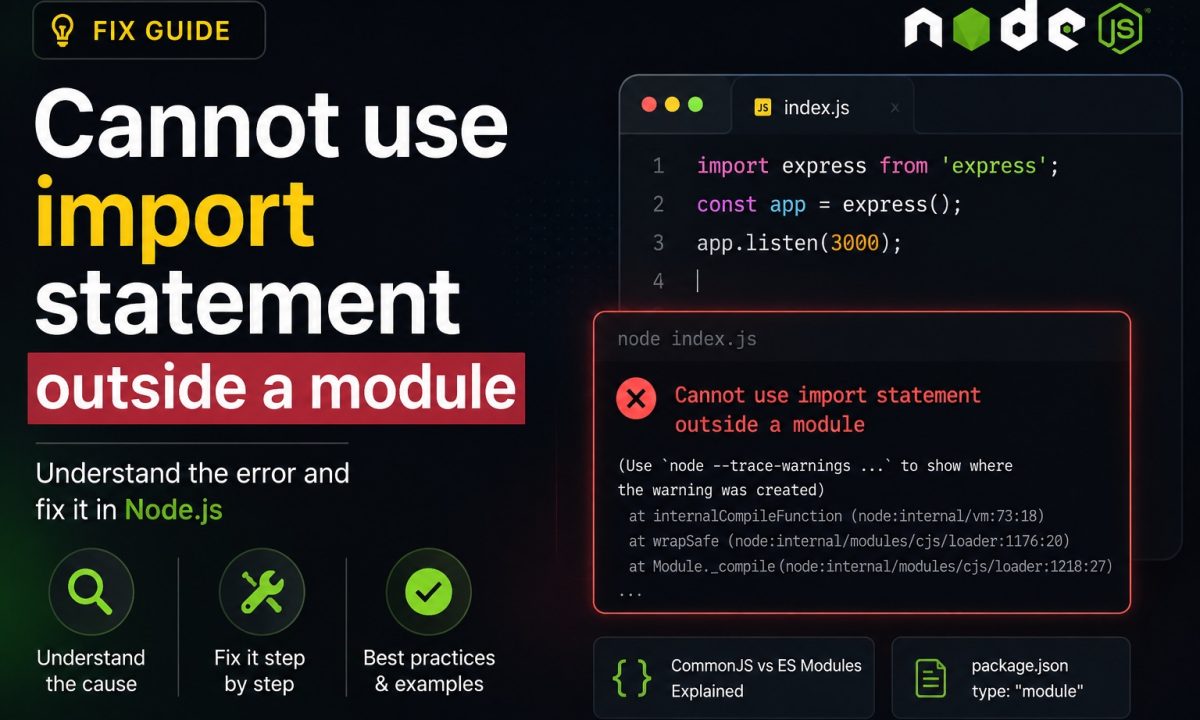
It was 11pm and a teammate had just merged a “tiny” dependency bump. CI went red on every service that imported our shared logging package. The stack trace was the same wall of text 40 times over:
import { createLogger } from './logger.js';
^^^^^^

SyntaxError: Cannot use import statement outside a module
    at wrapSafe (node:internal/modules/cjs/loader:1281:20)
    at Module._compile (node:internal/modules/cjs/loader:1321:27)
Quick diagnosis
This error means Node is running a file as CommonJS while the file contains ESM import syntax. Pick one module system, then align package.json, tsconfig.json, the runtime command, Jest or test config, and any ESM-only dependencies. Do not blindly add "type": "module" until you know whether the rest of the project is ready for ESM.
Cannot use import statement outside a module is not a typo in your code. Node parsed your file as CommonJS, then hit an import keyword, which is illegal in CommonJS. The fix is almost never about the import line itself — it’s about how Node decided what kind of module that file is. Get that decision right and the error vanishes. Here’s the 30-second version, then the version for whatever stack actually bit you.
Copy-paste fix for a plain .js file: open the nearest package.json and add one line.
{
  "name": "my-app",
  "version": "1.0.0",
  "type": "module"
}
That tells Node to treat every .js file in that package directory as ESM. Re-run, and import is legal. If your project genuinely is CommonJS and you want to keep it that way, do the opposite — swap the import for const { createLogger } = require('./logger.js') and move on. Both are correct. Picking one and being consistent is the whole game.
Why Node throws this in the first place
Node decides a file’s module system before it runs a single line, using three signals, in order:
- File extension.
.mjsis always ESM..cjsis always CommonJS. These win over everything. - The nearest
package.json"type"field. For.jsfiles,"type": "module"means ESM,"type": "commonjs"(or no field at all) means CommonJS. - The
--input-typeflag, only for code piped via stdin.
So “Cannot use import statement outside a module” means signal 1 or 2 landed on CommonJS, but the file contains import. The classic triggers:
- No
"type"field inpackage.json, so a.jsfile defaults to CommonJS. - A
.cjsfile (or a.jsunder a"type": "commonjs"package) that you pasted ESM into. - Running a
.tsfile with a loader that compiled it to CommonJS — common with stalets-nodesetups. - A dependency that went ESM-only in its latest major, which you’re still
require()-ing from a CommonJS file.
The full rules live in the Node.js ESM documentation, and they haven’t changed in a way that matters since the dual-package era settled down. What changed is that the default project in 2026 is ESM, so the mismatch shows up at the boundaries — old tooling, old config, one stubborn .cjs file.
The tempting shortcut that wastes time
You hit the error, you search, you slap "type": "module" into the root package.json, and you walk away. Then a different fire starts:
ReferenceError: require is not defined in ES module scope, you can use import instead
ReferenceError: __dirname is not defined in ES module scope
Error [ERR_REQUIRE_ESM]: require() of ES Module not supported
Flipping "type": "module" is global. Every .js file in that package is now ESM, including the three utility files that still use require(), the config file that reads __dirname, and that one script your deploy pipeline shells out to. You traded one error for five.
The other half of people do the reverse — they require() a package that shipped ESM-only and get ERR_REQUIRE_ESM. Forcing it back to CommonJS isn’t an option when the package literally has no CommonJS entry point.
The move is to make the decision deliberately, file by file if you have to:
- New or mostly-ESM project? Set
"type": "module", then rename leftover CommonJS files to.cjsand fix their__dirname/requireusage. (import.meta.dirnamereplaces__dirnamein ESM — it’s been there since Node 20.11.) - Mostly-CommonJS project with one ESM file? Rename that one file to
.mjsand leave"type"unset. - One ESM-only dependency in a CommonJS app? Don’t convert anything. Use dynamic
import()— covered below.
Global flags fix the file in front of you and break the ten you forgot about.
TypeScript: the error that survives compilation
TypeScript adds a second layer, because two tools have opinions about modules now: tsc and Node. If you compile with "module": "commonjs" but your package.json says "type": "module", the emitted require() calls run as ESM and blow up. The inverse — ESM output running under CommonJS — gives you the original import error.
The config that keeps tsc and Node agreeing, for a modern Node 24 project:
// tsconfig.json
{
  "compilerOptions": {
    "module": "nodenext",
    "moduleResolution": "nodenext",
    "target": "esnext",
    "verbatimModuleSyntax": true,
    "outDir": "dist"
  }
}
nodenext tells TypeScript to read your package.json "type" and emit whatever Node expects — no second source of truth. verbatimModuleSyntax stops TypeScript from quietly rewriting your imports, which is exactly the rewriting that produces surprise require() calls. The official TypeScript module guide walks through every permutation if your setup is weirder than this. For a full from-scratch config, I wrote up the whole thing in the 2026 TypeScript + Node setup.
One ESM gotcha that catches everyone: with nodenext, your relative imports need the .js extension even though the file on disk is .ts.
// wrong — Node will throw ERR_MODULE_NOT_FOUND at runtime
import { createLogger } from './logger';

// right — yes, .js, even though it's logger.ts
import { createLogger } from './logger.js';
That looks wrong and feels wrong, and it’s correct. If .js extensions are sending you down a Cannot find module rabbit hole instead, that’s a separate error worth its own checklist.
Running .ts directly without compiling
In 2026 you have three real options, and the right one depends on what your .ts actually contains.
Native Node type stripping. Node runs .ts files directly now — it strips the types and executes the JavaScript. It went stable in v24.12.0 and v25.2.0, and it’s on by default (since v22.18.0, v23.6.0). No flag, no dependency:
node ./src/server.ts
The catch is in the name: it only strips types. Anything that emits runtime code — enum, namespace with values, parameter properties, decorators — is not erasable and throws. The Node TypeScript docs list every exclusion. Add "erasableSyntaxOnly": true to your tsconfig and tsc will flag those constructs before Node does, which is a much nicer error to read. If your codebase leans on enums, native stripping isn’t for you yet — and that’s fine, it’s an explicit design choice by the Node team, not a missing feature.
tsx, when you want the full TypeScript feature set in dev (enums, decorators, path aliases):
npm i -D tsx
npx tsx ./src/server.ts
# or as a Node loader:
node --import tsx ./src/server.ts
ts-node still works, but in 2026 it’s the one I’d reach for last — its ESM mode has more sharp edges than tsx, and for plain “run my types-only file” Node does it natively. If you inherited a ts-node --esm setup that throws this error, the fastest exit is usually to delete it and use one of the two above.
The ESM-only dependency you can’t require()
You’re in a CommonJS app. You upgrade node-fetch, chalk, nanoid, got, or any of the dozens of packages that went ESM-only, and:
Error [ERR_REQUIRE_ESM]: require() of ES Module .../node_modules/chalk/source/index.js
from .../app.js not supported.
You do not need to convert your whole app to ESM for one import. Dynamic import() returns a promise and works inside CommonJS:
// app.js — stays CommonJS, no "type": "module" needed
async function main() {
  const { default: chalk } = await import('chalk');
  console.log(chalk.green('works from CommonJS'));
}

main();
require() (CommonJS) can also load ESM synchronously now, as long as the ES module has no top-level await — that landed unflagged in Node 22 and is the default in 24+. So before you reach for dynamic import(), a plain require('chalk') may simply work on your Node version. If it throws ERR_REQUIRE_ASYNC_MODULE, the package uses top-level await and dynamic import() is your answer. Try the boring thing first.
Jest throws it even when your app runs fine
Your server starts, your tsx script runs, and then Jest greets you with the same error on the first import. Jest runs in CommonJS by default and transforms your code through its own pipeline, so it ignores the fact that Node itself handles ESM fine now.
If you’re on Jest 30 and committed to ESM, you need the experimental VM flag and the unstable mock API:
// package.json
{
  "scripts": {
    "test": "node --experimental-vm-modules node_modules/jest/bin/jest.js"
  }
}
// mocking an ESM module is NOT jest.mock() here
import { jest } from '@jest/globals';

jest.unstable_mockModule('./logger.js', () => ({
  createLogger: jest.fn(),
}));

const { createLogger } = await import('./logger.js');
It works. It is also, two years in, still called “unstable” and “experimental,” which tells you how much Jest enjoys ESM. If your project is already ESM-first, Vitest handles import/export, top-level await, and import.meta with zero flags because it sits on Vite’s transform pipeline — and in 2026 it’s measurably faster on cold starts too. I compared both runners on a real Fastify API in this Jest vs Vitest writeup; for greenfield ESM the call isn’t close.
The thing to internalize: the import error in your tests is the same CJS-vs-ESM decision, just made by your test runner instead of by Node. Same root cause, different referee.
FAQ
Why does Node say “Cannot use import statement outside a module” when my import looks correct?
The import line is fine — Node decided the file is CommonJS before reading it, and CommonJS forbids import. It uses the file extension (.mjs/.cjs) and the nearest package.json "type" field to decide. Set "type": "module", rename the file to .mjs, or switch to require() — pick one and be consistent.
Should I just add “type”: “module” to package.json?
Only if the whole package is meant to be ESM. That field is global to the directory, so it converts every .js file at once and will break any that still use require(), __dirname, or module.exports. For a single ESM file in an otherwise-CommonJS project, rename just that file to .mjs instead.
How do I run a TypeScript file directly without compiling in 2026?
Plain node ./file.ts works natively if the file contains only erasable types — type stripping is stable as of Node v24.12.0 and on by default. If you use enums, decorators, namespaces, or path aliases, install tsx and run npx tsx ./file.ts. Reach for ts-node last; its ESM mode is the fussiest of the three.
How do I import an ESM-only package from a CommonJS file?
Use dynamic import(): const mod = await import('the-package'), which returns a promise and works inside CommonJS without converting your project. On Node 22+ a plain require() of an ESM package also works as long as that package has no top-level await; if it does, you’ll get ERR_REQUIRE_ASYNC_MODULE and dynamic import() is the fix.
Why does the error only happen in Jest and not when I run my app?
Jest defaults to CommonJS and transforms your code through its own pipeline, separate from Node’s native ESM handling, so the module decision is made by Jest. Run Jest with node --experimental-vm-modules and mock via jest.unstable_mockModule, or switch to Vitest, which runs ESM and TypeScript with no flags.
Do I need a .js extension on imports in TypeScript ESM?
Yes, with module: "nodenext". Node resolves the compiled path at runtime, so import './logger.js' is correct even though the source is logger.ts. Leaving the extension off compiles cleanly but throws ERR_MODULE_NOT_FOUND when you actually run it — a different error with the same root cause.