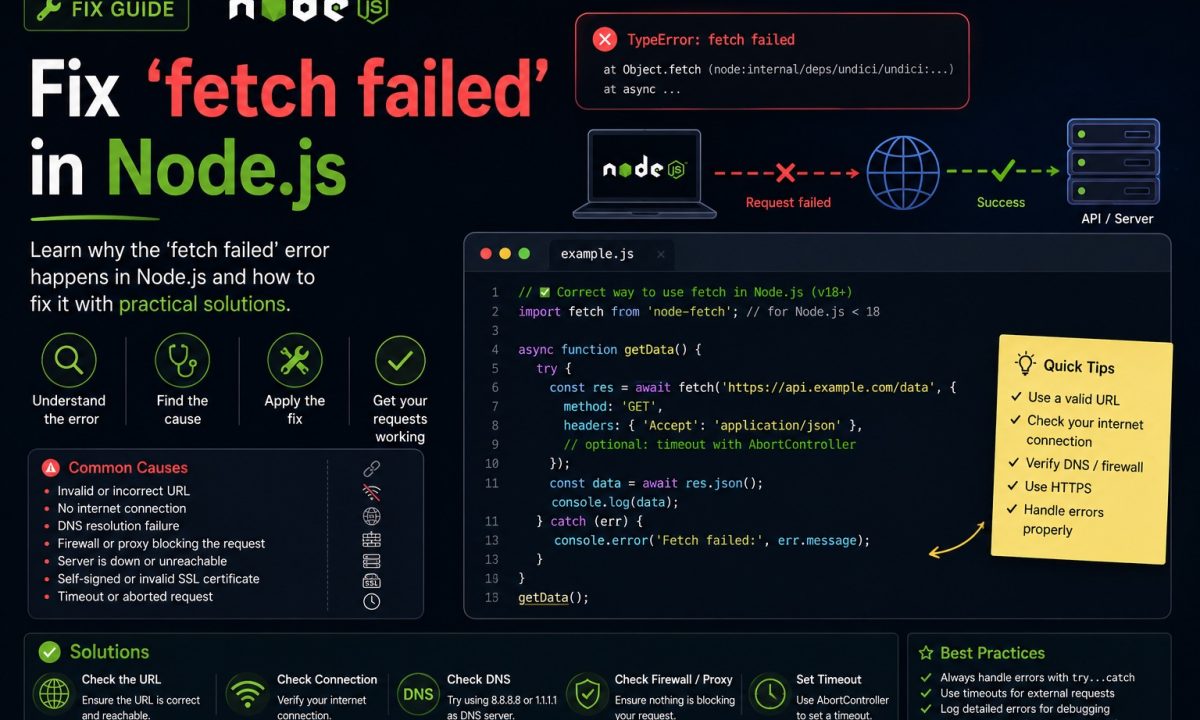
It’s 2:15 on a Friday, a webhook handler that has run clean for months starts throwing on one upstream, and your logs show this and nothing else: TypeError: fetch failed. No host. No status code. No port. That’s the whole problem with fetch failed in Node.js — it’s a generic wrapper the global fetch (powered by undici) throws over a dozen unrelated failures, and on its own it tells you almost nothing. The fix is never “retry harder.” It’s reading the one property that carries the diagnosis.
First thing to check
Node’s fetch failed is a wrapper. Log err.cause first, then fix the real failure: DNS lookup, refused connection, TLS trust, proxy configuration, timeout, or reset socket. Retrying is only useful after you know the cause is transient; it will not fix a bad URL, missing CA, blocked proxy, or dead service.
Here’s the error, the one you pasted into a search box to land here:
TypeError: fetch failed
    at node:internal/deps/undici/undici:13510:13
    at process.processTicksAndRejections (node:internal/process/task_queues:95:5)
    at async makeRequest (file:///app/src/client.ts:8:20) {
  [cause]: Error: getaddrinfo ENOTFOUND api.examp1e.com
      at GetAddrInfoReqWrap.onlookupall [as oncomplete] (node:dns:120:26) {
    errno: -3008,
    code: 'ENOTFOUND',
    syscall: 'getaddrinfo',
    hostname: 'api.examp1e.com'
  }
}
See the [cause] block? That nested error — getaddrinfo ENOTFOUND, a typo’d hostname — is the real bug. The outer TypeError: fetch failed is just packaging. On Node 24 LTS (undici 7.x — node -e "console.log(process.versions.undici)" shows yours), this wrapping is by design: the WHATWG fetch spec says a network error throws a TypeError, so undici stuffs the actual cause underneath. Your job is to crack it open.
Read err.cause before changing code
Most “fetch failed” debugging sessions are blind because of one line of code:
try {
  const res = await fetch("https://api.example.com/v1/orders");
  return await res.json();
} catch (err) {
  console.error("fetch failed:", err); // logs the wrapper, hides the cause
  throw err;
}
In a lot of log pipelines, console.error(err) serializes only the top-level message and stack — the cause gets dropped. Pull it out explicitly, every time:
try {
  const res = await fetch("https://api.example.com/v1/orders");
  return await res.json();
} catch (err) {
  if (err instanceof TypeError && err.cause) {
    const cause = err.cause as NodeJS.ErrnoException;
    console.error("fetch failed →", cause.code ?? cause.name, cause.message);
  }
  throw err;
}
Now you get ENOTFOUND, ECONNREFUSED, UND_ERR_CONNECT_TIMEOUT, CERT_HAS_EXPIRED — a real code you can act on. Everything below matches the code to a fix.
The tempting shortcut that wastes time
The reflex is to wrap the call in a retry loop and move on:
for (let attempt = 0; attempt < 3; attempt++) {
  try {
    return await fetch(url);
  } catch {
    await new Promise(r => setTimeout(r, 500 * attempt));
  }
}
This is a coin flip dressed up as engineering. Roughly a third of the fetch failed errors I’ve chased are deterministic — a wrong hostname, a self-signed cert in staging, an IPv6 localhost mismatch. Retrying a typo gives you the same typo, three times slower, while your handler holds the request open for 1.5 extra seconds before failing anyway. Worse, the bare catch {} swallowed the cause, so you’ve thrown away the only evidence. Retries are for transient failures — ECONNRESET, a timeout, a 503 — and you can’t know which bucket you’re in until you read err.cause.
DNS can’t resolve the host (ENOTFOUND / EAI_AGAIN)
cause.code === 'ENOTFOUND' means DNS returned nothing for that hostname. Nine times out of ten it’s a typo, a missing env var that left you fetching https://undefined/..., or a service name that only resolves inside Docker’s network but not from your laptop. EAI_AGAIN is its cousin — a temporary lookup failure, usually a flaky resolver or a container that booted before DNS was ready. Log the hostname (the cause object carries it) and curl it from the same box. If curl can’t resolve it either, it’s your DNS or the URL, not Node.
Connection refused or reset mid-flight (ECONNREFUSED / ECONNRESET)
ECONNREFUSED means the host answered and actively said no — nothing is listening on that IP and port. Almost always a wrong port or a service that isn’t up yet, and it has its own rabbit holes. That case is covered in the ECONNREFUSED guide — start there if that’s your cause code.
ECONNRESET is nastier: the connection was established, then the peer slammed it shut mid-request. Think a load balancer killing idle keep-alive sockets, an upstream that crashed under load, or a server-side timeout firing before yours. This one is a legitimate retry candidate. But undici’s pool reuses sockets, and a half-dead keep-alive socket is a classic ECONNRESET source — check your dispatcher’s keepAliveTimeout if it hits on a steady cadence.
TLS rejects the certificate (self-signed, expired, wrong chain)
In staging and corporate networks this is the big one. A cause carrying DEPTH_ZERO_SELF_SIGNED_CERT, UNABLE_TO_VERIFY_LEAF_SIGNATURE, or CERT_HAS_EXPIRED means Node’s TLS layer refused to trust the server. Do not reach for NODE_TLS_REJECT_UNAUTHORIZED=0 — that disables validation for your entire process and is the kind of shortcut that turns into a real breach (see Node API security best practices). Trust the specific CA instead:
import { Agent, setGlobalDispatcher } from "undici";
import { readFileSync } from "node:fs";

setGlobalDispatcher(
  new Agent({
    connect: {
      ca: readFileSync("/etc/ssl/internal-ca.pem", "utf8"),
    },
  }),
);
The request hangs, then dies (UND_ERR_CONNECT_TIMEOUT / UND_ERR_HEADERS_TIMEOUT)
This one surprises people. cause.code === 'UND_ERR_CONNECT_TIMEOUT' is undici’s own connect timeout — and as of undici 7.x it defaults to 10 seconds for establishing the TCP connection. The trap: AbortSignal.timeout() does not control it. The abort signal governs the whole request once it’s running; the connect phase has its own clock in the dispatcher. So you set a 30s abort signal, expect a slow connect to survive, and undici kills it at 10s anyway.
Use both knobs — they cover different phases. AbortSignal.timeout() for an end-to-end ceiling:
try {
  const res = await fetch("https://slow.example.com/report", {
    signal: AbortSignal.timeout(15_000), // whole-request budget
  });
  return await res.json();
} catch (err) {
  if (err instanceof Error && err.name === "TimeoutError") {
    console.error("request exceeded 15s budget");
  }
  throw err;
}
And a custom undici Agent to move the connect/headers timeouts off their defaults:
import { Agent, setGlobalDispatcher } from "undici";

setGlobalDispatcher(
  new Agent({
    connect: { timeout: 20_000 }, // override the 10s connect default
    headersTimeout: 30_000,        // time to first byte of headers
    bodyTimeout: 60_000,           // time to finish reading the body
  }),
);
Note that AbortSignal.timeout() rejects with a TimeoutError (a DOMException), while the undici timeouts surface as a fetch failed TypeError whose cause.code is UND_ERR_*. Two shapes, two layers — check both.
Localhost resolves to IPv6 and nothing’s listening there
A sneaky variant of ECONNREFUSED. On modern Node, localhost can resolve to ::1 (IPv6) before 127.0.0.1. If your server bound only to 0.0.0.0/IPv4, the cause shows a refused connection against ::1 even though the service is plainly running. Fetch http://127.0.0.1:3000 explicitly, or bind to :: so it accepts both stacks. Cheap to rule out, easy to lose an hour to.
You read the body twice (or forgot to await)
Not every fetch failed is the network. If your cause mentions the body being disturbed or already used, you consumed the response stream twice — await res.json() then await res.text() on the same response, for instance. A Response body is a one-shot stream; read it once, or res.clone() if you genuinely need two reads. A missing await on the fetch itself blows up in mistimed ways downstream too. Check those before you blame DNS.
When a proxy is in the path
In corporate environments, HTTP_PROXY / HTTPS_PROXY env vars do not automatically route Node’s global fetch the way they do for curl. So a request works in your shell and fails in Node with ECONNREFUSED or ENOTFOUND because Node reached the origin directly and got blocked. If you’re behind a proxy, route through it explicitly with undici’s ProxyAgent set as the global dispatcher.
FAQ
What does TypeError: fetch failed actually mean in Node.js?
It means Node’s global fetch (built on undici) hit a network-layer failure and, per the fetch spec, wrapped it in a generic TypeError. The message itself is intentionally vague — the specific reason (DNS, refused connection, TLS, timeout) is stored in the error’s cause property, which is where you should always look first.
How do I see the real reason behind fetch failed?
Catch the error and log err.cause explicitly — console.error(err.cause), or read err.cause.code. A plain console.error(err) often serializes only the wrapper’s message and stack and drops the nested cause, which is why so many people stay stuck staring at two useless words.
Why does AbortSignal.timeout() not stop UND_ERR_CONNECT_TIMEOUT?
Because they govern different phases. AbortSignal.timeout() sets a budget for the request once it’s underway, but undici enforces a separate connect timeout (10 seconds by default in undici 7.x) for establishing the TCP socket. To change that, configure a custom undici Agent with connect: { timeout } and install it via setGlobalDispatcher.
Is it safe to fix a TLS fetch failed with NODE_TLS_REJECT_UNAUTHORIZED=0?
No. That flag disables certificate validation for the whole process, which exposes every outbound request to interception, not just the one you were debugging. If you must trust an internal certificate authority, pass its CA to an undici Agent via connect: { ca } so the trust is scoped to those connections only.
Should I retry a fetch failed error automatically?
Only after you’ve read cause.code. Transient codes like ECONNRESET, UND_ERR_CONNECT_TIMEOUT, or a 503 are reasonable to retry with backoff. Deterministic ones — ENOTFOUND, ECONNREFUSED, an expired cert, a body-already-read mistake — fail identically on every attempt, so retrying just wastes time and buries the evidence.
Which undici version ships with my Node.js, and does it matter?
Run node -e "console.log(process.versions.undici)". Node 24 LTS bundles undici 7.x and earlier LTS lines ship 6.x, while the standalone package is further ahead (8.4.1 as of June 2026). It matters because defaults like the 10s connect timeout shift between major versions, so confirm yours before copying timeout values from an old answer.