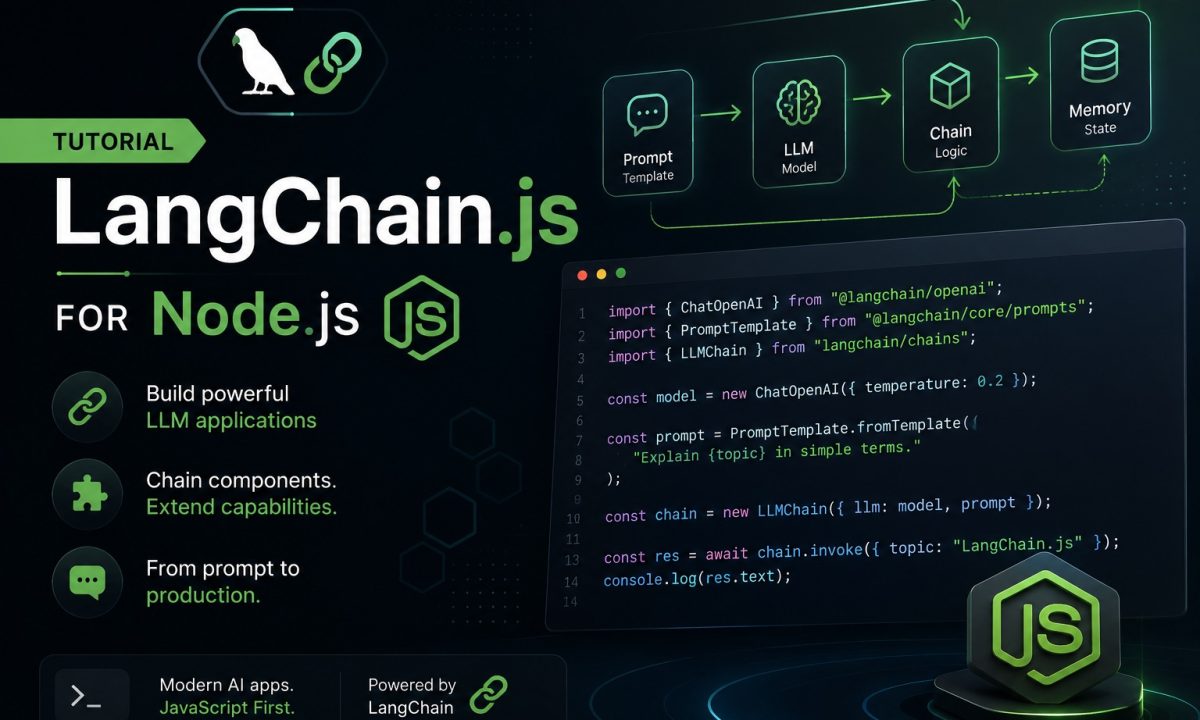
A client had four AI features half-built across one codebase: a support-ticket summarizer, a “chat with our docs” widget, a classifier, and a tool-using agent that could look things up in their Postgres. Four engineers, four different ways of calling OpenAI, three different retry implementations, two of them subtly wrong. They wanted one shape for all of it. That’s the pitch for LangChain.js — a common interface over models, prompts, retrieval, and agents so your team stops reinventing the same plumbing in four colors. Whether it earns its place is the actual question, and I’ll be blunt about where it doesn’t.
Practical answer
Use LangChain.js in Node.js when you need composable prompts, model swapping, typed output parsing, retrieval chains, or LangGraph agents. Skip it when one direct SDK call is clearer. The practical v1 path is: install the split packages, start with a chat model, add LCEL only where chaining helps, and move agent workflows into LangGraph instead of hand-rolling loops.
LangChain.js is divisive for a reason. It moves fast, the package layout has churned hard, and for a single one-shot call it’s pure indirection over the provider SDK. But the v1 line (released late 2025, and what you’re installing in mid-2026) is a real cleanup: smaller core, the agent story consolidated into one function, and the old chain syntax still present where it actually helps. This is a working tour on Node 20+, with the parts I’d keep and the parts I’d drop. The canonical reference, if you want to follow along against source, is the LangChain JS documentation.
The package split is the first thing that confuses people
You don’t install one thing called “langchain” and get everything. The project is split, deliberately, and if you copy a 2023 tutorial you’ll fight version mismatches for an hour.
Here’s the layout as of June 2026:
@langchain/core— base abstractions: messages, prompt templates, output parsers, the Runnable interface. Everything depends on this, and every other@langchain/*package must agree on its version.langchain— the top-level package. In v1 this is wherecreateAgentandtoollive. It’s the orchestration layer, not the integrations.@langchain/openai— the OpenAI integration:ChatOpenAI, embeddings. Anthropic, Google, etc. each get their own package (@langchain/anthropic,@langchain/google-genai).@langchain/community— third-party integrations that aren’t first-party maintained: assorted vector stores, loaders, tools.
The rule that bites everyone: every package must resolve to the same @langchain/core. Mismatched core versions throw cryptic instanceof failures because two copies of the same class aren’t equal. Pin them. If you ever need to see which package owns a class, the langchainjs monorepo on GitHub is laid out one folder per package.
npm install langchain@^1.4 @langchain/core@^1.1 @langchain/openai@^1.4 zod
Then set your key the boring way — environment variable, never hardcoded:
export OPENAI_API_KEY="sk-..."
If you’re starting clean and want strict TypeScript and ESM sorted before any of this, my TypeScript Node.js setup guide covers the tsconfig I use for exactly these projects. LangChain v1 is ESM-first; CommonJS works but you’ll hit fewer sharp edges on "type": "module".
A first chat model call, without the ceremony
Before any chains, the smallest useful thing: call a model. ChatOpenAI is a thin, typed wrapper over the chat completions endpoint.
import { ChatOpenAI } from "@langchain/openai";

const model = new ChatOpenAI({
  model: "gpt-4.1-mini",
  temperature: 0,
});

const res = await model.invoke("Summarize the event loop in two sentences.");
console.log(res.content);
invoke takes a string or an array of messages and returns an AIMessage. That’s the whole contract. And here’s my first honest note: if this is all you need — one prompt, one response — you do not need LangChain. The OpenAI SDK does this in the same number of lines with one less dependency. I cover the bare-SDK path in the OpenAI API Node.js tutorial; reach for LangChain when you’re about to do the next four things, not this one.
The payoff is the uniform interface: swap ChatOpenAI for ChatAnthropic and the rest of your code is untouched. If you’re juggling providers, that’s worth something.
Prompt templates and output parsers, so you get types back
Two problems show up fast. You’re building prompt strings with template literals and they get unreadable. And the model hands you prose when you wanted a typed object your code can branch on.
ChatPromptTemplate handles the first. It’s a parameterized prompt with named variables:
import { ChatPromptTemplate } from "@langchain/core/prompts";

const prompt = ChatPromptTemplate.fromMessages([
  ["system", "You are a terse senior engineer. No fluff."],
  ["human", "Explain {topic} to a junior in under 60 words."],
]);
For typed output, the move I actually use is structured output bound to a Zod schema. You define the shape once, and the model is constrained to fill it:
import { ChatOpenAI } from "@langchain/openai";
import * as z from "zod";

const TicketTriage = z.object({
  category: z.enum(["bug", "billing", "feature", "other"]),
  urgency: z.number().min(1).max(5),
  summary: z.string().describe("One sentence, no greeting"),
});

const model = new ChatOpenAI({ model: "gpt-4.1-mini", temperature: 0 });
const triager = model.withStructuredOutput(TicketTriage);

const out = await triager.invoke(
  "Customer: I was charged twice this month and I'm furious."
);
console.log(out.category, out.urgency); // "billing" 5  — typed, validated
withStructuredOutput uses the provider’s native JSON/tool-calling support to guarantee the shape, then validates against your schema. No regex on model prose, no JSON.parse in a try/catch praying it’s valid. For classification and extraction work, this one method is the strongest reason to pull LangChain in. (There’s still a StringOutputParser in @langchain/core/output_parsers for when you just want the raw text out of a chain — handy in the pipe below.)
Chaining: LCEL and the pipe, where it actually earns its keep
You’ve got a prompt, a model, and a parser. Wiring them by hand — call prompt, pass result to model, pass that to parser — is the kind of glue that rots. LCEL (LangChain Expression Language) composes them into one runnable with .pipe():
import { ChatPromptTemplate } from "@langchain/core/prompts";
import { StringOutputParser } from "@langchain/core/output_parsers";
import { ChatOpenAI } from "@langchain/openai";

const prompt = ChatPromptTemplate.fromMessages([
  ["system", "You write release notes. Punchy, present tense."],
  ["human", "Turn this changelog into 3 bullets:nn{changelog}"],
]);

const model = new ChatOpenAI({ model: "gpt-4.1-mini", temperature: 0.3 });

const chain = prompt.pipe(model).pipe(new StringOutputParser());

const notes = await chain.invoke({
  changelog: "- fixed N+1 in /ordersn- added Redis cachen- dropped Node 18",
});
console.log(notes);
Everything in that chain is a Runnable, so the composed chain is one too. It gets .invoke(), .batch() (run an array of inputs concurrently), and .stream() for free — you don’t write three code paths. chain.batch([...]) to process a hundred changelogs at once is genuinely nice.
LCEL is where I think LangChain is good. The criticism it earns elsewhere — magic, indirection — mostly doesn’t apply here; the data flow is explicit and left-to-right. If you outgrow .pipe() and need branching or parallel fan-out, RunnableSequence and RunnableParallel from @langchain/core/runnables cover it without leaving the same model.
Retrieval: a RAG sketch that isn’t a toy
“Chat with our docs” means RAG: embed your documents, store the vectors, retrieve the relevant chunks at query time, stuff them into the prompt. LangChain’s value here is the adapters — one retriever interface over a dozen vector stores.
A minimal in-memory version to show the shape:
import { OpenAIEmbeddings, ChatOpenAI } from "@langchain/openai";
import { MemoryVectorStore } from "langchain/vectorstores/memory";
import { ChatPromptTemplate } from "@langchain/core/prompts";
import { StringOutputParser } from "@langchain/core/output_parsers";

const embeddings = new OpenAIEmbeddings({ model: "text-embedding-3-small" });
const store = await MemoryVectorStore.fromTexts(
  [
    "Our refund window is 30 days from purchase.",
    "Enterprise plans include a dedicated Slack channel.",
    "We deploy on Fridays only with a manager sign-off.",
  ],
  [{ id: 1 }, { id: 2 }, { id: 3 }],
  embeddings
);

const retriever = store.asRetriever({ k: 2 });

const prompt = ChatPromptTemplate.fromMessages([
  ["system", "Answer ONLY from the context. If it's not there, say so.nn{context}"],
  ["human", "{question}"],
]);

const model = new ChatOpenAI({ model: "gpt-4.1-mini", temperature: 0 });

const question = "What's the refund policy?";
const docs = await retriever.invoke(question);
const context = docs.map((d) => d.pageContent).join("n");

const answer = await prompt
  .pipe(model)
  .pipe(new StringOutputParser())
  .invoke({ context, question });

console.log(answer);
MemoryVectorStore is for prototypes — it forgets on restart. In production you swap it for a real store and the retriever interface stays identical, which is the whole point. I’d put the vectors in Postgres with pgvector rather than run another service; I walk through that exact stack in the Node.js RAG with pgvector guide. One caution: LangChain makes RAG look trivial, and it isn’t. Chunking strategy, retrieval quality, and reranking are where real RAG lives, and no framework decides those for you.
Agents: this is LangGraph’s job now
When the model needs to decide — call a tool, read the result, maybe call another, then answer — you want an agent loop. In v1 this consolidated around createAgent (from the top-level langchain), which runs on LangGraph.js under the hood. The old AgentExecutor and the initialize-agent zoo are gone; this is the one path.
import { createAgent, tool } from "langchain";
import { ChatOpenAI } from "@langchain/openai";
import * as z from "zod";

const getWeather = tool(
  async ({ city }) => {
    // real impl would hit an API; stubbed for the example
    return `It's 72F and clear in ${city}.`;
  },
  {
    name: "get_weather",
    description: "Get current weather for a city.",
    schema: z.object({ city: z.string() }),
  }
);

const agent = createAgent({
  model: new ChatOpenAI({ model: "gpt-4.1-mini" }),
  tools: [getWeather],
});

const result = await agent.invoke({
  messages: [{ role: "user", content: "Should I bring a jacket in Austin?" }],
});
console.log(result.messages.at(-1)?.content);
For a simple tool-call loop, createAgent is plenty. When you need real control — persistent state across turns, human-in-the-loop approval before a tool fires, branching workflows, checkpointing — you drop to LangGraph.js directly and define the graph yourself. That’s the genuinely strong part of this ecosystem, and it’s also the part you should reach for only when a plain loop has stopped being enough. Most “agents” people build are a model with two tools and don’t need a graph.
Streaming: same interface, just .stream()
A 1,200-token answer that arrives all at once after eight seconds feels broken. Streaming fixes the perceived latency, and because every runnable already supports it, you don’t restructure anything.
For a chain, swap invoke for stream and consume the async iterable:
const chain = prompt.pipe(model).pipe(new StringOutputParser());

for await (const chunk of await chain.stream({
  changelog: "- shipped streamingn- fixed the cache bug",
})) {
  process.stdout.write(chunk);
}
For an agent, stream the run and pick streamMode: "messages" to get token-level output as the model produces it:
for await (const [token] of await agent.stream(
  { messages: [{ role: "user", content: "Weather in Austin?" }] },
  { streamMode: "messages" }
)) {
  process.stdout.write(token.content ?? "");
}
Pipe that into an SSE response and your UI fills in live. Mind the backpressure on slow clients — if the consumer stalls, you want to stop pulling tokens rather than buffer the whole stream in memory.
Where LangChain is the wrong tool
I push back on LangChain more than I recommend it, so here’s where I tell teams to skip it.
One model, one prompt, one response. If your feature is a single call with no chaining, no retrieval, no tools, LangChain is a dependency and an abstraction buying you nothing. The provider SDK is fewer lines and one less thing to version-pin. A summarizer that takes text and returns text does not need a framework.
You need exact control over the request. The moment you’re fighting the abstraction to set an obscure parameter, pass a custom header, or shape the raw response, you’ve lost the time LangChain was supposed to save. Raw SDK gives you the request object directly. I’ve ripped LangChain out of a service for this exact reason and the code got shorter.
Hot paths where you count milliseconds and dependencies. LangChain pulls a real dependency tree and adds a layer of indirection per call. For a latency-critical endpoint doing thousands of simple calls, the bare SDK is leaner and easier to profile. You’re not getting chains or retrieval out of it anyway.
You’d have to learn LangGraph to do something a 20-line state machine already does. If your “agent” is “call tool A, then tool B, then answer,” write the loop. Reach for LangGraph when the orchestration genuinely needs persistence, branching, or human approval — not before.
Where it does pay off: multiple providers behind one interface, real RAG with swappable vector stores, structured output with Zod across many call sites, and agent loops you’ll grow into LangGraph. Match it to that and it’s a fair trade. Bolt it onto a single API call and you’ve added indirection you’ll delete in three months.
FAQ
Is LangChain.js worth using in 2026?
It depends entirely on scope. For multi-step pipelines, RAG with swappable vector stores, structured Zod output across many call sites, or agents you’ll grow into LangGraph, the v1 line is a reasonable, well-organized choice. For a single model call with no chaining, it’s overhead you don’t need — the provider SDK is simpler. The framework earns its place by what it composes, not by wrapping one request.
What’s the difference between langchain, @langchain/core, and @langchain/openai?
@langchain/core holds the base abstractions (messages, prompts, parsers, the Runnable interface) and everything depends on it. The top-level langchain package is the orchestration layer where createAgent and tool live. @langchain/openai is the OpenAI-specific integration with ChatOpenAI and embeddings. Critically, every installed package must resolve to the same @langchain/core version, or you get confusing instanceof errors.
Is LCEL and the .pipe() syntax still current?
Yes. In v1, LCEL with .pipe() is the supported way to compose chains — prompt to model to parser — and RunnableSequence/RunnableParallel cover branching and fan-out. What changed is agents: the old AgentExecutor path was replaced by createAgent running on LangGraph.js. Chains use LCEL; agents use createAgent.
How do I get structured JSON output instead of plain text?
Define a Zod schema and bind it to the model with model.withStructuredOutput(schema). It uses the provider’s native JSON or tool-calling support to constrain the output, then validates against your schema, so you get a typed object rather than prose you have to parse. For extraction and classification, this is the single most useful feature LangChain offers.
Do I need LangGraph to build an agent?
No, not for a basic tool-call loop — createAgent handles that and runs on LangGraph internally. You drop to LangGraph.js directly when you need persistent state across turns, human-in-the-loop approval before a tool runs, branching workflows, or checkpointing. Most simple agents never need the full graph; reach for it when a plain loop stops being enough.
Can I stream responses with LangChain in Node.js?
Yes, and you don’t restructure your code. Every runnable supports .stream(), so a chain just swaps invoke for stream and you consume an async iterable of chunks. For agents, call agent.stream(input, { streamMode: "messages" }) to get token-level output. Pipe either into an SSE response for a live-updating UI, and watch backpressure on slow clients.
Should I use LangChain.js or just the OpenAI SDK?
Use the OpenAI SDK when you need one prompt and one response, exact control over the request, or minimal dependencies on a latency-critical path. Use LangChain when you’re composing multiple steps, doing RAG, standardizing structured output across a codebase, or running tool-using agents. The deciding question is whether you’re abstracting over real complexity or just adding a layer over a single call.