The thing that finally sold me on Drizzle was a 2 a.m. incident that wasn’t even Drizzle’s fault. A client’s API was throwing on a column that existed in the database but not in the generated client, and nobody could remember whether the codegen step had run in CI. We grepped through a node_modules/.prisma folder at midnight trying to figure out what the runtime believed the schema was. That was the night I decided my next backend would not have a generated client sitting between me and my own tables.
Recommended Drizzle setup
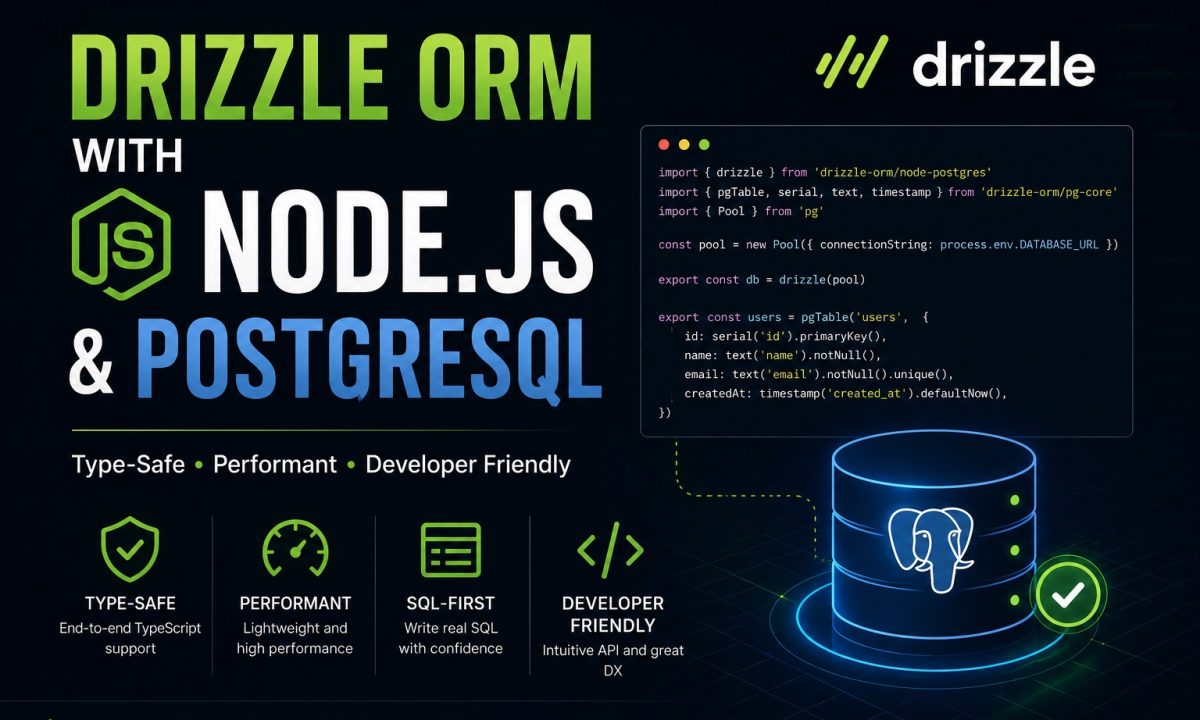
Drizzle ORM is a strong fit for Node.js teams that want TypeScript types without hiding SQL. Define tables in TypeScript with pgTable, generate migrations with drizzle-kit, run explicit typed queries, and choose it over heavier ORMs when you want predictable SQL, small abstractions, and migration files you can review.
That is the whole pitch for Drizzle ORM in Node.js: your schema is plain TypeScript, your queries read like SQL, and there is no generated runtime artifact you have to keep in sync. You write a table, you import it, you query it. The types come from the table definition directly, so the editor knows your columns without a build step ever running. For a Postgres-first backend on Node 20 or 22, that trade has held up well for me across a handful of projects this year.
This is a build-it-end-to-end walkthrough. We’ll stand up a tiny blog schema — users and posts — connect to Postgres, run every kind of query, add a relational read, wire migrations through drizzle-kit, do a transaction, then talk honestly about where Prisma still wins. Everything here runs on a clean Node 20+ install against a local Postgres.
Install it and connect without ceremony
The problem most ORMs hand you on day one is a connection layer you don’t understand. Drizzle keeps it thin — it wraps a driver you already know rather than replacing it. You bring node-postgres (the venerable pg) or postgres.js; Drizzle is a typed layer on top.
Install the runtime, the driver, and drizzle-kit (the CLI for migrations and schema tooling, which is a dev dependency only). The exact package set is in the Drizzle PostgreSQL get-started docs:
npm i drizzle-orm pg
npm i -D drizzle-kit @types/pg
Prefer postgres.js? Swap the driver:
npm i drizzle-orm postgres
npm i -D drizzle-kit
Now the database client. With node-postgres, point Drizzle at a connection string and you have a db to query against:
// src/db/index.ts
import { drizzle } from 'drizzle-orm/node-postgres';
import * as schema from './schema';

export const db = drizzle(process.env.DATABASE_URL!, { schema });
That { schema } argument matters more than it looks — it’s what lights up the relational query API later. If you need explicit pool options, SSL for a managed provider, or a pool you control yourself, pass a connection object instead:
import { drizzle } from 'drizzle-orm/node-postgres';
import * as schema from './schema';

export const db = drizzle({
  connection: {
    connectionString: process.env.DATABASE_URL!,
    ssl: true,
  },
  schema,
});
One thing worth knowing before you ship: postgres.js uses prepared statements by default, which you sometimes have to opt out of behind certain poolers (PgBouncer in transaction mode is the classic case). If you run a pooler in front of Postgres, that detail is worth reading up on in Postgres connection pooling for Node.js before it bites you in production.
Define the schema as TypeScript, not a DSL
Here’s the part Drizzle gets right and the part that took me a minute to trust. The schema is just code. No separate .prisma file with its own grammar, no plugin to teach your editor a new language. A table is a function call, columns are function calls, and the inferred type is the table.
Create src/db/schema.ts with two tables and a foreign key from posts back to users:
// src/db/schema.ts
import {
  pgTable,
  integer,
  varchar,
  text,
  boolean,
  timestamp,
} from 'drizzle-orm/pg-core';

export const users = pgTable('users', {
  id: integer().primaryKey().generatedAlwaysAsIdentity(),
  name: varchar({ length: 255 }).notNull(),
  email: varchar({ length: 255 }).notNull().unique(),
  createdAt: timestamp().notNull().defaultNow(),
});

export const posts = pgTable('posts', {
  id: integer().primaryKey().generatedAlwaysAsIdentity(),
  title: varchar({ length: 255 }).notNull(),
  body: text().notNull(),
  published: boolean().notNull().default(false),
  authorId: integer()
    .notNull()
    .references(() => users.id),
  createdAt: timestamp().notNull().defaultNow(),
});
generatedAlwaysAsIdentity() is the modern Postgres identity column — it’s what Drizzle’s own docs reach for now instead of the older serial. Both work, but identity columns are the cleaner default for new tables.
For the relational query API to traverse the foreign key, Drizzle wants a separate relations() declaration. This is metadata for the query builder, not a database constraint — the references() call above is what actually creates the FK. Add it to the same file:
import { relations } from 'drizzle-orm';

export const usersRelations = relations(users, ({ many }) => ({
  posts: many(posts),
}));

export const postsRelations = relations(posts, ({ one }) => ({
  author: one(users, {
    fields: [posts.authorId],
    references: [users.id],
  }),
}));
That fields/references split trips people up at first. fields is the column on this table holding the foreign key; references is the column on the other table it points to. One user has many posts; one post has one author.
Run typed queries that look like SQL
The payoff of a SQL-first model is that the query builder doesn’t hide SQL — it mirrors it. If you know INSERT ... RETURNING, you already know the Drizzle call. And because the types flow from the table, insert(users).values({ ... }) will refuse to compile if you forget a notNull column or fat-finger a field name.
Insert a row and get it back:
import { db } from './db';
import { users, posts } from './db/schema';
import { eq, and, desc } from 'drizzle-orm';

const [ada] = await db
  .insert(users)
  .values({ name: 'Ada Lovelace', email: 'ada@example.com' })
  .returning();

await db.insert(posts).values({
  title: 'On the Analytical Engine',
  body: 'Notes toward a general-purpose machine.',
  authorId: ada.id,
});
Select with a filter. The where helpers (eq, and, or, gt, lt, and the rest) are imported from drizzle-orm, and they compose the way you’d write a WHERE clause:
const published = await db
  .select()
  .from(posts)
  .where(and(eq(posts.authorId, ada.id), eq(posts.published, true)))
  .orderBy(desc(posts.createdAt))
  .limit(10);
Want only certain columns back? Pass a projection object to select and the return type narrows to exactly those fields — no over-fetching, and the types prove it:
const titles = await db
  .select({ id: posts.id, title: posts.title })
  .from(posts);
Update and delete follow the same shape, and both can .returning() the affected rows:
const [updated] = await db
  .update(posts)
  .set({ published: true })
  .where(eq(posts.id, 1))
  .returning();

await db.delete(posts).where(eq(posts.id, 99));
There’s no magic here, and that’s the point. Each call is one statement. When you need to reason about what hits the database, you can read the builder top to bottom and see it.
Read relations without writing the join
Hand-writing joins and then reshaping flat rows back into nested objects is the tax you pay for SQL-first query builders. Drizzle’s relational query API — db.query — pays it for you, as long as you passed { schema } to drizzle() and declared those relations().
Pull every user with their posts attached, already nested:
const usersWithPosts = await db.query.users.findMany({
  with: { posts: true },
});
You get User & { posts: Post[] }, fully typed, no manual mapping. Narrow it further — grab one user, only the columns you want, only their published posts, newest first:
const profile = await db.query.users.findFirst({
  where: (u, { eq }) => eq(u.id, ada.id),
  columns: { id: true, name: true },
  with: {
    posts: {
      where: (p, { eq }) => eq(p.published, true),
      orderBy: (p, { desc }) => [desc(p.createdAt)],
    },
  },
});
findFirst adds limit 1 for you. Note the callback form of where inside db.query — you receive the table and a bag of operators, so you don’t even need the top-level imports here. This is the one place where Drizzle leans into abstraction, and it’s the feature I’d miss most if I went back to raw pg.
Migrations with drizzle-kit: generate, then apply
The schema in TypeScript is the source of truth, but Postgres doesn’t read TypeScript. drizzle-kit bridges that gap: it diffs your schema against the last known state and emits SQL. You review it, commit it, apply it — no mystery DDL running behind your back.
First, a config file at the project root telling drizzle-kit where the schema lives and where to write migrations:
// drizzle.config.ts
import 'dotenv/config';
import { defineConfig } from 'drizzle-kit';

export default defineConfig({
  dialect: 'postgresql',
  schema: './src/db/schema.ts',
  out: './drizzle',
  dbCredentials: {
    url: process.env.DATABASE_URL!,
  },
});
Wire the two commands into package.json so nobody on the team has to remember the CLI flags:
# package.json scripts
"db:generate": "drizzle-kit generate",
"db:migrate": "drizzle-kit migrate"
Generate a migration from the current schema. drizzle-kit writes a timestamped folder under ./drizzle containing the .sql file plus a snapshot it uses for the next diff:
npm run db:generate
Open the generated SQL and actually read it — that habit has caught more than one accidental DROP COLUMN for me. When it looks right, apply it:
npm run db:migrate
For deployments — especially serverless or container starts where you want migrations to run as the app boots — you can apply them in code instead of from a shell. The migrator is a separate import:
import { drizzle } from 'drizzle-orm/node-postgres';
import { migrate } from 'drizzle-orm/node-postgres/migrator';

const db = drizzle(process.env.DATABASE_URL!);
await migrate(db, { migrationsFolder: './drizzle' });
drizzle-kit also ships a push command that syncs the schema straight to the database with no migration file. It’s lovely for throwaway prototypes and a bad idea for anything with real data, because you lose the reviewable, revertible SQL. I use generate + migrate everywhere that matters.
Transactions when several writes must hold together
The moment you have two writes that must both succeed or both fail — money moving, a user and their first record, an inventory decrement plus an order — you need a transaction. Drizzle wraps it in a callback: you get a tx handle, run every write through it, and if the callback throws, the whole thing rolls back.
import { db } from './db';
import { users, posts } from './db/schema';

await db.transaction(async (tx) => {
  const [author] = await tx
    .insert(users)
    .values({ name: 'Grace Hopper', email: 'grace@example.com' })
    .returning();

  await tx.insert(posts).values({
    title: 'On Nanoseconds',
    body: 'A wire eleven inches long.',
    authorId: author.id,
  });
});
Use tx for every statement inside, never the outer db — mixing them defeats the purpose, because the outer db runs on a different connection outside the transaction. To bail out deliberately on a business rule rather than waiting for an exception, call tx.rollback():
await db.transaction(async (tx) => {
  const [author] = await tx
    .insert(users)
    .values({ name: 'Temp', email: 'temp@example.com' })
    .returning();

  if (!author) {
    tx.rollback();
  }
});
Where Drizzle’s SQL-first model beats Prisma — and where it doesn’t
I’ve shipped both. The split, in my experience, comes down to how much abstraction you want sitting between your code and your database.
Drizzle wins when you want to see your queries. There’s no generated client, so there’s no codegen step to forget in CI and no node_modules artifact drifting out of sync with reality — the problem that started this article. The bundle is small and tree-shakeable, which is why it’s a common pick for edge and serverless runtimes. And because the API mirrors SQL, the day you hit a gnarly query — a lateral join, a window function, a DISTINCT ON — you drop into raw SQL with the sql template tag and stay in the same tool. For anyone who already thinks in SQL, the learning curve is short. The drizzle-orm repository on GitHub is active and worth watching if you want to track where it’s headed.
Prisma wins on developer experience for the broad middle. Its schema language, once you accept the separate file, is pleasant, and the migration tooling around it is more mature. Prisma Studio is a polished data GUI; Drizzle Studio is good but younger. Prisma’s nested writes stay smoother once relationships get deep, and the ecosystem of adapters and answers is simply larger — which matters more than purists admit when you’re onboarding a junior dev. For a deeper feature-by-feature breakdown, see Prisma vs Drizzle ORM.
My rule of thumb: if the team is comfortable with SQL and cares about bundle size or edge deploys, reach for Drizzle. If you want the most batteries-included path and a great GUI out of the box, Prisma is the safer default. Both are good. Neither is a mistake.
Where Drizzle is the wrong tool
Skip Drizzle if you want the most batteries-included developer experience with the least decision-making. Prisma’s schema-plus-generate flow holds your hand more, and for a team that just wants to ship CRUD without thinking about SQL, that hand-holding is worth real money.
Skip it if a heavy admin GUI is a hard requirement. Drizzle Studio works, but if your team lives in a database GUI all day — non-engineers editing rows, support staff inspecting records — Prisma Studio is more mature and you’ll fight less.
And skip it if your team is already standardized on Prisma and productive. Drizzle’s advantages are real but incremental; they rarely justify rewriting a working data layer and retraining everyone. Migrate when you have a concrete pain — edge deploys, bundle size, codegen drift — not because a blog post (this one included) told you Drizzle is nicer. The best ORM is usually the one your team already knows how to debug at 2 a.m.
FAQ
Is Drizzle ORM production-ready in 2026?
Yes. It’s used in production across plenty of Node and serverless apps, has a stable pgTable schema API, and ships migration tooling through drizzle-kit. As with any data layer, pin your versions, read your generated migration SQL before applying, and test against a real Postgres instance rather than trusting types alone.
Should I use node-postgres or postgres.js with Drizzle?
Either works well. node-postgres (pg) is the battle-tested default and lets you set type parsers per query, while postgres.js is lighter and fast but uses prepared statements by default, which you may need to disable behind a transaction-mode pooler like PgBouncer. If you’re unsure, start with pg — most tutorials and answers assume it.
What’s the difference between drizzle-kit generate and push?
generate diffs your schema and writes a reviewable, version-controlled SQL migration file that you then apply with migrate. push syncs the schema straight to the database with no file. Use generate plus migrate for anything with real data, and treat push as a prototyping-only shortcut you wouldn’t run against production.
Do I need relations() if I already use references() in my schema?
Only for the relational query API. references() creates the actual foreign key in Postgres, but db.query.users.findMany({ with: { posts: true } }) needs the separate relations() declaration to know how to traverse and nest the data. Plain select with a manual join works fine without relations().
Is Drizzle faster than Prisma?
For most queries the database does the heavy lifting, so raw query latency is comparable. Drizzle’s edge is a smaller bundle and no separate query engine process, which helps cold starts on serverless and edge runtimes. Don’t pick an ORM on micro-benchmarks; pick it on the developer experience and deploy target that fit your project.
How do I write a query Drizzle’s builder can’t express?
Use the sql template tag from drizzle-orm. You can drop raw SQL into a where, a select expression, or run a full statement with db.execute(sql…`)`, and parameters are still escaped safely. Because Drizzle is SQL-first, this escape hatch feels native rather than like a workaround — one of the main reasons I reach for it.
Can I run Drizzle migrations automatically on app startup?
Yes. Import migrate from drizzle-orm/node-postgres/migrator and call await migrate(db, { migrationsFolder: './drizzle' }) as your app boots. This pattern suits container and serverless deploys where you want unapplied migrations to run on start, though for high-traffic apps with zero-downtime needs, run migrations as a discrete deploy step instead of inside every instance.